AWS Architecture Diagram Skill

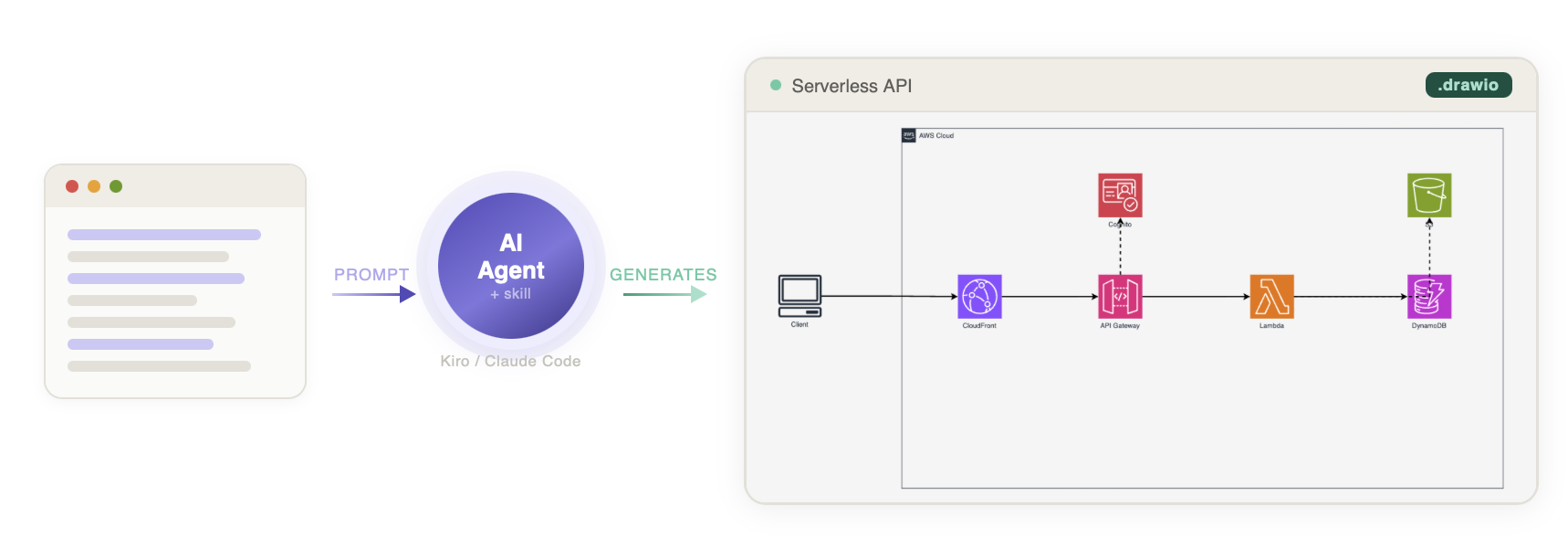
A reusable skill for generating AWS architecture diagrams in draw.io format. Works with any AI assistant — ChatGPT, Claude Projects, Kiro CLI, Claude Code, or any internal AI agent that supports custom prompts and file uploads.
Generates production-quality .drawio files using official AWS Architecture Icons with proper styling, layout, and color coding.
Features
- Left-to-right flow — UI/Frontend on left, data sources on right
- Official AWS icons — from draw.io's built-in
mxgraph.aws4 stencil library (sourced from AWS Architecture Icons)
- Verified icon catalog — only icons confirmed to render correctly
- Consistent styling — 78px icons, strokeWidth=2 edges, proper AWS color palette
- Export support — PNG/SVG/PDF via draw.io Desktop CLI with embedded XML
Installation
Skills CLI (recommended — works with Claude Code, Cursor, Codex, Kiro, and 50+ agents)
npx skills add vidanov/aws-architecture-diagram-skill
Install to a specific agent:
npx skills add vidanov/aws-architecture-diagram-skill --agent claude-code
npx skills add vidanov/aws-architecture-diagram-skill --agent cursor
npx skills add vidanov/aws-architecture-diagram-skill --agent kiro
Install globally (available in all projects):
npx skills add vidanov/aws-architecture-diagram-skill --global

Any AI Assistant (ChatGPT, Claude Projects, Internal Agents)
No code or CLI required. Works with any AI that supports custom instructions and file uploads:
- Copy the prompt from
chatgpt/PROMPT.md into your assistant's system prompt / custom instructions field
- Upload the reference files from
chatgpt/references/ to the knowledge base / project files
- Start asking for AWS architecture diagrams
This works with:
- ChatGPT → Custom GPT or Project with instructions + files
- Claude Projects → Project instructions + project knowledge
- Internal corporate AI agents → System prompt + knowledge base uploads
- Any LLM with file context → Paste prompt + reference content
Tip: Set temperature to 0.3 for consistent XML output.
Claude Code (Plugin — recommended)
/plugin marketplace add vidanov/aws-architecture-diagram-skill
/plugin install aws-architecture-diagram@vidanov-skills
Then use it:
/aws-architecture-diagram:aws-architecture-diagram
Or just ask naturally — the skill activates automatically when you mention AWS architecture diagrams.
Claude Code (Manual)
mkdir -p ~/.claude/skills/aws-architecture-diagram
cp claude/SKILL.md ~/.claude/skills/aws-architecture-diagram/SKILL.md
cp -r references ~/.claude/skills/aws-architecture-diagram/references
Kiro CLI
# Global (all projects)
mkdir -p ~/.kiro/skills/aws-architecture-diagram
cp kiro/SKILL.md ~/.kiro/skills/aws-architecture-diagram/SKILL.md
cp -r references ~/.kiro/skills/aws-architecture-diagram/references

# Per-project
mkdir -p .kiro/skills/aws-architecture-diagram
cp kiro/SKILL.md .kiro/skills/aws-architecture-diagram/SKILL.md
cp -r references .kiro/skills/aws-architecture-diagram/references
Usage
Just ask to create an AWS architecture diagram:
Create an AWS architecture diagram for a serverless API with Lambda, DynamoDB, and API Gateway
Or with export:
Create an AWS architecture diagram as PNG for a real-time data pipeline with Kinesis, Lambda, and S3
Example Output
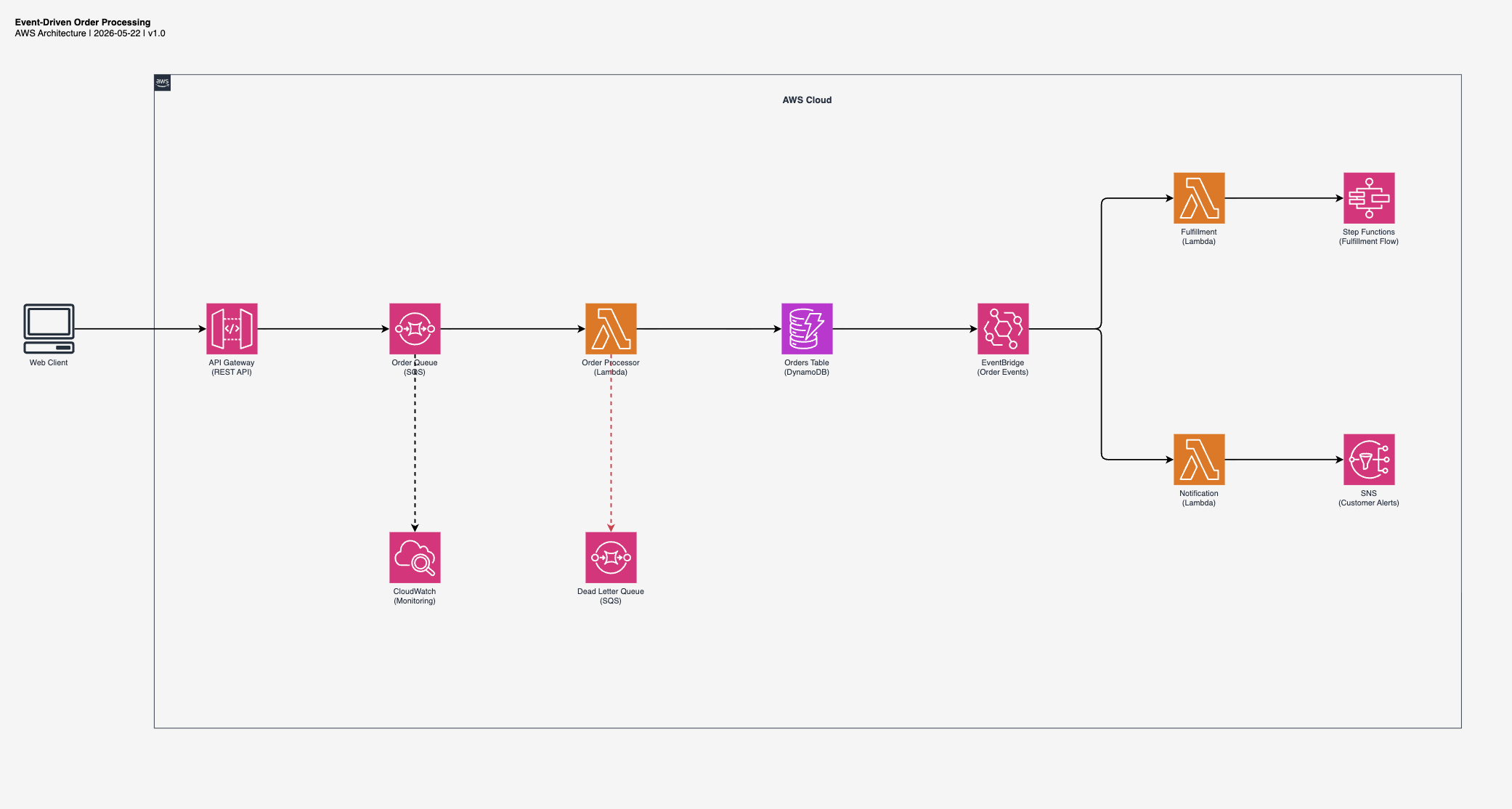
Event-Driven Order Processing
"Create an event-driven order processing architecture with SQS, Lambda, DynamoDB, and EventBridge"
 Download .drawio
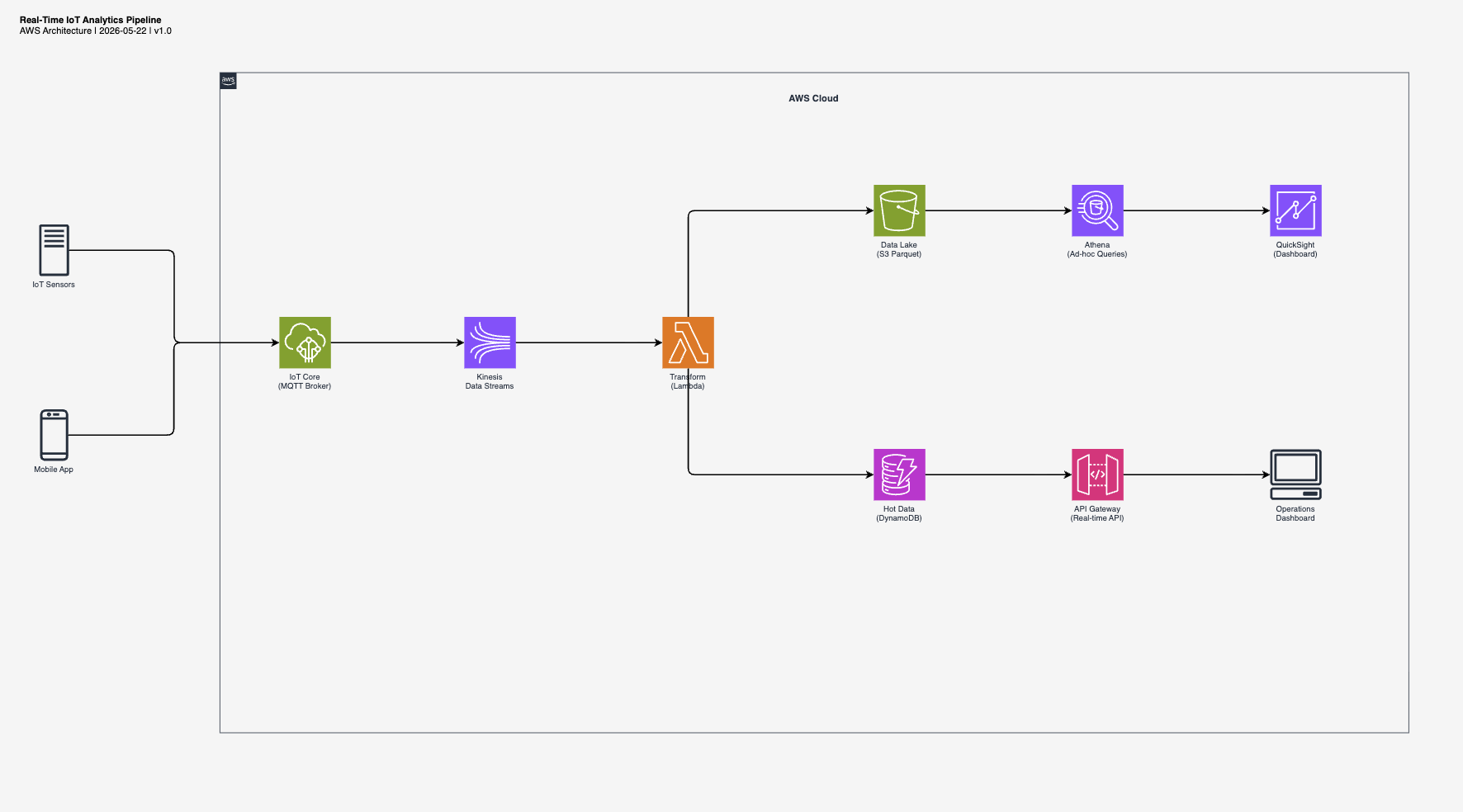
Real-Time IoT Analytics
"Create a real-time IoT analytics pipeline with Kinesis, Lambda, S3 data lake, and DynamoDB"
 Download .drawio
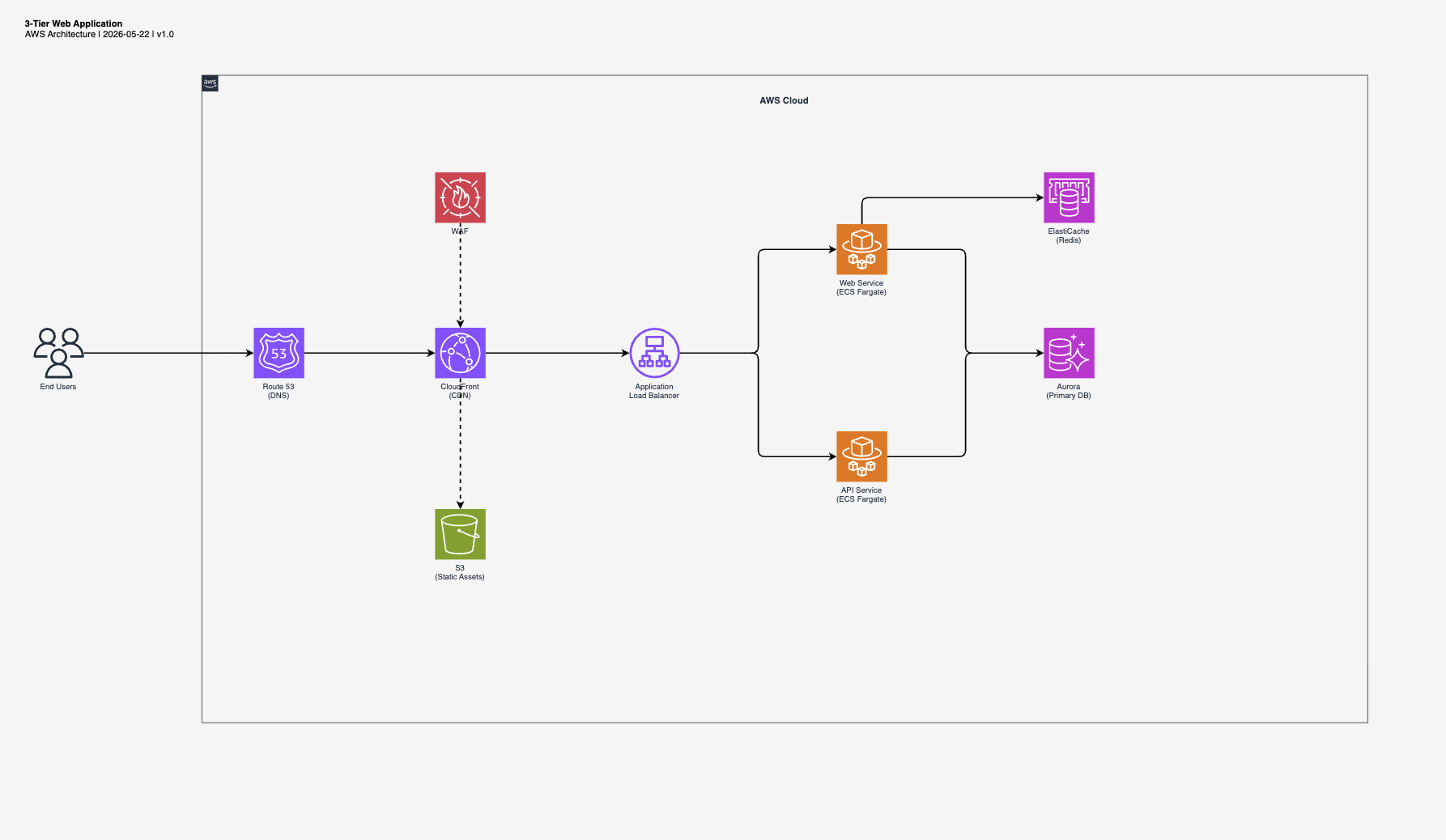
3-Tier Web Application
"Create a 3-tier web application with CloudFront, ALB, ECS Fargate, Aurora, and ElastiCache"
 Download .drawio
Structure

 vidanov
 eraserlabs
 konraddzbik
 ekusiadadus
 yizhiyanhua-ai
 edwingao28
 bahayonghang
'%20stop-opacity%3D'0.16'%2F%3E%3Cstop%20offset%3D'1'%20stop-color%3D'rgb(200%2C90%2C60)'%20stop-opacity%3D'0.03'%2F%3E%3C%2FlinearGradient%3E%3C%2Fdefs%3E%3Crect%20width%3D'320'%20height%3D'200'%20fill%3D'url(%23g)'%2F%3E%3Ccircle%20cx%3D'250'%20cy%3D'56'%20r%3D'92'%20fill%3D'rgb(200%2C90%2C60)'%20fill-opacity%3D'0.06'%2F%3E%3Ccircle%20cx%3D'64'%20cy%3D'172'%20r%3D'58'%20fill%3D'rgb(200%2C90%2C60)'%20fill-opacity%3D'0.05'%2F%3E%3C%2Fsvg%3E)