English | 中文
fireworks-tech-graph
Stop drawing diagrams by hand. Describe your system in English or Chinese — get publication-ready SVG + PNG technical diagrams in seconds.





Overview
fireworks-tech-graph turns natural language descriptions into polished SVG diagrams, then exports them as high-resolution PNG via cairosvg (recommended), with rsvg-convert and puppeteer available as alternatives. It ships with 7 template styles and 1 AI-authored style (Dark Luxury) and deep knowledge of AI/Agent domain patterns (RAG, Agentic Search, Mem0, Multi-Agent, Tool Call flows), plus full support for all 14 UML diagram types.
User: "Generate a Mem0 memory architecture diagram, dark style"
  → Skill classifies: Memory Architecture Diagram, Style 2
  → Generates SVG with swim lanes, cylinders, semantic arrows
  → Exports 1920px PNG
  → Reports: mem0-architecture.svg / mem0-architecture.png
Work With the Builder
This project is also a proof surface for a broader capability: turning vague AI/devtool workflows into constrained, reusable systems with validation, documentation, export paths, and product-facing polish.
If you are building agent infrastructure, AI IDEs, internal copilots, developer tools, technical documentation systems, or applied AI workflow products, I am open to scoped paid sprints, design-partner work, and founding engineer conversations.
Showcase
All samples exported at 1920px width (2× retina) via cairosvg. PNG is lossless and the right choice for technical diagrams — sharp edges, no JPEG compression artifacts on text/lines.
Style 1 — Flat Icon (default)
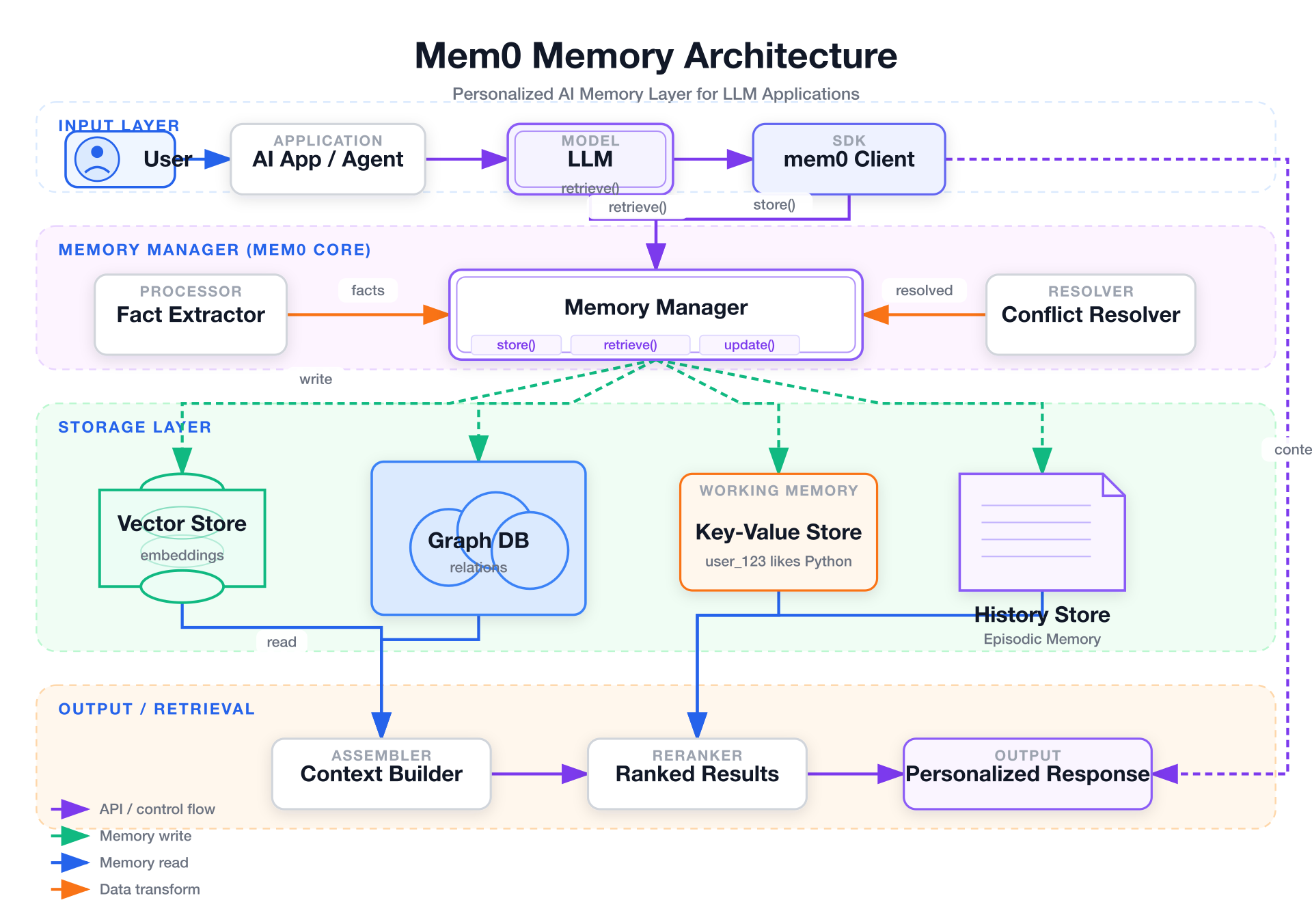
Mem0 Memory Architecture — white background, semantic arrows, layered memory system
Style 2 — Dark Terminal
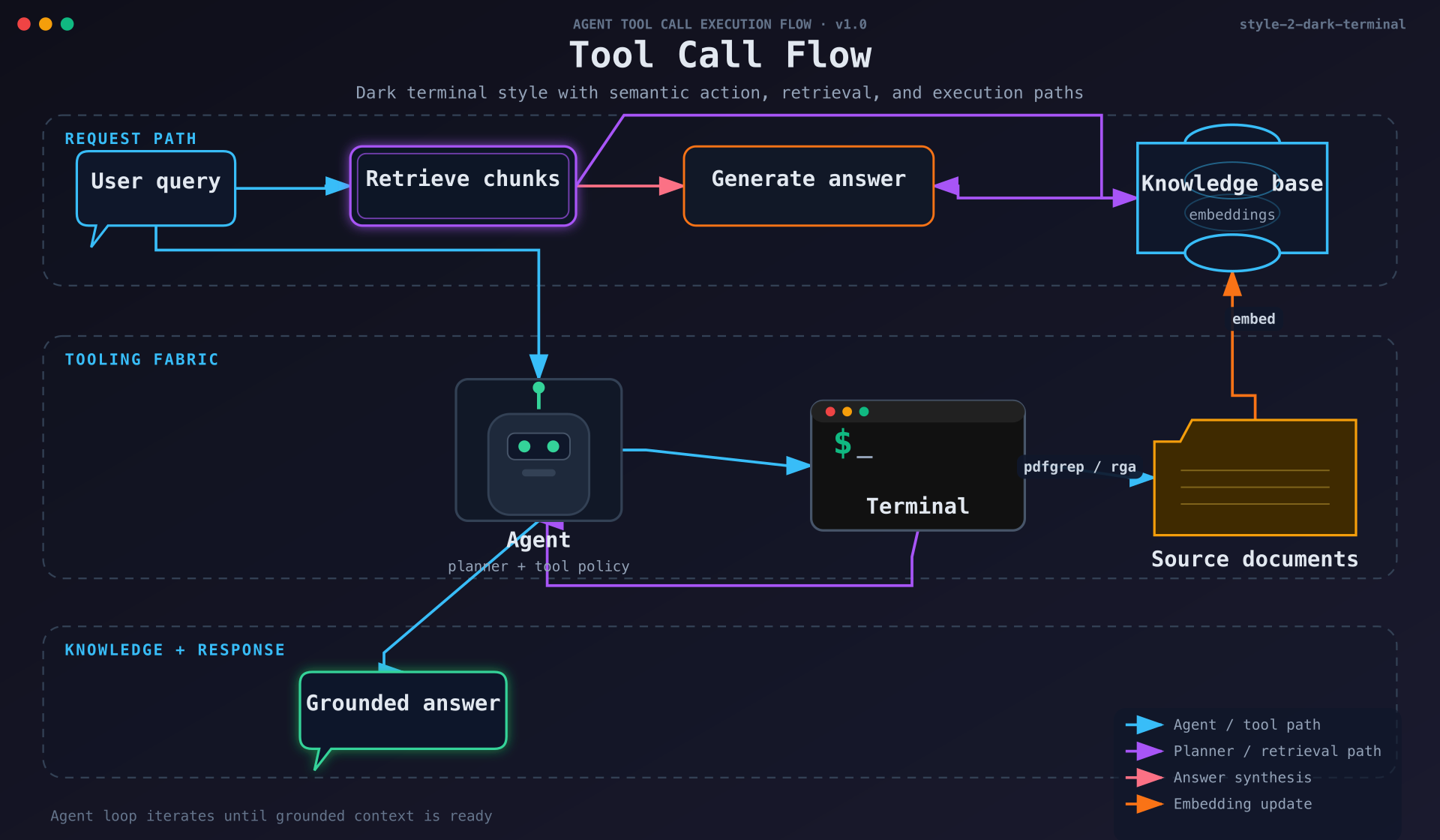
Tool Call Flow — dark background, neon accents, monospace font
Style 3 — Blueprint
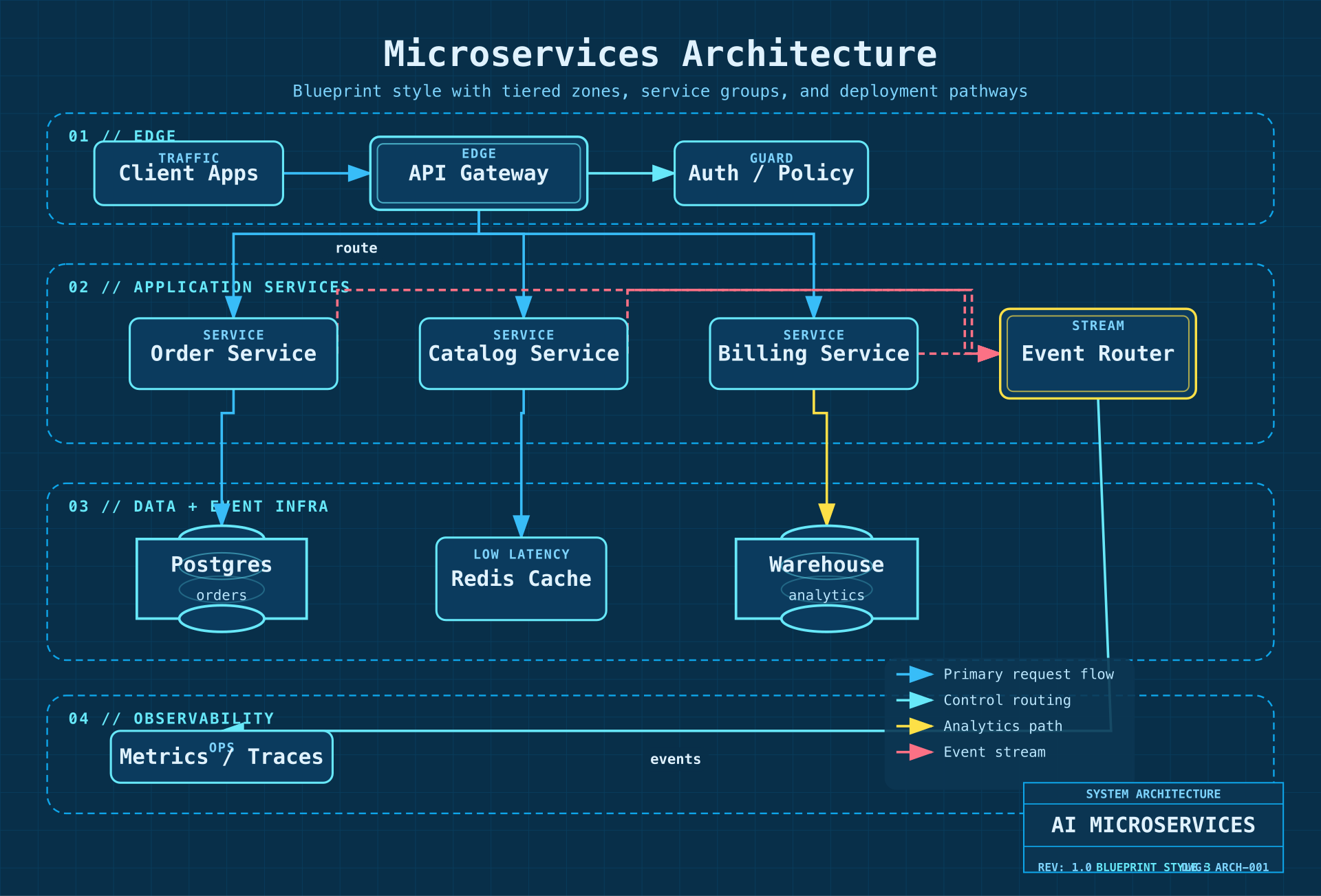
Microservices Architecture — deep blue background, grid lines, cyan strokes
Style 4 — Notion Clean
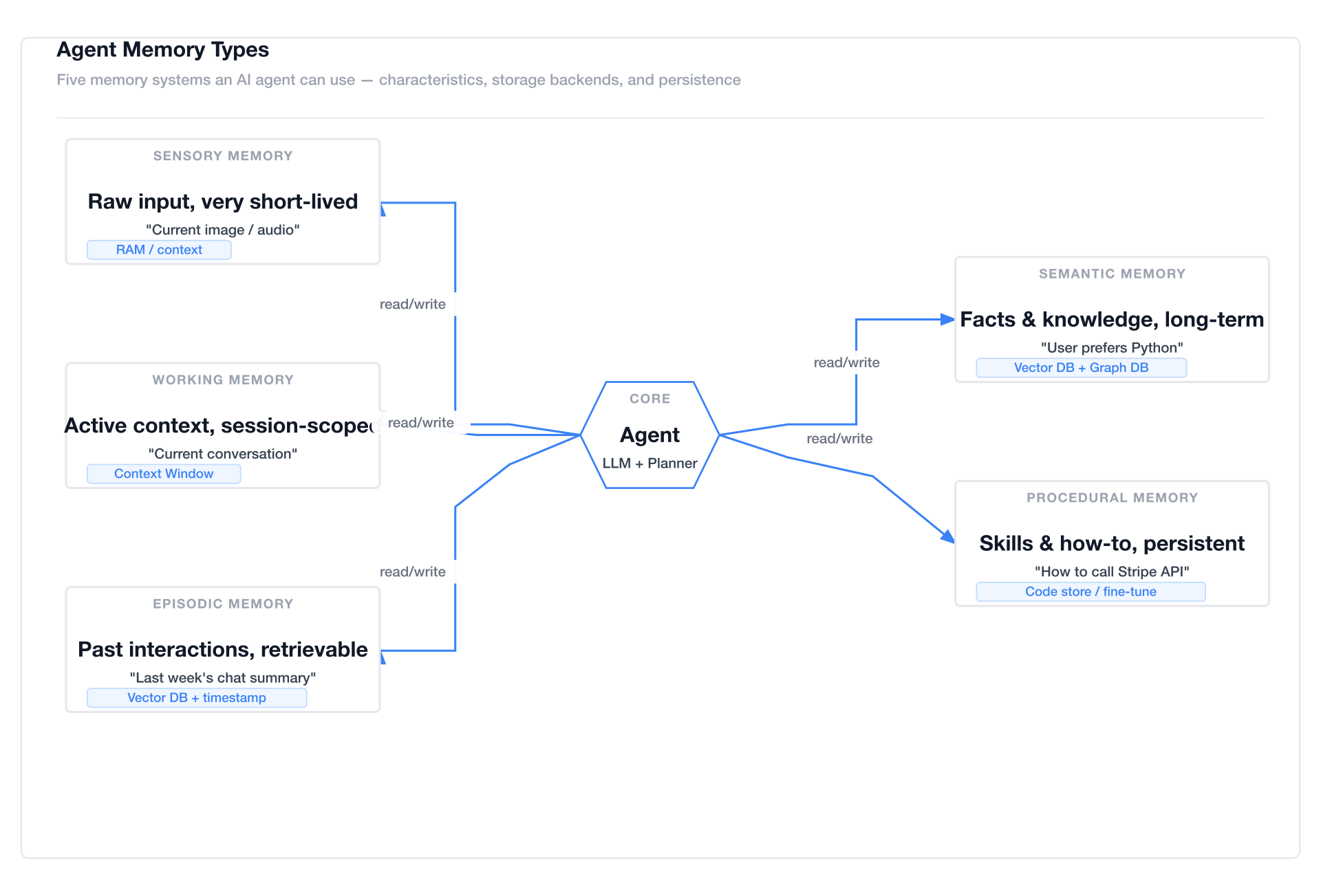
Agent Memory Types — minimal white, single accent color
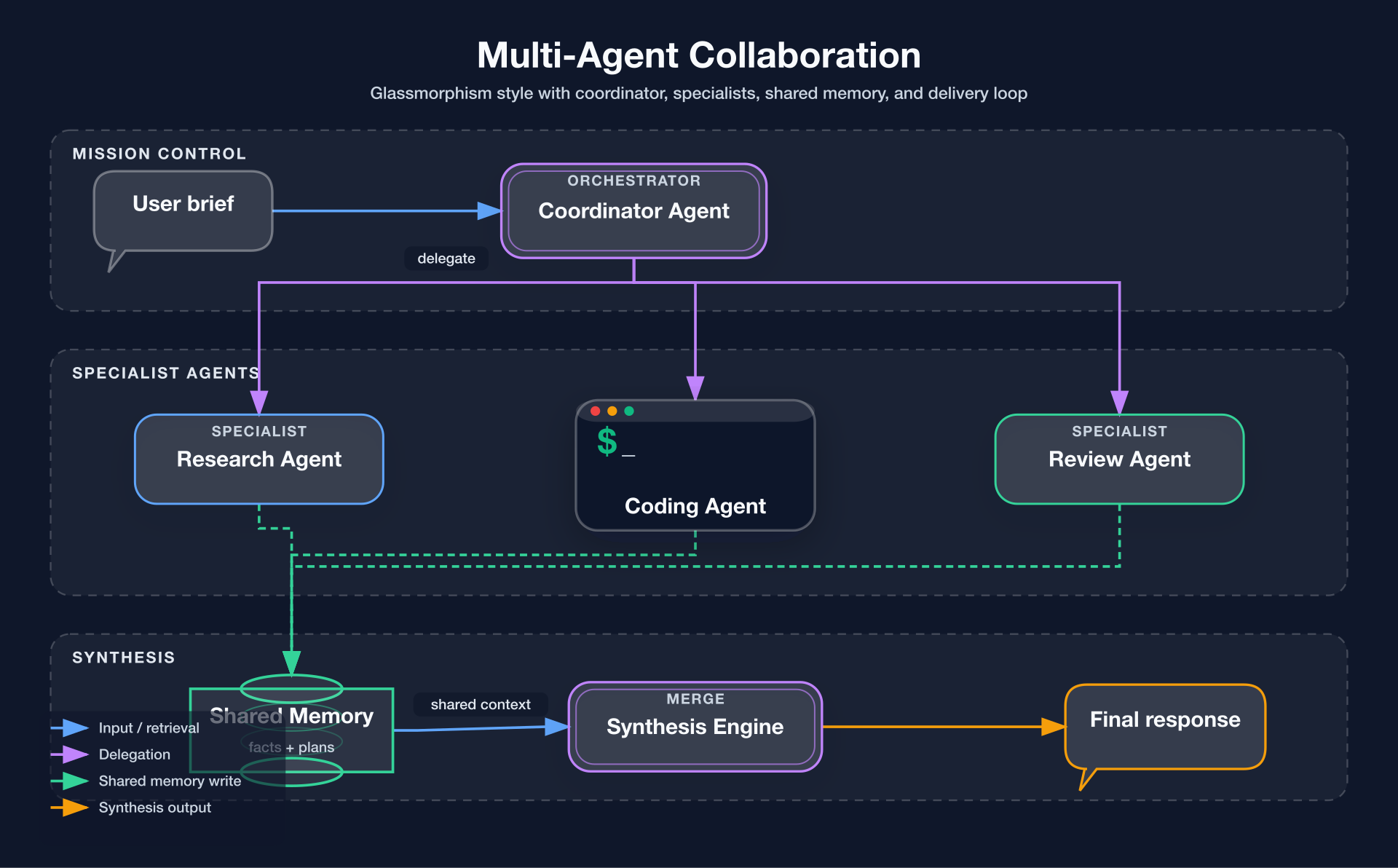
Style 5 — Glassmorphism
Multi-Agent Collaboration — dark gradient background, frosted glass cards
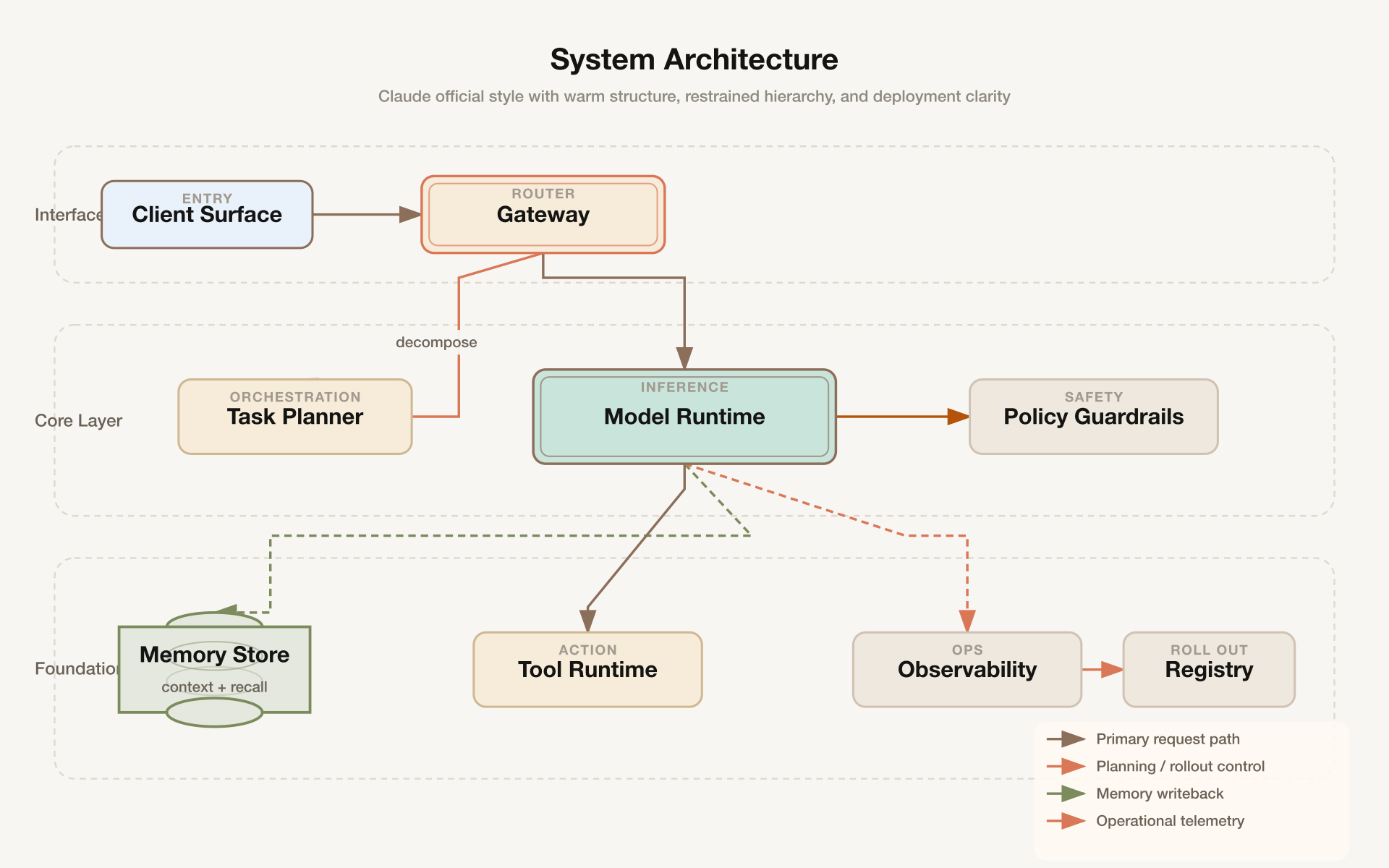
Style 6 — Claude Official
System Architecture — warm cream background (#f8f6f3), Anthropic brand colors, clean professional aesthetic
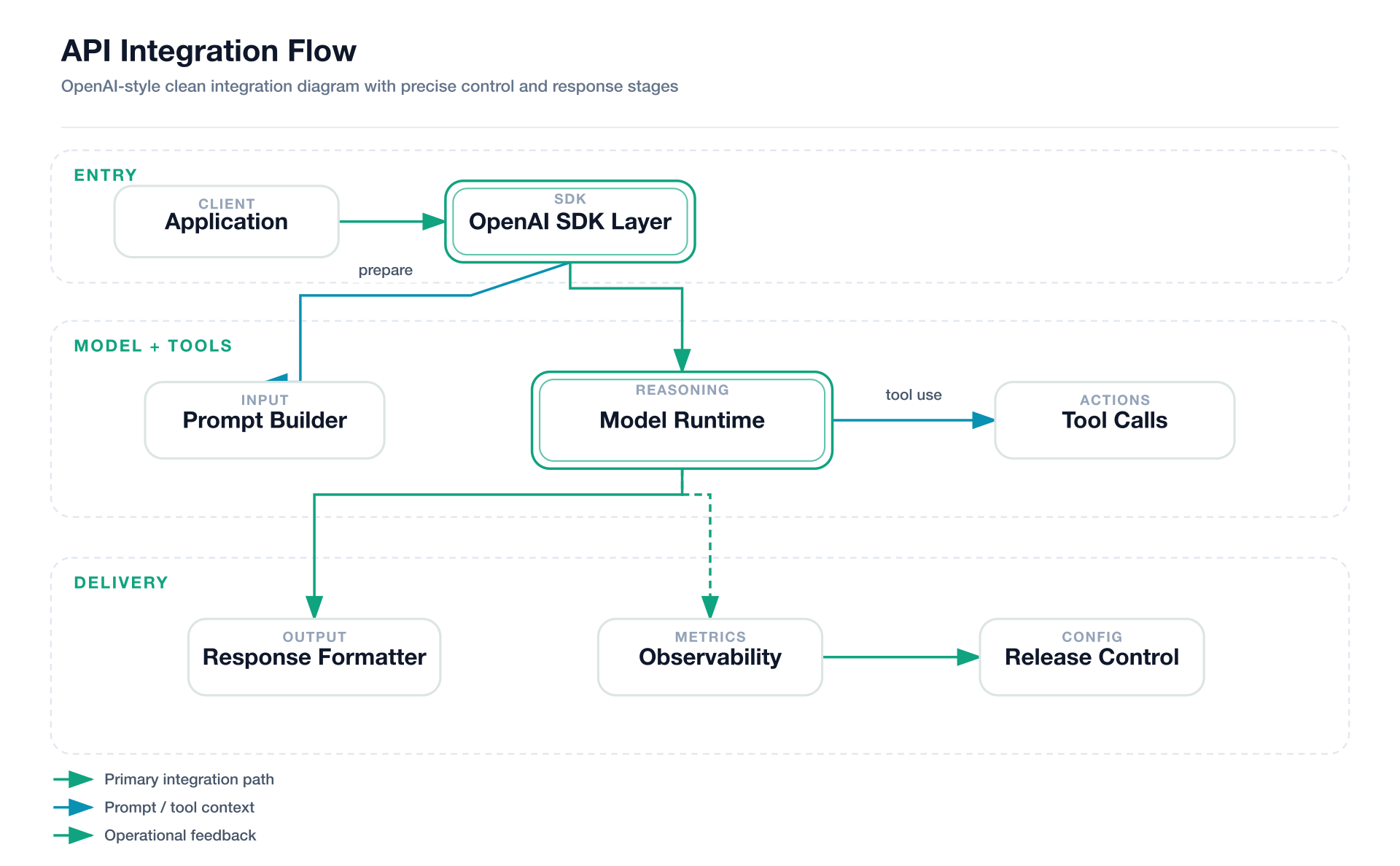
Style 7 — OpenAI Official
API Integration Flow — pure white background, OpenAI brand palette, modern minimalist design
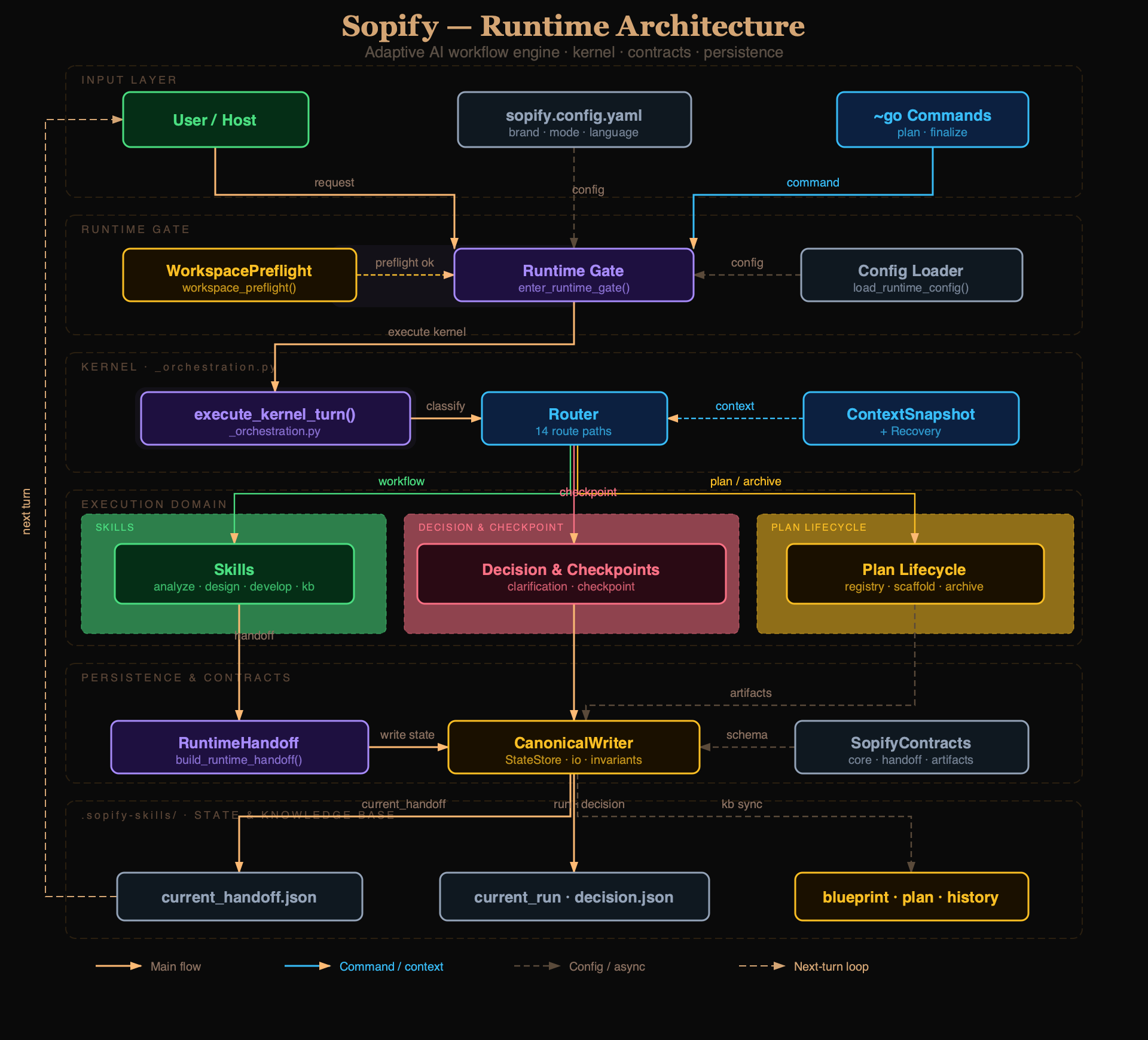
Style 8 — Dark Luxury (AI-authored)
Sopify Adaptive Workflow Engine — deep black background, champagne gold accents, serif titles, six-bucket color wheel
Stable Prompt Recipes
Use prompts like these when you want the model to stay close to the repo's strongest regression-tested outputs:
Style 1 — Flat Icon
Draw a Mem0 memory architecture diagram in style 1 (Flat Icon).
Use four horizontal sections: Input Layer, Memory Manager, Storage Layer, Output / Retrieval.
Include User, AI App / Agent, LLM, mem0 Client, Memory Manager, Vector Store, Graph DB, Key-Value Store, History Store, Context Builder, Ranked Results, Personalized Response.
Use semantic arrows for read, write, control, and data flow. Keep the layout clean and product-doc friendly.
Style 2 — Dark Terminal
Draw a tool call flow diagram in style 2 (Dark Terminal).
Show User query, Retrieve chunks, Generate answer, Knowledge base, Agent, Terminal, Source documents, and Grounded answer.
Use terminal chrome, neon accents, monospace typography, and semantic arrows for retrieval, synthesis, and embedding update.
 edwingao28
 konraddzbik
 ekusiadadus
 diegomarino
 cathrynlavery
 wentong2022-arch
'%20stop-opacity%3D'0.16'%2F%3E%3Cstop%20offset%3D'1'%20stop-color%3D'rgb(200%2C90%2C60)'%20stop-opacity%3D'0.03'%2F%3E%3C%2FlinearGradient%3E%3C%2Fdefs%3E%3Crect%20width%3D'320'%20height%3D'200'%20fill%3D'url(%23g)'%2F%3E%3Ccircle%20cx%3D'250'%20cy%3D'56'%20r%3D'92'%20fill%3D'rgb(200%2C90%2C60)'%20fill-opacity%3D'0.06'%2F%3E%3Ccircle%20cx%3D'64'%20cy%3D'172'%20r%3D'58'%20fill%3D'rgb(200%2C90%2C60)'%20fill-opacity%3D'0.05'%2F%3E%3C%2Fsvg%3E)