Stats
Actions
Available In
Tags
Conduct LimaCharlie security operations through the CLI: create and test detection rules, investigate incidents, task sensors for live response, monitor fleet health, and search documentation.
Ask a question about LimaCharlie and get an answer from the documentation. Usage: /lc-essentials:ask <your question>
Initialize the current working directory's CLAUDE.md with LimaCharlie CLI guidelines. Merges AUTOINIT.md content into a '# Using LimaCharlie' section. Safe to run multiple times.
Test D&R rules via historical replay against a SINGLE LimaCharlie organization. Designed to be spawned in parallel (one instance per org) by the detection-engineering skill. Returns summarized results (stats, samples, patterns) instead of all matches.
Check sensor health for a SINGLE LimaCharlie organization. This agent is designed to be spawned in parallel (one instance per org) by the sensor-health skill. Accepts org ID and parameters in the prompt, returns findings for that org only.
Execute sensor tasks (live response commands) on a single sensor and return results. Designed for parallel execution by parent skills. Handles online verification, task execution, and result formatting.
Expert Detection Engineer assistant for creating and testing D&R rules in LimaCharlie. Guides through understanding threats, researching event data (Schema, LCQL, Timeline), generating detection logic, testing rules against sample and historical data, and deploying validated rules. Use for building detections, writing D&R rules, testing detection logic, or when user wants to detect specific behaviors or threats.
Investigate noisy/common alerts and create false positive (FP) rules to suppress benign detections. Analyzes detection frequency over 7 days, identifies patterns, generates and tests FP rules with operator approval before deployment. Use for tuning detection noise, reducing alert fatigue, suppressing known-safe activity, or when specific detections need filtering. Human-in-the-loop workflow ensures no FP rules are deployed without explicit approval.
Deploy payloads and shell commands fleet-wide using reliable tasking. Execute scripts, collect data, or run commands across all endpoints with automatic handling of offline sensors. Use for vulnerability scanning, data collection, software inventory, compliance checks, or any fleet-wide operation.
Investigate security cases from the LimaCharlie Cases extension. Performs HOLISTIC investigations - not just process trees, but initial access hunting, org-wide scope assessment, lateral movement detection, and full host context. Enriches cases with telemetry references, entities/IOCs, analyst notes, and investigation summary/conclusion. Use for SOC triage, incident investigation, threat hunting, alert triage, or building SOC working reports. Supports case lifecycle management (triage, classify, resolve).
Search and retrieve LimaCharlie documentation from GitHub repositories. Use when users ask about LimaCharlie platform features, SDKs, APIs, D&R rules, LCQL, sensors, outputs, extensions, integrations, AI skills, agents, or any LimaCharlie-related topics.
Uses power tools
Uses Bash, Write, or Edit tools
Own this plugin?
Verify ownership to unlock analytics, metadata editing, and a verified badge. GitHub access is read-only (username + org membership).
Sign in to claimOwn this plugin?
Verify ownership to unlock analytics, metadata editing, and a verified badge. GitHub access is read-only (username + org membership).
Sign in to claimBased on adoption, maintenance, documentation, and repository signals. Not a security audit or endorsement.

This repository contains AI integrations for LimaCharlie, including Claude Code plugins, agents, and skills for security operations.
The plugins/ directory contains Claude Code plugins that can be installed to enhance Claude Code with LimaCharlie capabilities.
The lc-essentials plugin provides comprehensive LimaCharlie integration for Claude Code, including:
Before using the lc-essentials plugin, you need access to Claude Code through one of these options:
Install Claude Code on your local machine:
curl -fsSL https://claude.ai/install.sh | bash
For detailed setup instructions, see the Claude Code Quickstart Guide.
Then continue to the Plugin Installation section below.
Use Claude Code directly through the LimaCharlie web interface at app.limacharlie.io. The lc-essentials plugin is already pre-configured - you're ready to go with no additional setup required.
Only required for Option A (local installation)
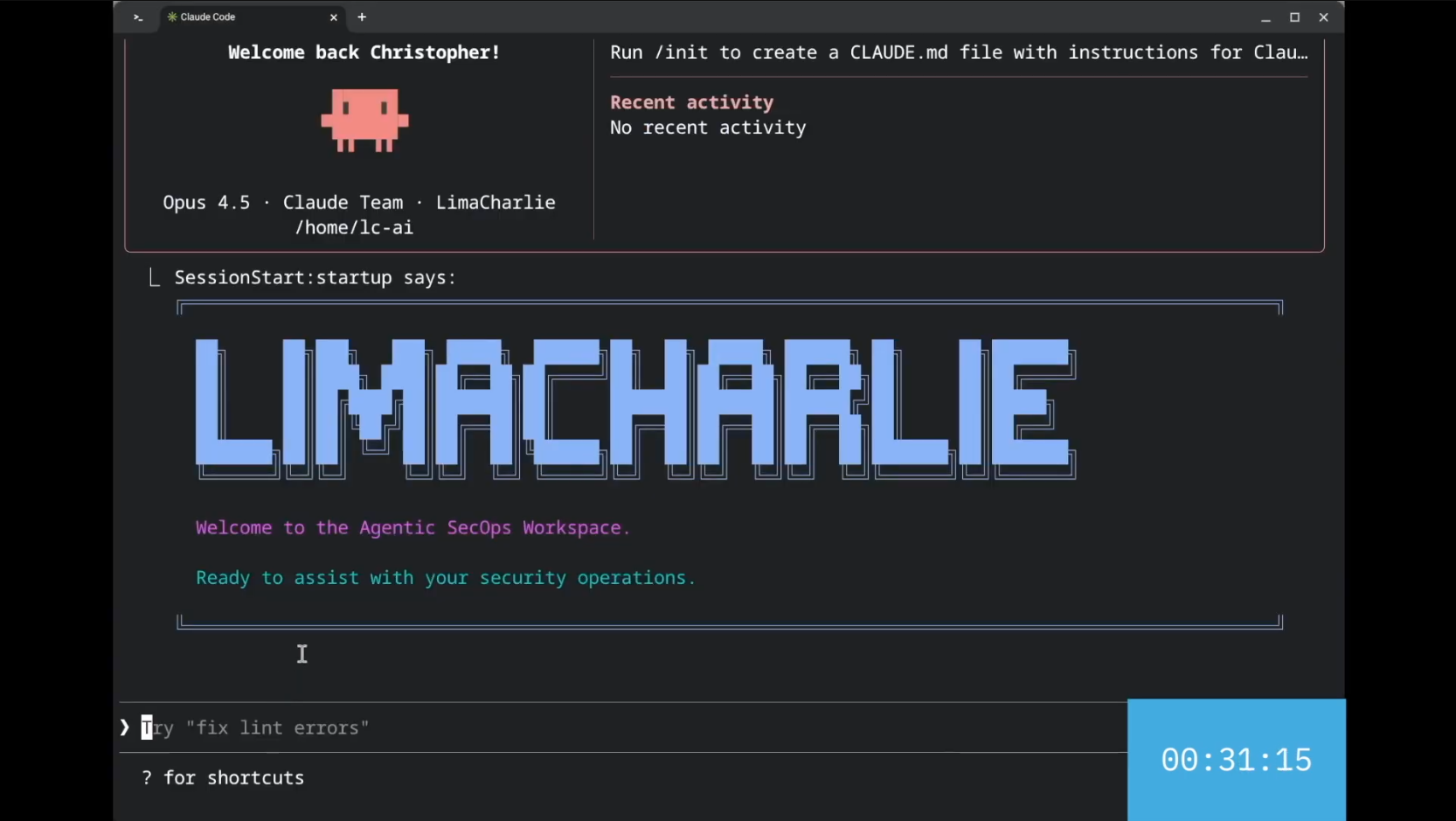
Installing the AgenticSecOps Workspace
From within a project directory:
# Add the marketplace
/plugin marketplace add https://github.com/refractionPOINT/lc-ai

# Install the plugin
/plugin install lc-essentials@lc-marketplace
Clone this repository and add it as a local marketplace:
git clone https://github.com/refractionPOINT/lc-ai.git
cd your-project
/plugin marketplace add /path/to/lc-ai
/plugin install lc-essentials@lc-marketplace
Use the pre-configured Docker container with everything ready to go:
cd docker && docker compose run --rm lc-claude
See the Docker section below for more details.
After installing the plugin:
claude tool/mcp and select the LimaCharlie MCP serverFor advanced configuration options, see the LimaCharlie MCP documentation.
Once installed, initialize any project with LimaCharlie guidelines:
/init-lc
Then use natural language to interact with LimaCharlie:
See marketplace/plugins/lc-essentials/SKILLS_SUMMARY.md for a complete list of available skills.
The ai-agents/ directory contains autonomous AI agents that run inside LimaCharlie organizations. These are not Claude Code sub-agents — they are standalone AI agents deployed as LimaCharlie IaC.
| Agent | Description |
|---|---|
| l1-bot | Automated L1 SOC analyst that investigates new cases and documents findings for L2 review |
With the lc-essentials plugin (recommended): Ask Claude Code to "install the l1-bot agent in my org" — the lc-deployer skill handles everything automatically.
Manually: See each agent's README for step-by-step instructions.
npx claudepluginhub refractionpoint/lc-ai --plugin lc-essentialsAdvanced LimaCharlie skills for MSSP reporting, fleet coverage, threat intelligence, adapter management, IaC, onboarding, and HTML dashboards. Requires lc-essentials plugin.
 refractionPOINT
Advanced LimaCharlie skills for MSSP reporting, fleet coverage, threat intelligence, adapter management, IaC, onboarding, and HTML dashboards. Requires lc-essentials plugin.
refractionPOINTUnified SOC analyst workflow for CrowdStrike NGSIEM — triage alerts, investigate security events, hunt threats, tune detections, and manage cases through a phased lifecycle.
 willwebster5
SentinelOne SecOps skills for Claude: PowerQuery threat hunting and STAR/Custom Detection rules; Management Console API; Singularity Data Lake API; SDL dashboards; log parsing (OCSF); Hyperautomation SOAR; z-score anomaly baselining; autonomous DFIR alert investigation (soc-investigator); and one-prompt SDL solutions: source onboarding, asset enrichment, UEBA, ingest health, detection exclusions, Risk-Based Alerting, alert noise reduction, and Detection as Code.
 pmoses-s1
Agentic SOC Platform integration for Claude Code
 FunnyWolf
SentinelOne SecOps skills for Claude: PowerQuery threat hunting, Management Console API, Singularity Data Lake API, SDL dashboard authoring, SDL log parsing, Hyperautomation workflow generation, source-agnostic behavioral baselining with z-score anomaly detection, and packaged SDL solution deployment (data source onboarding to OCSF with device/user enrichment, dashboard, MITRE-mapped detections and a threat-response flow; plus asset enrichment of raw logs).
 Sentinel-One
Claude plugins for SentinelOne XDR - threat detection, incident response, and endpoint agent management via the Purple AI MCP server
 wyre-technology
'%20stop-opacity%3D'0.16'%2F%3E%3Cstop%20offset%3D'1'%20stop-color%3D'rgb(200%2C90%2C60)'%20stop-opacity%3D'0.03'%2F%3E%3C%2FlinearGradient%3E%3C%2Fdefs%3E%3Crect%20width%3D'320'%20height%3D'200'%20fill%3D'url(%23g)'%2F%3E%3Ccircle%20cx%3D'250'%20cy%3D'56'%20r%3D'92'%20fill%3D'rgb(200%2C90%2C60)'%20fill-opacity%3D'0.06'%2F%3E%3Ccircle%20cx%3D'64'%20cy%3D'172'%20r%3D'58'%20fill%3D'rgb(200%2C90%2C60)'%20fill-opacity%3D'0.05'%2F%3E%3C%2Fsvg%3E)