Stats
Links
Categories
Marketplace making all LimaCharlie plugins available.
npx claudepluginhub refractionpoint/lc-aiCore LimaCharlie skills for CLI-based API access, detection engineering, sensor tasking, case investigation, and fleet health monitoring.
 refractionPOINT
Advanced LimaCharlie skills for MSSP reporting, fleet coverage, threat intelligence, adapter management, IaC, onboarding, and HTML dashboards. Requires lc-essentials plugin.
refractionPOINT

This repository contains AI integrations for LimaCharlie, including Claude Code plugins, agents, and skills for security operations.
The plugins/ directory contains Claude Code plugins that can be installed to enhance Claude Code with LimaCharlie capabilities.
The lc-essentials plugin provides comprehensive LimaCharlie integration for Claude Code, including:
Before using the lc-essentials plugin, you need access to Claude Code through one of these options:
Install Claude Code on your local machine:
curl -fsSL https://claude.ai/install.sh | bash
For detailed setup instructions, see the Claude Code Quickstart Guide.
Then continue to the Plugin Installation section below.
Use Claude Code directly through the LimaCharlie web interface at app.limacharlie.io. The lc-essentials plugin is already pre-configured - you're ready to go with no additional setup required.
Only required for Option A (local installation)
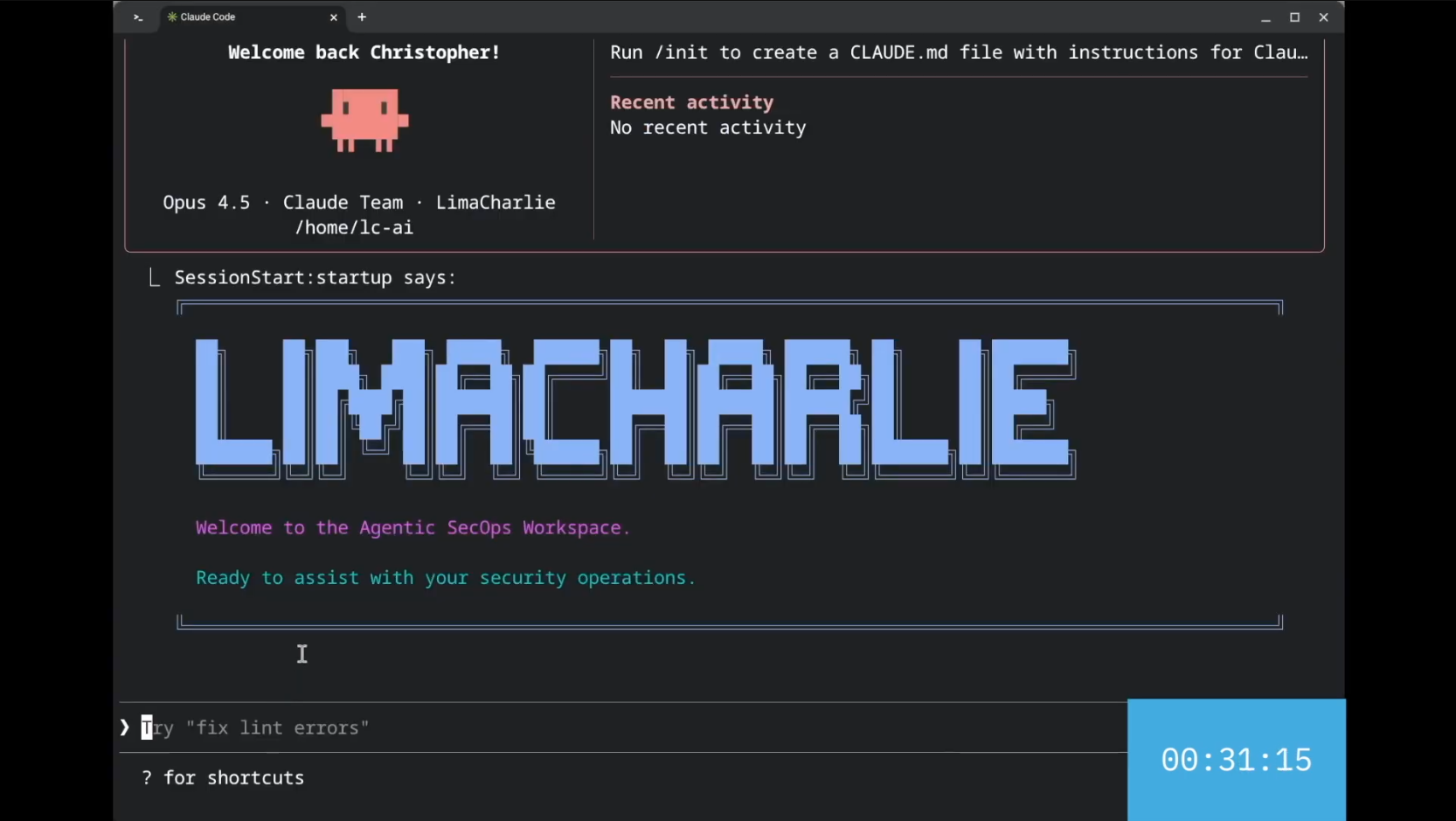
Installing the AgenticSecOps Workspace
From within a project directory:
# Add the marketplace
/plugin marketplace add https://github.com/refractionPOINT/lc-ai

# Install the plugin
/plugin install lc-essentials@lc-marketplace
Clone this repository and add it as a local marketplace:
git clone https://github.com/refractionPOINT/lc-ai.git
cd your-project
/plugin marketplace add /path/to/lc-ai
/plugin install lc-essentials@lc-marketplace
Use the pre-configured Docker container with everything ready to go:
cd docker && docker compose run --rm lc-claude
See the Docker section below for more details.
After installing the plugin:
claude tool/mcp and select the LimaCharlie MCP serverFor advanced configuration options, see the LimaCharlie MCP documentation.
Once installed, initialize any project with LimaCharlie guidelines:
/init-lc
Then use natural language to interact with LimaCharlie:
See marketplace/plugins/lc-essentials/SKILLS_SUMMARY.md for a complete list of available skills.
The ai-agents/ directory contains autonomous AI agents that run inside LimaCharlie organizations. These are not Claude Code sub-agents — they are standalone AI agents deployed as LimaCharlie IaC.
| Agent | Description |
|---|---|
| l1-bot | Automated L1 SOC analyst that investigates new cases and documents findings for L2 review |
With the lc-essentials plugin (recommended): Ask Claude Code to "install the l1-bot agent in my org" — the lc-deployer skill handles everything automatically.
Manually: See each agent's README for step-by-step instructions.
Plugins by Alex Newman (thedotmack)
Ultra-compressed communication mode for Claude Code. Cuts 65% of output tokens (measured) while keeping full technical accuracy.
RuView Marketplace: Claude Code + Codex plugins for WiFi sensing — configuration, applications, model training, and onboarding, from practical to advanced
'%20stop-opacity%3D'0.16'%2F%3E%3Cstop%20offset%3D'1'%20stop-color%3D'rgb(200%2C90%2C60)'%20stop-opacity%3D'0.03'%2F%3E%3C%2FlinearGradient%3E%3C%2Fdefs%3E%3Crect%20width%3D'320'%20height%3D'200'%20fill%3D'url(%23g)'%2F%3E%3Ccircle%20cx%3D'250'%20cy%3D'56'%20r%3D'92'%20fill%3D'rgb(200%2C90%2C60)'%20fill-opacity%3D'0.06'%2F%3E%3Ccircle%20cx%3D'64'%20cy%3D'172'%20r%3D'58'%20fill%3D'rgb(200%2C90%2C60)'%20fill-opacity%3D'0.05'%2F%3E%3C%2Fsvg%3E)