Stats
Actions
Available In
Tags

Define and manage semantic models that map database tables to business dimensions and metrics, then generate analytics webapps with copyable React/Tailwind components from those models. Supports importing from Cube, dbt, and LookML, and validates queries against the semantic layer.
Build, validate, and manage semantic models using Sidemantic. Use when asked to create a semantic layer, define metrics/dimensions, model a database schema, generate models from SQL queries, import from Cube/dbt/LookML, or set up analytics definitions. Prioritizes CLI-first workflows, with YAML and optional Python API usage for advanced automation.
Build interactive analytics webapps, demos, dashboards, or embedded app surfaces from Sidemantic semantic models using copyable component primitives and deterministic query inspection. Use when asked to create a web UI around Sidemantic models, generate a metric explorer, copy reusable analytics components into a project, connect a frontend to Sidemantic query APIs, build a Pyodide/DuckDB-WASM or Sidemantic Rust WASM/DuckDB-WASM demo, expose Sidemantic through an app server, or adapt the Sidemantic widget/UI patterns into a product webapp.
Own this plugin?
Verify ownership to unlock analytics, metadata editing, and a verified badge. GitHub access is read-only (username + org membership).
Sign in to claimOwn this plugin?
Verify ownership to unlock analytics, metadata editing, and a verified badge. GitHub access is read-only (username + org membership).
Sign in to claimBased on adoption, maintenance, documentation, and repository signals. Not a security audit or endorsement.
The universal metrics layer for consistent metrics across your data stack. Compatible with 15+ semantic model formats.
Documentation | GitHub | Docker Hub | Discord | Demo (50+ MB data download, runs in your browser with Pyodide + DuckDB)
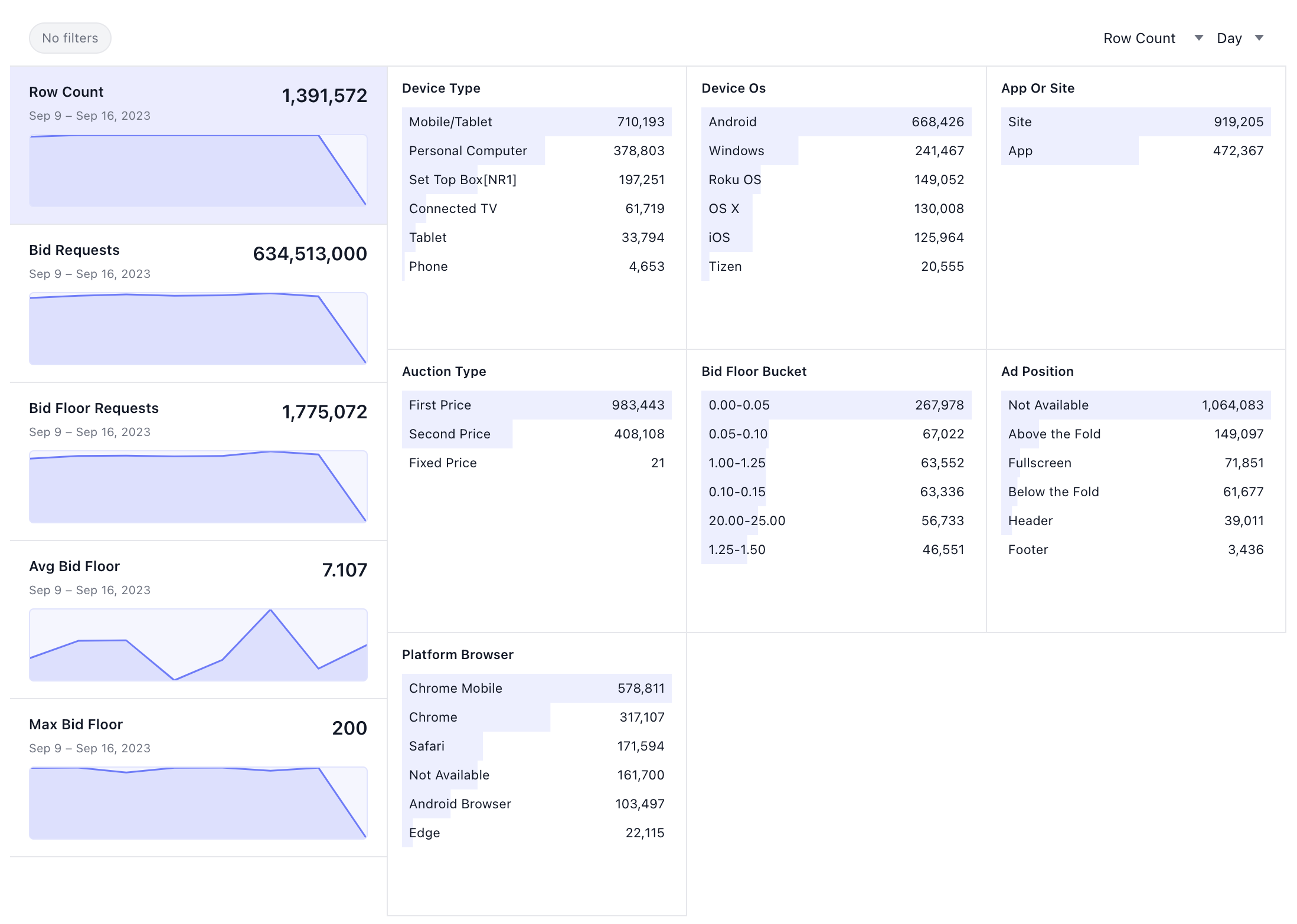
Sidemantic ships Claude Code and Codex plugin metadata for two skills (modeler and webapp-builder). See Agent Plugin below to install.
Install:
uv add sidemantic
Malloy support (uv):
uv add "sidemantic[malloy]"
DAX and Power BI TMDL support (uv):
uv add "sidemantic[dax]"
HTTP API server (uv):
uv add "sidemantic[api]"
Notebook widget (uv):
uv add "sidemantic[widget]" jupyterlab
uv run jupyter lab
Marimo (uv):
uv add "sidemantic[widget]" marimo
uv run marimo edit
import duckdb
from sidemantic.widget import MetricsExplorer

conn = duckdb.connect(":memory:")
conn.execute("create table t as select 1 as value, 'a' as category, date '2024-01-01' as d")
MetricsExplorer(conn.table("t"), time_dimension="d")
Define models in SQL, YAML, or Python:
MODEL (name orders, table orders, primary_key order_id);
DIMENSION (name status, type categorical);
DIMENSION (name order_date, type time, granularity day);
METRIC (name revenue, agg sum, sql amount);
METRIC (name order_count, agg count);
models:
  - name: orders
    table: orders
    primary_key: order_id
    dimensions:
      - name: status
        type: categorical
      - name: order_date
        type: time
        granularity: day
    metrics:
      - name: revenue
        agg: sum
        sql: amount
      - name: order_count
        agg: count
from sidemantic import Model, Dimension, Metric

orders = Model(
    name="orders",
    table="orders",
    primary_key="order_id",
    dimensions=[
        Dimension(name="status", type="categorical"),
        Dimension(name="order_date", type="time", granularity="day"),
    ],
    metrics=[
        Metric(name="revenue", agg="sum", sql="amount"),
        Metric(name="order_count", agg="count"),
    ]
)
Query via CLI:
sidemantic query "SELECT revenue, status FROM orders" --db data.duckdb
Or Python API:
from sidemantic import SemanticLayer, load_from_directory

layer = SemanticLayer(connection="duckdb:///data.duckdb")
load_from_directory(layer, "models/")
result = layer.sql("SELECT revenue, status FROM orders")
DAX/TMDL support lives behind the dax extra because it includes a native Rust parser:
uv add "sidemantic[dax]"
Native Sidemantic YAML can preserve DAX expression source text for Power BI interoperability:
models:
  - name: sales
    table: sales
    primary_key: id
    dimensions:
      - name: doubled_amount
        type: numeric
        dax: "'sales'[amount] * 2"
    metrics:
      - name: revenue
        dax: "SUM('sales'[amount])"
Power BI TMDL projects can be loaded from a project root or definition/ folder. Embedded DAX measures, calculated columns, calculated tables, relationships, and TMDL passthrough metadata are parsed and preserved in model metadata:
from sidemantic import SemanticLayer, load_from_directory

layer = SemanticLayer(connection="duckdb:///warehouse.duckdb")
load_from_directory(layer, "powerbi_project/")
print(layer.describe_models(["Sales"]))
TMDL can also round-trip back to disk:
from sidemantic.adapters.tmdl import TMDLAdapter

TMDLAdapter().export(layer.graph, "exported_tmdl/")
# Query
sidemantic query "SELECT revenue FROM orders" --db data.duckdb

# Interactive workbench (TUI with SQL editor + charts)
uvx --from "sidemantic[workbench]" sidemantic workbench models/ --db data.duckdb

# PostgreSQL server (connect Tableau, DBeaver, etc.)
uvx --from "sidemantic[serve]" sidemantic serve models/ --port 5433

# HTTP API server (JSON or Arrow)
uvx --from "sidemantic[api]" sidemantic api-serve models/ --port 4400 --auth-token secret

# Validate definitions
sidemantic validate models/

# Model info
sidemantic info models/

# Pre-aggregation recommendations
sidemantic preagg recommend --db data.duckdb
npx claudepluginhub sidequery/sidemantic --plugin sidemanticSemantic SQL compiler — compile .view.yml schema definitions into dialect-specific SQL. Unix-philosophy CLI designed as a tool-use interface for LLMs.
 oxy-hq
Skills and tools powered by the Honeydew MCP that help coding agents query data and build semantic models
 honeydew-ai
Connect to Looker and interact with your data using LookML.
 gemini-cli-extensions
Skills for analytics engineering with dbt — building models, writing tests, querying the semantic layer, troubleshooting jobs, and more.
 dbt-labs
Get this plugin for agentic development and management of semantic models.
 data-goblin
Explore, query, model, embed, and manage Omni Analytics through the REST API and embed SDK. Includes 9 skills, 3 specialized agents, and 3 context rules for model exploration, querying, model building, content browsing, content building, embedding, AI optimization, AI eval, and administration.
 exploreomni
'%20stop-opacity%3D'0.16'%2F%3E%3Cstop%20offset%3D'1'%20stop-color%3D'rgb(200%2C90%2C60)'%20stop-opacity%3D'0.03'%2F%3E%3C%2FlinearGradient%3E%3C%2Fdefs%3E%3Crect%20width%3D'320'%20height%3D'200'%20fill%3D'url(%23g)'%2F%3E%3Ccircle%20cx%3D'250'%20cy%3D'56'%20r%3D'92'%20fill%3D'rgb(200%2C90%2C60)'%20fill-opacity%3D'0.06'%2F%3E%3Ccircle%20cx%3D'64'%20cy%3D'172'%20r%3D'58'%20fill%3D'rgb(200%2C90%2C60)'%20fill-opacity%3D'0.05'%2F%3E%3C%2Fsvg%3E)