Stats
Actions
Available In
Tags

Microsoft Azure MCP and Skills integration for cloud resource management, deployments, and Azure services. Manage your Azure infrastructure, monitor applications, and deploy resources directly from Claude Code.
Provision Microsoft Entra Agent Identity Blueprints, BlueprintPrincipals, and per-instance Agent Identities via Microsoft Graph, and configure OAuth 2.0 token exchange (fmi_path, OBO, cross-tenant) including the Microsoft Entra SDK for AgentID sidecar. USE FOR: Agent Identity Blueprint, BlueprintPrincipal, agent OAuth, fmi_path token exchange, agent OBO, Workload Identity Federation for agents, polyglot agent auth, Microsoft.Identity.Web.AgentIdentities. DO NOT USE FOR: standard Entra app registration (use entra-app-registration), Azure RBAC (use azure-rbac), Microsoft Foundry agent authoring (use microsoft-foundry).
Guides Microsoft Entra ID app registration, OAuth 2.0 authentication, and MSAL integration. USE FOR: create app registration, register Azure AD app, configure OAuth, set up authentication, add API permissions, generate service principal, MSAL example, console app auth, Entra ID setup, Azure AD authentication. DO NOT USE FOR: Azure RBAC or role assignments (use azure-rbac), Key Vault secrets (use azure-keyvault-expiration-audit), general Azure resource security guidance.
Azure VM and VMSS router for recommendations, pricing, autoscale, orchestration, connectivity troubleshooting, capacity reservations, and Essential Machine Management. WHEN: Azure VM, VMSS, scale set, recommend, compare, server, website, burstable, lightweight, VM family, workload, GPU, learning, simulation, dev/test, backend, autoscale, load balancer, Flexible orchestration, Uniform orchestration, cost estimate, connect, refused, Linux, black screen, reset password, reach VM, port 3389, NSG, troubleshoot, capacity reservation, CRG, reserve VMs, guarantee capacity, pre-provision capacity, CRG association, CRG disassociation, essential machine management, EMM, machine enrollment.
Pre-deployment validation for Azure readiness. Run deep checks on configuration, infrastructure (Bicep or Terraform), RBAC role assignments, managed identity permissions, and prerequisites before deploying. WHEN: validate my app, check deployment readiness, run preflight checks, verify configuration, check if ready to deploy, validate azure.yaml, validate Bicep, test before deploying, troubleshoot deployment errors, validate Azure Functions, validate function app, validate serverless deployment, verify RBAC roles, check role assignments, review managed identity permissions, what-if analysis, validate Container Apps deployment.
Set up AI Runway on AKS — from bare cluster to running model. Covers cluster verification, controller install, GPU assessment, provider setup, and first deployment. WHEN: "setup AI Runway", "onboard AKS cluster", "install AI Runway", "airunway setup", "deploy model to AKS", "GPU inference on AKS", "KAITO setup on AKS", "run LLM on AKS", "vLLM on AKS", "set up model serving on AKS", "AI Runway controller".
Matches all tools
Hooks run on every tool call, not just specific ones
Own this plugin?
Verify ownership to unlock analytics, metadata editing, and a verified badge. GitHub access is read-only (username + org membership).
Sign in to claimOwn this plugin?
Verify ownership to unlock analytics, metadata editing, and a verified badge. GitHub access is read-only (username + org membership).
Sign in to claimBased on adoption, maintenance, documentation, and repository signals. Not a security audit or endorsement.
Azure work is not just a code problem. It is a decision problem: which service fits this app, what needs to be validated before deployment, which tools should run, and what guardrails matter. The Azure Skills Plugin packages Azure expertise and MCP-backed execution together so compatible coding agents can do real Azure work instead of giving generic cloud advice.
This plugin ships 25 curated Azure skills that teach an agent how Azure work gets done. They provide workflows, decision trees, and guardrails for scenarios such as:
azure-prepare, azure-validate, azure-deploy, azure-upgrade, azure-enterprise-infra-planner, azure-hosted-copilot-sdk, azure-kubernetes, and airunway-aks-setupazure-diagnostics, appinsights-instrumentation, azure-compliance, azure-resource-lookup, and azure-quotasazure-cost, azure-compute, azure-resource-visualizer, and azure-cloud-migrateazure-ai, azure-aigateway, azure-storage, azure-kusto, azure-messaging, azure-rbac, entra-app-registration, and microsoft-foundryThe plugin wires in the Azure MCP Server, which gives your agent 200+ structured tools across 40+ Azure services. That is the execution layer for listing resources, checking prices, querying logs, diagnosing issues, and driving real Azure workflows.
The plugin also includes Foundry MCP for Microsoft Foundry scenarios such as model discovery, model deployment, and agent workflows.
This is not a prompt pack. It is a packaged Azure capability layer:
| Component | What it adds | Examples |
|---|---|---|
| Azure skills | Azure expertise, workflows, and guardrails | Prepare, validate, deploy, diagnostics, cost, AI, RBAC |
| Azure MCP Server | Live Azure tooling | Resource inventory, monitoring, pricing, storage, databases, messaging |
| Foundry MCP | Microsoft Foundry workflows | Model catalog, deployments, agents, evaluations |
The plugin payload lives in .github/plugins/azure-skills/, and the included MCP configuration shows how Azure and Foundry connectivity are wired for compatible hosts.
Before you install, make sure you have:
npx is used to start the MCP servers)az loginazd auth login if you plan to use deployment workflowsThe Azure Skills Plugin is multi-harness. If you use APM, one command installs it across GitHub Copilot, Claude Code, Cursor, OpenCode, Codex, and Gemini from a single apm.yml:
apm install microsoft/azure-skills
Add the marketplace (first time only):
/plugin marketplace add microsoft/azure-skills
Install the plugin:
/plugin install azure@azure-skills
Update the plugin:
/plugin update azure@azure-skills
Install the Azure MCP extension from the Visual Studio Marketplace:
The Azure MCP extension will also install a companion extension that brings the Azure skills into VS Code. Together they configure the Azure MCP Server, Foundry MCP, and the full skills layer automatically.
Note: The skills extension requires Git CLI to be installed on your machine. If you don't have it, ask Copilot to help you install Git for your OS.
Install the plugin — either run:
/plugin install azure@claude-plugins-official
Or run /plugin and search for "azure" in the marketplace:
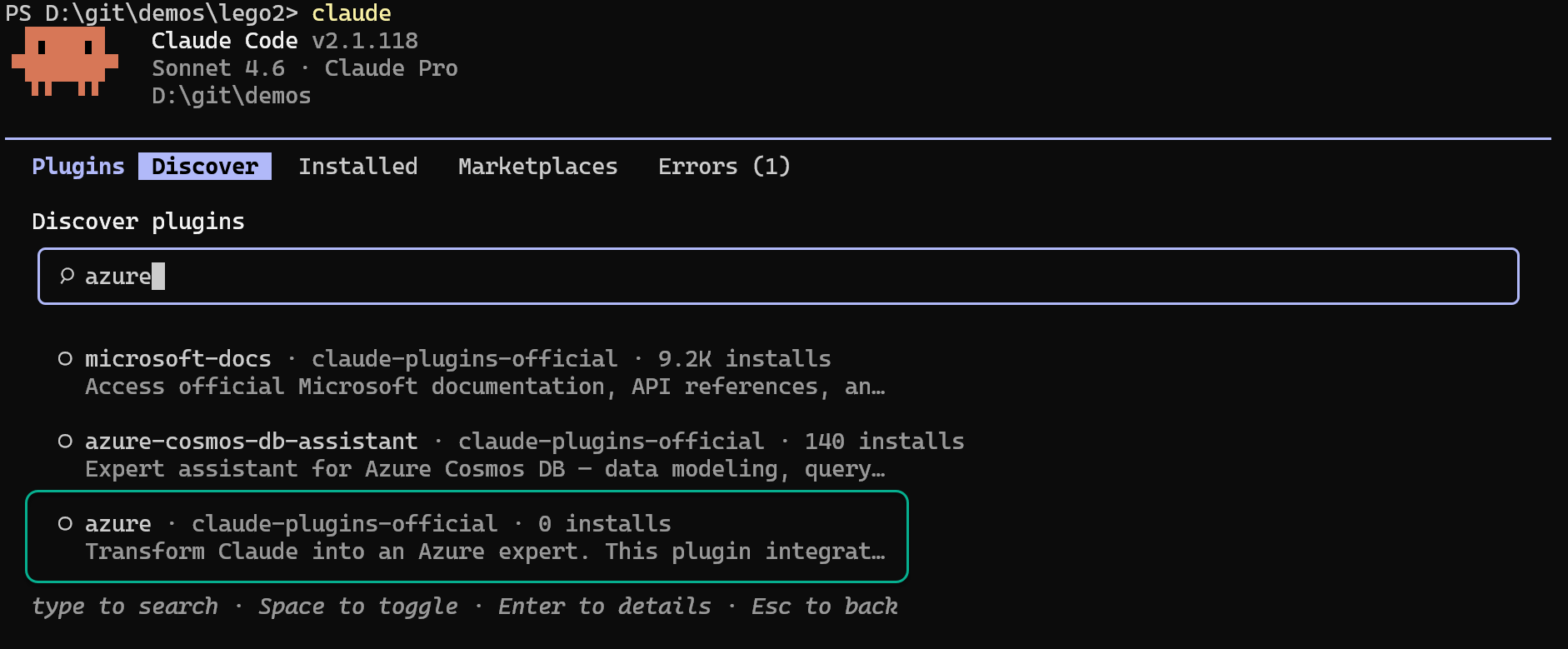
Update the plugin:
/plugin update azure@claude-plugins-official
Install the extension:
npx claudepluginhub philipjonsen/azure-skillsConsult multiple AI coding agents (Gemini, OpenAI, Grok, Perplexity, plus codex, antigravity, and grok CLIs when installed) to get diverse perspectives on coding problems
 hex
hexComprehensive skill pack with 66 specialized skills for full-stack developers: 12 language experts (Python, TypeScript, Go, Rust, C++, Swift, Kotlin, C#, PHP, Java, SQL, JavaScript), 10 backend frameworks, 6 frontend/mobile, plus infrastructure, DevOps, security, and testing. Features progressive disclosure architecture for 50% faster loading.
 Jeffallan
Develop, test, build, and deploy Godot 4.x games with Claude Code. Includes GdUnit4 testing, web/desktop exports, CI/CD pipelines, and deployment to Vercel/GitHub Pages/itch.io.
 Randroids-Dojo
Lazy senior dev mode. Forces the simplest, shortest solution that actually works: YAGNI, stdlib first, no unrequested abstractions.
 DietrichGebert
Access thousands of AI prompts and skills directly in your AI coding assistant. Search prompts, discover skills, save your own, and improve prompts with AI.
 f
fUpstash Context7 MCP server for up-to-date documentation lookup. Pull version-specific documentation and code examples directly from source repositories into your LLM context.
 upstash
'%20stop-opacity%3D'0.16'%2F%3E%3Cstop%20offset%3D'1'%20stop-color%3D'rgb(200%2C90%2C60)'%20stop-opacity%3D'0.03'%2F%3E%3C%2FlinearGradient%3E%3C%2Fdefs%3E%3Crect%20width%3D'320'%20height%3D'200'%20fill%3D'url(%23g)'%2F%3E%3Ccircle%20cx%3D'250'%20cy%3D'56'%20r%3D'92'%20fill%3D'rgb(200%2C90%2C60)'%20fill-opacity%3D'0.06'%2F%3E%3Ccircle%20cx%3D'64'%20cy%3D'172'%20r%3D'58'%20fill%3D'rgb(200%2C90%2C60)'%20fill-opacity%3D'0.05'%2F%3E%3C%2Fsvg%3E)