Stats
Actions
Available In
Tags
Core Development subagents are your essential toolkit for building modern applications from the ground up. These specialized agents cover the entire development spectrum - from backend services to frontend interfaces, from mobile apps to desktop applications, and from simple APIs to complex distributed systems.
Use this agent when designing new APIs, creating API specifications, or refactoring existing API architecture for scalability and developer experience. Invoke when you need REST/GraphQL endpoint design, OpenAPI documentation, authentication patterns, or API versioning strategies.
Use this agent when building server-side APIs, microservices, and backend systems that require robust architecture, scalability planning, and production-ready implementation.
Use this agent when you need to translate a DESIGN.md from the VoltAgent/awesome-design-md repository into polished Claude Code instructions for building user interfaces that faithfully match the chosen brand. Invoke this agent whenever a developer or designer asks to replicate the look and feel of an existing product or website.
Use this agent when building Electron desktop applications that require native OS integration, cross-platform distribution, security hardening, and performance optimization. Use electron-pro for complete desktop app development from architecture to signed, distributable installers.
Expert-level relational database design assistant. Deep knowledge in schema design, normalization (1NF–3NF), transactions, and production schema best practices. Produces a downloadable .md schema file directly after design is complete. Trigger for: database design, schema design, table normalization, foreign keys, join tables, trigger tables, stored procedures, transaction design, data integrity, or reviewing a relational database. Also trigger for: "design a database for X", "what tables do I need for Y", "normalize this schema", "generate a schema file", "add a column", "what index should I use", "is this schema normalized", "model this relationship", "what's wrong with this table", "review my schema", or any time a user pastes DDL or a table definition and asks for feedback. Always use this skill for any database design or schema review — even quick one-table checks.
Use this skill to produce Final Design Documents (FDD) for web and mobile application projects at Syntactics Inc. Outputs one markdown file per module to docs/fdd/{module-slug}.md. Trigger whenever the user mentions "final design", "FDD", "design handoff", "design document", "spec table", "module spec", "specification table", or asks to document modules, system behavior, access validations, wireframes, or database table usage for a project. Also trigger when a user says "fill out the final design for [module]", "create the final design doc", "add a module spec", or "generate the FD template". This skill strictly enforces the v2.0 Business Applications Final Design Template format — do not improvise structure.
Entry point for both the proposal and BA lifecycle at Syntactics Inc. Accepts any client input (brief, RFP, meeting notes, or approved proposal) and produces a single structured intake document used from proposal writing through database design. Trigger when a BA or Sales team member says "analyze client requirements", "start the intake", "we have a new project", "we have a new client", "I have client notes", "we got a proposal", or shares any client brief, email, RFP, or proposal PDF. Works in two modes: Pre-Proposal (from client brief - feeds proposal-grill and proposal-writer) and Post-Approval (from approved proposal - feeds database-designer). Always run before proposal-grill, database-designer, sprint-planner, and final-design. If the client has no brief or direction at all, run sync-client-discovery first.
Stress-tests an intake document at Syntactics Inc. before a proposal is written. Trigger when a BA or Sales team member says "grill the requirements", "stress-test the scope", "review before proposal", or after project-intake completes. Asks targeted questions one at a time focused on missed modules, ambiguous scope, unstated integrations, deployment constraints, and edge cases. Always run after project-intake and before proposal-writer.
Writes a client-facing project proposal at Syntactics Inc. from a grilled intake document. Trigger when a BA or Sales team member says "write the proposal", "generate the proposal", "create the project proposal", or after proposal-grill completes. Also handles proposal revisions when triggered by sync-proposal-revision. Produces a professional, client-ready proposal .md file with automatic version numbering. Always run after proposal-grill and before quotation.
Uses power tools
Uses Bash, Write, or Edit tools
Own this plugin?
Verify ownership to unlock analytics, metadata editing, and a verified badge. GitHub access is read-only (username + org membership).
Sign in to claimOwn this plugin?
Verify ownership to unlock analytics, metadata editing, and a verified badge. GitHub access is read-only (username + org membership).
Sign in to claimBased on adoption, maintenance, documentation, and repository signals. Not a security audit or endorsement.
Claude Code skills for Syntactics Inc. internal workflow automation.
New team member? Follow these steps once to get skills running on your machine.
| Requirement | Notes |
|---|---|
| Claude Code | Desktop app or CLI — must be installed and logged in |
| PowerShell (Windows) or Terminal (Mac/Linux) | Built-in on all supported OS |
| Internet access | Install script pulls from GitHub |
No Git, Node, or Python required. The install script has no dependencies.
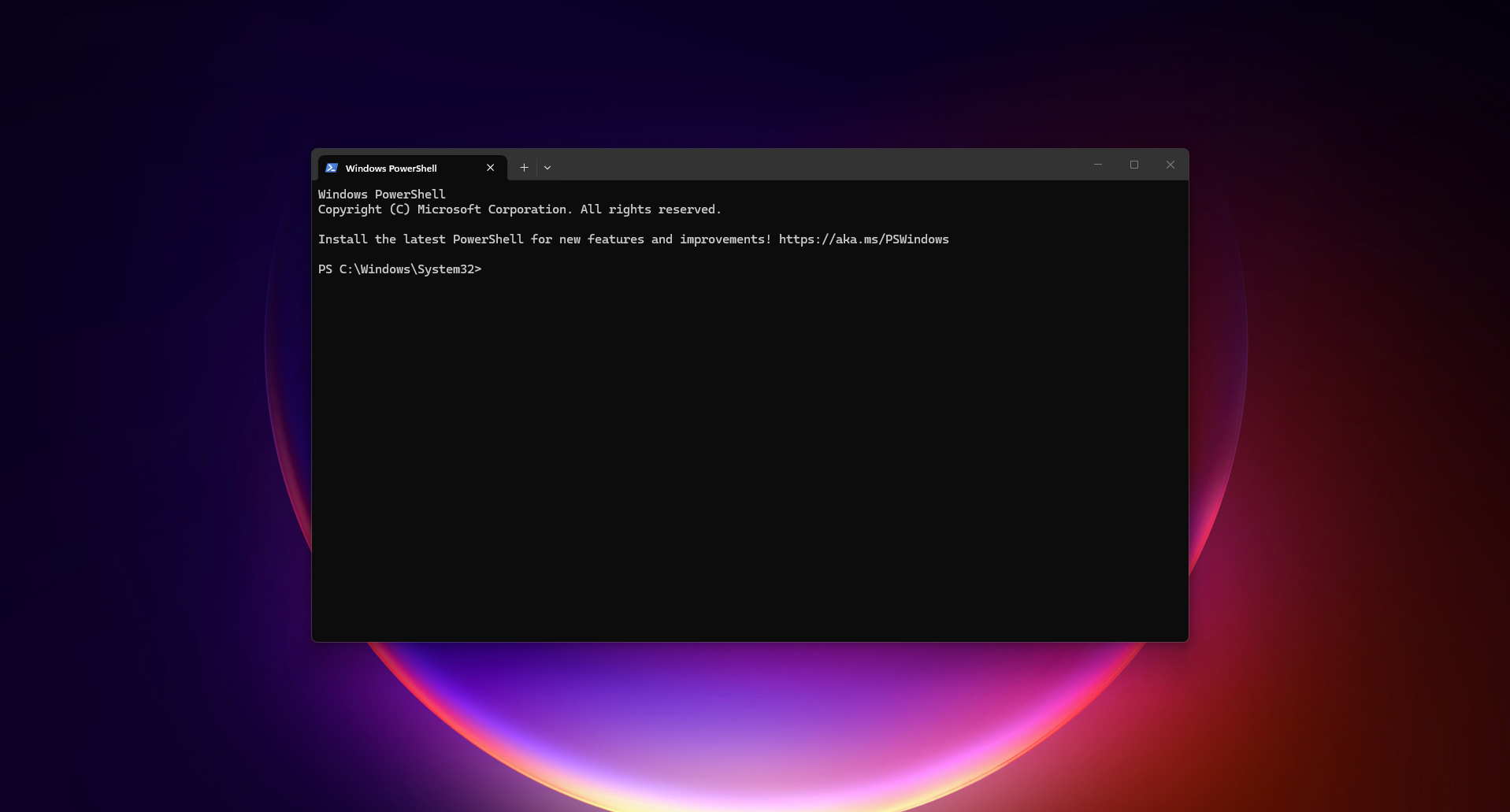
1. Open a terminal
2. Run the install script
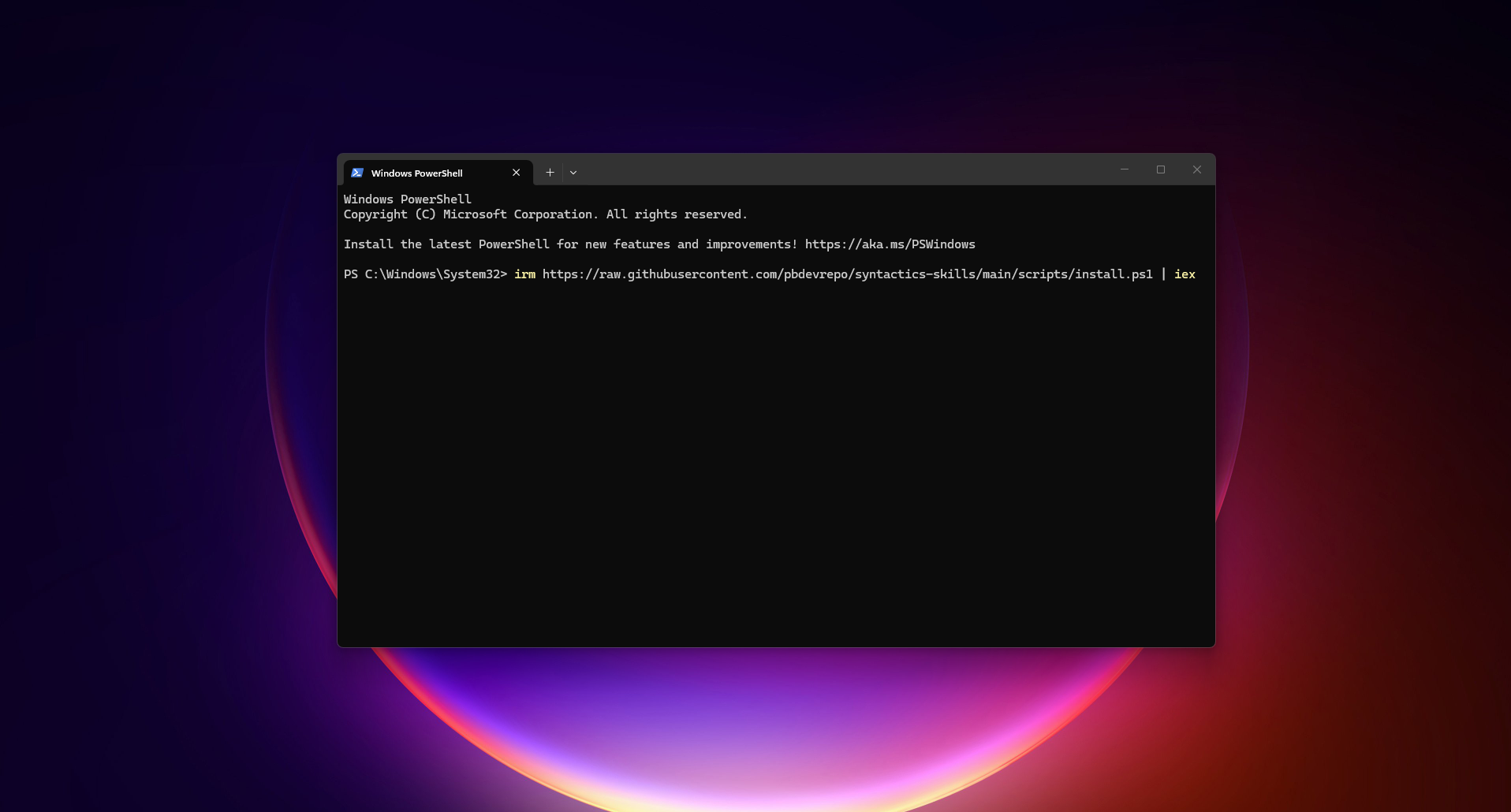
Windows:
irm https://raw.githubusercontent.com/pbdevrepo/syntactics-skills/main/scripts/install.ps1 | iex
Mac/Linux:
curl -fsSL https://raw.githubusercontent.com/pbdevrepo/syntactics-skills/main/scripts/install.sh | bash
3. Choose install location
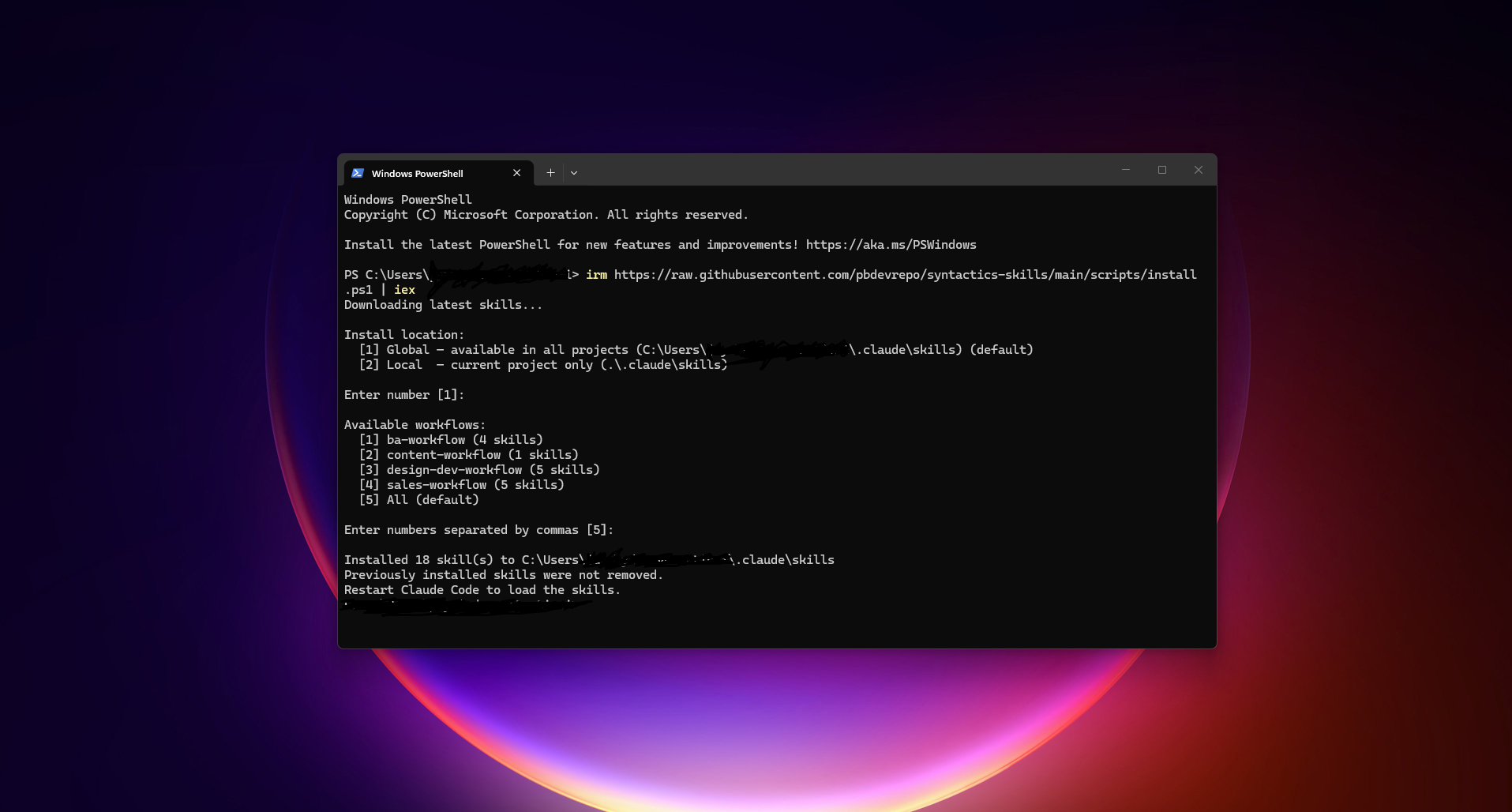
Select Global (installs to ~/.claude/skills/) — skills available in all projects.
4. Select your workflows
Pick the workflows matching your role:
| Role | Workflow(s) to select |
|---|---|
| Sales | sales |
| Business Analyst | ba (includes proposal skills) |
| Designer | pm |
| Frontend / Backend Developer | pm, engineering |
| QA Tester | qa |
| Content Writer | content |
| All roles | Select all |
must-have(caveman, grill-me, grill-with-docs) installs automatically.
5. Restart Claude Code
Close and reopen Claude Code (desktop app) or restart your CLI session.
6. Verify
In any Claude Code session, type:
/sync-caveman
Claude should respond in compressed mode. Skills are working.
Re-run the same install command from Step 2. The script overwrites existing skills with the latest from main.
Skip prompts by passing flags directly.
Windows:
$url = "https://raw.githubusercontent.com/pbdevrepo/syntactics-skills/main/scripts/install.ps1"
& ([scriptblock]::Create((irm $url))) -Global -Workflow sales,ba   # specific workflows
& ([scriptblock]::Create((irm $url))) -Local -Workflow ba          # local project only
& ([scriptblock]::Create((irm $url))) -Skill sync-project-intake,sync-proposal-writer  # specific skills
Mac/Linux:
curl -fsSL https://raw.githubusercontent.com/pbdevrepo/syntactics-skills/main/scripts/install.sh | bash -s -- --global --workflow sales --workflow ba
curl -fsSL https://raw.githubusercontent.com/pbdevrepo/syntactics-skills/main/scripts/install.sh | bash -s -- --local --workflow ba
curl -fsSL https://raw.githubusercontent.com/pbdevrepo/syntactics-skills/main/scripts/install.sh | bash -s -- --skill sync-project-intake --skill sync-proposal-writer
| Flag | Effect |
|---|---|
-Global / --global | Install to ~/.claude/skills/ (all projects) |
-Local / --local | Install to ./.claude/skills/ (current project only) |
-Workflow / --workflow | Select specific workflow(s) |
-Skill / --skill | Select specific skill(s) |
sales-workflow)Commercial pipeline skills - discovery, revisions, and pricing.
| Skill | Description |
|---|---|
sync-client-discovery | Research-first discovery session for clients with no brief - researches domain standards, maps competitor landscape, and produces a single fillable discovery brief the sales rep takes into the client meeting |
sync-proposal-revision | Apply client feedback to produce a new versioned intake file and revised proposal |
sync-quotation | Generate itemized module/feature list with placeholder hour ranges per role |
ba-workflow)Proposal and design pipeline - from first client input through Final Design Document.
npx claudepluginhub pbdevrepo/syntactics-skillsUltra-compressed communication mode. Cuts ~75% of tokens while keeping full technical accuracy by speaking like a caveman.
 JuliusBrussee
Comprehensive UI/UX design plugin for mobile (iOS, Android, React Native) and web applications with design systems, accessibility, and modern patterns
 wshobson
Multi-model consensus engine integrating OpenAI Codex CLI, Gemini CLI, and Claude CLI for collaborative code review and problem-solving.
 xrf9268-hue
Curate auto-memory, promote learnings to CLAUDE.md and rules, extract proven patterns into reusable skills.
 alirezarezvani
'%20stop-opacity%3D'0.16'%2F%3E%3Cstop%20offset%3D'1'%20stop-color%3D'rgb(200%2C90%2C60)'%20stop-opacity%3D'0.03'%2F%3E%3C%2FlinearGradient%3E%3C%2Fdefs%3E%3Crect%20width%3D'320'%20height%3D'200'%20fill%3D'url(%23g)'%2F%3E%3Ccircle%20cx%3D'250'%20cy%3D'56'%20r%3D'92'%20fill%3D'rgb(200%2C90%2C60)'%20fill-opacity%3D'0.06'%2F%3E%3Ccircle%20cx%3D'64'%20cy%3D'172'%20r%3D'58'%20fill%3D'rgb(200%2C90%2C60)'%20fill-opacity%3D'0.05'%2F%3E%3C%2Fsvg%3E)