Stats
Actions
Available In
Tags

Manage Microsoft Azure infrastructure end-to-end: provision resources with Bicep/Terraform, deploy apps via Azure Developer CLI, monitor with Application Insights, debug production issues, audit compliance, optimize costs, and interact with AI services including OpenAI, Search, and Speech.
Query and analyze data in Azure Data Explorer (Kusto/ADX) using KQL for log analytics, telemetry, and time series analysis. WHEN: KQL queries, Kusto database queries, Azure Data Explorer, ADX clusters, log analytics, time series data, IoT telemetry, anomaly detection.
Set up AI Runway on AKS — from bare cluster to running model. Covers cluster verification, controller install, GPU assessment, provider setup, and first deployment. WHEN: "setup AI Runway", "onboard AKS cluster", "install AI Runway", "airunway setup", "deploy model to AKS", "GPU inference on AKS", "KAITO setup on AKS", "run LLM on AKS", "vLLM on AKS", "set up model serving on AKS", "AI Runway controller".
Guidance for instrumenting webapps with Azure Application Insights. Provides telemetry patterns, SDK setup, and configuration references. WHEN: how to instrument app, App Insights SDK, telemetry patterns, what is App Insights, Application Insights guidance, instrumentation examples, APM best practices.
Use for Azure AI: Search, Speech, OpenAI, Document Intelligence. Helps with search, vector/hybrid search, speech-to-text, text-to-speech, transcription, OCR. WHEN: AI Search, query search, vector search, hybrid search, semantic search, speech-to-text, text-to-speech, transcribe, OCR, convert text to speech.
Configure Azure API Management as an AI Gateway for AI models, MCP tools, and agents. WHEN: semantic caching, token limit, content safety, load balancing, AI model governance, MCP rate limiting, jailbreak detection, add Azure OpenAI backend, add AI Foundry model, test AI gateway, LLM policies, configure AI backend, token metrics, AI cost control, convert API to MCP, import OpenAPI to gateway.
Matches all tools
Hooks run on every tool call, not just specific ones
Own this plugin?
Verify ownership to unlock analytics, metadata editing, and a verified badge. GitHub access is read-only (username + org membership).
Sign in to claimOwn this plugin?
Verify ownership to unlock analytics, metadata editing, and a verified badge. GitHub access is read-only (username + org membership).
Sign in to claimBased on adoption, maintenance, documentation, and repository signals. Not a security audit or endorsement.
Azure work is not just a code problem. It is a decision problem: which service fits this app, what needs to be validated before deployment, which tools should run, and what guardrails matter. The Azure Skills Plugin packages Azure expertise and MCP-backed execution together so compatible coding agents can do real Azure work instead of giving generic cloud advice.
Explore the Azure Skills site Landing page maintenance guide
This plugin ships curated Azure skills that teach an agent how Azure work gets done. They provide workflows, decision trees, and guardrails for scenarios such as:
azure-prepare, azure-validate, azure-deploy, azure-upgrade, azure-enterprise-infra-planner, azure-hosted-copilot-sdk, azure-kubernetes, and airunway-aks-setupazure-diagnostics, appinsights-instrumentation, azure-compliance, azure-resource-lookup, and azure-quotasazure-cost, azure-compute, azure-resource-visualizer, and azure-cloud-migrateazure-ai, azure-aigateway, azure-storage, azure-kusto, azure-messaging, azure-rbac, entra-app-registration, and microsoft-foundryThe plugin wires in the Azure MCP Server, which gives your agent 200+ structured tools across 40+ Azure services. That is the execution layer for listing resources, checking prices, querying logs, diagnosing issues, and driving real Azure workflows.
The plugin also includes Foundry MCP for Microsoft Foundry scenarios such as model discovery, model deployment, and agent workflows.
This is not a prompt pack. It is a packaged Azure capability layer:
| Component | What it adds | Examples |
|---|---|---|
| Azure skills | Azure expertise, workflows, and guardrails | Prepare, validate, deploy, diagnostics, cost, AI, RBAC |
| Azure MCP Server | Live Azure tooling | Resource inventory, monitoring, pricing, storage, databases, messaging |
| Foundry MCP | Microsoft Foundry workflows | Model catalog, deployments, agents, evaluations |
The plugin payload lives in .github/plugins/azure-skills/, and the included MCP configuration shows how Azure and Foundry connectivity are wired for compatible hosts.
Before you install, make sure you have:
npx is used to start the MCP servers)az loginazd auth login if you plan to use deployment workflowsThe Azure Skills Plugin is multi-harness. If you use APM, one command installs it across GitHub Copilot, Claude Code, Cursor, OpenCode, Codex, and Gemini from a single apm.yml:
apm install microsoft/azure-skills
Add the marketplace (first time only):
/plugin marketplace add microsoft/azure-skills
Install the plugin:
/plugin install azure@azure-skills
Update the plugin:
/plugin update azure@azure-skills
Install the Azure MCP extension from the Visual Studio Marketplace:
The Azure MCP extension will also install a companion extension that brings the Azure skills into VS Code. Together they configure the Azure MCP Server, Foundry MCP, and the full skills layer automatically.
Note: The skills extension requires Git CLI to be installed on your machine. If you don't have it, ask Copilot to help you install Git for your OS.
Install the plugin — either run:
/plugin install azure@claude-plugins-official
Or run /plugin and search for "azure" in the marketplace:
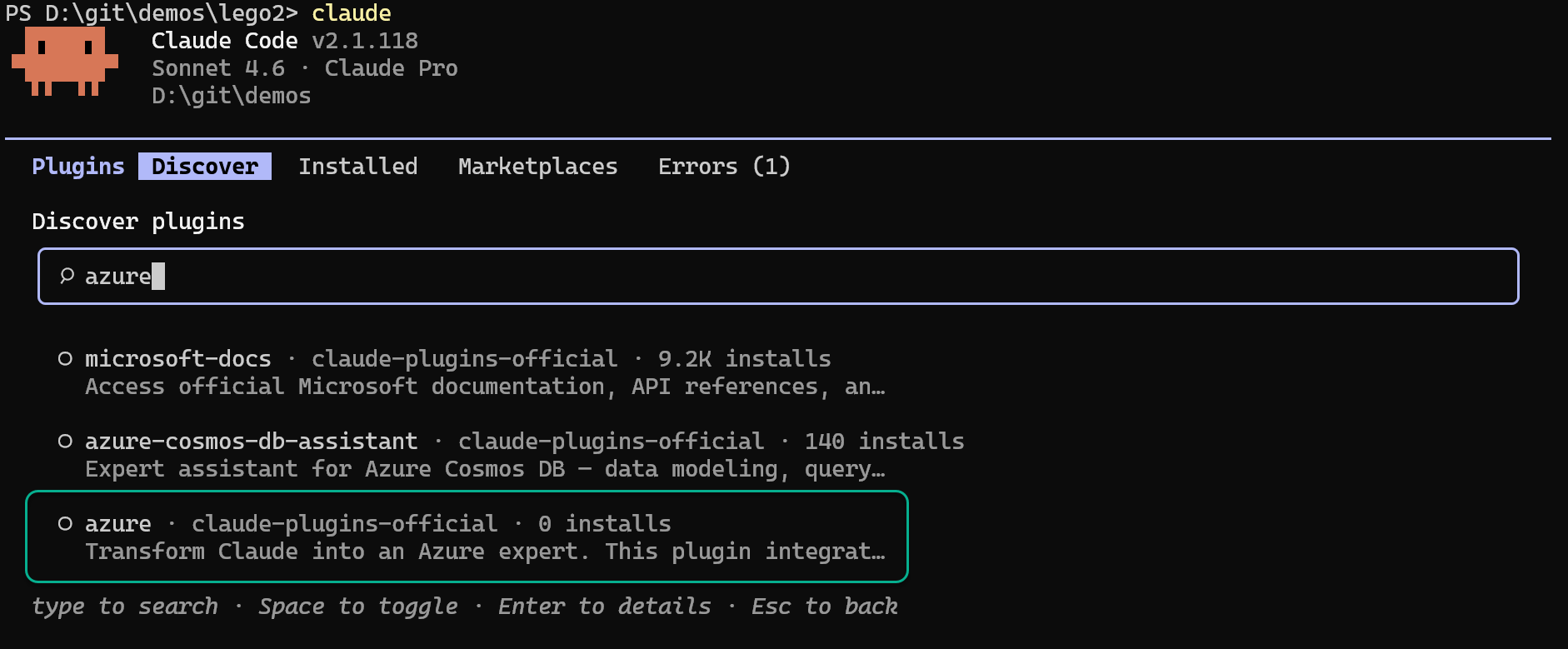
claude plugin install azure@claude-plugins-officialTurn your coding agent into a SOTA browser agent. Drives a local Playwright workspace via one bash command at a time, saving screenshots and an action log into final_runs/run_<id>/, and visually self-verifies the result.
 microsoft
AGT governance hooks and MCP tools for Claude Code sessions
microsoftAzure SDK patterns and best practices for .NET developers covering AI, resource management, identity, messaging, and Key Vault libraries.
microsoftAzure SDK patterns and best practices for Python developers covering AI, storage, identity, monitoring, messaging, and management libraries.
microsoftAzure SDK patterns and best practices for Rust developers covering identity, Key Vault, storage, Cosmos DB, and Event Hubs.
microsoftMicrosoft Azure MCP integration for cloud resource management, deployments, and Azure services. Manage your Azure infrastructure, monitor applications, and deploy resources directly from Claude Code.
microsoftAzure MCP Server integration for 40+ Azure services with Azure CLI authentication.
 fcakyon
A curated collection of production-ready agentic skills for Microsoft Azure development. Installs 193+ skills covering Azure compute, data, AI/ML, networking, security, and management services. Built from Microsoft Learn documentation and following the Agent Skills open standard.
 MicrosoftDocs
Editorial "Azure AI & Cloud" bundle for Claude Code from Agentic Awesome Skills.
 sickn33
Complete Azure cloud expertise covering 2025-2026 features. This plugin should be used for ANY Azure resource provisioning, AKS Automatic, Container Apps GPU, Azure OpenAI (GPT-5, reasoning models), Deployment Stacks, Azure ML workspaces, AI Foundry, compute clusters, endpoints, Terraform, networking, private endpoints, managed identities, debugging, and cost optimization.
 JosiahSiegel
Analyze Azure resource health, diagnose issues from logs and telemetry, and create a remediation plan for identified problems.
 github
'%20stop-opacity%3D'0.16'%2F%3E%3Cstop%20offset%3D'1'%20stop-color%3D'rgb(200%2C90%2C60)'%20stop-opacity%3D'0.03'%2F%3E%3C%2FlinearGradient%3E%3C%2Fdefs%3E%3Crect%20width%3D'320'%20height%3D'200'%20fill%3D'url(%23g)'%2F%3E%3Ccircle%20cx%3D'250'%20cy%3D'56'%20r%3D'92'%20fill%3D'rgb(200%2C90%2C60)'%20fill-opacity%3D'0.06'%2F%3E%3Ccircle%20cx%3D'64'%20cy%3D'172'%20r%3D'58'%20fill%3D'rgb(200%2C90%2C60)'%20fill-opacity%3D'0.05'%2F%3E%3C%2Fsvg%3E)