Stats
Actions
Available In
Tags

Maestro Frontier is an opt-in, zero-dependency local multi-CLI fusion engine for AI coding agents. Use /maestro:frontier catalog to inspect the portable catalog, then /maestro:frontier compose --models ... to choose and arm a panel. Panel, judge, and synthesizer subprocesses are one-shot and read-only. Off, single, and fusion modes also switch via /maestro:frontier. Built on Maestro orchestration discipline: decision-gated routing, verified done-claims, surgical scope, and structural enforcement hooks.
Compress a natural-language memory file into terse format to cut input tokens (backup kept, deterministic validation)
Toggle the Maestro context progress bar in the Claude Code status line
Maestro Frontier local multi-CLI engine: arm or disarm it, inspect the catalog, or compose and choose a read-only model panel
View and change Maestro's toggles (terse, frontier, context-bar, discipline, verify) — direct args or a keyboard picker
Switch Maestro terse narration mode (lite|full|ultra|off)
Executes bash commands
Hook triggers when Bash tool is used
Modifies files
Hook triggers on file write and edit operations
Own this plugin?
Verify ownership to unlock analytics, metadata editing, and a verified badge. GitHub access is read-only (username + org membership).
Sign in to claimOwn this plugin?
Verify ownership to unlock analytics, metadata editing, and a verified badge. GitHub access is read-only (username + org membership).
Sign in to claimBased on adoption, maintenance, documentation, and repository signals. Not a security audit or endorsement.
Executables (bin/) — files in this plugin's bin/directory are added to the Bash tool's PATH while the plugin is enabled.
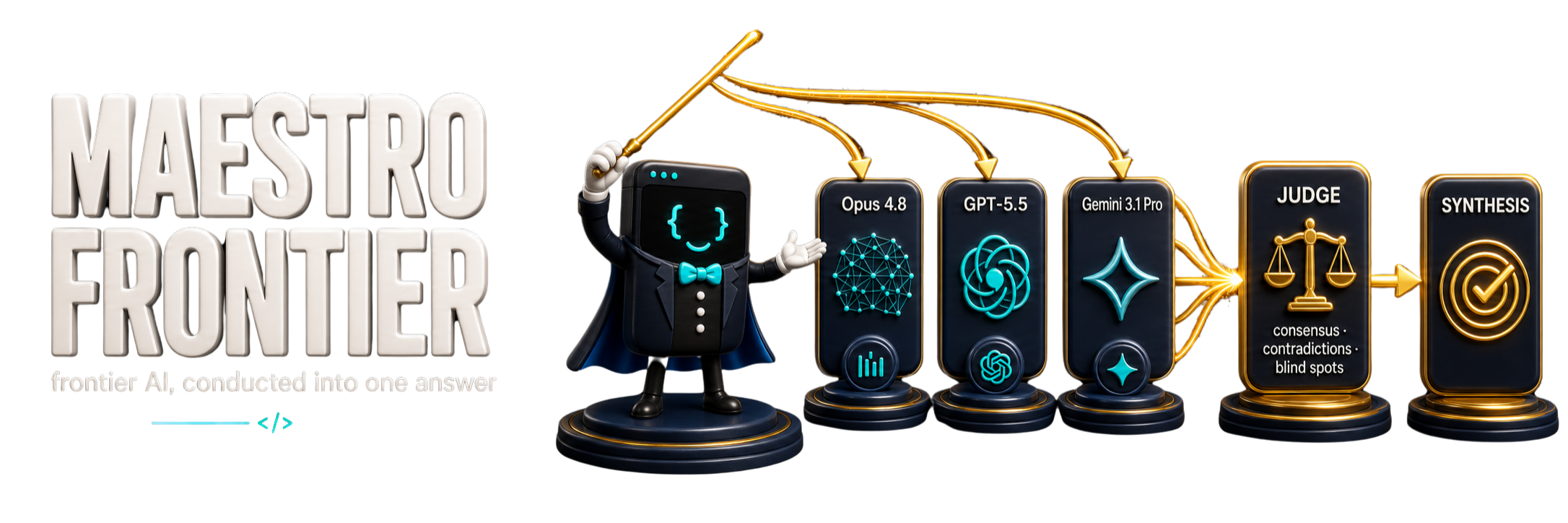
Achieve Frontier AI performance in your CLI — by fusing the model CLIs you already run. Fan one prompt across a panel of 1-8 of your local CLIs in parallel, have a judge model you pick read every answer into a structured analysis, then a synthesizer you pick write one grounded answer that does not majority-vote. On a 100-task benchmark, every fusion panel outscored its individual member models. It runs on Maestro's discipline layer: verified done-claims, surgical scope, and a research-backed multi-agent gate.








17 fixture tasks · 147 valid A/B runs · 11 voids excluded & re-run · 6 hooks, all tested · ~10 KB always-on kernel · plugin + portable installs
UPDATED — catalog-first Frontier. Run
maestro frontier catalogto see the locally selectable models, named presets (including legacy presets), aliases, and readiness requirements. Compose a panel from ready models withmaestro frontier compose --models ...; the catalog never prints configured model IDs or secret values. Full walkthrough in The Frontier Engine.
One suite: fuse the answer, make the case, guard the spend.
Install — run the command block for your tool, inside that tool. Claude Code and Codex use native plugins. Cursor, Gemini, Cline, Windsurf, and other CLIs use the portable installer, which copies Maestro's runtime-agnostic files into the current project/workspace by default. Global/user installs are optional when you intentionally want cross-project behavior.
Claude Code (terminal) — native plugin (enforcement hooks, /maestro:*
commands, skills, status line, Frontier auto-run). Run these inside the claude
CLI:
/plugin marketplace add mbanderas/maestro
/plugin install maestro@maestro
Claude desktop app — the desktop app has no /plugin slash command, and its
+ → Plugins browser only lists Anthropic's official marketplace, so it cannot
add this repo from the GUI. Install Maestro by running the two commands above in a
terminal (claude on the same machine), or register the marketplace in
.claude/settings.json under extraKnownMarketplaces. See the official
Claude Code plugins docs.
Codex CLI (terminal) — native Codex plugin via the Maestro repo marketplace (skills, trusted hooks, and Frontier auto-run after you review and trust the hooks):
codex plugin marketplace add mbanderas/maestro
codex plugin add maestro@maestro
Codex desktop / IDE app — the in-app Plugins directory installs plugins
from marketplaces Codex already knows; adding a new repo marketplace is a CLI
action, so run the two commands above in a terminal (codex). See the official
Codex plugins docs.
npx claudepluginhub mbanderas/maestro --plugin maestroFind and quantify cloud and CI spend waste from your coding agent. Costguard runs read-only billing checks (GitHub Actions, Supabase, Railway, Netlify, Neon), static CI/cron waste rules, dry-run-first auto-fixes for workflow files, and a monthly cost digest — all driven from your session via /costguard-audit, /costguard-fix, and /costguard-live, or the costguard skill. Never writes to provider accounts, never pushes git, never prints secrets.
 mbanderas
Use /agora for argument-first buyer, investor, positioning, editorial, interface, and spoken copy grounded in verified facts.
 mbanderas
Consult multiple AI coding agents (Gemini, OpenAI, Grok, Perplexity, plus codex, antigravity, and grok CLIs when installed) to get diverse perspectives on coding problems
 hex
hexComprehensive skill pack with 66 specialized skills for full-stack developers: 12 language experts (Python, TypeScript, Go, Rust, C++, Swift, Kotlin, C#, PHP, Java, SQL, JavaScript), 10 backend frameworks, 6 frontend/mobile, plus infrastructure, DevOps, security, and testing. Features progressive disclosure architecture for 50% faster loading.
 Jeffallan
Comprehensive feature development workflow with specialized agents for codebase exploration, architecture design, and quality review
 anthropics
Production-grade engineering skills for AI coding agents — covering the full software development lifecycle from spec to ship.
 addyosmani
Develop, test, build, and deploy Godot 4.x games with Claude Code. Includes GdUnit4 testing, web/desktop exports, CI/CD pipelines, and deployment to Vercel/GitHub Pages/itch.io.
 Randroids-Dojo
Harness-native ECC operator layer - 67 agents, 278 skills, 94 legacy command shims, reusable hooks, rules, selective install profiles, and production-ready workflows for Claude Code, Codex, OpenCode, Cursor, and related agent harnesses
 affaan-m
'%20stop-opacity%3D'0.16'%2F%3E%3Cstop%20offset%3D'1'%20stop-color%3D'rgb(200%2C90%2C60)'%20stop-opacity%3D'0.03'%2F%3E%3C%2FlinearGradient%3E%3C%2Fdefs%3E%3Crect%20width%3D'320'%20height%3D'200'%20fill%3D'url(%23g)'%2F%3E%3Ccircle%20cx%3D'250'%20cy%3D'56'%20r%3D'92'%20fill%3D'rgb(200%2C90%2C60)'%20fill-opacity%3D'0.06'%2F%3E%3Ccircle%20cx%3D'64'%20cy%3D'172'%20r%3D'58'%20fill%3D'rgb(200%2C90%2C60)'%20fill-opacity%3D'0.05'%2F%3E%3C%2Fsvg%3E)