Stats
Actions
Available In
Tags
AI가 구현 계획을 세워줍니다. 확인 후 코딩 시작.
테스트 먼저 만들고 코드 작성. 한 단위 작업에 사용.
개별 커맨드를 하나씩 호출하는 대신, 전체 파이프라인을 한 번에 자동 실행합니다.
Generate and run end-to-end tests with Playwright. Creates test journeys, runs tests, captures screenshots/videos/traces, and uploads artifacts.
> **참고**: 빌드 에러가 아키텍처 문제에서 기인하는 경우, `/plan`으로 구조적 해결 방안을 먼저 수립하세요.
---
---
---
---
---
보안 파이프라인 - CWE Top 25 + STRIDE 자동 검증
프로젝트 빌드 시스템 자동 감지 및 실행 스킬
Expert guidance for Next.js Cache Components and Partial Prerendering (PPR). **PROACTIVE ACTIVATION**: Use this skill automatically when working in Next.js projects that have `cacheComponents: true` in their next.config.ts/next.config.js. When this config is detected, proactively apply Cache Components patterns and best practices to all React Server Component implementations. **DETECTION**: At the start of a session in a Next.js project, check for `cacheComponents: true` in next.config. If enabled, this skill's patterns should guide all component authoring, data fetching, and caching decisions. **USE CASES**: Implementing 'use cache' directive, configuring cache lifetimes with cacheLife(), tagging cached data with cacheTag(), invalidating caches with updateTag()/revalidateTag(), optimizing static vs dynamic content boundaries, debugging cache issues, and reviewing Cache Component implementations.
Claude Code 개발 워크플로우 최적화. Context Engineering, Sub-agents, TDD, 개발 후 검증 워크플로우 제공. 트리거: CC 프로젝트 시작, CLAUDE.md/spec.md 작성, /handoff /verify /commit-push-pr, sub-agent/Explore, Agent Teams 병렬 개발 요청 시.
Instinct-based learning system that observes sessions via hooks, creates atomic instincts with confidence scoring, and evolves them into skills/commands/agents.
Matches all tools
Hooks run on every tool call, not just specific ones
Executes bash commands
Hook triggers when Bash tool is used
Own this plugin?
Verify ownership to unlock analytics, metadata editing, and a verified badge. GitHub access is read-only (username + org membership).
Sign in to claimOwn this plugin?
Verify ownership to unlock analytics, metadata editing, and a verified badge. GitHub access is read-only (username + org membership).
Sign in to claimBased on adoption, maintenance, documentation, and repository signals. Not a security audit or endorsement.
Modifies files
Hook triggers on file write and edit operations
Modifies files
Hook triggers on file write and edit operations
Uses power tools
Uses Bash, Write, or Edit tools
Uses power tools
Uses Bash, Write, or Edit tools

Turn Claude Code into a full development environment





Quick Start • Workflows • What's Inside • Installation • Architecture • Customization • 한국어
Claude Forge is an open-source development environment for Claude Code that provides 11 specialized agents, 36 slash commands, 15 skill workflows, and 14 automation hooks. Often described as "oh-my-zsh for Claude Code", it transforms Claude Code from a basic CLI into a full-featured development environment. One install gives you agents, commands, skills, hooks, and 8 rule files -- all pre-wired and ready to go.
Think of it as oh-my-zsh for Claude Code: the same way oh-my-zsh enhances your terminal, Claude Forge supercharges your AI coding assistant.
# 1. Clone
git clone --recurse-submodules https://github.com/sangrokjung/claude-forge.git
cd claude-forge

# 2. Install (creates symlinks to ~/.claude)
./install.sh

# 3. Launch Claude Code
claude
install.sh symlinks everything to ~/.claude/, so git pull updates instantly.
If you find Claude Forge useful, please consider giving it a star -- it helps others discover this project.
If you're new to development or Claude Code, start with these:
| Step | What to do |
|---|---|
| 1 | Run /guide after install -- an interactive 3-minute tour |
| 2 | Read First Steps -- glossary + TOP 6 commands |
| 3 | Browse Workflow Recipes -- 5 copy-paste scenarios |
Or just type /auto login page and let Claude Forge handle the entire plan-to-PR pipeline for you.
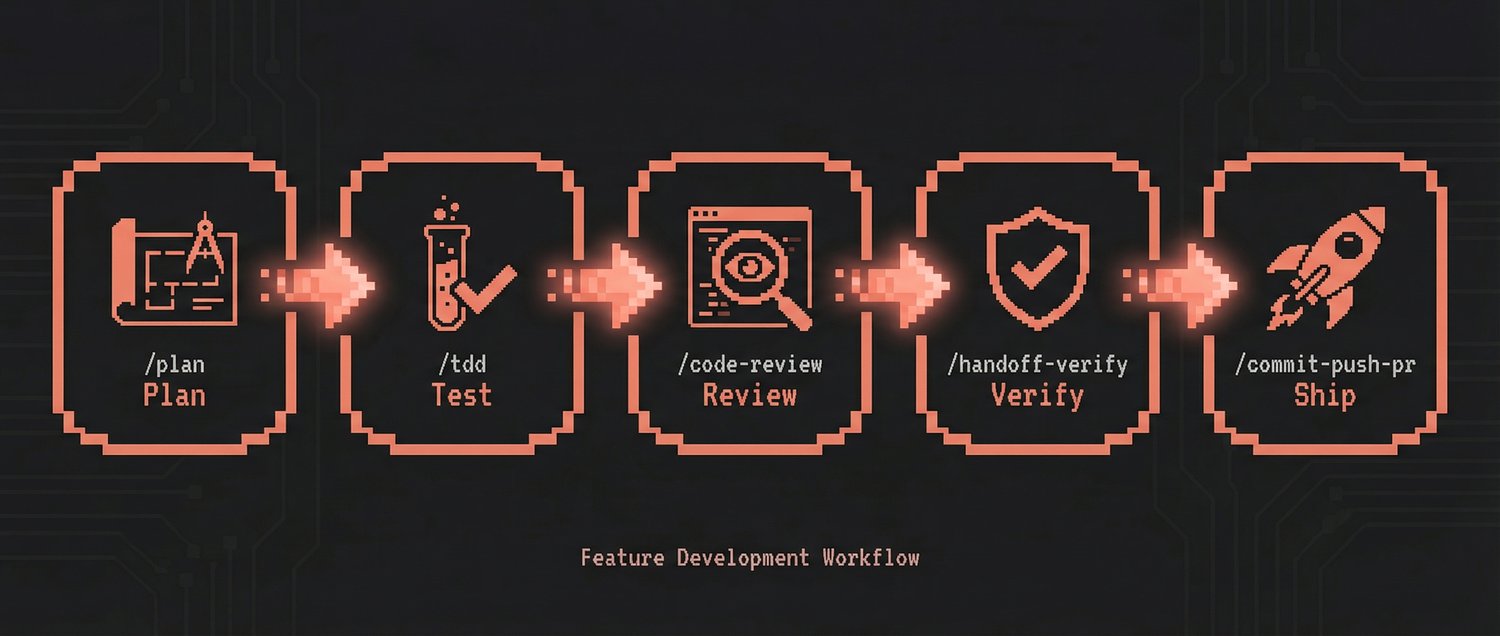
Real-world workflows that chain commands, agents, and skills together.
Build new features with a plan-first, test-first approach:
/plan → /tdd → /code-review → /handoff-verify → /commit-push-pr → /sync
graph LR
    P["/plan<br><small>Design & risk analysis</small>"] --> T["/tdd<br><small>Tests first, then code</small>"]
    T --> CR["/code-review<br><small>Quality & security check</small>"]
    CR --> HV["/handoff-verify<br><small>Fresh-context validation</small>"]
    HV --> CPR["/commit-push-pr<br><small>Commit, push, PR & merge</small>"]
    CPR --> S["/sync<br><small>Sync project docs</small>"]

    style P fill:#533483,stroke:#fff,color:#fff
    style T fill:#0f3460,stroke:#fff,color:#fff
    style CR fill:#0f3460,stroke:#fff,color:#fff
    style HV fill:#e94560,stroke:#fff,color:#fff
    style CPR fill:#1a1a2e,stroke:#fff,color:#fff
    style S fill:#16213e,stroke:#fff,color:#fff
| Step | What happens |
|---|---|
/plan | AI creates an implementation plan. Waits for your confirmation before coding. |
/tdd | Write tests first, then code. One unit of work at a time. |
/code-review | Security + quality check on the code you just wrote. |
/handoff-verify | Auto-verify build/test/lint all at once. |
/commit-push-pr | Commit, push, create PR, and optionally merge -- all in one. |
/sync | Sync project docs (prompt_plan.md, spec.md, CLAUDE.md, rules). |
npx claudepluginhub kaelen2026/claude-forgeComplete collection of battle-tested Claude Code configs from an Anthropic hackathon winner - agents, skills, hooks, and rules evolved over 10+ months of intensive daily use
 kaelen2026
Ultra-compressed communication mode. Cuts 65% of output tokens (measured) while keeping full technical accuracy by speaking like a caveman.
 JuliusBrussee
Multi-model consensus engine integrating OpenAI Codex CLI, Gemini CLI, and Claude CLI for collaborative code review and problem-solving.
 xrf9268-hue
Comprehensive UI/UX design plugin for mobile (iOS, Android, React Native) and web applications with design systems, accessibility, and modern patterns
 wshobson
Unified capability management center for Skills, Agents, and Commands.
 guanyang
Memory compression system for Claude Code - persist context across sessions
 thedotmack
Standalone image generation plugin using Nano Banana MCP server. Generates and edits images, icons, diagrams, patterns, and visual assets via Gemini image models. No Gemini CLI dependency required.
 Lucklyric
'%20stop-opacity%3D'0.16'%2F%3E%3Cstop%20offset%3D'1'%20stop-color%3D'rgb(200%2C90%2C60)'%20stop-opacity%3D'0.03'%2F%3E%3C%2FlinearGradient%3E%3C%2Fdefs%3E%3Crect%20width%3D'320'%20height%3D'200'%20fill%3D'url(%23g)'%2F%3E%3Ccircle%20cx%3D'250'%20cy%3D'56'%20r%3D'92'%20fill%3D'rgb(200%2C90%2C60)'%20fill-opacity%3D'0.06'%2F%3E%3Ccircle%20cx%3D'64'%20cy%3D'172'%20r%3D'58'%20fill%3D'rgb(200%2C90%2C60)'%20fill-opacity%3D'0.05'%2F%3E%3C%2Fsvg%3E)