Stats
Actions
Available In
Tags
Interactive BPA rule generation for Power BI semantic models; guided discovery, model investigation, and expert rule authoring. Automatically invoke when the user mentions "BPA rule", "Best Practice Analyzer", or asks to "create a BPA rule", "audit BPA rules", "recommend BPA rules", "set up BPA for my team", "check model for best practices", "validate BPA rules", "improve a BPA expression".
Writing and executing C# scripts and macros against Power BI semantic models using Tabular Editor 2/3. Automatically invoke when the user mentions "C# script", "Tabular Editor script", "TOM scripting", "MacroActions.json", "XMLA", or asks to "automate model changes", "bulk update measures", "create calculation groups", "write a macro", "format DAX expressions", "manage model metadata".
Expert guidance for the cross-platform Tabular Editor CLI (the `te` binary, currently in preview) that manages Power BI / Analysis Services semantic models from the terminal on macOS, Linux, and Windows. Use when the user mentions the `te` CLI or "Tabular Editor CLI" (not the "2"), or runs a `te <command>` to scaffold, inspect, edit, validate, run BPA on, query, deploy, refresh, test, or migrate a semantic model. Not for the legacy Windows-only `TabularEditor.exe` (TE2).
Tabular Editor documentation search and configuration file guidance (.tmuo, Preferences.json, UiPreferences.json, Layouts.json). Automatically invoke when the user asks about "TE docs", "Tabular Editor features", "TE3 preferences", ".tmuo files", "workspace database settings", "DAX editor settings", "per-model TE3 configuration", or needs to search Tabular Editor documentation for how-to guidance.
CLI syntax reference for Tabular Editor 2 (TabularEditor.exe); deployment, scripting, BPA analysis, and CI/CD integration. Automatically invoke when the user mentions "TabularEditor.exe", TE2 CLI flags (-D, -S, -A, -B, -TMDL, -O, -C), or asks to "deploy a model via CLI", "set up CI/CD for Power BI", "automate model deployment", "run BPA from command line", "save model as TMDL".
Own this plugin?
Verify ownership to unlock analytics, metadata editing, and a verified badge. GitHub access is read-only (username + org membership).
Sign in to claimOwn this plugin?
Verify ownership to unlock analytics, metadata editing, and a verified badge. GitHub access is read-only (username + org membership).
Sign in to claimBased on adoption, maintenance, documentation, and repository signals. Not a security audit or endorsement.
The best source for Power BI AI skills and agentic development resources in one marketplace
Teach AI agents like Claude Code or GitHub Copilot Power BI and Microsoft Fabric



[!WARNING] These skills are under active development with a weekly release cadence, so expect regular renaming and restructuring.
26.26 (out next week) is a large, breaking re-organization: many skills will be consolidated or disappear, and skills will activate less automatically, so they will be less suited to fully autonomous tasks unless you invoke them with an explicit argument. Pin to 26.25 if you want stability. More info to come on the 26.26 release.
Here's how you get started in Claude Code; run this in the terminal to get the marketplace:
claude plugin marketplace add data-goblin/power-bi-agentic-development
Click here for a YouTube walkthrough

Add the marketplace, then install plugins via /plugin and navigating to the installed marketplace.
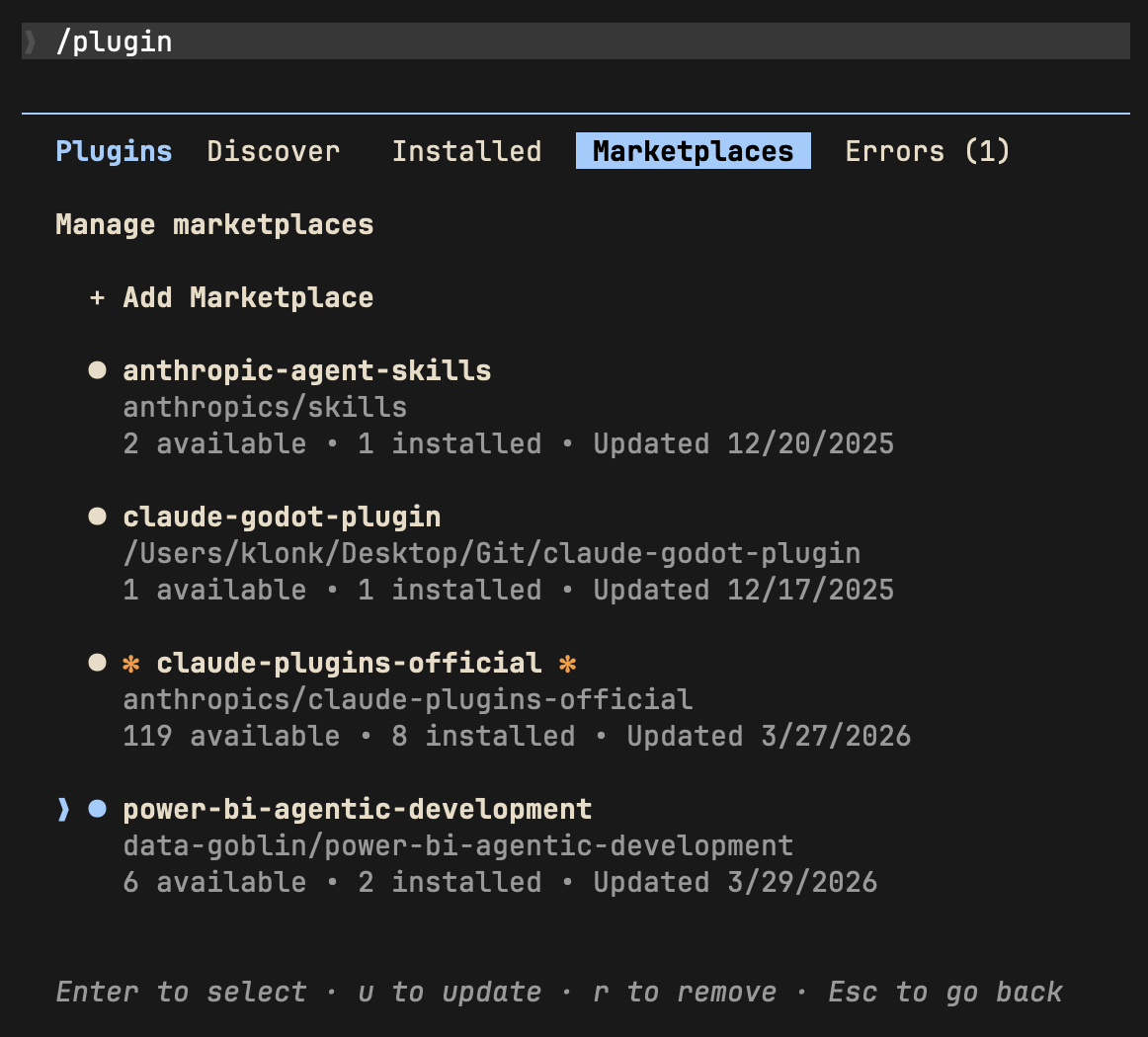 | 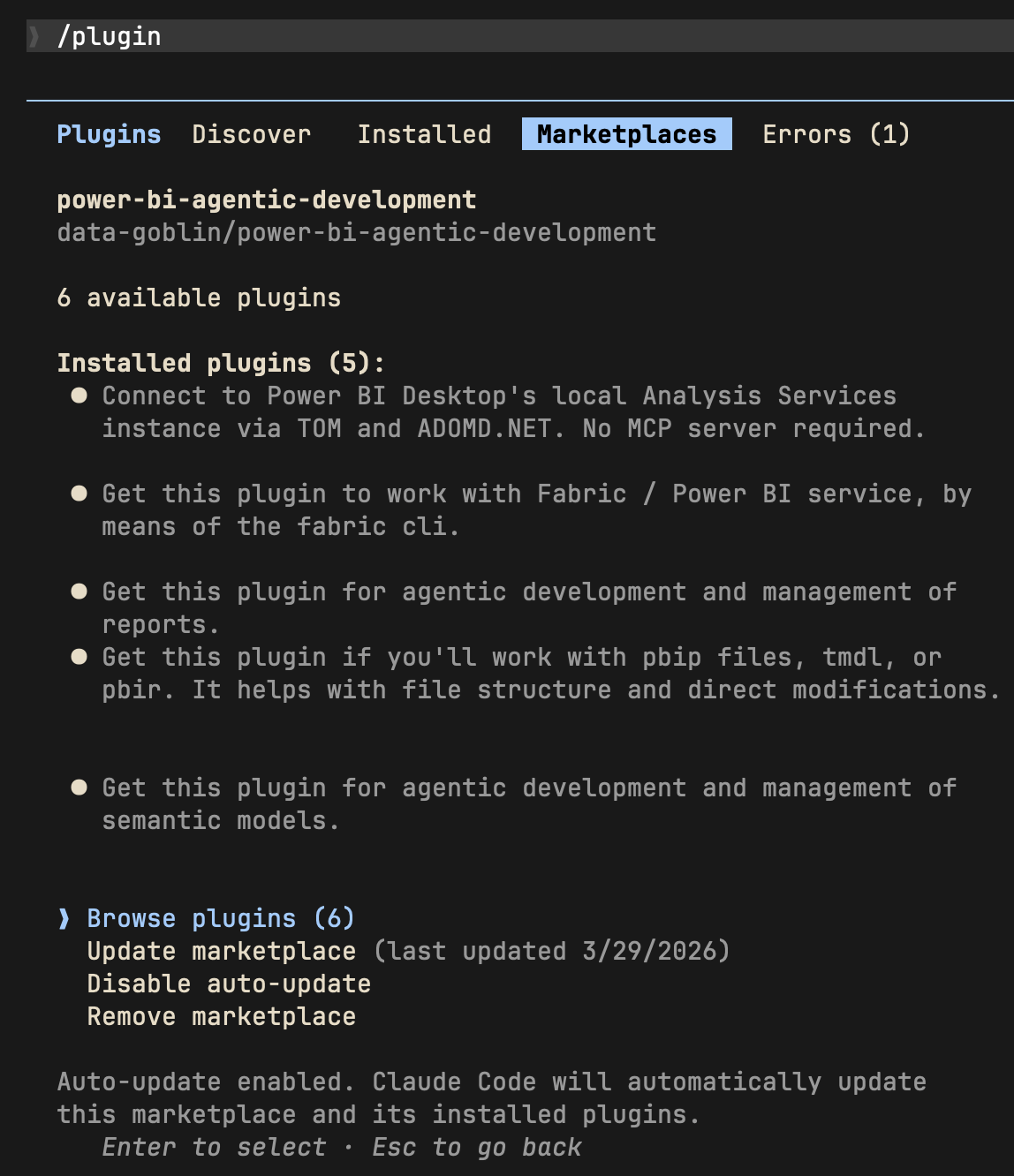 |
| Install plugins from the marketplace | Enable marketplace auto-update |
Alternative; add plugins via command line:
claude plugin install tabular-editor@power-bi-agentic-development
claude plugin install pbi-desktop@power-bi-agentic-development
claude plugin install semantic-models@power-bi-agentic-development
claude plugin install reports@power-bi-agentic-development
claude plugin install pbip@power-bi-agentic-development
claude plugin install fabric-cli@power-bi-agentic-development
The standalone Copilot CLI supports plugin installation from GitHub repos. Copilot CLI reads the same .claude-plugin/marketplace.json manifest this repo uses, so the marketplace and child-plugin layout works without modification.
TMDL files have a problem with repository-relative paths over 260 characters. Windows' legacy MAX_PATH blocks git clone from writing them unless long path support is enabled at both the OS and git level. Without this, copilot plugin install aborts with Filename too long.
Check useful-stuff/agent-scripts/enable-windows-longpaths.ps1 as an example of a script you can run from an elevated ps environment to enable long paths; there are other routes to do this that you can find online, too... just ask Copilot. A reboot is recommended after the registry change. This is a Windows OS limitation, documented at Maximum Path Length Limitation.
See also the below git config command:
git config --system core.longpaths true
Execute code and queries on Fabric compute: Spark sessions via the Livy API and DuckDB for lakehouse queries.
 jonathan-pap
Author, validate, publish, and test Power BI paginated reports (RDL).
jonathan-papDesign, build, optimize, and review semantic models.
jonathan-papPBIP up close: TMDL, PBIR, and project file structure.
jonathan-papDeneb, Python, R, SVG, and pbiviz custom visuals.
jonathan-papnpx claudepluginhub jonathan-pap/power-bi-agentic-development --plugin tabular-editorUltra-compressed communication mode. Cuts 65% of output tokens (measured) while keeping full technical accuracy by speaking like a caveman.
 JuliusBrussee
Comprehensive UI/UX design plugin for mobile (iOS, Android, React Native) and web applications with design systems, accessibility, and modern patterns
 wshobson
Multi-model consensus engine integrating OpenAI Codex CLI, Gemini CLI, and Claude CLI for collaborative code review and problem-solving.
 xrf9268-hue
Unified capability management center for Skills, Agents, and Commands.
 guanyang
Standalone image generation plugin using Nano Banana MCP server. Generates and edits images, icons, diagrams, patterns, and visual assets via Gemini image models. No Gemini CLI dependency required.
 Lucklyric
Write feature specs, plan roadmaps, and synthesize user research faster. Keep stakeholders updated and stay ahead of the competitive landscape.
 anthropics
'%20stop-opacity%3D'0.16'%2F%3E%3Cstop%20offset%3D'1'%20stop-color%3D'rgb(200%2C90%2C60)'%20stop-opacity%3D'0.03'%2F%3E%3C%2FlinearGradient%3E%3C%2Fdefs%3E%3Crect%20width%3D'320'%20height%3D'200'%20fill%3D'url(%23g)'%2F%3E%3Ccircle%20cx%3D'250'%20cy%3D'56'%20r%3D'92'%20fill%3D'rgb(200%2C90%2C60)'%20fill-opacity%3D'0.06'%2F%3E%3Ccircle%20cx%3D'64'%20cy%3D'172'%20r%3D'58'%20fill%3D'rgb(200%2C90%2C60)'%20fill-opacity%3D'0.05'%2F%3E%3C%2Fsvg%3E)