Stats
Actions
Available In
Tags

Search YouTube, retrieve video transcripts and metadata, browse channels, and analyze content with structured summaries or custom queries for research and learning workflows.
Ask "what's the best video on…?" and Claude finds it, watches it, and reports back. Drop a long podcast in chat — get the highlights in seconds. Cut clips, build reels, pull transcripts — all without opening a YouTube tab.
Quick Start · Try it · Discord · Demo
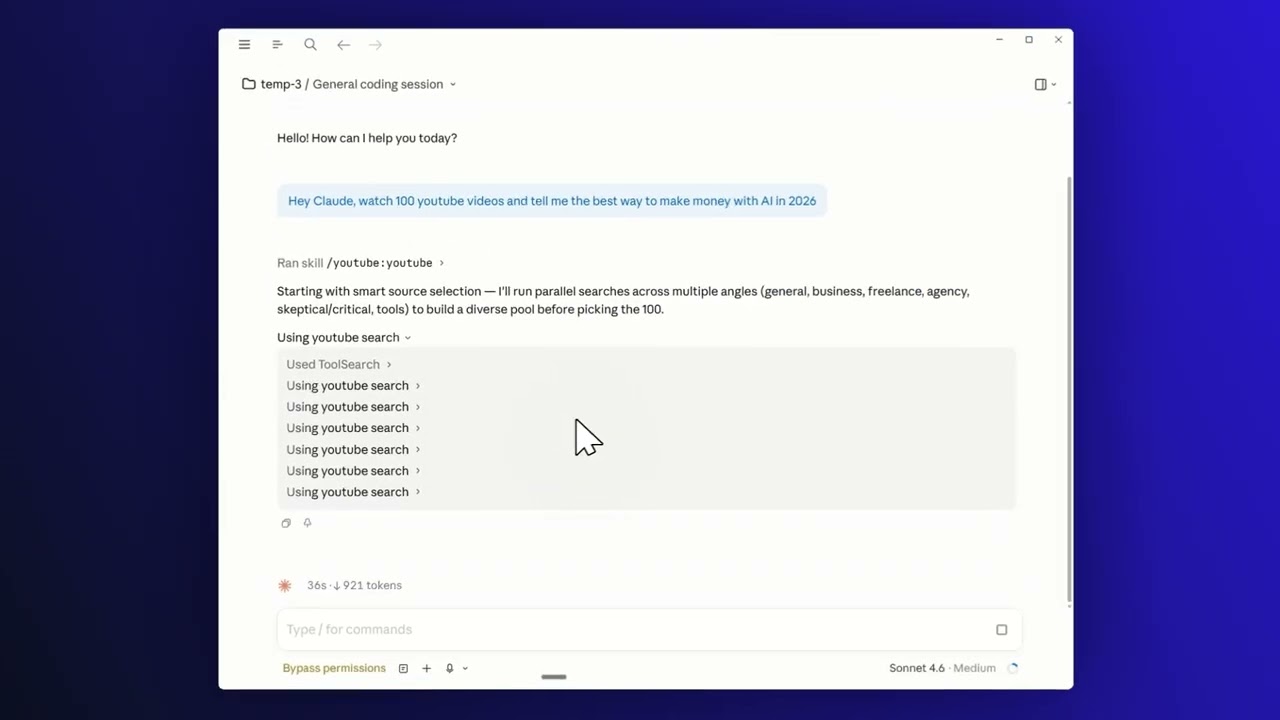
Click the image to watch the 1-minute walkthrough.
1. Install the plugin — inside Claude Code, run:
/plugin marketplace add JCodesMore/jcodesmore-plugins
/plugin install youtube@jcodesmore-plugins
Then fully restart Claude Code (quit the app and reopen).
2. That's it. No API key, no signup. Just start asking.
Optional: run
/youtube:setupto sign in with your own YouTube cookies for personalized search and recommendations.
Talk to Claude like a friend:
The agent searches, watches, and reports back — no scrubbing, no scrolling.
Nine smart tools wrapped in two skills and one agent — search, watch, clip, and reel without leaving the chat.
| Capability | Try saying |
|---|---|
| Search videos, channels, playlists | "find me the top videos on…" |
| Watch and summarize | "watch this and tell me what matters" |
| Browse a channel or playlist | "what's worth watching from this YouTuber?" |
| Pull a transcript | "grab the transcript around the 5-minute mark" |
| Download video or audio | "save the audio of this video" |
| Cut a clip | "clip 2:15 to 2:45 from this video" |
| Build a highlight reel | "combine these clips into one reel" |
Discord — chat, help, show-and-tell · Issues — bugs & feature requests · Contribute · More plugins
By default, search runs anonymously — no login required. If you want personalized recommendations and search results, run /youtube:setup and follow the cookie-extraction wizard. Cookies stay on your machine in the plugin data directory; nothing is uploaded anywhere.
The MCP server is portable. Per-platform setup guides:
Clone and build it yourself:
git clone https://github.com/JCodesMore/youtube-for-ai-agents.git
cd youtube-for-ai-agents
npm install
npm run build
Or wire the published npm package directly into any MCP-compatible client:
{
  "mcpServers": {
    "youtube": {
      "command": "npx",
      "args": ["-y", "@jcodesmore/youtube-for-ai-agents"]
    }
  }
}
Requirements: Node.js ≥ 18.
Apache License 2.0 — © 2026 JCodesMore
Uses youtubei.js, an unofficial YouTube client. Not affiliated with, endorsed by, or associated with YouTube or Google.
Part of jcodesmore-plugins.
Admin access level
Server config contains admin-level keywords
Uses power tools
Uses Bash, Write, or Edit tools
Own this plugin?
Verify ownership to unlock analytics, metadata editing, and a verified badge. GitHub access is read-only (username + org membership).
Sign in to claimOwn this plugin?
Verify ownership to unlock analytics, metadata editing, and a verified badge. GitHub access is read-only (username + org membership).
Sign in to claimBased on adoption, maintenance, documentation, and repository signals. Not a security audit or endorsement.
Interactive wizard that fixes and optimizes Claude Code performance -- sourced from dozens of community posts and official docs.
JCodesMoreDiscord server admin via natural language — channels, roles, embeds, AutoMod, welcome screens, scheduled events, and full server templates
 JCodesMore
Discover, recommend, and track movies in Claude Code. TMDB-powered via moviedb-promise, with a taste profile and watch history that follow you across projects.
JCodesMoreHand Claude a bot token and admin a Slack workspace in plain English — channels, usergroups, Block Kit messages, scheduled posts, canvases, and full workspace templates from a one-line brief
JCodesMoreSearch your past Claude Code conversations — ranked results, resumable in one command
JCodesMorenpx claudepluginhub jcodesmore/jcodesmore-plugins --plugin youtubeMedia research assistant for bulk video and podcast summarization across YouTube, Apple Podcasts, Spotify, and other platforms
 smerchek
Summarize YouTube videos with transcript, insights, Korean translation, and quizzes
 team-attention
Let Claude watch a video. Downloads with yt-dlp, extracts auto-scaled frames with ffmpeg, pulls captions or falls back to Whisper, and hands frames + transcript to Claude so it can answer questions about the video.
 bradautomates
Summarize videos, audio, and podcasts via BibiGPT CLI directly in the terminal
 JimmyLv
AI-powered video processing toolkit - download videos, remove silence, trim/cut, extract audio, transcribe, generate descriptions, upload to YouTube and Bunny.net
 alejandro-ao
Download videos from 1800+ platforms and generate AI summaries with complete resource packages
 liang121