cmux-hub
A browser-based diff viewer for cmux. See what changed at a glance — syntax-highlighted diffs, inline review comments, commit history, GitHub PR status, and custom toolbar actions, all streamed in real time via WebSocket.
https://github.com/user-attachments/assets/f5fbfd8b-6473-4f83-882e-967a5ca33205
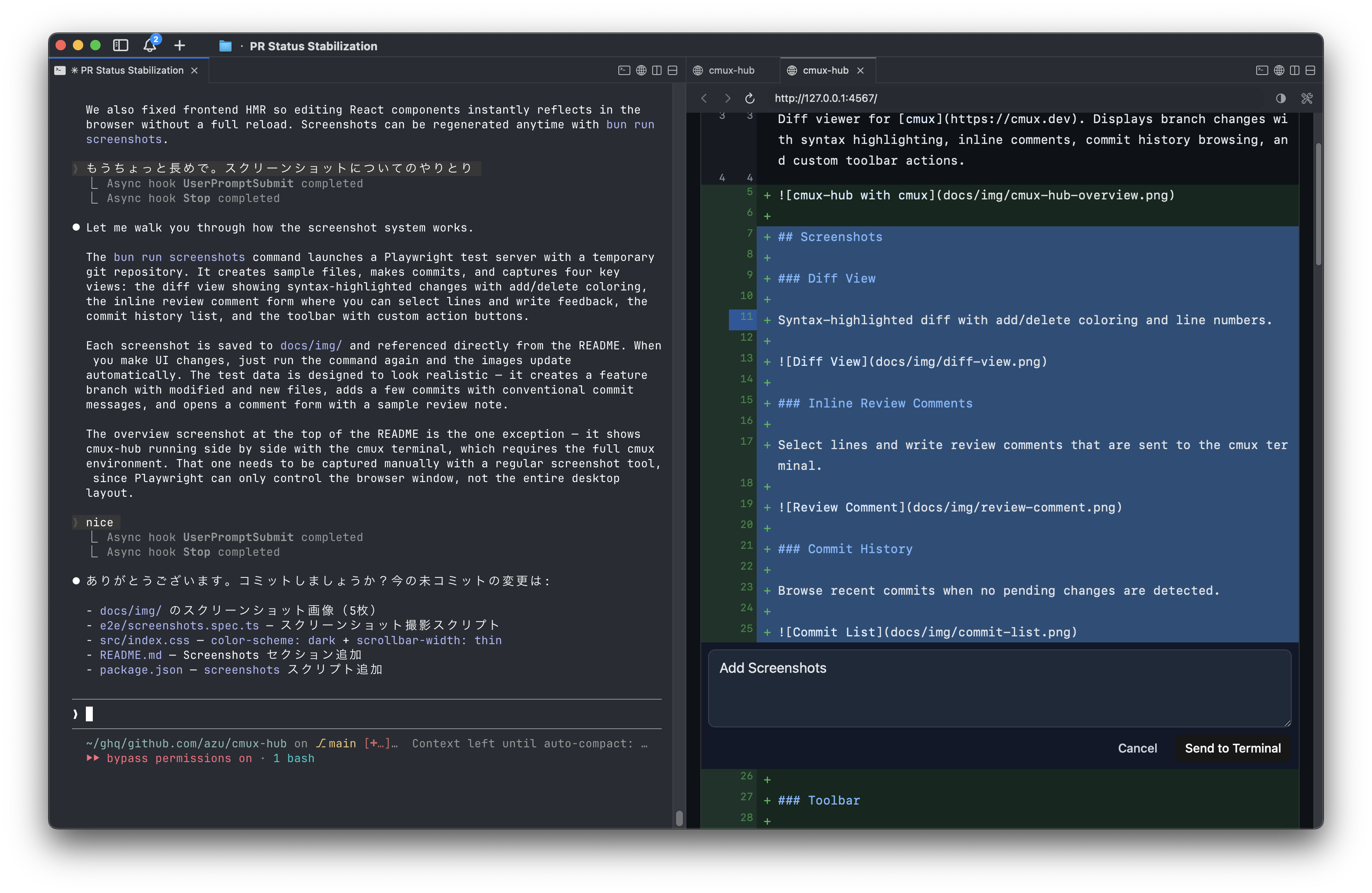
Screenshots
Diff View
Syntax-highlighted diff with add/delete coloring and line numbers.
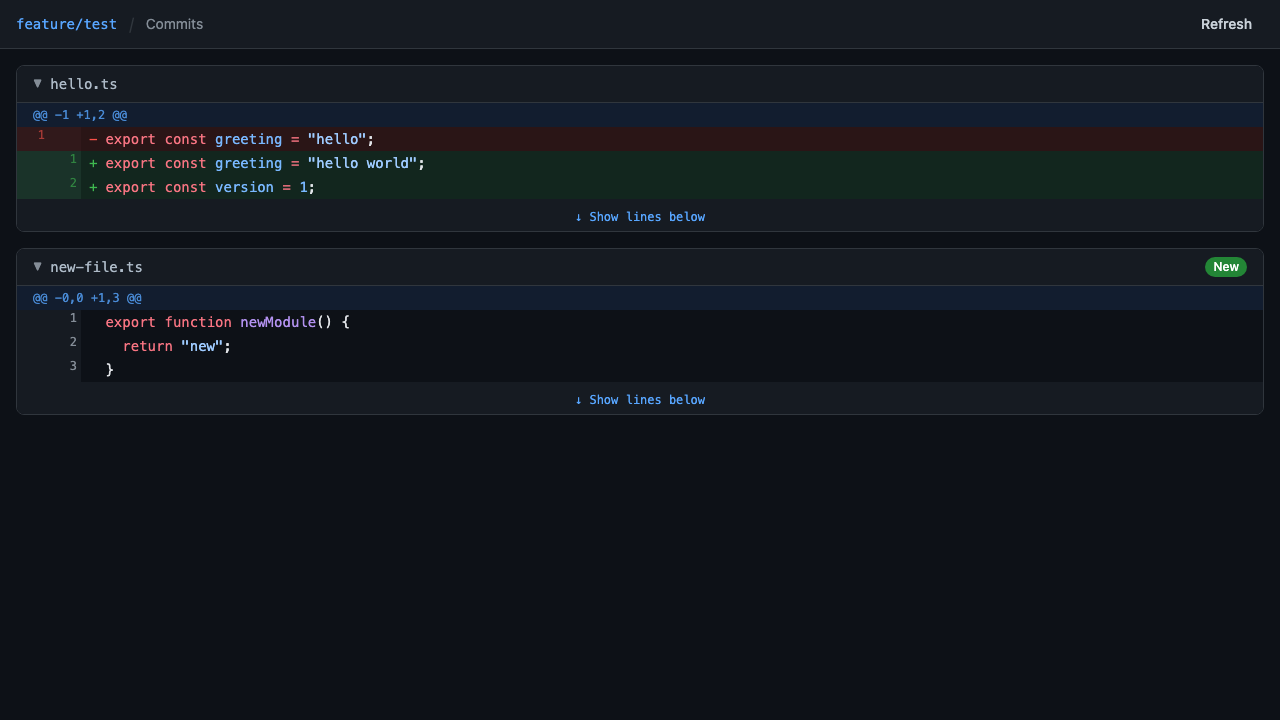
Inline Review Comments
Select lines and write review comments that are sent to the cmux terminal.
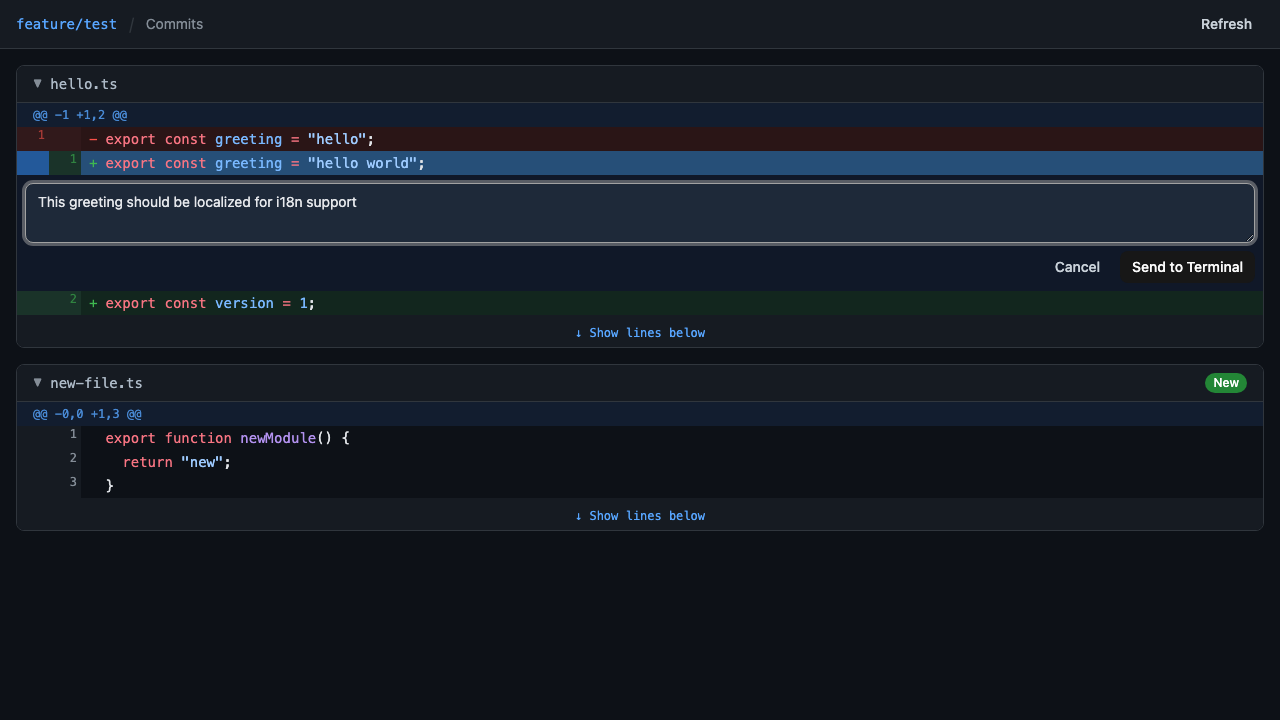
Commit History
Browse recent commits when no pending changes are detected.
Toolbar
Branch name, navigation links, and custom action buttons.

Update screenshots: bun run screenshots
Features
- Diff view with syntax highlighting (Shiki)
- Real-time diff updates via WebSocket
- Untracked and unstaged file detection
- Commit history browser (when no pending changes)
- Plan file viewer (Claude Code session plans with syntax highlighting)
- Branch selector for switching diff base
- Hash-based URL routing with browser back/forward support
- Custom toolbar actions via JSON (with submenu support)
- File watcher with auto-refresh (working tree + git ref changes)
- Inline review comments sent to cmux terminal
- GitHub PR integration (CI status, PR review comments)
- WebSocket real-time updates (diff changes, PR/CI polling)
- Self-update command (
cmux-hub update)
- Auto-shutdown when browser tab closes
- Git worktree support
Prerequisites
cmux-hub connects to the cmux Unix socket (/tmp/cmux.sock). The default socket mode only allows cmux child processes to connect.
If you launch cmux-hub from within cmux (e.g. Claude Code commands, terminal shell), the default mode works. If you launch from an external process (Alfred, Raycast, Karabiner Elements, etc.), set Automation mode:
cmux Settings → Automation → Socket Control Mode → Automation mode
Or set CMUX_SOCKET_MODE=allowAll.
Install
Download binary from GitHub Releases:
mkdir -p ~/.local/bin
curl -fsSL "https://github.com/azu/cmux-hub/releases/latest/download/cmux-hub-darwin-arm64" -o ~/.local/bin/cmux-hub
chmod +x ~/.local/bin/cmux-hub
Update
cmux-hub update
Usage
# Run (diff of current directory)
cmux-hub

# Specify target directory
cmux-hub /home/user/project

# Custom toolbar actions
cmux-hub --actions actions.json

# Read actions from stdin
cat actions.json | cmux-hub --actions -
Usage with cmux + Claude Code
When launched inside cmux, cmux-hub automatically opens a browser split pane and shuts down when the pane closes.
Plugin (recommended)
Install as a Claude Code plugin. This auto-installs the binary, sets up SessionStart hooks, and copies default actions to ~/.claude/cmux-hub.json. Project-local .claude/cmux-hub.json takes priority if present.
claude plugin marketplace add azu/cmux-hub
claude plugin install cmux-hub@cmux-hub-marketplace
The first session start downloads the binary, so it may take a few seconds to launch.
Update the plugin:
claude plugin update cmux-hub@cmux-hub-marketplace
Manual setup
.claude/cmux-hub.json:
[
  { "label": "Commit", "type": "paste-and-enter", "command": "commit this change" },
  { "label": "Create PR", "type": "paste-and-enter", "command": "create a pull request" }
]
.claude/settings.json:
{
  "hooks": {
    "SessionStart": [
      {
        "hooks": [
          {
            "type": "command",
            "command": "cmux-hub --actions .claude/cmux-hub.json"
          }
        ]
      }
    ]
  }
}
Options
-p, --port <port>      Server port (default: random)
-a, --actions <file>   Toolbar actions JSON file (use - for stdin)
--dry-run              Don't connect to cmux socket
--debug                Enable debug logging (also: DEBUG=*)
-v, --version          Show version
-h, --help             Show help
Diff Behavior
Auto-diff
The /api/diff/auto endpoint computes the appropriate diff range based on the current branch.
| Situation | Diff range | Includes untracked |
|---|
| Feature branch | merge-base to HEAD + working tree | No |
| Default branch (main/master) | HEAD vs working tree | Yes |
| No commits yet | Staged changes | Yes |
Commit History

 azu
azu Dev-GOM
 umputun
 dbachelder
 juanibiapina
 LeeJuOh
 kylesnowschwartz
'%20stop-opacity%3D'0.16'%2F%3E%3Cstop%20offset%3D'1'%20stop-color%3D'rgb(200%2C90%2C60)'%20stop-opacity%3D'0.03'%2F%3E%3C%2FlinearGradient%3E%3C%2Fdefs%3E%3Crect%20width%3D'320'%20height%3D'200'%20fill%3D'url(%23g)'%2F%3E%3Ccircle%20cx%3D'250'%20cy%3D'56'%20r%3D'92'%20fill%3D'rgb(200%2C90%2C60)'%20fill-opacity%3D'0.06'%2F%3E%3Ccircle%20cx%3D'64'%20cy%3D'172'%20r%3D'58'%20fill%3D'rgb(200%2C90%2C60)'%20fill-opacity%3D'0.05'%2F%3E%3C%2Fsvg%3E)