slop-review
A native diff review window for terminal coding agents, powered by Glimpse and Monaco. Ships for Claude Code, Codex CLI, and pi — review the slop before you ship it.
- In Claude Code it adds a
/slop-review slash command.
- In Codex CLI it ships as a
slop-review skill (auto-invoked when you ask for a review, or explicitly via @slop-review).
- In pi it registers a
/slop-review slash command (the upstream this is forked from — see Credit below).
All three:
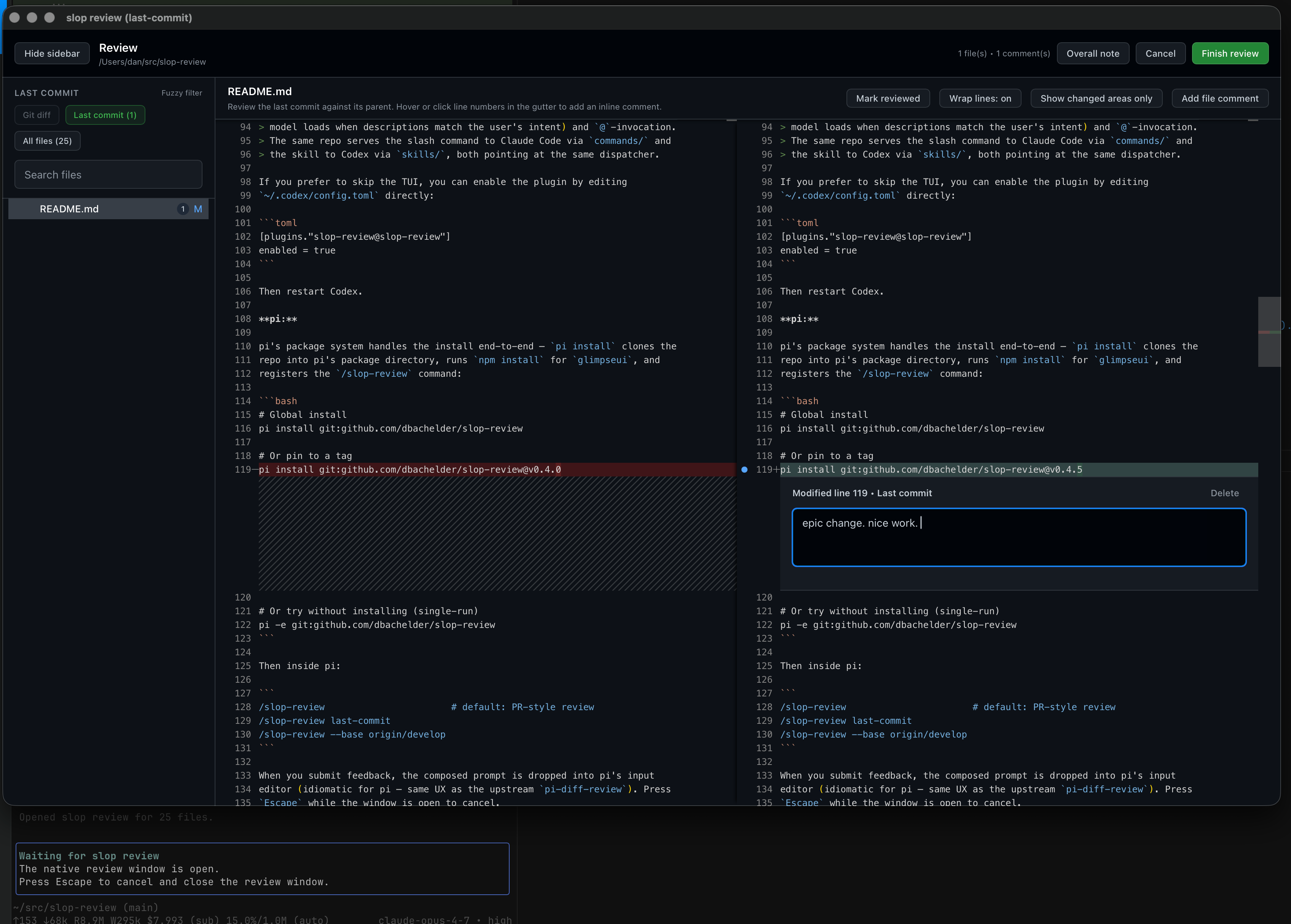
- Open a native review window
- Default to a PR-style review of all changes since your branch diverged from the base branch (auto-detected:
origin/HEAD → origin/main → main → origin/master → master), and also support last-commit and uncommitted modes — see Scopes
- Show a collapsible sidebar with fuzzy file search and git status markers
- Lazy-load file contents on demand as you switch files and scopes
- Let you draft comments on the original side, modified side, or whole file
- Write the composed feedback to a temp file when you submit; the agent reads it back, so the review shows up in the chat as a regular tool call and gets addressed item-by-item
Install
Three hosts, three install paths. All three end with the same review window.
pi
# Recommended: from npm (also lists on https://pi.dev/packages)
pi install npm:pi-slop-review

# Or from GitHub (handy for unreleased commits)
pi install git:github.com/dbachelder/slop-review

# Or pin to a tag
pi install git:github.com/dbachelder/[email protected]

# Or try without installing (single-run)
pi -e npm:pi-slop-review
Then inside pi:
/slop-review                       # default: PR-style review
/slop-review last-commit
/slop-review --base origin/develop
When you submit feedback, the composed prompt drops into pi's input editor
(idiomatic for pi — same UX as the upstream pi-diff-review). Press
Escape while the window is open to cancel.
Note on the npm name. The npm package is pi-slop-review (matches
pi.dev's gallery pi-<name> convention). The slash command, the bin name,
and the plugin name everywhere else are still slop-review.
Claude Code
# inside Claude Code
/plugin marketplace add dbachelder/slop-review
/plugin install slop-review@slop-review
This registers the /slop-review slash command.
Codex CLI
Codex separates marketplace registration (CLI) from plugin enablement (TUI).
Both steps are required:
# 1. Register the marketplace
codex plugin marketplace add dbachelder/slop-review
# 2. Inside `codex`, type:
/plugins
In the plugin browser, switch to the Slop Review (slop-review) marketplace
tab, select the slop-review plugin, and press Install plugin. This enables
the slop-review skill, which the model auto-loads when you ask it to review
your changes (or which you can invoke explicitly with @slop-review).
Why a skill instead of a slash command in Codex? Codex's plugin system
doesn't expose user-defined slash commands; it uses skills (markdown the
model loads when descriptions match the user's intent) and @-invocation.
If you prefer to skip the TUI, enable the plugin by editing
~/.codex/config.toml:
[plugins."slop-review@slop-review"]
enabled = true
Then restart Codex.
How updates flow
| Host | Install source | Update command |
|---|
| pi | npm (pi-slop-review) or GitHub clone | pi update |
| Claude Code | GitHub marketplace (dbachelder/slop-review) | /plugin update |
| Codex CLI | GitHub marketplace (dbachelder/slop-review) | codex plugin marketplace upgrade slop-review |
For Claude Code and Codex, the GitHub marketplace clone runs a one-time
npm install inside the plugin checkout on first invocation — that's what
installs glimpseui and builds
its per-platform native helper. Codex sets CLAUDE_PLUGIN_ROOT for plugin
shell calls so the same dispatcher works in both agents with no
special-casing. A stamp file under plugin/node_modules/ makes the
dispatcher skip npm install unless plugin/package.json actually
changed.
Standalone CLI / development install
git clone https://github.com/dbachelder/slop-review.git
cd slop-review/plugin
npm install
npm install -g .                # puts `slop-review` on PATH as a standalone binary
npm run install-command         # copies commands/slop-review.md → ~/.claude/commands/

 josephschmitt
 alibaba
 Dev-GOM
 in-the-loop-labs
 umputun
 selvage-lab
'%20stop-opacity%3D'0.16'%2F%3E%3Cstop%20offset%3D'1'%20stop-color%3D'rgb(200%2C90%2C60)'%20stop-opacity%3D'0.03'%2F%3E%3C%2FlinearGradient%3E%3C%2Fdefs%3E%3Crect%20width%3D'320'%20height%3D'200'%20fill%3D'url(%23g)'%2F%3E%3Ccircle%20cx%3D'250'%20cy%3D'56'%20r%3D'92'%20fill%3D'rgb(200%2C90%2C60)'%20fill-opacity%3D'0.06'%2F%3E%3Ccircle%20cx%3D'64'%20cy%3D'172'%20r%3D'58'%20fill%3D'rgb(200%2C90%2C60)'%20fill-opacity%3D'0.05'%2F%3E%3C%2Fsvg%3E)