Stats
Links
Categories
npx claudepluginhub jau123/meigen-ai-design-mcpVisual creative expert — search inspiration, enhance prompts, and generate AI images with intelligent workflow orchestration
 jau123

Turn Claude Code / OpenClaw into your personal design assistant rivaling Lovart
Local ComfyUI generation, API integration, 1,300+ pro prompt library, multi-direction parallel output





Quick Start • Demo • Features • Providers • Commands
English | 中文
An open-source MCP Server (installed via plugin marketplace) that gives LLMs creative and aesthetic capabilities through 7 tools and carefully designed skills, enabling them to handle complex design tasks. It teaches LLMs how to use various image generation models effectively, delivering professional results through reference images and multi-direction parallel workflows.
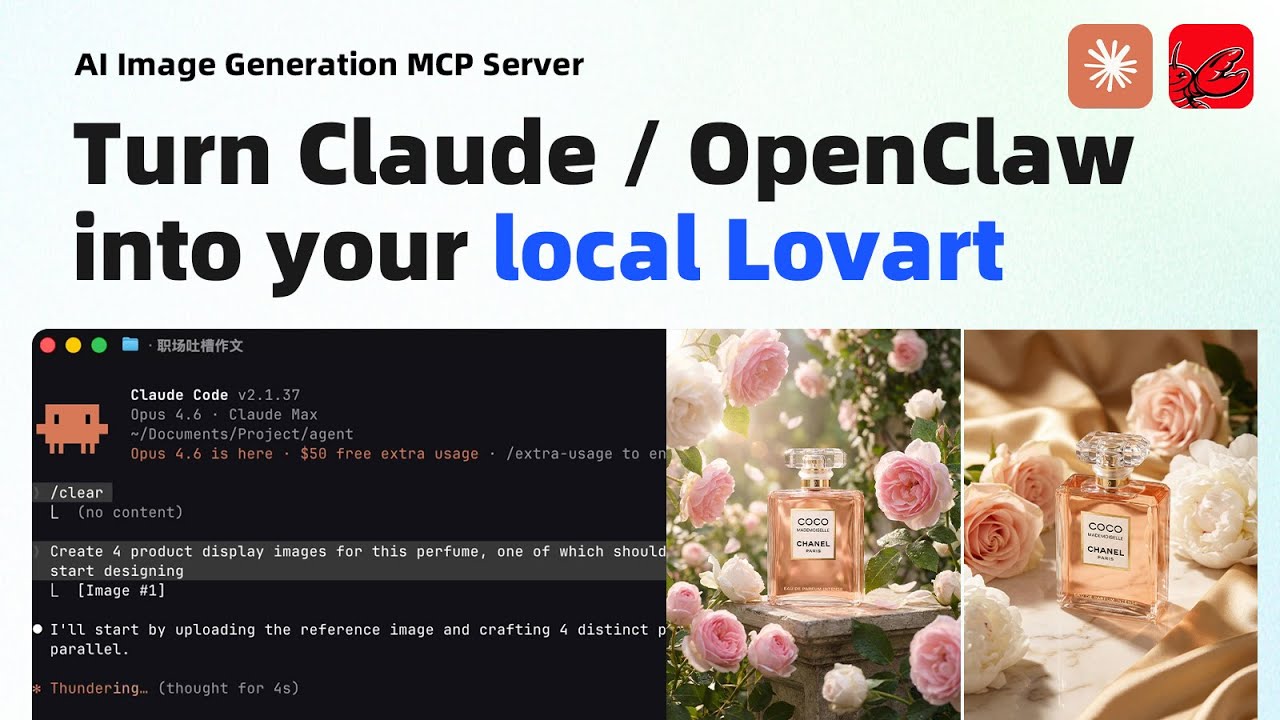
"Create 4 product display images for this perfume, one of which should feature a model."
Process — AI uploads the reference image, crafts 4 distinct prompts, then generates all 4 in parallel:

Result — 4 creative directions delivered in under 2 minutes:

Generated images:


# Add the plugin marketplace
/plugin marketplace add jau123/MeiGen-AI-Design-MCP

# Install
/plugin install meigen@meigen-marketplace
Restart Claude Code after installation (close and reopen, or open a new terminal tab).
Alternative marketplace — also available via wshobson/agents (30k+ stars):
/plugin marketplace add wshobson/agents
/plugin install meigen-ai-design@claude-code-workflows
This marketplace doesn't bundle MCP server config. After installing, add to your project's
.mcp.json:{ "mcpServers": { "meigen": { "command": "npx", "args": ["-y", "[email protected]"] } } }
Free features work immediately after restart — try:
"Search for some creative inspiration"
To unlock image generation, run the setup wizard:
/meigen:setup
The wizard walks you through:
Development marketplace for Superpowers core skills library
Harness-native ECC skills, hooks, rules, MCP conventions, and operator workflows
Open Design — local-first design app exposed to coding agents over MCP. Install once with your agent's plugin command and projects/files/skills are reachable through stdio.
'%20stop-opacity%3D'0.16'%2F%3E%3Cstop%20offset%3D'1'%20stop-color%3D'rgb(200%2C90%2C60)'%20stop-opacity%3D'0.03'%2F%3E%3C%2FlinearGradient%3E%3C%2Fdefs%3E%3Crect%20width%3D'320'%20height%3D'200'%20fill%3D'url(%23g)'%2F%3E%3Ccircle%20cx%3D'250'%20cy%3D'56'%20r%3D'92'%20fill%3D'rgb(200%2C90%2C60)'%20fill-opacity%3D'0.06'%2F%3E%3Ccircle%20cx%3D'64'%20cy%3D'172'%20r%3D'58'%20fill%3D'rgb(200%2C90%2C60)'%20fill-opacity%3D'0.05'%2F%3E%3C%2Fsvg%3E)