CallMe
Minimal plugin that lets Claude Code call you on the phone.
Start a task, walk away. Your phone/watch rings when Claude is done, stuck, or needs a decision.
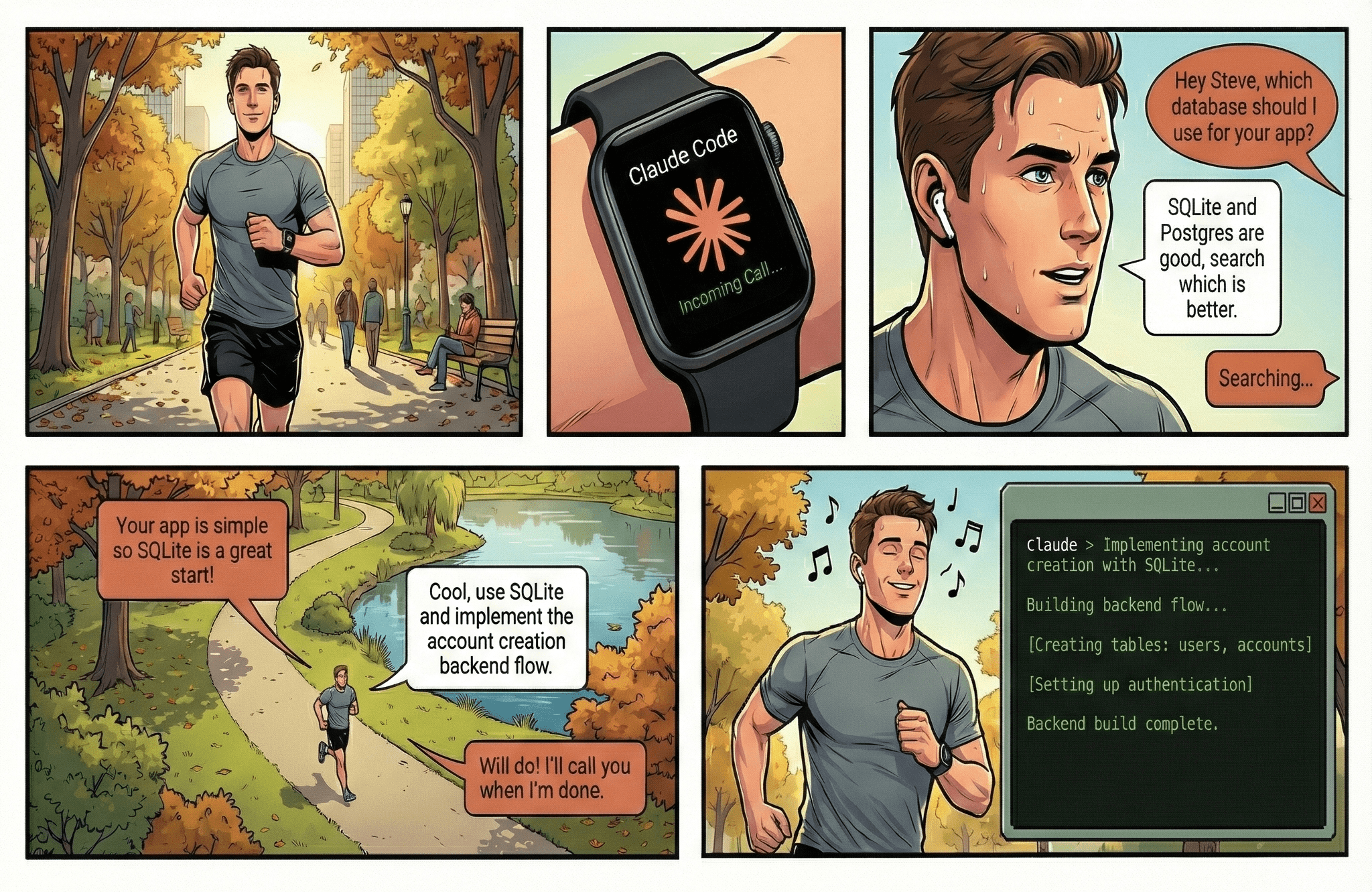
- Minimal plugin - Does one thing: call you on the phone. No crazy setups.
- Multi-turn conversations - Talk through decisions naturally.
- Works anywhere - Smartphone, smartwatch, or even landline!
- Tool-use composable - Claude can e.g. do a web search while on a call with you.
Quick Start
1. Get Required Accounts
You'll need:
- Phone provider: Telnyx or Twilio
- OpenAI API key: For speech-to-text (and text-to-speech if not using Kokoro)
- ngrok account: Free at ngrok.com (for webhook tunneling)
2. Set Up Phone Provider
Choose one of the following:
Option A: Telnyx (Recommended - 50% cheaper)
- Create account at portal.telnyx.com and verify your identity
- Buy a phone number (~$1/month)
- Create a Voice API application:
- Set webhook URL to
https://your-ngrok-url/twiml and API version to v2
- You can see your ngrok URL on the ngrok dashboard
- Note your Application ID and API Key
- Verify the phone number you want to receive calls at
- (Optional but recommended) Get your Public Key from Account Settings > Keys & Credentials for webhook signature verification
Environment variables for Telnyx:
CALLME_PHONE_PROVIDER=telnyx
CALLME_PHONE_ACCOUNT_SID=<Application ID>
CALLME_PHONE_AUTH_TOKEN=<API Key>
CALLME_TELNYX_PUBLIC_KEY=<Public Key>  # Optional: enables webhook security
Option B: Twilio (Not recommended - need to buy $20 of credits just to start and more expensive overall)
- Create account at twilio.com/console
- Use the free number your account comes with or buy a new phone number (~$1.15/month)
- Find your Account SID and Auth Token on the Console Dashboard
Environment variables for Twilio:
CALLME_PHONE_PROVIDER=twilio
CALLME_PHONE_ACCOUNT_SID=<Account SID>
CALLME_PHONE_AUTH_TOKEN=<Auth Token>
3. Set Environment Variables
Add these to ~/.claude/settings.json (recommended) or export them in your shell:
{
  "env": {
    "CALLME_PHONE_PROVIDER": "telnyx",
    "CALLME_PHONE_ACCOUNT_SID": "your-connection-id-or-account-sid",
    "CALLME_PHONE_AUTH_TOKEN": "your-api-key-or-auth-token",
    "CALLME_PHONE_NUMBER": "+15551234567",
    "CALLME_USER_PHONE_NUMBER": "+15559876543",
    "CALLME_OPENAI_API_KEY": "sk-...",
    "CALLME_NGROK_AUTHTOKEN": "your-ngrok-token"
  }
}
Required Variables
| Variable | Description |
|---|
CALLME_PHONE_PROVIDER | telnyx (default) or twilio |
CALLME_PHONE_ACCOUNT_SID | Telnyx Connection ID or Twilio Account SID |
CALLME_PHONE_AUTH_TOKEN | Telnyx API Key or Twilio Auth Token |
CALLME_PHONE_NUMBER | Phone number Claude calls from (E.164 format) |
CALLME_USER_PHONE_NUMBER | Your phone number to receive calls |
CALLME_OPENAI_API_KEY | OpenAI API key (required for STT; also for TTS unless using Kokoro) |
CALLME_NGROK_AUTHTOKEN | ngrok auth token for webhook tunneling |
Optional Variables
| Variable | Default | Description |
|---|
CALLME_TTS_PROVIDER | openai | TTS engine: openai or kokoro (free, local — see Kokoro TTS) |
CALLME_TTS_VOICE | onyx / af_bella | Voice name (default depends on TTS provider) |
CALLME_KOKORO_URL | - | URL of existing Kokoro instance (e.g. http://localhost:8880/v1). If unset, auto-starts Docker container |
CALLME_PORT | 0 (auto) | Local HTTP server port (0 = OS picks a free port) |
CALLME_NGROK_DOMAIN | - | Custom ngrok domain (paid feature) |
CALLME_TRANSCRIPT_TIMEOUT_MS | 180000 | Timeout for user speech (3 minutes) |
CALLME_STT_SILENCE_DURATION_MS | 800 | Silence duration to detect end of speech |
CALLME_TELNYX_PUBLIC_KEY | - | Telnyx public key for webhook signature verification (recommended) |
4. Install Plugin
/plugin marketplace add ZeframLou/call-me
/plugin install callme@callme
Restart Claude Code. Done!
How It Works

 achiit
 CALLE-AI
 jeremylongshore
 AsharibAli
 twilio
 Rich627
'%20stop-opacity%3D'0.16'%2F%3E%3Cstop%20offset%3D'1'%20stop-color%3D'rgb(200%2C90%2C60)'%20stop-opacity%3D'0.03'%2F%3E%3C%2FlinearGradient%3E%3C%2Fdefs%3E%3Crect%20width%3D'320'%20height%3D'200'%20fill%3D'url(%23g)'%2F%3E%3Ccircle%20cx%3D'250'%20cy%3D'56'%20r%3D'92'%20fill%3D'rgb(200%2C90%2C60)'%20fill-opacity%3D'0.06'%2F%3E%3Ccircle%20cx%3D'64'%20cy%3D'172'%20r%3D'58'%20fill%3D'rgb(200%2C90%2C60)'%20fill-opacity%3D'0.05'%2F%3E%3C%2Fsvg%3E)