Stats
Actions
Available In
Tags
Enable AI assistants with persistent, relational memory across sessions using graph-vector storage. Store, recall, update, delete, and link memories for durable context awareness.
Own this plugin?
Verify ownership to unlock analytics, metadata editing, and a verified badge. GitHub access is read-only (username + org membership).
Sign in to claimOwn this plugin?
Verify ownership to unlock analytics, metadata editing, and a verified badge. GitHub access is read-only (username + org membership).
Sign in to claimBased on adoption, maintenance, documentation, and repository signals. Not a security audit or endorsement.
npx claudepluginhub verygoodplugins/mcp-automemPersistent memory for Claude Code - store decisions, patterns, and context across sessions
 verygoodplugins
Persistent memory for Claude Code - store decisions, patterns, and context across sessions
verygoodpluginsPirsch analytics - privacy-friendly website analytics and insights
verygoodpluginsToggl time tracking - manage time entries and generate reports
verygoodpluginsFreeScout helpdesk integration - ticket management and support workflows
verygoodpluginsPersistent memory for Claude Code - store decisions, patterns, and context across sessions
verygoodpluginsDeja Vu memory layer for AI applications. Add persistent memory, personalization, and semantic search to Claude workflows using the Deja Vu Platform MCP server.
 JSingletonAI
Long-term memory for Claude Code — slash commands, skills, opt-in session hooks, codebase indexing, and a deep-retrieval subagent over the @memsy-io/mcp server.
 memsy-io
Long-term semantic memory for Claude Code, powered by OpenViking. Auto-recall relevant memories at session start and capture important information during conversations.
 Castor6
Persistent memory for Claude Code — memories survive across sessions, projects, and machines
 ourmem
Captures user prompts and agent responses to Memory Engine for persistent context across sessions
 timescale





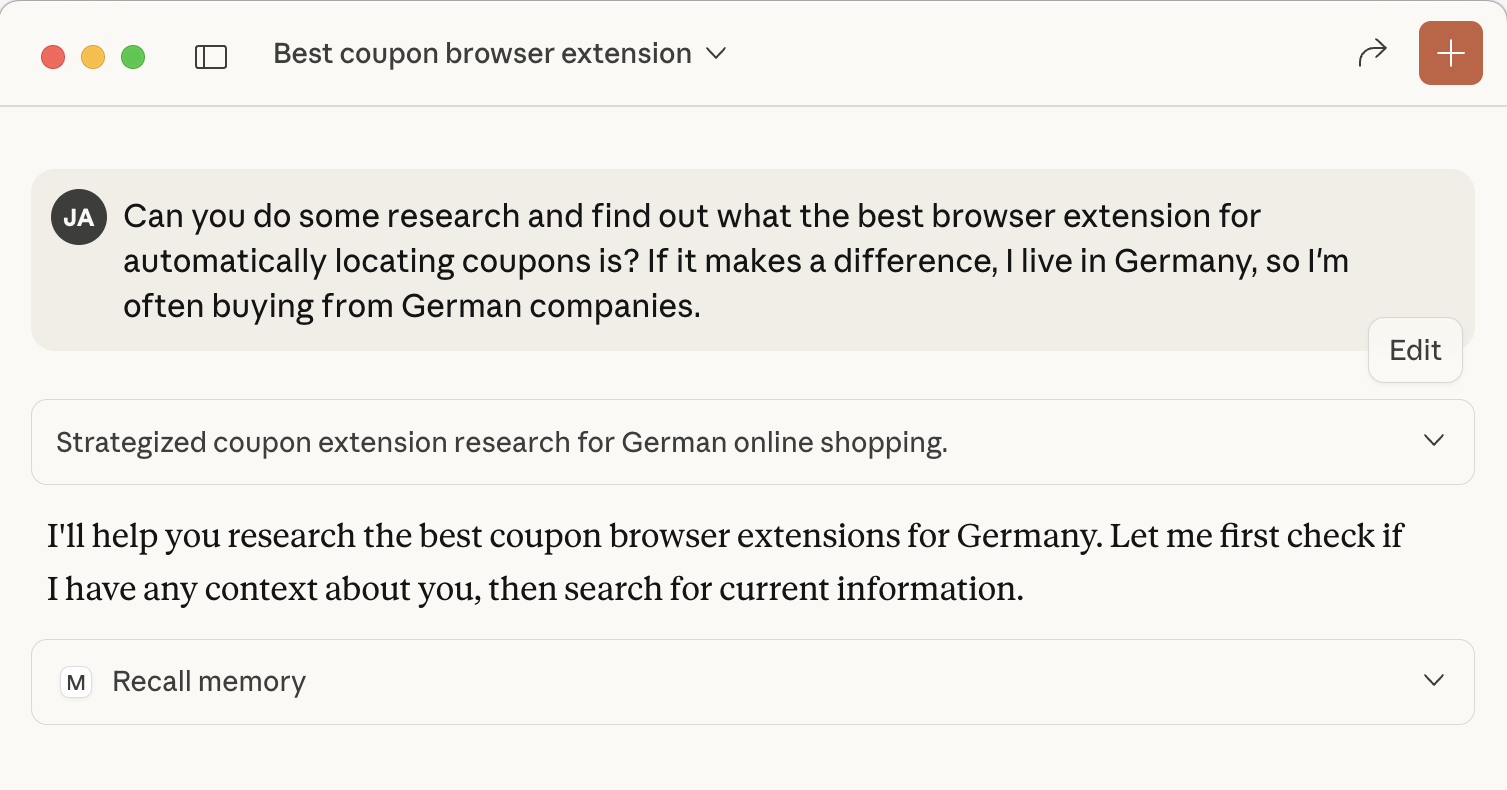 Claude automatically recalls memories using the Personal Preferences template
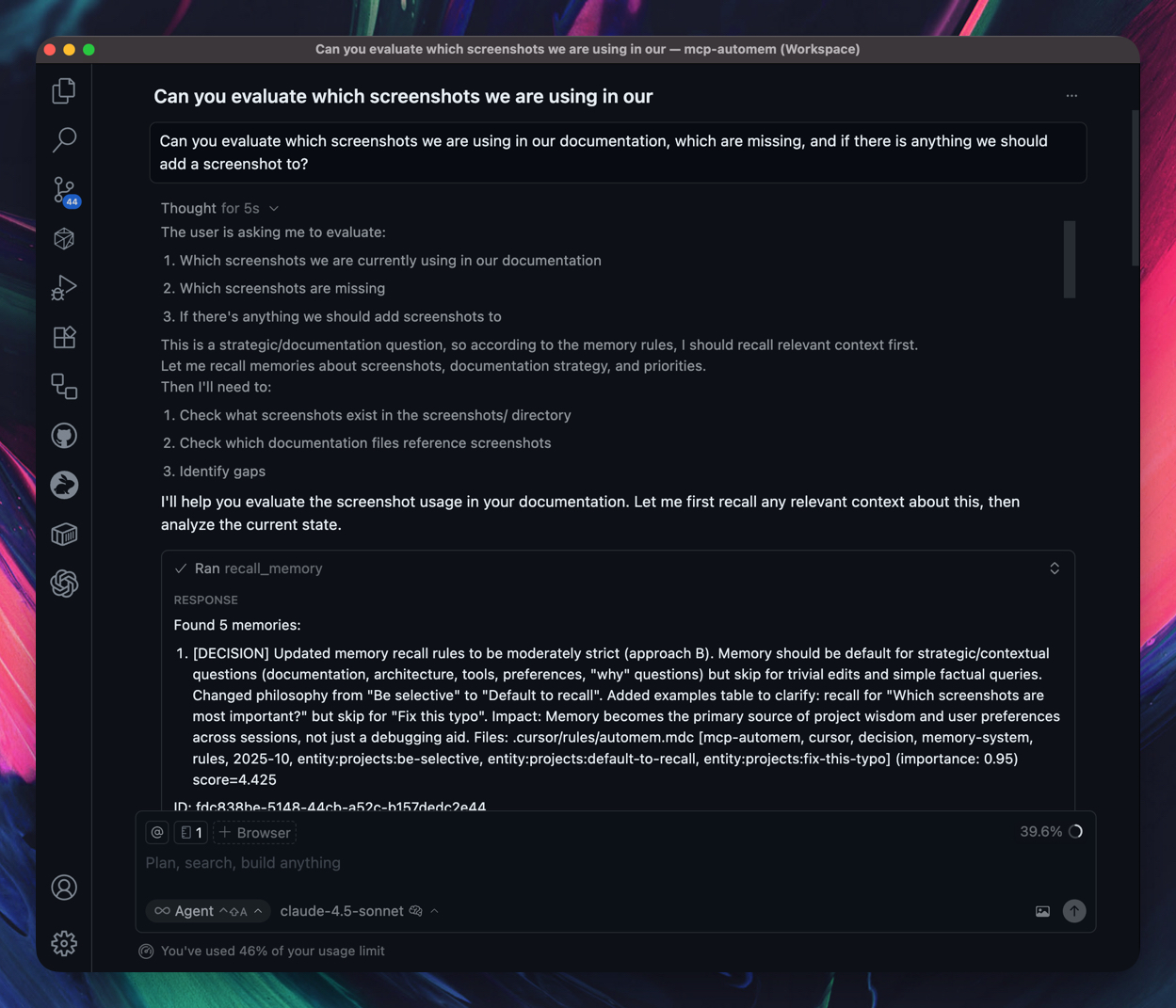 Cursor uses automem.mdc rule to automatically recall and store memories
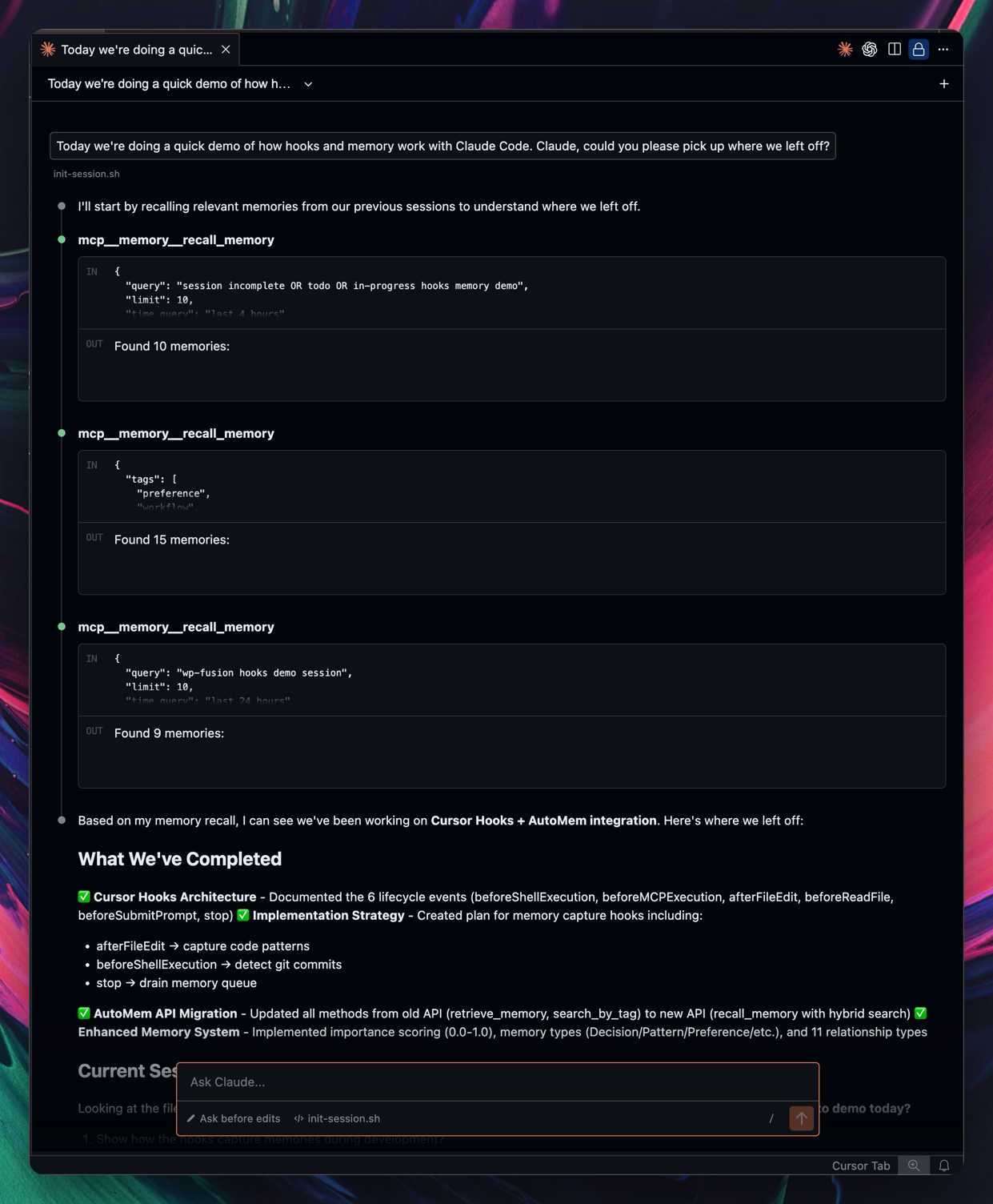 Session-start recall plus LLM-judged storage: Claude decides what's durable and stores it via the memory tools
'%20stop-opacity%3D'0.16'%2F%3E%3Cstop%20offset%3D'1'%20stop-color%3D'rgb(200%2C90%2C60)'%20stop-opacity%3D'0.03'%2F%3E%3C%2FlinearGradient%3E%3C%2Fdefs%3E%3Crect%20width%3D'320'%20height%3D'200'%20fill%3D'url(%23g)'%2F%3E%3Ccircle%20cx%3D'250'%20cy%3D'56'%20r%3D'92'%20fill%3D'rgb(200%2C90%2C60)'%20fill-opacity%3D'0.06'%2F%3E%3Ccircle%20cx%3D'64'%20cy%3D'172'%20r%3D'58'%20fill%3D'rgb(200%2C90%2C60)'%20fill-opacity%3D'0.05'%2F%3E%3C%2Fsvg%3E)