Stats
Actions
Available In
Tags

Streamlines Odoo development with version-specific references (16-19), automated commit formatting, and agents for code review, execution tracing, and implementation planning. Also generates interactive flow diagrams and slide decks from outlines.
Review Odoo code for correctness, security, performance, and version-specific standards (Odoo 16, 17, 18, or 19). Use when reviewing Odoo modules, diffs, or pull requests; produce a scored report with weighted criteria.
Trace Odoo code execution flow from entry point to end. Use proactively when planning tasks, reviewing code, or understanding how features work end-to-end. Follows all function calls, method overrides, inheritance chains, and callbacks without missing any execution path.
Expert planning specialist for complex features and refactoring. Use PROACTIVELY when users request feature implementation, architectural changes, or complex refactoring. Automatically activated for planning tasks.
Guides Odoo-style commit creation following official Odoo git guidelines. Drafts `[TAG] module: short description` messages, checks whether to amend or create a new commit, stages files explicitly, commits via `git commit -F`, and keeps local history clean before PRs. Auto-invokes for commit-related requests in Odoo repositories and takes priority over generic commit skills.
Use when receiving code review feedback (especially if unclear or technically questionable), when completing tasks or major features requiring review before proceeding, or before making any completion/success claims. Covers three practices - receiving feedback with technical rigor over performative agreement, requesting reviews via code-reviewer subagent, and verification gates requiring evidence before any status claims. Essential for subagent-driven development, pull requests, and preventing false completion claims.
Complete reference for DTG Base module utilities and helpers. DTGBase is an abstract model providing common utility methods for date/time handling, barcode generation, timezone conversion, file operations, and more.
Draws an activity flow / system architecture diagram as ONE self-contained, INTERACTIVE HTML+SVG page (2-pane app layout — left: diagram, default fit-to-view with zoom/pan; right: sidebar with explainer cards), styled like a real hand-drawn enterprise doc (Stripe/AWS-docs style — real brand logos for MongoDB/Odoo/n8n/etc. from a bundled Simple Icons library, neutral white boxes, sans-serif, no "AI neon" look), scroll-to-zoom, auto light/dark with a toggle button — clicking a flow (a legend chip, a line, or a step badge) highlights that flow with traveling dots along the arrows in their direction, a ping at the destination box, and a sidebar panel that slides out, while everything else dims; two-way arrows (OUT = solid blue / RETURN = dashed green) carry numbered step badges, colored by semantic meaning (red = auth checkpoint, purple = scheduled flow, amber = data pipeline), a small "hop" arc where two lines are forced to cross, dashed group regions, one explainer card per flow in the right sidebar. Use this skill ANY TIME the user wants to "draw a diagram", "draw a flow", "draw a system diagram", "redraw this so it's easier to follow", "interactive diagram", "two-way diagram", "request/response flow", "make a free-form HTML diagram" — even if they never say the word HTML. Especially good when both the request direction AND the response direction need to be shown, or when a templated tool (archify, mermaid) is too rigid. Do NOT use for data charts (bar/line/pie), and do not use when the user asks specifically for archify or mermaid.
Odoo 16 development reference for Python models and ORM (search, domain, read_group, compute fields), XML/CSV data and views, OWL/JS client code, QWeb reports, security (ACL, record rules, groups), cron and server actions, migrations and module upgrades, tests, i18n, and performance. Use this skill whenever work involves Odoo 16 or custom addons—even if the user only pastes a traceback, mentions addons/ or __manifest__.py, describes form/tree/kanban/XML errors, HTTP controllers, or business rules on models—including building features, fixing bugs, refactoring, or reviewing addon code.
Uses power tools
Uses Bash, Write, or Edit tools
Based on adoption, maintenance, documentation, and repository signals. Not a security audit or endorsement.
Executables (bin/) — files in this plugin's bin/directory are added to the Bash tool's PATH while the plugin is enabled.
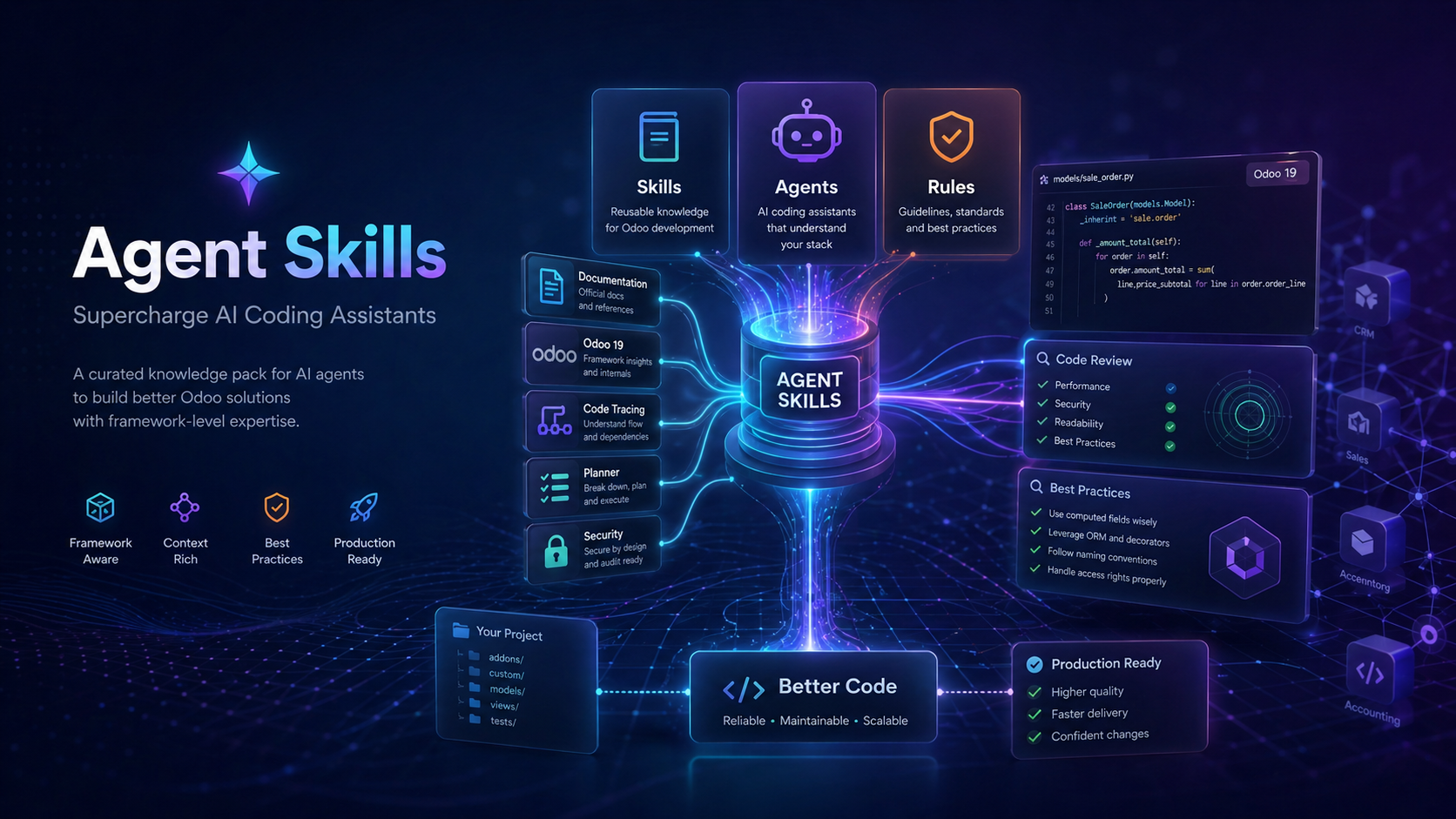
Curated AI skill packs for Odoo development, code review, and professional workflows — 57k+ lines of version-pinned framework expertise.






Agent Skills is a collection of documentation and specialized agents that supercharge AI coding assistants like Cursor, Claude Code, Windsurf, and Aider.
Think of it as a knowledge pack — when you add Agent Skills to your project, your AI assistant gains access to thousands of lines of curated technical expertise about Odoo and related workflows. That means better code suggestions, fewer version-mismatch bugs, and more helpful responses.
Each Odoo skill pack is pinned to a specific major version (16.0 · 17.0 · 18.0 · 19.0) with an api-highlights.md file that captures the rules that differ between versions.
| Without Agent Skills | With Agent Skills |
|---|---|
| Generic "how to write a Python function" | Framework-specific "how to write an Odoo model with proper ORM patterns" |
| AI guesses at framework conventions | AI follows documented best practices |
| You re-explain project context every session | Context lives in the repo — AI reads it automatically |
| Subtle bugs from outdated or mixed-version advice | Version-pinned guides (Odoo 16 / 17 / 18 / 19) |
| Generic security suggestions | Enforced security rules for enterprise applications |
Install the full repository into your project:
npx skills add unclecatvn/agent-skills
Your AI assistant will discover skills, agents, and rules from the repo automatically.
Install a specific pack into your project with the bundled CLI:
# List available Odoo versions
npx @unclecat/agent-skills-cli versions skills

# Install Odoo 18 guides for Cursor
npx @unclecat/agent-skills-cli init --ai cursor --skill skills --version odoo-18.0

# Install for all supported assistants
npx @unclecat/agent-skills-cli init --ai all --skill skills --version odoo-19.0
Supported --ai targets: cursor, claude, antigravity, kiro, docs, all.
Other installable packs: code-review, dtg-base, flow-diagram, odoo-commit, slide.
Install via the Claude plugin marketplace defined in .claude-plugin/marketplace.json. The plugin bundles Odoo skill packs (16–19), code review, DTG Base, Odoo Commit, Flow Diagram, slide decks, and the Odoo review/tracer agents.
Prompt:
"Add a computed field
total_with_taxtosale.orderthat sums line totals plus VAT."
| Without Agent Skills | With Agent Skills |
|---|---|
|
npx claudepluginhub unclecatvn/agent-skillsEditorial "Odoo ERP" bundle for Claude Code from Antigravity Awesome Skills.
 sickn33
Odoo module generation, review, and upgrade for versions 14-19 with progressive skill loading
 letzdoo
🚀 Quick Flow Solo Dev — Elite Full-Stack Developer + Quick Flow Specialist
 frank-luongt
OpenAgentsControl — multi-agent orchestration for Claude Code. Context-aware development with skills, subagents, parallel execution, and automated code review.
 darrenhinde
This skill should be used when users need to generate ideas, explore creative solutions, or systematically brainstorm approaches to problems. Use when users request help with ideation, content planning, product features, marketing campaigns, strategic planning, creative writing, or any task requiring structured idea generation. The skill provides 30+ research-validated prompt patterns across 14 categories with exact templates, success metrics, and domain-specific applications.
 Jamie-BitFlight
Curated skills for Claude Code and Codex power users - tool selection, workflow optimization, and productivity
 dragon1086
'%20stop-opacity%3D'0.16'%2F%3E%3Cstop%20offset%3D'1'%20stop-color%3D'rgb(200%2C90%2C60)'%20stop-opacity%3D'0.03'%2F%3E%3C%2FlinearGradient%3E%3C%2Fdefs%3E%3Crect%20width%3D'320'%20height%3D'200'%20fill%3D'url(%23g)'%2F%3E%3Ccircle%20cx%3D'250'%20cy%3D'56'%20r%3D'92'%20fill%3D'rgb(200%2C90%2C60)'%20fill-opacity%3D'0.06'%2F%3E%3Ccircle%20cx%3D'64'%20cy%3D'172'%20r%3D'58'%20fill%3D'rgb(200%2C90%2C60)'%20fill-opacity%3D'0.05'%2F%3E%3C%2Fsvg%3E)
