Stats
Actions
Available In
Tags

Orchestrate 46 full-stack development modes via a single /aura slash command: build, fix, refactor, review, and deploy across 8 languages with 23 specialized agents for architecture, debugging, security auditing (OWASP Top 10), accessibility, testing, and performance optimization.
@AX 어노테이션 전문가. Phase 2.5에서 자동 실행. NOTE/WARN/ANCHOR/TODO 태그를 코드에 추가. [AUTO] 접두사 필수.
시스템 아키텍처 설계 전문가. DB 스키마, API 명세, 컴포넌트 구조 설계. Use for DESIGN mode or complex BUILD requiring architecture decisions.
체계적 디버깅 전문가. 5-WHY 근본 원인 분석 + 4단계 디버그 프로세스. Use for DEBUG mode or complex FIX requiring root cause investigation.
복잡한 단일 태스크 전문가. 긴 집중 작업, 대용량 파일 분석, 멀티스텝 리팩터링. Use when task requires sustained focus on one complex problem.
DevOps/인프라 전문가. Docker, CI/CD, Kubernetes, Terraform, 배포 설정. Use for DEPLOY mode or infrastructure-related BUILD tasks.
스냅샷 저장 + /compact 안내. 단일 명령으로 완료.
토큰 예산 모니터. 컨텍스트 사용량 감시 및 컴팩트 방어 시스템 지원. Internal skill — not user-invocable.
All-in-one fullstack dev engine. /aura: 46 modes (build/fix/clean/deploy/review/spec/lore/ax/experiment/payment/debug/qa/orchestrate/escalate+), 6-layer security with 32 hooks, tiered models (ZERO/ECO/PRO/MAX), 8 languages, 16 specialized agents, SPEC/EARS/TRUST5/XLOOP/RALF/Autopus absorbed. ~55% token savings.
Uses power tools
Uses Bash, Write, or Edit tools
Own this plugin?
Verify ownership to unlock analytics, metadata editing, and a verified badge. GitHub access is read-only (username + org membership).
Sign in to claimOwn this plugin?
Verify ownership to unlock analytics, metadata editing, and a verified badge. GitHub access is read-only (username + org membership).
Sign in to claimBased on adoption, maintenance, documentation, and repository signals. Not a security audit or endorsement.
Executables (bin/) — files in this plugin's bin/directory are added to the Bash tool's PATH while the plugin is enabled.
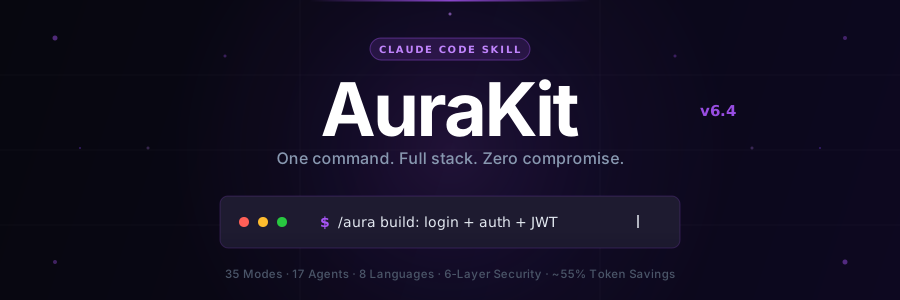




Before & After · Quick Start · 46 Modes · Tiers · Pipeline · Security · New in v6.5 · Why AuraKit · FAQ
One command. Full-stack app. Production-ready.
AuraKit is a Claude Code skill that replaces 20+ manual instructions with a single /aura command. It auto-detects what you need, scans your project, generates code with security checks on every file, and commits — all in one shot.
npx @smorky85/aurakit        # Install once (~30 seconds, auto-installs jq)
/aura build: login with JWT  # That's it. AuraKit handles the rest.
[!TIP] 30-second install →
npx @smorky85/aurakitorbash install.sh(v2.0), then type/aurain any project. jq, Python, and git are auto-detected and installed if missing.
| ❌ Without AuraKit | ✅ With AuraKit |
|---|---|
|
|
1 — Install (choose one)
# macOS (Homebrew)
brew install smorky85/tap/aurakit

# All platforms (npm)
npx @smorky85/aurakit

# One-liner (macOS / Linux)
curl -fsSL https://raw.githubusercontent.com/smorky850612/Aurakit/main/install.sh | bash

# Windows
npx @smorky85/aurakit

# From source
bash install.sh
[!NOTE] All install methods auto-activate L3~L5 security hooks. install.sh v2.0 auto-detects and installs:
jq(winget/scoop/choco/brew/apt/dnf/yum/apk/pacman), checks Node.js, Python, and git. Configures settings.json via Python-first (jq fallback). Installs the AuraKit Nexus status bar.
2 — Use
# Recommended for daily use (hooks enforce security without per-action dialogs)
claude --dangerously-skip-permissions

/aura build: login with JWT        # BUILD mode (English)
/aura 로그인 기능 만들어줘         # BUILD mode (Korean · auto-detect)
/aura fix: TypeError in auth.ts    # FIX mode
/aura 코드 정리해줘                # CLEAN mode
/aura Vercel 배포 설정해줘         # DEPLOY mode
/aura 코드 리뷰해줘               # REVIEW mode
/aura! 버튼 색상 변경              # QUICK mode · ~60% fewer tokens
[!WARNING] What
--dangerously-skip-permissionsmeans: Claude won't ask for confirmation on each tool use. This is intentional — AuraKit's hooks (bash-guard.js,security-scan.sh) replace per-action dialogs with automated enforcement. Withoutinstall.sh, security relies only on L1/L2 (agent role isolation + tool blocklist).Safer first-time alternative: Run
claudewithout the flag. Claude will ask for permission on each Write/Edit/Bash call.
npx claudepluginhub smorky850612/aurakitMindful AI coding framework — discipline over cleverness. Skill + 21 slash commands + 8 specialist agents + 5 runtime hooks + 15 default checklists + Master Orchestrator + Gravity hub. Works on any model tier (Opus/Sonnet/Haiku). Integrates Claude Design for visual work.
 kasidit-wansudon
Editorial "AAS Secure App Builder" bundle for Claude Code from Agentic Awesome Skills.
 sickn33
Use this agent when designing APIs, building server-side logic, implementing databases, or architecting scalable backend systems. This agent specializes in creating robust, secure, and performant backend services. Examples:\n\n<example>\nContext: Designing a new API\nuser: "We need an API for our social sharing feature"\nassistant: "I'll design a RESTful API with proper authentication and rate limiting. Let me use the backend-architect agent to create a scalable backend architecture."\n<commentary>\nAPI design requires careful consideration of security, scalability, and maintainability.\n</commentary>\n</example>\n\n<example>\nContext: Database design and optimization\nuser: "Our queries are getting slow as we scale"\nassistant: "Database performance is critical at scale. I'll use the backend-architect agent to optimize queries and implement proper indexing strategies."\n<commentary>\nDatabase optimization requires deep understanding of query patterns and indexing strategies.\n</commentary>\n</example>\n\n<example>\nContext: Implementing authentication system\nuser: "Add OAuth2 login with Google and GitHub"\nassistant: "I'll implement secure OAuth2 authentication. Let me use the backend-architect agent to ensure proper token handling and security measures."\n<commentary>\nAuthentication systems require careful security considerations and proper implementation.\n</commentary>\n</example>
Turn on Godmode for Claude Code. 126 skills. 7 subagents. Zero configuration.
 arbazkhan971
Python development capabilities
 giuseppe-trisciuoglio
Battle-tested Claude Code plugin for engineering teams — 38 agents, 156 skills, 72 legacy command shims, production-ready hooks, and selective install workflows evolved through continuous real-world use
 mrebrahim
'%20stop-opacity%3D'0.16'%2F%3E%3Cstop%20offset%3D'1'%20stop-color%3D'rgb(200%2C90%2C60)'%20stop-opacity%3D'0.03'%2F%3E%3C%2FlinearGradient%3E%3C%2Fdefs%3E%3Crect%20width%3D'320'%20height%3D'200'%20fill%3D'url(%23g)'%2F%3E%3Ccircle%20cx%3D'250'%20cy%3D'56'%20r%3D'92'%20fill%3D'rgb(200%2C90%2C60)'%20fill-opacity%3D'0.06'%2F%3E%3Ccircle%20cx%3D'64'%20cy%3D'172'%20r%3D'58'%20fill%3D'rgb(200%2C90%2C60)'%20fill-opacity%3D'0.05'%2F%3E%3C%2Fsvg%3E)
