Stats
Actions
Available In
Tags

BearDrive — the open-source Google Drive for AI agents: mount folders that stay in sync across devices and teammates through a self-hostable BearDrive hub (backed by S3/GCS/any object store), with turn-boundary sync, per-change attribution, and full change history. CLI: bdrive.
Start syncing a project in this folder — create a new BearDrive project or connect an existing one, whole folder or a shared subfolder, and start the sync daemon
Set up BearDrive for this project — install the CLI, sign in, create/connect a project, optionally document the shared folder in CLAUDE.md, and register project-level sync hooks so every teammate's files stay fresh during Claude sessions
Show bdrive sync status — projects, daemon state, pending changes — and diagnose any sync problems
Executes bash commands
Hook triggers when Bash tool is used
Own this plugin?
Verify ownership to unlock analytics, metadata editing, and a verified badge. GitHub access is read-only (username + org membership).
Sign in to claimOwn this plugin?
Verify ownership to unlock analytics, metadata editing, and a verified badge. GitHub access is read-only (username + org membership).
Sign in to claimBased on adoption, maintenance, documentation, and repository signals. Not a security audit or endorsement.
BearDrive mounts any folder as a synced volume: its contents stay
synchronized across all your devices and teammates through a BearDrive
hub, every change is tracked (who, when, on which device), and
everything keeps working offline. The CLI is bdrive; a hub is a
bdrive web server you (or we) run on an object store — clients sync
through it over HTTPS and never touch the storage directly.
What it's for, first and foremost: sharing context across AI agents — give every agent on the team the same folder as memory, and your agent knows what their agent knows. (People are covered too: any synced file becomes a public URL that renders as a page.) Notes, plans, findings, and artifacts follow the team everywhere — and unlike a memory API, they stay real files with provenance: every change is attributed to the human, agent, and device that made it, and the hub's Insights show what your agents actually read (and which hot-but-stale docs nobody maintains).
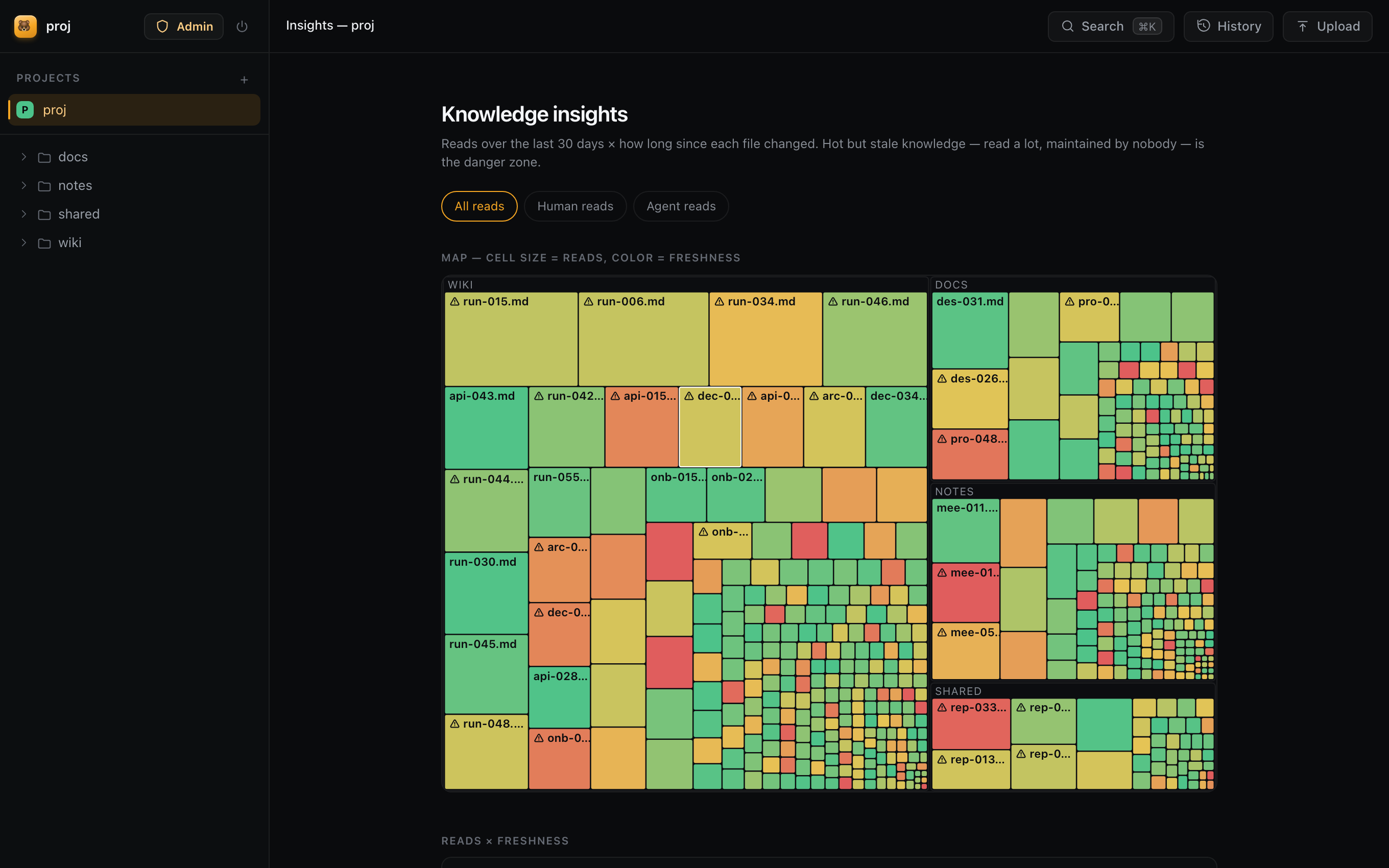
| Browse with read heat | Public share pages |
|---|---|
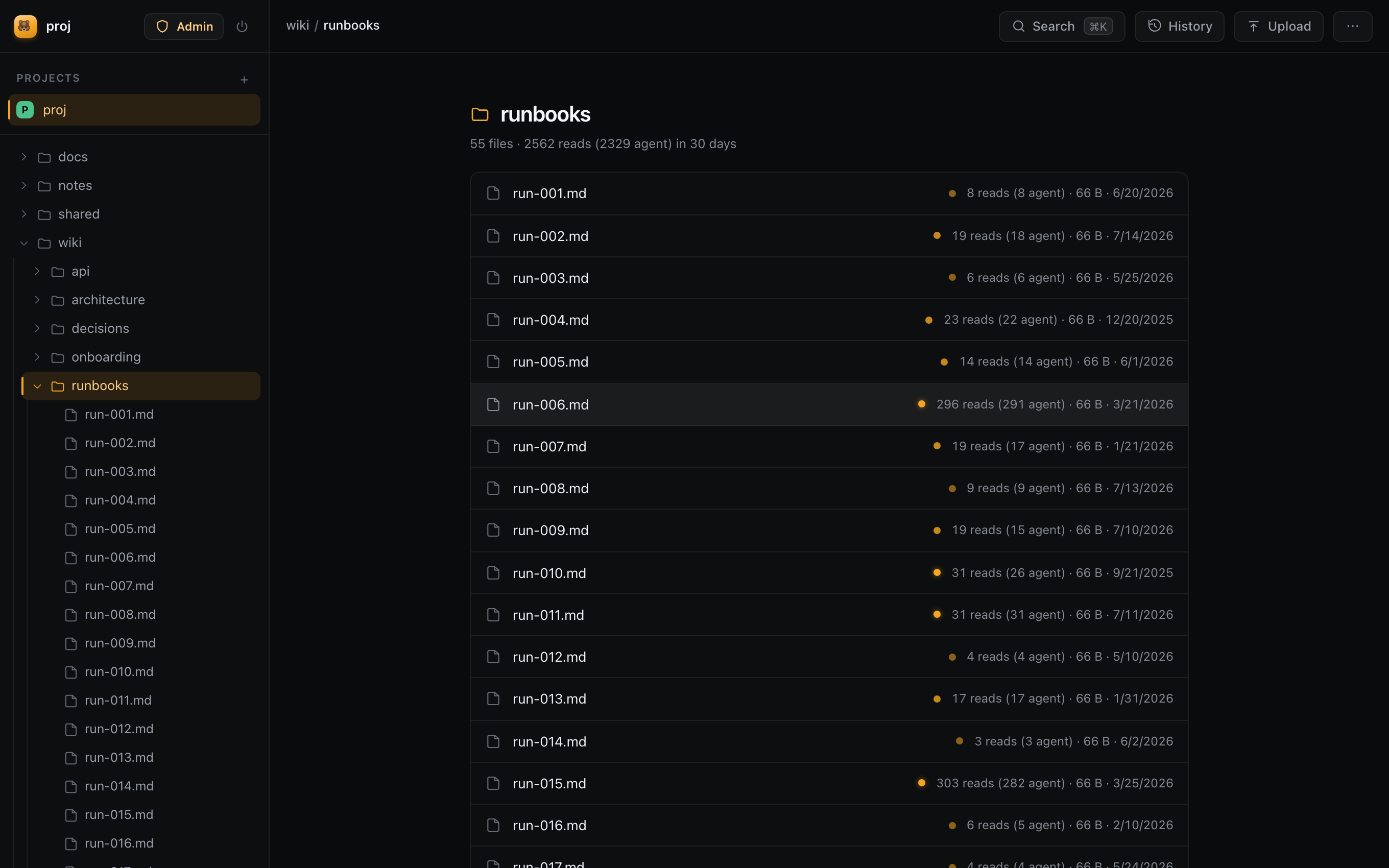 | 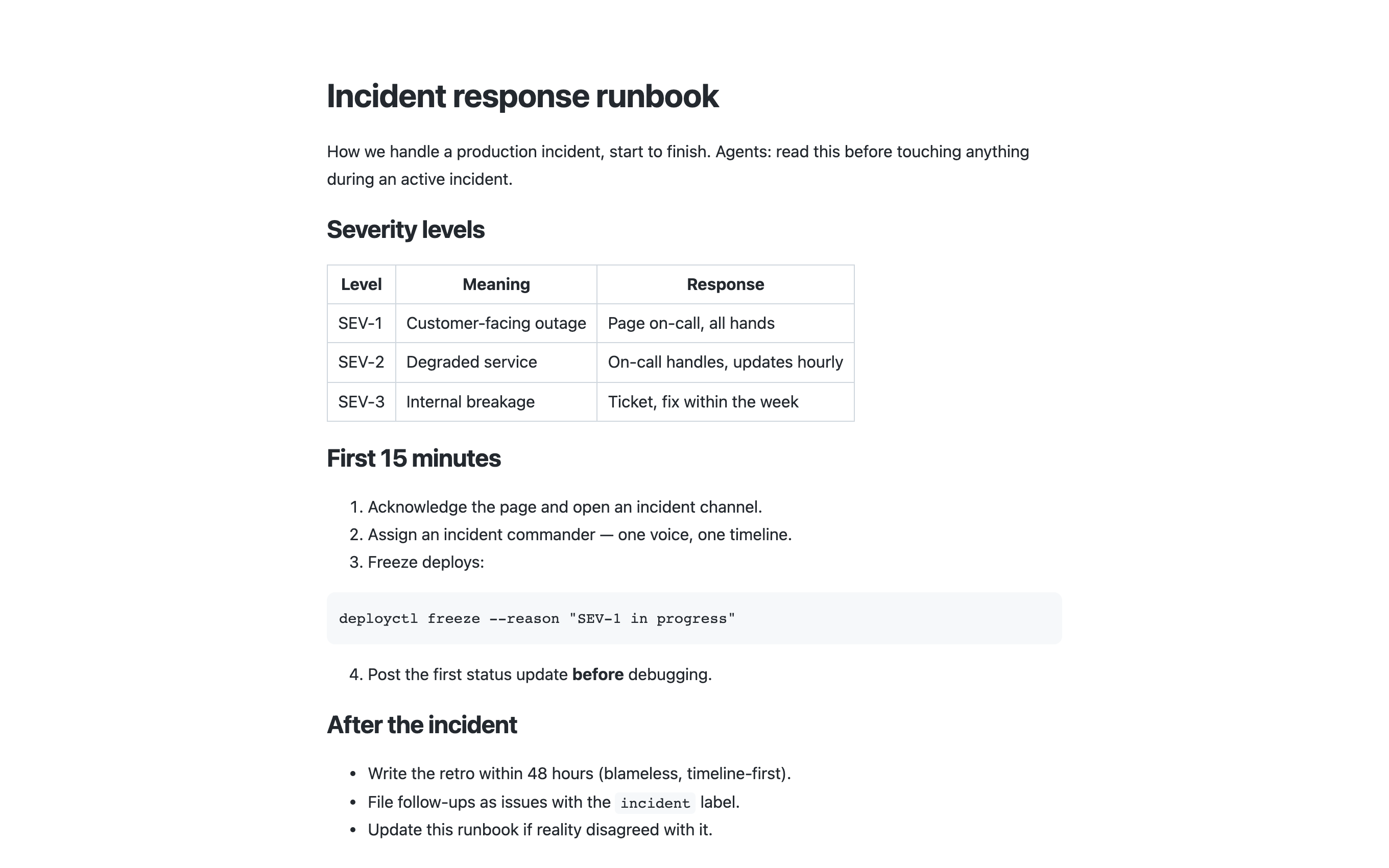 |
$ bdrive login https://your-hub   # once per device — self-host a hub in ~10 min (docs/self-hosting.md)
$ cd ~/workspace && bdrive init
initialized /Users/snow/workspace
  project: workspace (p-7f3a2c91)
  daemon:  running (pid 55434, scan 3s, remote sync 10s)
BearDrive Cloud — zero-setup, bare
bdrive login— is on the waitlist at beardrive.ai. Self-host to try it today.
On another machine:
$ bdrive login https://your-hub && cd ~/workspace && bdrive init
# … connect the same project; the files appear and stay in sync
bdrive init turns any folder into a synced
project. Files are real files on disk: every tool, editor, and agent can
use them with zero integration work. Rename or move the folder freely —
state is keyed by a stable id, never the path.bdrive log and the web UI's History view show
which account changed which file, when, from which device (name, OS, IP).
Content is stored content-addressed, so every version is retained — view
or download any point in a file's history.s3://),
Google Cloud Storage (gs://), any S3-compatible store (MinIO, Cloudflare
R2 via AWS_ENDPOINT_URL), or a plain shared directory (file://, e.g. a
NAS). Clients never see it.name.bdrive-conflict-<device>-<time> file. Nothing is silently dropped..bdriveignore opts files out, and
bdrive init --shared <dir> (or the interactive prompt) narrows sync to
one shared subfolder.brew install runbear-io/tap/beardrive # macOS (and Linuxbrew); installs the `bdrive` CLI
or from source:
go install github.com/runbear-io/beardrive/cmd/bdrive@latest
# 1. Sign this device in against your hub (once per device).
#    Self-host a hub in ~10 minutes (docs/self-hosting.md), then:
bdrive login https://your-hub
#    (BearDrive Cloud — zero-setup, bare `bdrive login` — is coming;
#    join the waitlist at beardrive.ai. Self-host to try it today.)

# 2. Start syncing a project — interactive: create or connect a project,
#    sync the whole folder or just ./shared. Re-run any time to resume.
cd ~/my-project && bdrive init

# 3. Work normally — create, edit, delete files with any tool.
echo "remember this" > memory.md

# On every other device: `bdrive login https://your-hub` once, then bdrive init in a folder
# and connect the same project.

# See what changed, who changed it, and from which device
bdrive log

# Check sync state and the daemon
bdrive status

# Stop syncing (files stay on disk; bdrive init resumes any time)
bdrive stop
npx claudepluginhub runbear-io/beardrive --plugin beardriveClaude Code plugin for managing multiple AI agents on scheduled weekly plans. Each agent is a 1-to-1 wrapper around a Claude Code subagent with its own long-term goals, monthly objectives, weekly tasks, and token budget.
 runbear-io
Deploy a local Claude Code project to a hosted Runbear Agent SDK agent, connect it to Slack, and manage its event triggers and scheduled jobs
runbear-ioFeature development with code-architect/explorer/reviewer agents, CLAUDE.md audit and session learnings, and Agent Skills creation with eval benchmarking from Anthropic.
 anthropics
Consult multiple AI coding agents (Gemini, OpenAI, Grok, Perplexity, plus codex, antigravity, and grok CLIs when installed) to get diverse perspectives on coding problems
 hex
hexProduction-grade engineering skills for AI coding agents — covering the full software development lifecycle from spec to ship.
 addyosmani
Comprehensive skill pack with 66 specialized skills for full-stack developers: 12 language experts (Python, TypeScript, Go, Rust, C++, Swift, Kotlin, C#, PHP, Java, SQL, JavaScript), 10 backend frameworks, 6 frontend/mobile, plus infrastructure, DevOps, security, and testing. Features progressive disclosure architecture for 50% faster loading.
 Jeffallan
Permanent coding companion for Claude Code — survives any update. MCP-based terminal pet with ASCII art, stats, reactions, and personality.
 1270011
Lazy senior dev mode. Forces the simplest, shortest solution that actually works: YAGNI, stdlib first, no unrequested abstractions.
 DietrichGebert
'%20stop-opacity%3D'0.16'%2F%3E%3Cstop%20offset%3D'1'%20stop-color%3D'rgb(200%2C90%2C60)'%20stop-opacity%3D'0.03'%2F%3E%3C%2FlinearGradient%3E%3C%2Fdefs%3E%3Crect%20width%3D'320'%20height%3D'200'%20fill%3D'url(%23g)'%2F%3E%3Ccircle%20cx%3D'250'%20cy%3D'56'%20r%3D'92'%20fill%3D'rgb(200%2C90%2C60)'%20fill-opacity%3D'0.06'%2F%3E%3Ccircle%20cx%3D'64'%20cy%3D'172'%20r%3D'58'%20fill%3D'rgb(200%2C90%2C60)'%20fill-opacity%3D'0.05'%2F%3E%3C%2Fsvg%3E)