Stats
Actions
Available In
Tags

Manage GitHub pull requests end-to-end: review code, fix CI failures, resolve merge conflicts, respond to review comments, check merge readiness, and classify notifications.
Self-review a PR before requesting review
Watch GitHub notifications, classify them, and create tq actions
Respond to review comments on a PR
Review another person's PR
Resolve merge conflicts on a PR
Own this plugin?
Verify ownership to unlock analytics, metadata editing, and a verified badge. GitHub access is read-only (username + org membership).
Sign in to claimOwn this plugin?
Verify ownership to unlock analytics, metadata editing, and a verified badge. GitHub access is read-only (username + org membership).
Sign in to claimBased on adoption, maintenance, documentation, and repository signals. Not a security audit or endorsement.
Job-queue based orchestration system for Claude Code. Combines a CLI/TUI with a Claude Code Plugin to manage multiple sessions via tmux.
Humans give instructions in natural language and monitor progress via TUI. The manager agent handles task breakdown, prompt tuning, and dispatching actions to worker sessions.
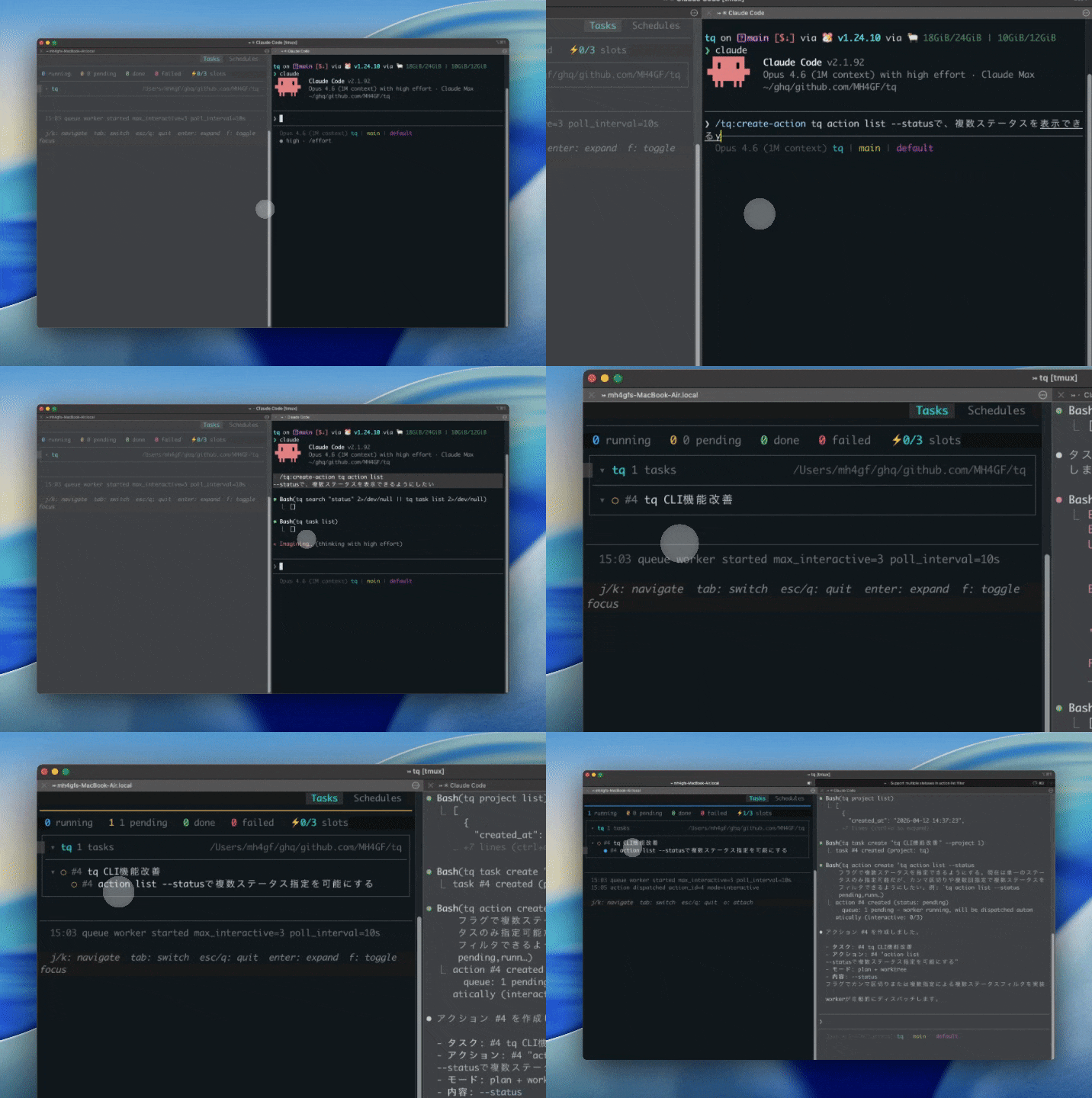
claude in tmux, so skills, sub-agents, worktrees, and remote execution all work as-is--jq flag, agent-oriented --help; humans don't need to learn the CLIPrerequisites: tmux (required for dispatching interactive sessions)
# Homebrew (macOS / Linux)
brew install MH4GF/tap/tq

# Claude Code Plugin
claude plugin marketplace add MH4GF/tq
claude plugin install tq@tq-marketplace
Or download a binary from GitHub Releases.
# Register a project (sets working directory for tasks)
tq project create myapp ~/src/myapp

# Create a task under the project
tq task create "Implement feature X" --project 1

# Launch the TUI (starts the queue worker)
tq ui
Then open Claude Code in another terminal and talk to the manager agent:
/tq:manager
To create an action (spawns a new Claude Code session):
/tq:create-action Implement feature X and create a PR
The agent will tune the instruction, associate it with the right task, create the action, and the queue worker will automatically pick it up.
See CLI Reference for the full command list.
The database lives at ~/.config/tq/tq.db by default. Override with:
--db <path> flag (highest precedence)TQ_DB_PATH environment variableUseful for running multiple isolated queues (e.g. a separate DB for demos or testing).
project → task → action
claude worker dispatch/claim
┌─────────────────────────────┐
│ ▼
┌───────────┐ ┌───────────┐
│ pending │ │ running │
└───────────┘ └─────┬─────┘
▲ │ │
│ success│ │fail
│ ▼ ▼
│ ┌────────┐ ┌────────┐
│ │ done │ │ failed │
│ └────┬───┘ └───┬────┘
│ │ │
│ on_done │ │ reset
│ (new action) │ │
└───────────────────────┘ │
└──────────────────────────────────┘
* running → pending: reset command (kills tmux pane)
* done is terminal, but on_done can spawn a new action
Controlled via --meta on action create / schedule create:
| mode | Description |
|---|---|
interactive (default) | claude in tmux — fire-and-forget, worker reports via tq action done / tq action fail |
noninteractive | claude -p — captures stdout, auto-completes |
remote | Dispatched to remote worker |
Additional metadata keys:
permission_mode — Claude permission mode (e.g. "plan", "auto")worktree — Run in a git worktree for isolation (true/false)claude_args — Additional CLI arguments for claude (JSON array of strings, e.g. ["--max-turns","5"])MIT
npx claudepluginhub p/mh4gf-gh-ops-claude-plugins-gh-opstq task queue worker commands
 MH4GF
MH4GF論点駆動開発のためのツール群
 MH4GF
MH4GFQA-focused agents for test planning and verification
MH4GFAutomated devops environment setup for new repositories
MH4GFTools for clarifying and visualizing requirements in plan files
MH4GFtq task queue worker commands
MH4GFAutonomous GitHub Project Management workflow with orchestrator-agent coordination for parallel task execution via git worktrees
 el-feo
Task lifecycle management: unified execution (run, sync, handover modes), task creation, and PR checklist registration
 jongwony
Commands for team workflows, PR reviews, and collaboration
 davepoon
Autonomous dev pipeline powered by Claude Code. Label a GitHub issue, walk away, come back to a merge-ready PR.
 zapat-ai
Comprehensive GitHub operations using gh CLI and GitHub API for pull requests, issues, repositories, workflows, and API interactions
 daymade
'%20stop-opacity%3D'0.16'%2F%3E%3Cstop%20offset%3D'1'%20stop-color%3D'rgb(200%2C90%2C60)'%20stop-opacity%3D'0.03'%2F%3E%3C%2FlinearGradient%3E%3C%2Fdefs%3E%3Crect%20width%3D'320'%20height%3D'200'%20fill%3D'url(%23g)'%2F%3E%3Ccircle%20cx%3D'250'%20cy%3D'56'%20r%3D'92'%20fill%3D'rgb(200%2C90%2C60)'%20fill-opacity%3D'0.06'%2F%3E%3Ccircle%20cx%3D'64'%20cy%3D'172'%20r%3D'58'%20fill%3D'rgb(200%2C90%2C60)'%20fill-opacity%3D'0.05'%2F%3E%3C%2Fsvg%3E)