Stats
Actions
Available In
Tags

Safe, explicit memory search and persistence workflows backed by the memtomem MCP server
Index or re-index an explicitly selected file or directory with memtomem. Use for initial ingestion or intentional refresh after file changes.
Recall memtomem memories created in a date range. Use for recent memories or requests scoped by day, week, month, source, or namespace.
Save an explicit user-requested memory with memtomem. Use only when the user clearly asks to remember, record, or persist information for later.
Search indexed memtomem memories by topic. Use for past decisions, notes, findings, or project context that may exist in the memory index.
Set up and verify a first memtomem memory source. Use for onboarding, choosing an index path, or confirming that search works.
Own this plugin?
Verify ownership to unlock analytics, metadata editing, and a verified badge. GitHub access is read-only (username + org membership).
Sign in to claimOwn this plugin?
Verify ownership to unlock analytics, metadata editing, and a verified badge. GitHub access is read-only (username + org membership).
Sign in to claimBased on adoption, maintenance, documentation, and repository signals. Not a security audit or endorsement.
Markdown-first long-term memory for AI coding agents — your files stay yours, and core usage is hook-free by default.






🚧 Alpha — APIs, defaults, and on-disk config surfaces may still change between
0.xreleases. Feedback and issue reports are especially welcome: Issues · Discussions.
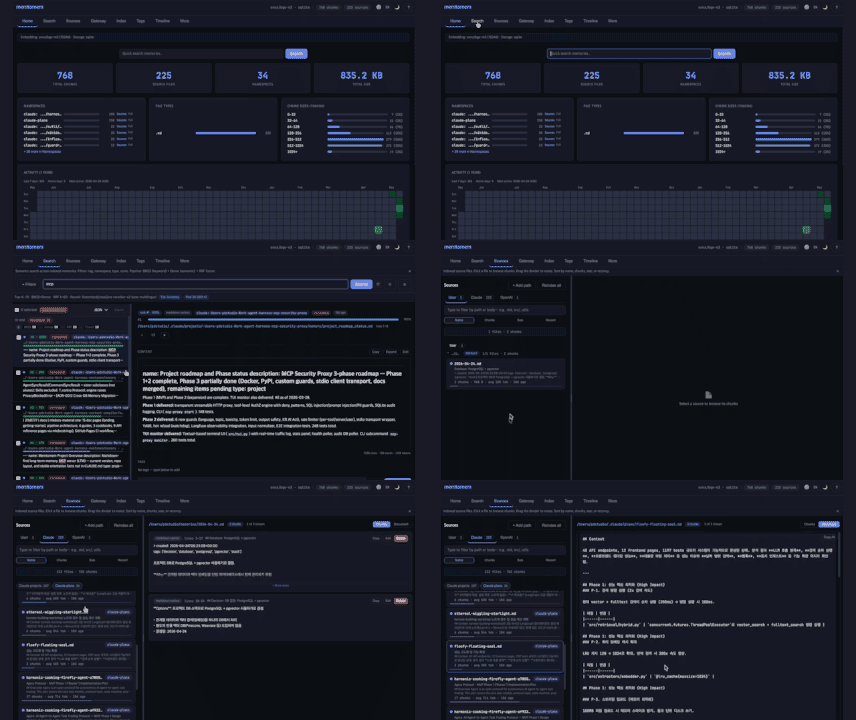
memtomem turns your markdown notes, documents, and code into a searchable knowledge base that any AI coding agent can use. Write notes as plain .md files — memtomem indexes them and makes them searchable by both keywords and meaning.
flowchart LR
    A["Your files\n.md .json .py"] -->|Index| B["memtomem"]
    B -->|Search| C["AI agent\n(Claude Code, Cursor, etc.)"]
First time here? Follow the Getting Started guide — you'll have a working setup in under 5 minutes. Claude Code or Codex CLI user? See the Korean vibe-coding quickstart.
| Problem | How memtomem solves it |
|---|---|
| AI forgets everything between sessions | Index your notes once, search them in every session |
| Keyword search misses related content | Hybrid search: exact keywords + meaning-based similarity |
| Notes scattered across tools | One searchable index for markdown, JSON, YAML, Python, JS/TS |
| Vendor lock-in | Your .md files are the source of truth. The DB is a rebuildable cache |
| Hidden automation is hard to reason about | Core memory operations run only when you call them; optional client hooks are explicit, removable integrations |
uv tool install 'memtomem[all]'       # or: pipx install 'memtomem[all]'
mm --version                          # verify install
[all] bundles the features the sections below describe — ONNX dense embeddings, Korean tokenizer, Ollama / OpenAI providers, code chunker, and the Web UI. For a BM25-only install without those downloads (~40 MB vs ~250 MB), see the minimal install option in the Getting Started guide.
If
mm --versionshows an older version than the latest release,uvis likely serving cached PyPI metadata — re-run withuv tool install 'memtomem[all]' --refresh, or clear the cache first:uv cache clean memtomem.
mm: command not found?uv tool installdrops the shim into~/.local/bin, which isn't on$PATHin fresh shells on macOS/Linux. Runuv tool update-shell, then open a new shell and re-runmm --version.
mm init # preset picker, then memory_dir + MCP
The interactive picker starts with three presets — Minimal (BM25, no downloads), English (Recommended) (ONNX bge-small-en-v1.5 + English reranker + auto-discover providers), Korean-optimized (ONNX bge-m3 + kiwipiepy tokenizer + multilingual reranker) — plus an Advanced entry that opens the full 10-step wizard. Preset paths only ask about the memory directory and MCP registration; everything else is set from the preset.
Choose Minimal for the fastest no-download first proof; rerun mm init
later when you are ready to add semantic search.
Indexing vs. discovery (Claude Code): provider memory folders that setup auto-discovers (e.g.
~/.claude/projects/*/memory/) are added to the search index. That is separate from the Web UI's opt-in Context Gateway scan of~/.claude/projects/, which discovers project roots for Skills, Custom Commands, and Subagents — see Configuration → Context Gateway for the distinction and the lossy-slug caveats.
For automation / CI:
mm init --non-interactive                   # minimal preset, no prompts
mm init --preset korean --non-interactive   # Korean-optimized bundle, no prompts
mm init --advanced                          # force the full 10-step wizard
npx claudepluginhub memtomem/memtomem --plugin memtomemLong-term memory for Claude Code powered by Memex. Provides persistent knowledge capture, retrieval, and memory-augmented workflows across all projects.
 JasperHG90
Persistent memory across Claude Code sessions. Markdown-first storage, hybrid BM25 + dense retrieval, clustered retrieval-induced forgetting, optional Haiku enrichment.
 teimurjan
Persistent knowledge workspace for Claude Code — structured files, versioning, search, and knowledge graph across sessions
 pixell-global
Persistent knowledge graph and Zettelkasten memory for AI coding agents. Auto-recalls prior knowledge at session start via Claude Code hooks. 79 tools across 12 portmanteaus — search, RAG, notes, skills, audio, research.
 sandraschi
The highest-accuracy memory system for AI agents — 100% retrieval on LongMemEval. 14 content-aware summarizers, hybrid search (BM25 + vector + LLM judge), entity intelligence, decision trails. Fully local, zero cost.
 JubaKitiashvili
A growing collection of Claude-compatible academic workflow bundles. Covers scientific figures, manuscript writing and polishing, reviewer assessment, citation retrieval, data availability, paper reading, literature search, response letters, paper-to-PPTX conversion, and evidence-grounded Chinese invention patent drafting. Rules are organized as reusable skill folders with explicit workflows and quality checks.
 Yuan1z0825
'%20stop-opacity%3D'0.16'%2F%3E%3Cstop%20offset%3D'1'%20stop-color%3D'rgb(200%2C90%2C60)'%20stop-opacity%3D'0.03'%2F%3E%3C%2FlinearGradient%3E%3C%2Fdefs%3E%3Crect%20width%3D'320'%20height%3D'200'%20fill%3D'url(%23g)'%2F%3E%3Ccircle%20cx%3D'250'%20cy%3D'56'%20r%3D'92'%20fill%3D'rgb(200%2C90%2C60)'%20fill-opacity%3D'0.06'%2F%3E%3Ccircle%20cx%3D'64'%20cy%3D'172'%20r%3D'58'%20fill%3D'rgb(200%2C90%2C60)'%20fill-opacity%3D'0.05'%2F%3E%3C%2Fsvg%3E)
