Project Fulcrum
Harness Attention. Orchestrate Agents. Leverage Your Time Wisely.
What It Does
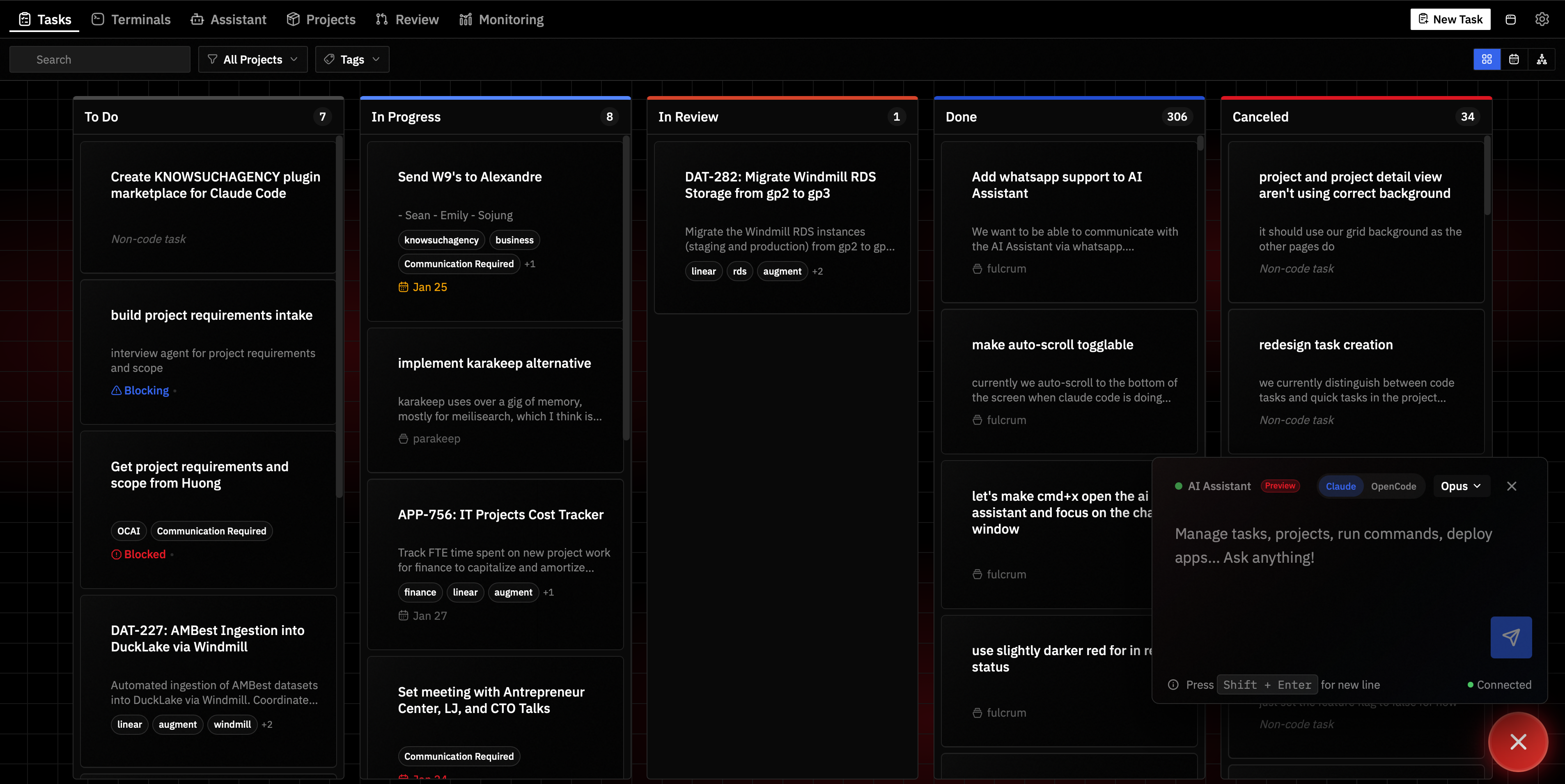
Fulcrum is your AI-powered command center for shipping software. Built for technical solopreneurs and CTOs who need to multiply their leverage—not just chase the latest coding trend.
Run Claude Code across multiple tasks in parallel. Choose Git worktrees for isolated code work, Scratch directories for non-git AI agent sessions, or Manual tasks for anything else. Stay connected to your agents via WhatsApp, Email, Discord, Telegram, or Slack. Let your AI assistant monitor messages, filter signal from noise, and send daily briefings—all while you focus on what matters.
Fulcrum doesn't replace your tools—it gives you leverage over them. You configure Claude Code with the integrations you need (Notion, Linear, Stripe, whatever). Fulcrum is your window into Claude Code and a literal fulcrum: a small input that moves mountains.
Six pillars:
- Claude Code Ecosystem — Deep integration with Claude Code. Connect via messaging channels, manage tasks, deploy from one dashboard.
- Proactive AI Concierge — Your assistant monitors messages, stores important observations as memories, creates daily plans, and sends morning/evening briefings automatically.
- Work From Anywhere — Run Fulcrum on a remote server. Close your laptop, agents keep working.
- Project Management — Tasks with dependencies, due dates, time estimates, priority levels, recurrence, labels, and attachments. Visual kanban boards.
- Production Deployment — Docker Compose with automatic Traefik routing and Cloudflare DNS/tunnels.
- Agent Memory — Persistent knowledge store with full-text search. Agents remember across sessions.
- MCP-First Architecture — 100+ tools exposed via Model Context Protocol. Agents discover what they need.
MCP-First Architecture
Everything in Fulcrum is exposed through MCP (Model Context Protocol):
- 100+ MCP tools for tasks, projects, apps, repos, notifications, and remote execution
- Smart tool discovery —
search_tools lets agents find relevant tools without loading everything into context
- Integrated assistant — Built-in AI assistant with full context of your tasks, projects, and apps
- External agent support — Connect Claude Desktop, Clawdbot, or any MCP-compatible agent
- No context bloat — Agents discover and use only the tools they need
Whether you use Fulcrum's built-in assistant or an external agent like Claude Desktop, AI has seamless access to your entire workflow.
Proactive Digital Concierge
Fulcrum's AI assistant doesn't just respond—it actively monitors and manages your workflow.
Intelligent Message Handling
When messages arrive via Email, WhatsApp, Discord, Telegram, or Slack:
- Actionable requests (deadlines, meetings, tasks) → Creates Fulcrum tasks and stores as memories with
actionable tag
- Casual conversations → Responded to naturally, no tracking overhead
- Spam/newsletters → Silently ignored
Persistent Memory
Important observations are stored as memories with tags like actionable or monitoring—searchable via full-text search, with recency-weighted results so recent items surface first.
Daily Planning
Your assistant creates and reviews daily plans automatically:
- Evening — Creates tomorrow's plan based on pending tasks and events, saves to your documents folder
- Morning — Reviews the plan, compares against current state, sends prioritized briefing
Plans persist as markdown files you can edit or review anytime.
Scheduled Briefings
Configure morning and evening rituals in Settings:
- Morning briefing — Reviews yesterday's plan, prioritizes today's tasks and events
- Evening recap — What got done, what's blocked, creates tomorrow's plan
Briefings are sent to your preferred messaging channel automatically.
Hourly Sweeps
Every hour, your assistant reviews pending events, checks on blocked or overdue tasks, and catches patterns across messages. Nothing slips through the cracks.
Quick Start
npx @knowsuchagency/fulcrum@latest up
Fulcrum will check for dependencies (bun, dtach, fnox, age, AI agent CLI), offer to install any that are missing, set up encrypted secret storage, and start the server on http://localhost:7777.
Desktop App
The desktop app bundles everything—just install and run.
macOS Installation Notes
 Marcel-Bich
 Emasoft
 wbopan
 MeisnerDan
 corca-ai
 mbruhler
'%20stop-opacity%3D'0.16'%2F%3E%3Cstop%20offset%3D'1'%20stop-color%3D'rgb(200%2C90%2C60)'%20stop-opacity%3D'0.03'%2F%3E%3C%2FlinearGradient%3E%3C%2Fdefs%3E%3Crect%20width%3D'320'%20height%3D'200'%20fill%3D'url(%23g)'%2F%3E%3Ccircle%20cx%3D'250'%20cy%3D'56'%20r%3D'92'%20fill%3D'rgb(200%2C90%2C60)'%20fill-opacity%3D'0.06'%2F%3E%3Ccircle%20cx%3D'64'%20cy%3D'172'%20r%3D'58'%20fill%3D'rgb(200%2C90%2C60)'%20fill-opacity%3D'0.05'%2F%3E%3C%2Fsvg%3E)