docx-cli
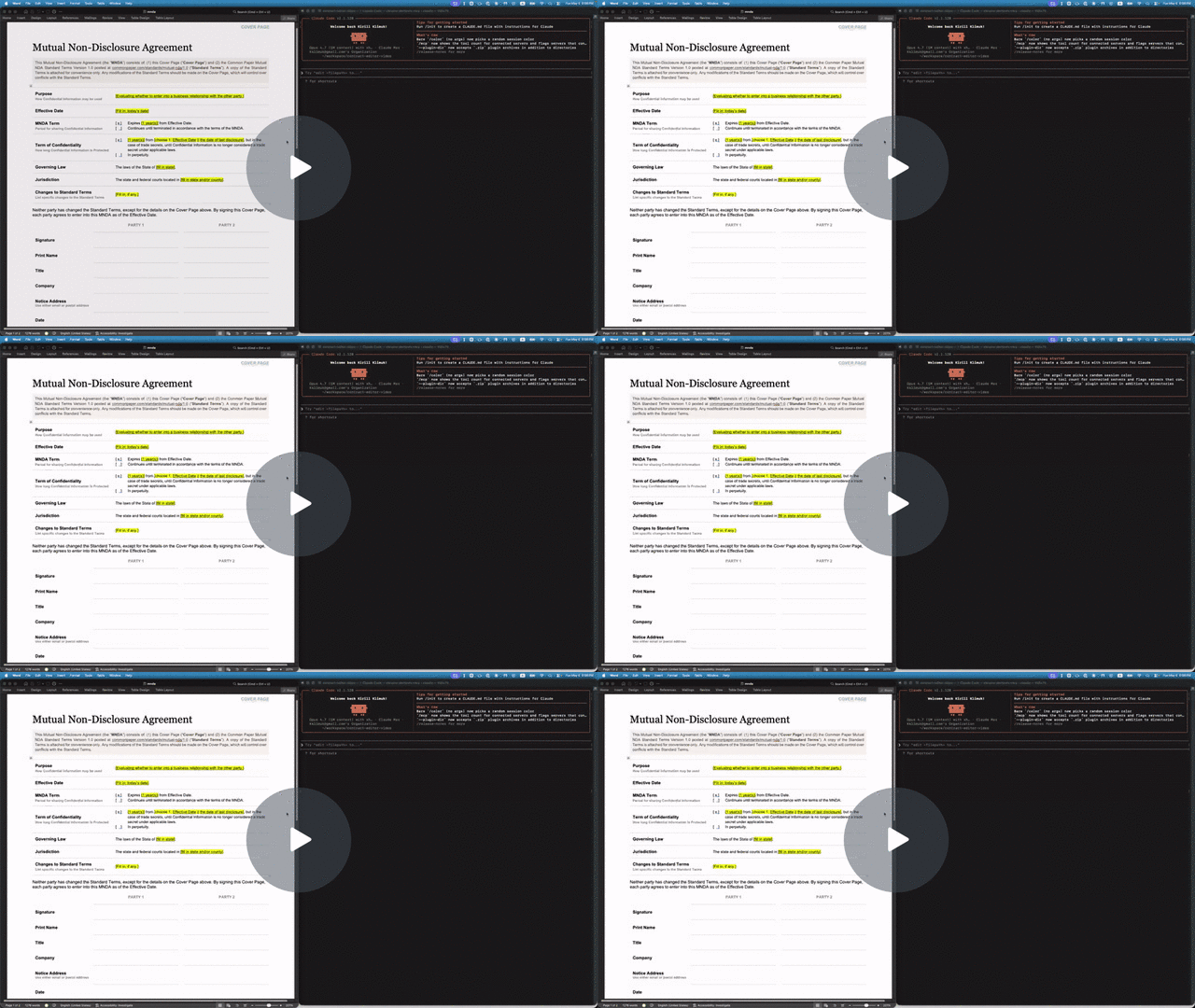
A .docx CLI built for AI agents. Leave comments, suggest redlines, and edit Word documents without breaking the formatting or losing content — a human accepts or rejects in Word afterward.
- Hand a
.docx to Claude or Codex and get back a redlined copy with comments — open it in Word, accept or reject as usual.
- Agents address text by stable locators with character offsets (
p3:5-20); humans see normal Word formatting on disk.
- Custom styles, theme colors, embedded objects — all of it survives. The CLI mutates XML in place rather than re-emitting from a lossy model.
Why docx-cli?
The default way agents edit Word docs is to unzip the .docx and hand-write the OOXML inside. That takes a strong model to get right, burns tokens, and routinely produces a file Word won't open. docx-cli hands the agent plain commands plus an annotated-Markdown read view, so it never has to reason about the XML.
We measured it — a controlled A/B bake-off: six real document tasks (fill an NDA, fill an invoice, restyle a résumé, redline a contract, finalize a contract, author a journal), the same starting files, and one independent judge grading every result from the Word-rendered pages. Three runs per arm at each of two model tiers:
| Haiku (weak, cheap) | | Sonnet (strong) | |
|---|
| docx-cli | default skill | docx-cli | default skill |
| Tasks solved (of 6) | 4.3 (4–5) | 0.7 (0–1) | 6.0 (6–6) | 4.0 (4–4) |
| Rendered correctly (of 6) | 6 | 3.7 | 6.0 | 4.7 |
| Outright-broken documents | 0 | ~1/run (up to 2) | 0 | 0 |
| Input tokens | 2.4M | 6.1M (2.6×) | 1.6M | 3.6M (2.2×) |
| Wall-clock | 924 s | 1,882 s (2.0× slower) | 1,175 s | 2,029 s (1.7× slower) |
- The correctness gap is widest on the cheap Haiku tier (~6×), and a frontier model never closes it — the default skill caps at 4/6, losing the contract redline and the résumé every Sonnet run.
- The cost and speed penalties are model-independent — ~2.2–2.6× more tokens and ~1.7–2× slower at both tiers, with token/time ranges that never overlap.
- Word couldn't reliably open the default skill's work — it failed to open 5 of 36 of its outputs; all 36 of docx-cli's opened on the first try.
Full methodology, per-task rubric, and side-by-side renders: the bake-off writeup.
Install
npm — the simplest path (requires Bun >= 1.3):
bun add -g bun-docx
# or run without installing:
bunx bun-docx read doc.docx
Standalone binary (no Bun required). Every release publishes prebuilt binaries plus a SHA256SUMS manifest, and the installer verifies the binary's SHA-256 before installing:
curl -fsSL https://raw.githubusercontent.com/kklimuk/docx-cli/main/install.sh | sh
Honors PREFIX (default $HOME/.local/bin) and VERSION (default latest). Pre-built for linux/x64, linux/arm64, darwin/x64, darwin/arm64, windows/x64. Prefer to inspect first? Download docx-<platform> + SHA256SUMS from the latest release, verify, chmod +x, and put it on PATH.
Quick example: filling out an NDA
The repo includes a Common Paper Mutual NDA template at tests/fixtures/mnda.docx. Below are the primitives an agent would compose to fill in the cover page and leave redline edits — the same flow shown in the video above. Every command was verified end-to-end against the fixture:
# Make a copy first — there's no undo (git is the history; the CLI overwrites in place)
cp tests/fixtures/mnda.docx mnda-filled.docx

# Read the cover-page table so the agent knows what placeholders exist
docx read mnda-filled.docx --from t1 --to t1

# Fill the yellow-highlighted bracketed placeholders
docx replace mnda-filled.docx "Fill in: today's date" "May 6, 2026"
docx replace mnda-filled.docx "fill in state and/or county" "California"
docx replace mnda-filled.docx "fill in state" "California"
docx replace mnda-filled.docx "Fill in, if any." "None."

# Verify nothing's left to fill (bare locator lines, one per match; nothing → exit 0)
docx find mnda-filled.docx '\[(Fill|fill)[^]]*\]' --regex --all

# Flip on tracked changes for the redline pass
docx track-changes mnda-filled.docx on

 LegalRabbit-AI
 danielscholl
 trailofbits
 sickn33
 athola
 fcakyon
'%20stop-opacity%3D'0.16'%2F%3E%3Cstop%20offset%3D'1'%20stop-color%3D'rgb(200%2C90%2C60)'%20stop-opacity%3D'0.03'%2F%3E%3C%2FlinearGradient%3E%3C%2Fdefs%3E%3Crect%20width%3D'320'%20height%3D'200'%20fill%3D'url(%23g)'%2F%3E%3Ccircle%20cx%3D'250'%20cy%3D'56'%20r%3D'92'%20fill%3D'rgb(200%2C90%2C60)'%20fill-opacity%3D'0.06'%2F%3E%3Ccircle%20cx%3D'64'%20cy%3D'172'%20r%3D'58'%20fill%3D'rgb(200%2C90%2C60)'%20fill-opacity%3D'0.05'%2F%3E%3C%2Fsvg%3E)