
Entity Relationship Diagram Designer
ERD Designer is a free, open-source tool for visually designing database schemas.
Design your tables and relationships in the browser, VSCode, or Google Drive
— with AI integration via an agent plugin (CLI + skill) or MCP (Model Context Protocol).
Inspired by ERMaster, built for the modern development workflow.
Features
Visual Database Design
- Drag-and-drop table design — Create and arrange tables, define columns, and set constraints on an interactive canvas
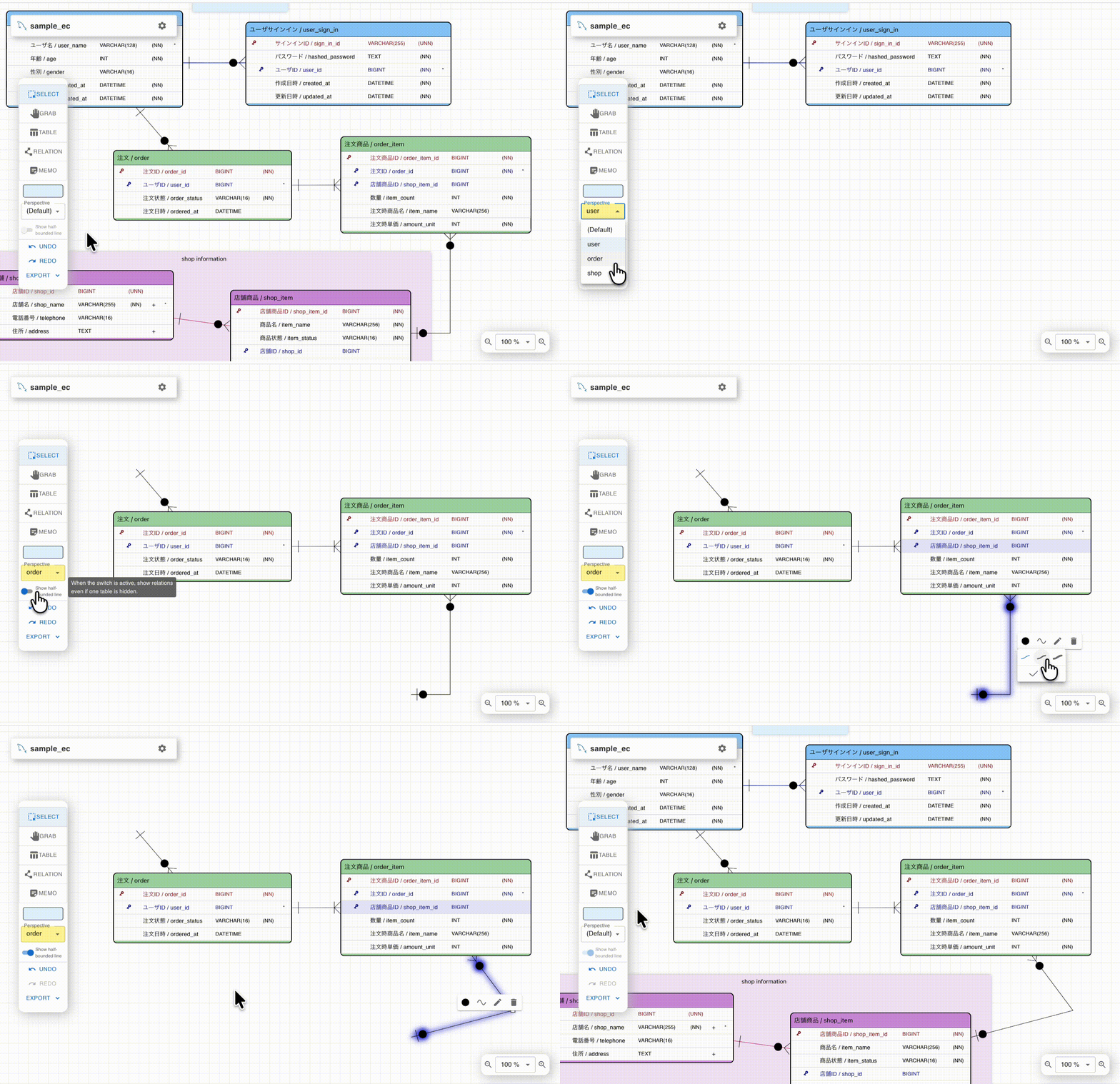
- Relationship management — Define 1:1 and 1:N relationships visually with automatic foreign key synchronization
- Perspectives — Organize large schemas into multiple views (e.g., by module or feature) for better manageability
- Memo notes — Add foreground/background memo notes to annotate your design
Column Reuse & Sharing
- Column Share Model — Define a column once, reuse it across multiple tables. Type changes propagate automatically
- Column Groups — Bundle commonly used columns (e.g.,
created_at, updated_at) and apply them to tables in bulk
Import & Export
- DDL export — Generate CREATE TABLE scripts for PostgreSQL, MySQL, and MS SQL Server
- DDL import — Import existing DDL scripts to auto-generate ER diagrams
- Specification documents — Export table definitions as Excel files or Google Spreadsheets
- Image export — Export as PNG, SVG, or interactive HTML with pan/zoom and perspective switching
AI Integration (Experimental)
- Agent plugin (CLI + skill) — A plugin with a bundled CLI lets coding agents edit
.erd files
directly, without a running app or MCP server. Works with Claude Code
and GitHub Copilot CLI.
Token-efficient: nothing is loaded into the agent context until the skill is used
- MCP Server — The VSCode extension includes a built-in Model Context Protocol server,
enabling AI assistants like Claude to read and modify your ER diagrams programmatically.
Multi-Platform
Screenshots
 |
|---|
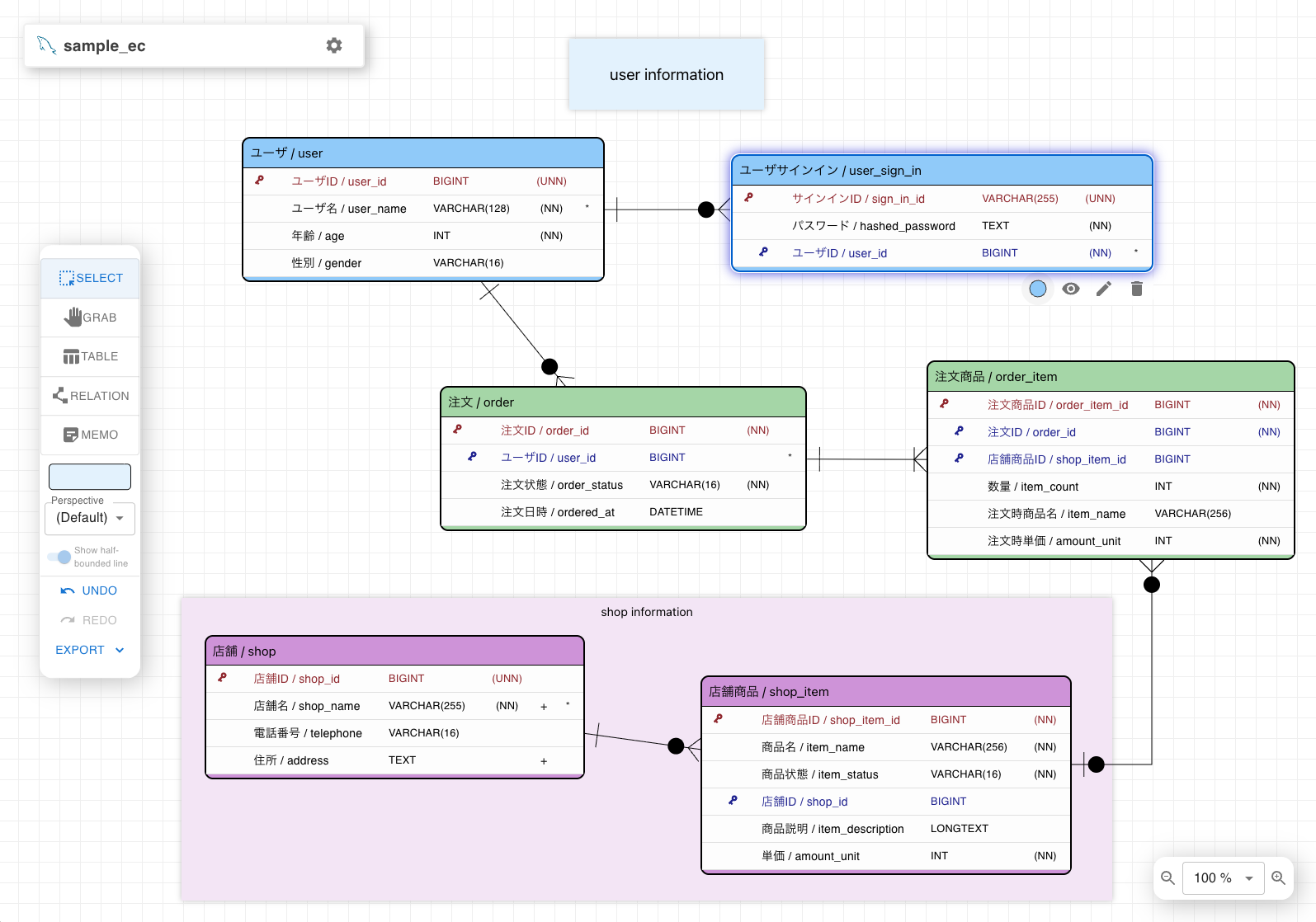
| Main canvas view with tables and relationships |
 |  |
|---|
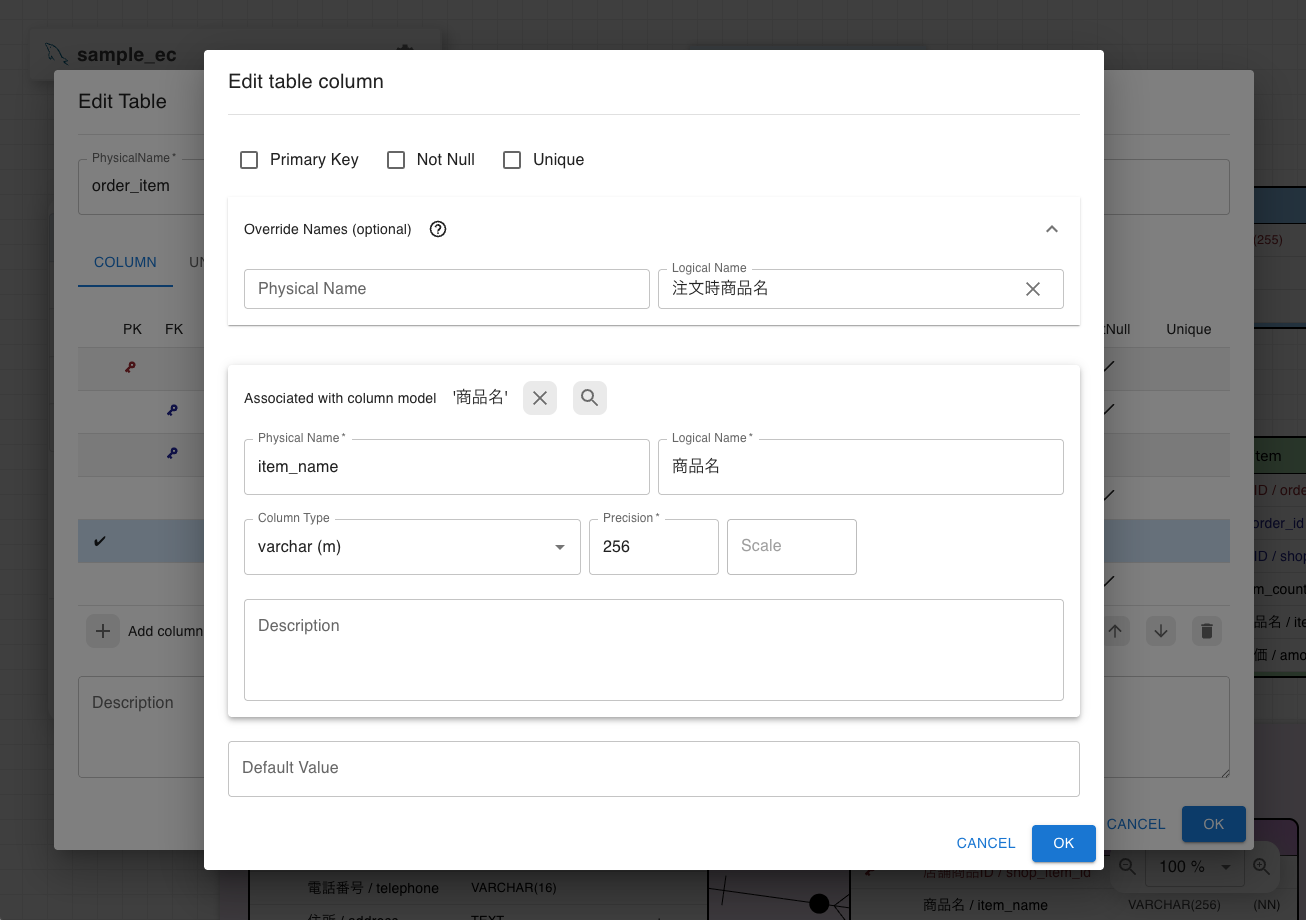
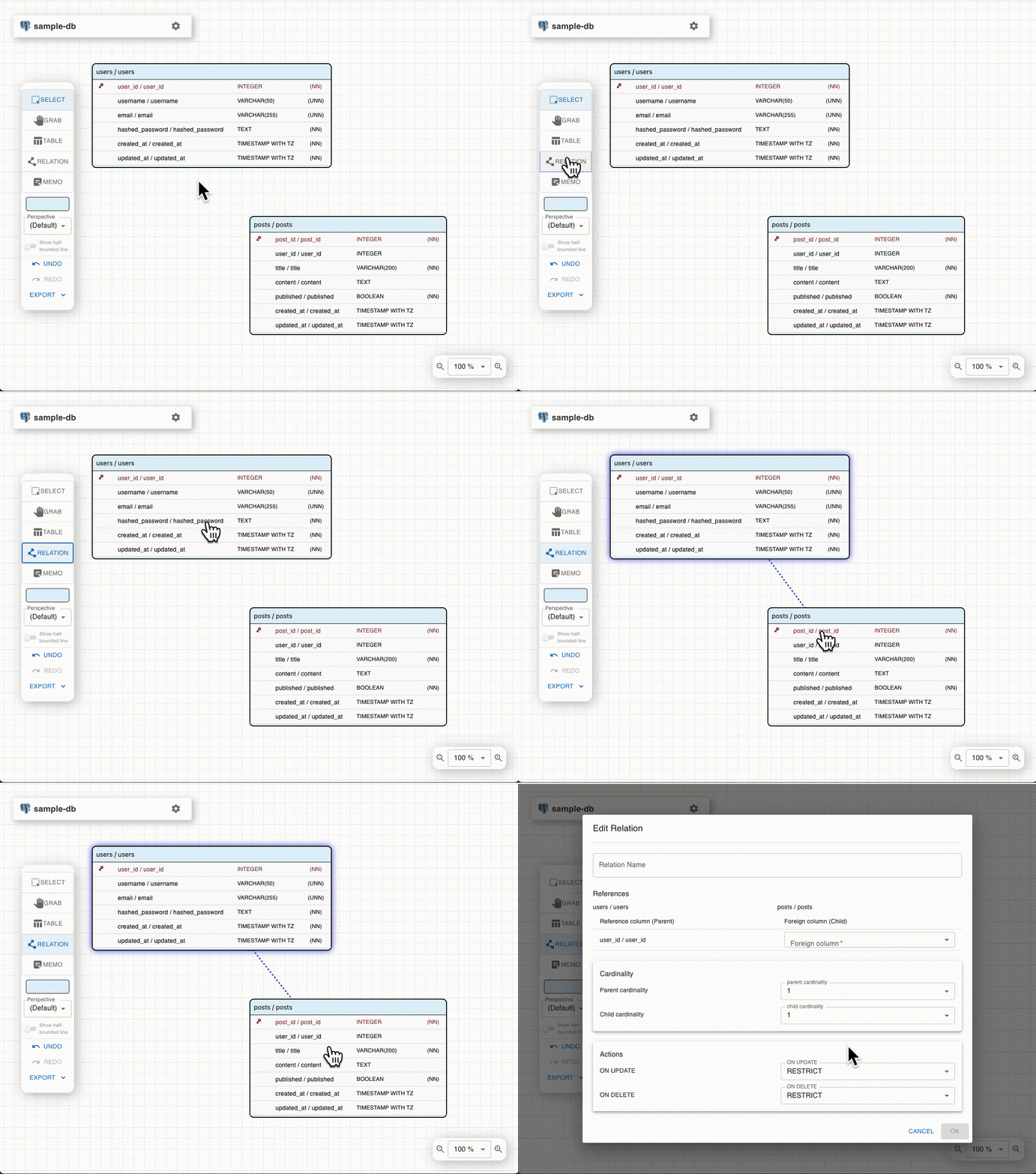
| Editing table columns using shared models | Creating relationships between tables |
 |  |
|---|
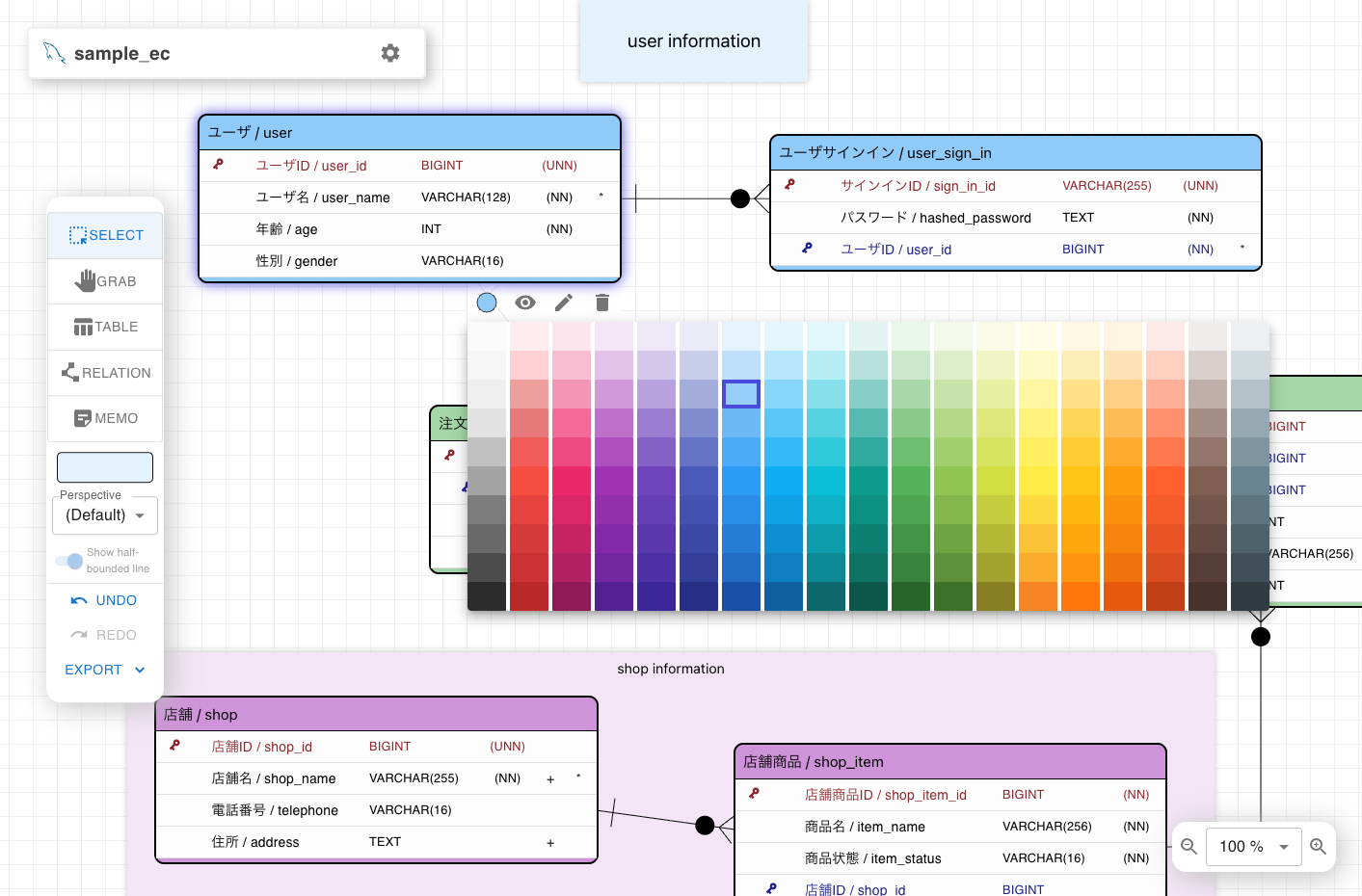
| Customizing table and memo colors | Organizing tables by perspectives |
Supported Databases
- PostgreSQL — Schema support, array types, GIN/GiST/BRIN indexes
- MySQL — CHARACTER SET / COLLATE, FULLTEXT / SPATIAL indexes, Auto Increment
- MS SQL Server — Schema support, clustered indexes, Identity columns
Getting Started
Online Tool
Try ERD Designer instantly at kajitiluna.github.io/erd-designer
— no installation or account required. Your data is stored locally in your browser (IndexedDB).
Google Drive App
Install from the Google Workspace Marketplace
to save and edit ERD files on Google Drive.
Shared files can be viewed simultaneously, though simultaneous editing is not supported (optimistic concurrency control).
VSCode Extension
Install from the Visual Studio Marketplace
to design ER diagrams within VSCode. Save as .erd files and manage them with Git.
Note:
The MCP Server feature is currently experimental and under active development.
Functionality and behavior may change in future releases.
AI Agent Integration (agent plugin)
Let a coding agent design tables incrementally by editing .erd files directly — no MCP server or running app required.
With Claude Code:
claude plugin marketplace add kajitiluna/erd-designer
claude plugin install erd-designer@erd-designer

 rohitg00
 jeremylongshore
 sethdford
 little-hands
 wshobson
'%20stop-opacity%3D'0.16'%2F%3E%3Cstop%20offset%3D'1'%20stop-color%3D'rgb(200%2C90%2C60)'%20stop-opacity%3D'0.03'%2F%3E%3C%2FlinearGradient%3E%3C%2Fdefs%3E%3Crect%20width%3D'320'%20height%3D'200'%20fill%3D'url(%23g)'%2F%3E%3Ccircle%20cx%3D'250'%20cy%3D'56'%20r%3D'92'%20fill%3D'rgb(200%2C90%2C60)'%20fill-opacity%3D'0.06'%2F%3E%3Ccircle%20cx%3D'64'%20cy%3D'172'%20r%3D'58'%20fill%3D'rgb(200%2C90%2C60)'%20fill-opacity%3D'0.05'%2F%3E%3C%2Fsvg%3E)