Stats
Actions
Available In
Tags

Generates complete presentation slide decks, infographics, social media cards, and illustrated articles from content or outlines. Also automates posting to WeChat, Weibo, and X (Twitter), converts web pages and tweets to markdown, translates between Chinese and English, and creates SVG diagrams, educational comics, and WeChat-compatible HTML.
Analyzes article structure, identifies positions requiring visual aids, generates illustrations with Type × Style × Palette three-dimension approach. Use when user asks to "illustrate article", "add images", "generate images for article", or "为文章配图".
Knowledge comic creator supporting multiple art styles and tones. Creates original educational comics with detailed panel layouts and batch-capable image generation. Use when user asks to create "知识漫画", "教育漫画", "biography comic", "tutorial comic", or "Logicomix-style comic".
Compresses images to WebP (default) or PNG with automatic tool selection. Use when user asks to "compress image", "optimize image", "convert to webp", or reduce image file size.
Generates article cover images with 5 dimensions (type, palette, rendering, text, mood) combining 11 color palettes and 7 rendering styles. Supports cinematic (2.35:1), widescreen (16:9), and square (1:1) aspects. Use when user asks to "generate cover image", "create article cover", or "make cover".
Generates images and text via reverse-engineered Gemini Web API. Supports text generation, image generation from prompts, reference images for vision input, and multi-turn conversations. Use when other skills need image generation backend, or when user requests "generate image with Gemini", "Gemini text generation", or needs vision-capable AI generation.
Own this plugin?
Verify ownership to unlock analytics, metadata editing, and a verified badge. GitHub access is read-only (username + org membership).
Sign in to claimOwn this plugin?
Verify ownership to unlock analytics, metadata editing, and a verified badge. GitHub access is read-only (username + org membership).
Sign in to claimBased on adoption, maintenance, documentation, and repository signals. Not a security audit or endorsement.
English | 中文
Skills shared by Baoyu for improving daily work efficiency with AI Agents (Claude Code, Codex, etc.).
npx bun commandsTip: This repository contains 20+ skills. Install only the ones you actually need — bulk-installing every skill adds unnecessary context overhead for your AI agent on every run.
npx skills add jimliu/baoyu-skills
If you only need a subset of skills in one project, you do not need to install the full plugin. Codex scans .agents/skills inside a project, so copy or symlink each needed skill as a full directory:
<project>/.agents/skills/baoyu-cover-image/SKILL.md
<project>/.agents/skills/baoyu-article-illustrator/SKILL.md
<project>/.agents/skills/baoyu-post-to-wechat/SKILL.md
For a WeChat Official Account article workflow, the usual minimal set is:
baoyu-cover-imagebaoyu-article-illustratorbaoyu-post-to-wechatYou do not need to install baoyu-markdown-to-html separately. baoyu-post-to-wechat already includes the Markdown to WeChat-ready HTML conversion flow. Install baoyu-format-markdown only if you need to first turn raw text or drafts into structured Markdown articles with titles, summaries, headings, bold text, lists, and similar formatting.
Place WeChat API credentials according to the scope you want:
~/.baoyu-skills/.env<project>/.baoyu-skills/.envProject-level .env files are useful when credentials should apply only to the current project. Do not commit them to Git.
This repository now supports publishing each skills/baoyu-* directory as an individual ClawHub skill.
# Preview what would be published
./scripts/sync-clawhub.sh --dry-run

# Publish all changed skills from ./skills
./scripts/sync-clawhub.sh --all
ClawHub installs skills individually, not as one marketplace bundle. After publishing, users can install specific skills such as:
clawhub install baoyu-image-gen
clawhub install baoyu-markdown-to-html
Publishing to ClawHub releases the published skill under MIT-0, per ClawHub's registry rules.
Run the following command in the Agent:
/plugin marketplace add JimLiu/baoyu-skills
Option 1: Via Browse UI
Option 2: Direct Install
# Install the marketplace's single plugin
/plugin install baoyu-skills@baoyu-skills
Option 3: Ask the Agent
Simply tell the Agent:
Please install Skills from github.com/JimLiu/baoyu-skills
The marketplace now exposes a single plugin so each skill is registered exactly once.
| Plugin | Description | Includes |
|---|---|---|
| baoyu-skills | Content generation, AI backends, and utility tools for daily work efficiency | All skills in this repository, organized below as Content Skills, AI Generation Skills, and Utility Skills |
To update skills to the latest version:
/plugin in the AgentYou can also Enable auto-update to get the latest versions automatically.
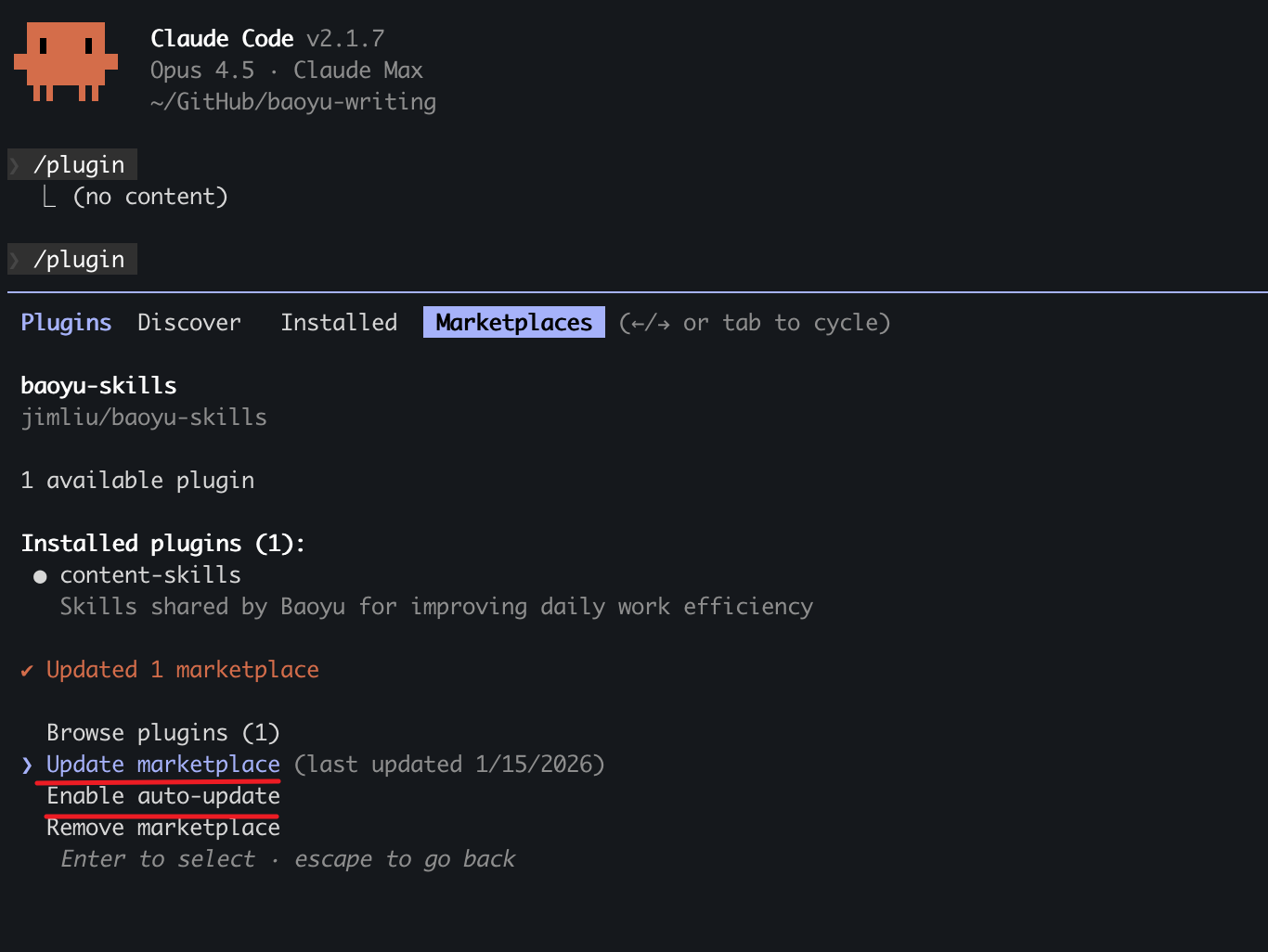
Skills are organized into three categories:
If you want a design-focused Agent Skill, check out JimLiu/baoyu-design. It is a separate project that runs Claude Design locally in Cursor, Claude Code, Codex, Claude Desktop, or any file-capable coding agent, producing polished UI mockups, interactive prototypes, wireframes, landing pages, dashboards, mobile apps, and slide decks as self-contained HTML.
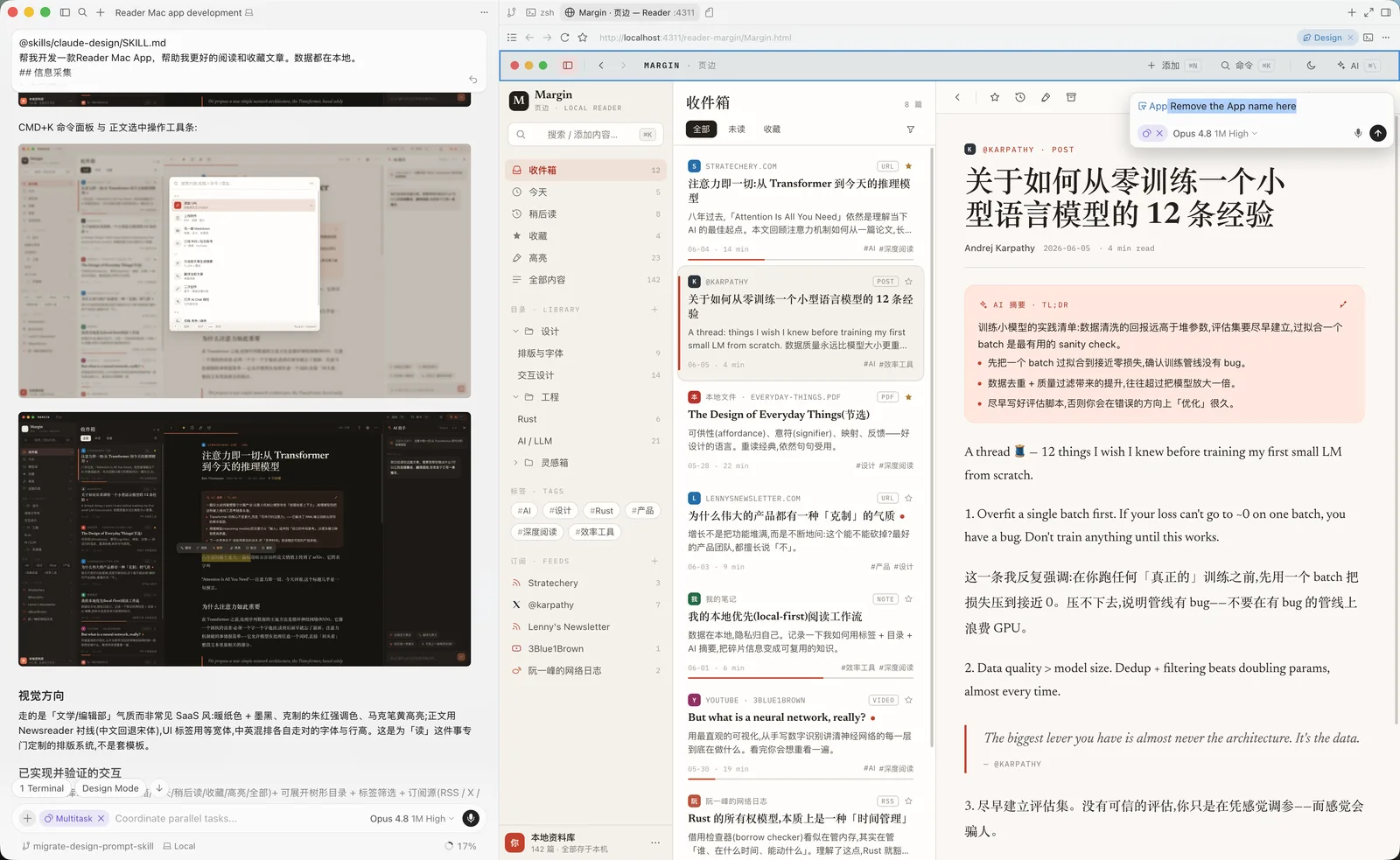
npx skills add JimLiu/baoyu-design
Content generation and publishing skills.
Xiaohongshu image card series generator. Breaks down content into 1-10 cartoon-style image cards with Style × Layout system and optional palette override.
# Auto-select style and layout
/baoyu-xhs-images posts/ai-future/article.md

# Specify style
/baoyu-xhs-images posts/ai-future/article.md --style notion

# Specify layout
/baoyu-xhs-images posts/ai-future/article.md --layout dense

# Combine style and layout
/baoyu-xhs-images posts/ai-future/article.md --style notion --layout list
npx claudepluginhub jimliu/baoyu-skillsSpec-driven PowerPoint generation with a compose sub-agent (Claude Code).
 aws-samples
End-to-end slide deck creation via RDIV workflow. Requires paperbanana plugin for image generation.
 PlutoLei
Branded presentation and carousel generation with brand voice system
 danielscholl
Build polished, self-contained HTML slide decks from any prompt — keyboard nav, swipe, fullscreen, brand theming. No Keynote or PowerPoint required.
 shawnzam
Presentation-grade dark-editorial HTML deck design system, packaged as a Claude Code skill. One line of intent → a deck that looks like it came out of a real keynote.
 kimsh-1
Automatically generate PowerPoint presentations from text, data, or outlines using AI-powered template and layout intelligence.
 bytedance
'%20stop-opacity%3D'0.16'%2F%3E%3Cstop%20offset%3D'1'%20stop-color%3D'rgb(200%2C90%2C60)'%20stop-opacity%3D'0.03'%2F%3E%3C%2FlinearGradient%3E%3C%2Fdefs%3E%3Crect%20width%3D'320'%20height%3D'200'%20fill%3D'url(%23g)'%2F%3E%3Ccircle%20cx%3D'250'%20cy%3D'56'%20r%3D'92'%20fill%3D'rgb(200%2C90%2C60)'%20fill-opacity%3D'0.06'%2F%3E%3Ccircle%20cx%3D'64'%20cy%3D'172'%20r%3D'58'%20fill%3D'rgb(200%2C90%2C60)'%20fill-opacity%3D'0.05'%2F%3E%3C%2Fsvg%3E)