Stats
Actions
Available In
Tags
Review a Deneb visual spec before presenting it to the user. Validates Vega/Vega-Lite syntax, Deneb-specific conventions, and provides design feedback.
Review a Python visual script before presenting it to the user. Validates matplotlib/seaborn code, Power BI conventions, and provides design feedback.
Review an R visual script before presenting it to the user. Validates ggplot2 code, Power BI conventions, and provides design feedback.
Review an SVG DAX measure before presenting it to the user. Validates SVG syntax, DAX conventions, and provides design feedback.
Step-by-step workflow for creating complete Power BI reports from scratch using pbir CLI. Covers model discovery, report creation, page layout, theme setup, visual placement, field binding, filtering, formatting, validation, and publishing. Automatically invoke when the user asks to "create a new report", "build a report from scratch", "make a dashboard", "set up a report with KPIs", "create an executive dashboard", "add pages and visuals to a new report".
Deneb visual creation, Vega/Vega-Lite spec authoring, and Deneb best practices for PBIR reports. Automatically invoke whenever the user mentions "Deneb" in any context, or asks about Vega/Vega-Lite specs in Power BI, Deneb cross-filtering, Deneb interactivity, pbiColor theme integration, Deneb field name escaping, or Deneb rendering issues.
Design, enforce, audit, and validate Power BI report themes. This skill MUST be invoked when a report uses the default or built-in theme, has a minimal custom theme (few or no visualStyles), or has accumulated many visual-level formatting overrides (objects/visualContainerObjects in visual.json); these are signs the theme needs attention. Also automatically invoke when the user asks to "create a theme", "design a theme", "enforce theme compliance", "audit theme adherence", "push formatting to theme", "clear visual overrides", "standardize report formatting", "update theme colors", "change theme typography", "set theme text classes", "validate a theme", "add visual-type overrides to the theme", "copy a theme", "download a theme", "apply a template", or mentions theme design, enforcement, compliance, or visual formatting inconsistency.
Power BI report design principles, layout guidance, and formatting best practices. Automatically invoke when the user asks about "report layout", "design best practices", "visual hierarchy", "3-30-300 rule", "KPI card design", "page layout", "accessibility in reports", "visual spacing", "report canvas", "card design patterns", "table formatting", "matrix formatting", or mentions report design principles.
This skill should be used whenever the user mentions "pbir", "pbir-cli", "Power BI reports", or "PBI reports", works with .pbir, .pbip, or .pbix files, or wants to refresh, screenshot, or visually verify a report that is open in Power BI Desktop. Covers creating, exploring, formatting, validating, and publishing Power BI reports through the pbir CLI and object model, plus driving Power BI Desktop (canvas reload, page screenshots) and querying connected or local semantic models.
Own this plugin?
Verify ownership to unlock analytics, metadata editing, and a verified badge. GitHub access is read-only (username + org membership).
Sign in to claimOwn this plugin?
Verify ownership to unlock analytics, metadata editing, and a verified badge. GitHub access is read-only (username + org membership).
Sign in to claimBased on adoption, maintenance, documentation, and repository signals. Not a security audit or endorsement.
The best source for Power BI AI skills and agentic development resources in one marketplace
Teach AI agents like Claude Code or GitHub Copilot Power BI and Microsoft Fabric




[!WARNING] Under active development with a weekly release cadence; regular renaming or restructuring.
Here's how you get started in Claude Code; run this in the terminal to get the marketplace:
claude plugin marketplace add data-goblin/power-bi-agentic-development
Click here for a YouTube walkthrough

Add the marketplace, then install plugins via /plugin and navigating to the installed marketplace.
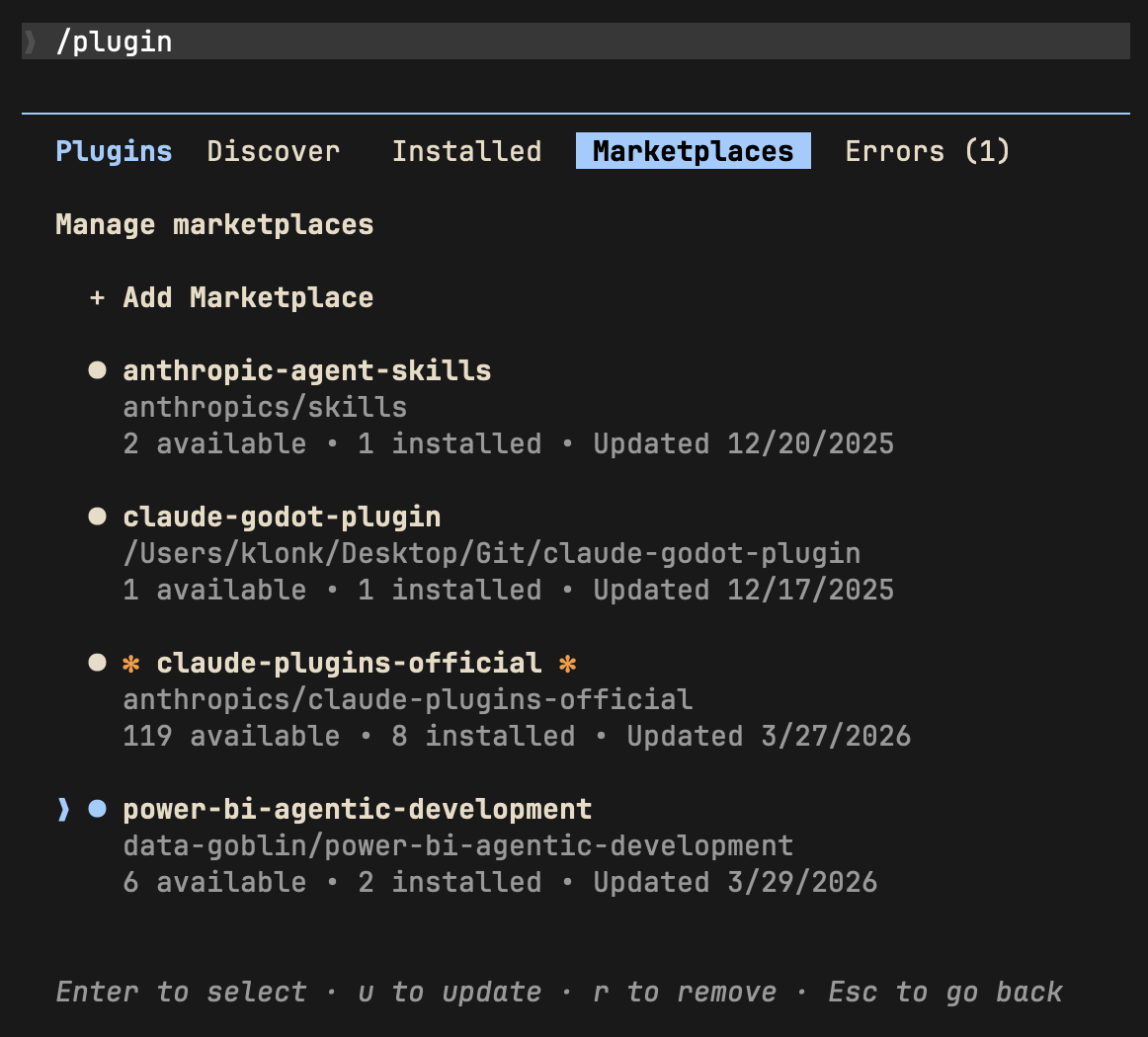 | 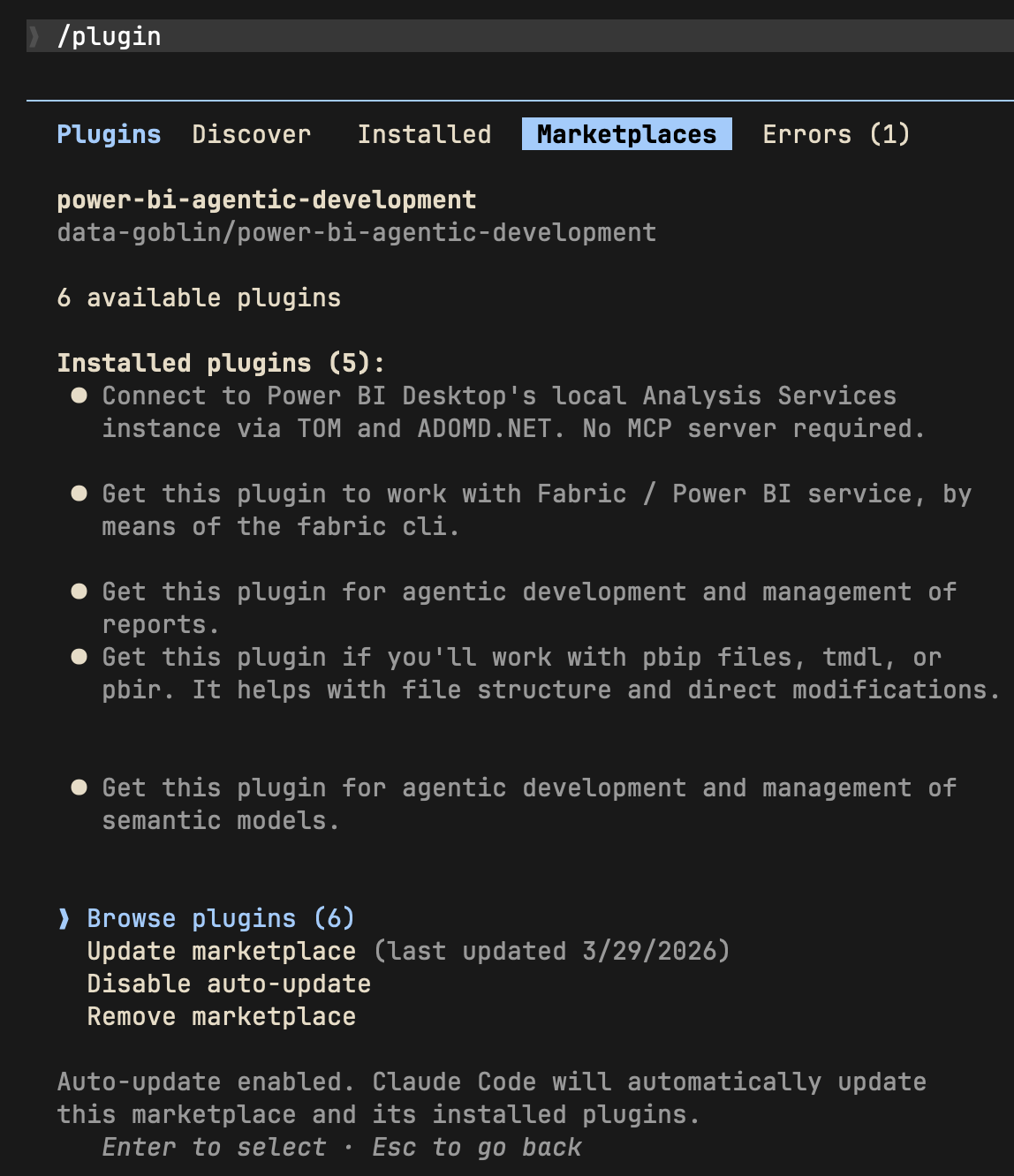 |
| Install plugins from the marketplace | Enable marketplace auto-update |
Alternative; add plugins via command line:
claude plugin install tabular-editor@power-bi-agentic-development
claude plugin install pbi-desktop@power-bi-agentic-development
claude plugin install semantic-models@power-bi-agentic-development
claude plugin install reports@power-bi-agentic-development
claude plugin install pbip@power-bi-agentic-development
claude plugin install fabric-cli@power-bi-agentic-development
The standalone Copilot CLI supports plugin installation from GitHub repos. Copilot CLI reads the same .claude-plugin/marketplace.json manifest this repo uses, so the marketplace and child-plugin layout works without modification.
TMDL files have a problem with repository-relative paths over 260 characters. Windows' legacy MAX_PATH blocks git clone from writing them unless long path support is enabled at both the OS and git level. Without this, copilot plugin install aborts with Filename too long.
Check useful-stuff/agent-scripts/enable-windows-longpaths.ps1 as an example of a script you can run from an elevated ps environment to enable long paths; there are other routes to do this that you can find online, too... just ask Copilot. A reboot is recommended after the registry change. This is a Windows OS limitation, documented at Maximum Path Length Limitation.
See also the below git config command:
git config --system core.longpaths true
This repository is an Anthropic-format plugin marketplace (a set of plugins), not a single distributable plugin, so the root .claude-plugin/ contains only marketplace.json. Two documented install paths work:
1. Register the marketplace once, then install named child plugins. Example:
copilot plugin marketplace add data-goblin/power-bi-agentic-development
copilot plugin install tabular-editor@power-bi-agentic-development
npx claudepluginhub federicopfund/power-bi-agentic-development --plugin reportsGet this plugin to work with Fabric / Power BI service, by means of the fabric cli.
 federicopfund
Fabric and Power BI administration; tenant settings audits, governance, delegated overrides, and Entra security group investigation. Requires the fabric-cli plugin.
federicopfundGet this plugin if you'll work with pbip files, tmdl, or pbir. It helps with file structure and direct modifications.
federicopfundAgentic development tools for Power BI semantic models with Tabular Editor.
federicopfundGet this plugin for agentic development and management of semantic models.
federicopfundAccess thousands of AI prompts and skills directly in your AI coding assistant. Search prompts, discover skills, save your own, and improve prompts with AI.
 f
fConsult multiple AI coding agents (Gemini, OpenAI, Grok, Perplexity, plus codex, antigravity, and grok CLIs when installed) to get diverse perspectives on coding problems
 hex
hexComplete developer toolkit for Claude Code
 rohitg00
Production-grade engineering skills for AI coding agents — covering the full software development lifecycle from spec to ship.
 addyosmani
Intelligent draw.io diagramming plugin with AI-powered diagram generation, multi-platform embedding (GitHub, Confluence, Azure DevOps, Notion, Teams, Harness), conditional formatting, live data binding, and MCP server integration for programmatic diagram creation and management.
 markus41
Evidence-gated AI coding workflow: scan → analyze → plan → TDD → execute → fix → verify → review, powered by Codebase Memory MCP >= 0.9.0 with optional Serena LSP intelligence. Includes blast-radius planning, test/cycle gates, independent review, and Windows Git Bash hook auto-resolution.
 datit309
'%20stop-opacity%3D'0.16'%2F%3E%3Cstop%20offset%3D'1'%20stop-color%3D'rgb(200%2C90%2C60)'%20stop-opacity%3D'0.03'%2F%3E%3C%2FlinearGradient%3E%3C%2Fdefs%3E%3Crect%20width%3D'320'%20height%3D'200'%20fill%3D'url(%23g)'%2F%3E%3Ccircle%20cx%3D'250'%20cy%3D'56'%20r%3D'92'%20fill%3D'rgb(200%2C90%2C60)'%20fill-opacity%3D'0.06'%2F%3E%3Ccircle%20cx%3D'64'%20cy%3D'172'%20r%3D'58'%20fill%3D'rgb(200%2C90%2C60)'%20fill-opacity%3D'0.05'%2F%3E%3C%2Fsvg%3E)