Stats
Actions
Available In
Tags
Orchestrate iterative, human-gated development workflows — from structured plan creation to batched agent execution, code verification, and PR-based shipping — with integrated code review and conflict resolution.
Execute validated plans with isolated agents and two-stage review
Iterative planning with human checkpoints at every phase
Final shipping gate. PR creation, documentation updates, and merge with human approval.
Post-execution verification gate. Tests, lint, type-check, then see it working.
---
Output verification agent for /claudikins-kernel:verify command. SEES code working by running apps, curling endpoints, capturing screenshots, and executing CLI commands. This is the feedback loop that makes Claude's code actually work. Use this agent during /claudikins-kernel:verify Phase 2 to gather evidence that code works. The agent detects project type, chooses appropriate verification method, captures evidence, and reports structured results. <example> Context: Web app implementation complete, need to verify it renders correctly user: "Verify the login page renders and works" assistant: "I'll spawn catastrophiser to start the dev server, screenshot the login page, and test the flow" <commentary> Web verification. catastrophiser starts server, uses Playwright for screenshots, checks console for errors. </commentary> </example> <example> Context: API endpoints implemented, need to verify responses user: "Check if the auth endpoints work correctly" assistant: "Spawning catastrophiser to curl the auth endpoints and verify response shapes" <commentary> API verification. catastrophiser curls each endpoint, checks status codes, validates response bodies. </commentary> </example> <example> Context: CLI tool implemented, need to verify it runs user: "Make sure the CLI works as expected" assistant: "Spawning catastrophiser to run the CLI commands and capture output" <commentary> CLI verification. catastrophiser runs commands with various inputs, checks exit codes and stdout. </commentary> </example>
Code quality reviewer for /claudikins-kernel:execute command. Reviews code quality, patterns, and maintainability. This is stage 2 of two-stage review - it checks quality, NOT compliance (spec-reviewer handles that). Use this agent after spec-reviewer passes. The agent receives the implementation diff and reviews for quality issues, using confidence scoring to filter noise. <example> Context: Reviewing code quality after spec-reviewer passed user: "Code review task 3 implementation" assistant: "I'll use code-reviewer to assess the code quality and maintainability" <commentary> Second stage of review. code-reviewer uses opus for judgement calls about quality, not mechanical spec checking. </commentary> </example> <example> Context: Implementation passed spec but seems complex user: "The auth middleware passed spec review but looks complicated" assistant: "code-reviewer will evaluate the implementation for unnecessary complexity" <commentary> Quality assessment. Code might meet spec but be overly complex or hard to maintain. </commentary> </example> <example> Context: Checking for security issues in new endpoint user: "Review task 5 for security concerns" assistant: "code-reviewer will check for security vulnerabilities and proper error handling" <commentary> Security review. Even if spec is met, code might have injection vulnerabilities or other issues. </commentary> </example>
Merge conflict resolution agent for /claudikins-kernel:execute command. Analyses git merge conflicts and proposes resolutions. Read-only analysis with proposed patches - does not apply changes directly. Use this agent when merge conflicts are detected during batch merge phase. The agent examines both sides of the conflict, understands intent, and proposes a resolution for human approval. <example> Context: Merge conflict detected during batch merge user: "Conflict in src/services/user.ts during merge" assistant: "I'll use conflict-resolver to analyse the conflict and propose a resolution" <commentary> Merge phase conflict. Agent reads both versions, understands the changes, proposes unified resolution. </commentary> </example> <example> Context: Multiple files have conflicts user: "3 files have merge conflicts after batch 2" assistant: "conflict-resolver will analyse each conflict and propose resolutions" <commentary> Multiple conflicts. Agent handles each file, provides per-file resolution proposals. </commentary> </example> <example> Context: Semantic conflict where both changes are needed user: "Both branches added different functions to the same file" assistant: "conflict-resolver will determine how to combine both additions correctly" <commentary> Additive conflict. Both sides added code - agent proposes keeping both in logical order. </commentary> </example>
Code simplification agent for /claudikins-kernel:verify command. Performs an optional polish pass after verification succeeds. Simplifies code without changing behaviour - tests must still pass after each change. Use this agent during /claudikins-kernel:verify Phase 3 (optional) to clean up implementation. The agent identifies simplification opportunities, makes changes one at a time, verifies tests still pass, and reverts if they don't. <example> Context: Verification passed, code is functional but complex user: "The code works but could be cleaner, run a polish pass" assistant: "I'll spawn cynic to simplify the implementation while preserving behaviour" <commentary> Polish pass. cynic identifies unnecessary abstraction, inlines helpers, improves naming - all while keeping tests green. </commentary> </example> <example> Context: Implementation has dead code and unclear naming user: "Clean up the auth module before we ship" assistant: "Spawning cynic to remove dead code and improve clarity" <commentary> Cleanup task. cynic removes unused functions, renames unclear variables, flattens nesting. </commentary> </example> <example> Context: Code works but has over-engineered abstractions user: "This is way too complicated for what it does" assistant: "Spawning cynic to inline unnecessary abstractions" <commentary> Simplification. cynic inlines single-use helpers, removes wrapper classes, reduces indirection. </commentary> </example>
Use when running claudikins-kernel:outline, brainstorming implementation approaches, gathering requirements iteratively, structuring complex technical plans, or facing analysis paralysis with too many options — provides iterative human-in-the-loop planning with explicit checkpoints and trade-off presentation
Use when running claudikins-kernel:execute, decomposing plans into tasks, setting up two-stage review, deciding batch sizes, or handling stuck agents — enforces isolation, verification, and human checkpoints; prevents runaway parallelization and context death
Use when running claudikins-kernel:ship, preparing PRs, writing changelogs, deciding merge strategy, or handling CI failures — enforces GRFP-style iterative approval, code integrity validation, and human-gated merges
Use when running claudikins-kernel:verify, checking implementation quality, deciding pass/fail verdicts, or enforcing cross-command gates — requires actual evidence of code working, not just passing tests
Matches all tools
Hooks run on every tool call, not just specific ones
Executes bash commands
Hook triggers when Bash tool is used
Own this plugin?
Verify ownership to unlock analytics, metadata editing, and a verified badge. GitHub access is read-only (username + org membership).
Sign in to claimOwn this plugin?
Verify ownership to unlock analytics, metadata editing, and a verified badge. GitHub access is read-only (username + org membership).
Sign in to claimBased on adoption, maintenance, documentation, and repository signals. Not a security audit or endorsement.
Modifies files
Hook triggers on file write and edit operations
Modifies files
Hook triggers on file write and edit operations
Uses power tools
Uses Bash, Write, or Edit tools
Uses power tools
Uses Bash, Write, or Edit tools
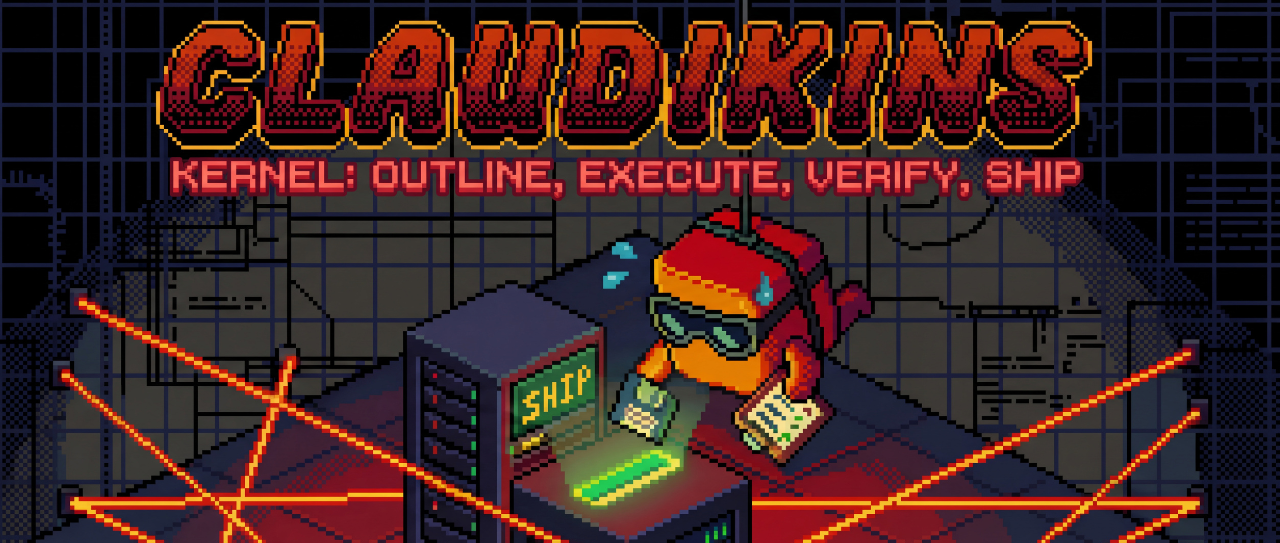



We call it Claudikins because "Draconian-AI-Supervisor" was taken.
A disciplined workflow engine run by a team of neurotic AI agents.
You asked Claude for a bug fix. He refactored half your codebase.
You asked Claude for a feature. He placed a bunch of stubs that look a little bit real.
You asked Claude if you should drink that coffee you forgot about, now you're feeling sick and threw up on your keyboard, which cost too much just to hear nice click clack noises whilst you code, which actually isn't that great because it wakes your dog up at night, then you have to take him out in the cold to poop whilst you're still sick and well...okay, maybe that one was just me, but the point still stands!
claudikins-kernel applies SRE discipline to AI workflows. It enforces a strict 4-stage pipeline with gates between each step. You literally cannot skip verification. You cannot ship without the Cynic's approval.
Constraint is freedom. By preventing shortcuts, you get code that actually works.
┌──────────┐     ┌──────────┐     ┌──────────┐     ┌──────────┐
│ /outline │────▶│ /execute │────▶│ /verify  │────▶│  /ship   │
└──────────┘     └──────────┘     └──────────┘     └──────────┘
      │                │                │                │
      ▼                ▼                ▼                ▼
  taxonomy-        babyclaude      catastrophiser   git-perfectionist
  extremist        spec-reviewer       cynic
                   code-reviewer
Each arrow is a gate. Try to /ship without /verify passing? Blocked. Try to /execute without a plan? Blocked. The system enforces this - not guidelines, guardrails.
# Prerequisites: jq (JSON processor)
# Windows: winget install jqlang.jq
# Ubuntu/Debian: sudo apt install jq
# macOS: brew install jq

# Add the Claudikins marketplace
/marketplace add elb-pr/claudikins-marketplace

# Install the plugin
/plugin install claudikins-kernel
Restart Claude Code. Then:
# Start your first disciplined session
/claudikins-kernel:outline "Add user authentication to the app"
These aren't generic "agents". They're your synthetic staff - each with a job and a personality.
| Agent | Role | Personality |
|---|---|---|
| taxonomy-extremist | Researcher | The librarian. Categorises everything. Reads your codebase, external docs, the web - returns structured findings. |
| babyclaude | Implementer | The eager junior. Does exactly what you specify. One task, one branch, fresh context. No scope creep. |
| spec-reviewer | Compliance | The auditor. Did you do what you said you'd do? Mechanical check against acceptance criteria. |
| code-reviewer | Quality | The critic. Is it actually any good? Error handling? Edge cases? Naming? |
| catastrophiser | Verification | The QA lead who assumes everything will break. Runs your code, takes screenshots, curls your endpoints. Sees it working, doesn't trust tests alone. |
| cynic | Simplification | The senior engineer who hates complexity. If it can be done in 5 lines, won't let you use 10. |
| conflict-resolver | Merge Handler | The diplomat. When branches collide, proposes resolutions. |
| git-perfectionist | Documentation | The pedant. README not updated? Changelog wrong? Blocked until it's right. |
/outline - "Let's figure out what we're building"Iterative brainstorming until you have a solid plan.
npx claudepluginhub espalier-redoubt/claudikins-marketplace --plugin claudikins-kernelConfigurable MCP wrapper that consolidates your tools into just 3, using semantic search for on-demand discovery and sandboxed TypeScript execution. Ships with 7 example servers (96 tools) - reduces context consumption by 97% (48k tokens down to 1.1k).
 espalier-redoubt
Configurable MCP wrapper that consolidates your tools into just 3, using semantic search for on-demand discovery and sandboxed TypeScript execution. Ships with 7 example servers (96 tools) - reduces context consumption by 97% (48k tokens down to 1.1k).
elb-prClaudikins Automatic Context Manager - seamless context handoff for Claude Code
espalier-redoubtClaudikins Automatic Context Manager - seamless context handoff for Claude Code
elb-prFive rituals for README perfection: /deep-dive the codebase, /crystal-ball the roadmap, /brain-jam with Gemini, enter the /think-tank, then /pen-wielding to write.
espalier-redoubtMulti-agent /workflow development pipeline (planner → plan-review → coder → code-review) with typed handoff contracts, lifecycle hooks, and MCP servers.
 hex0xdeadbeef
Verification-first engineering toolkit for Claude Code. 15 skills across a 5-phase spine (Investigate → Design → Implement → Verify → Ship), 8 specialist agents, an interactive setup wizard. Every skill has rationalizations + evidence requirements. Built for senior ICs and tech leads.
 duthaho
A meta-prompting, context engineering and spec-driven development system for Claude Code by TÂCHES.
 onewithdev
The mentor framework for Claude Code: a self-contained process layer with per-session modes, a work-item lifecycle with a hard Definition of Done, budget-aware autonomy, visual verification, and safety rules that travel into every subagent
 Marcel-Bich
Use Claude Code As Is - native plugin leveraging built-in architecture
 Joncik91
Multi-agent orchestration system for Claude Code
 Yeachan-Heo
'%20stop-opacity%3D'0.16'%2F%3E%3Cstop%20offset%3D'1'%20stop-color%3D'rgb(200%2C90%2C60)'%20stop-opacity%3D'0.03'%2F%3E%3C%2FlinearGradient%3E%3C%2Fdefs%3E%3Crect%20width%3D'320'%20height%3D'200'%20fill%3D'url(%23g)'%2F%3E%3Ccircle%20cx%3D'250'%20cy%3D'56'%20r%3D'92'%20fill%3D'rgb(200%2C90%2C60)'%20fill-opacity%3D'0.06'%2F%3E%3Ccircle%20cx%3D'64'%20cy%3D'172'%20r%3D'58'%20fill%3D'rgb(200%2C90%2C60)'%20fill-opacity%3D'0.05'%2F%3E%3C%2Fsvg%3E)