Stats
Actions
Available In
Tags

Extract content from closed web platforms (GoDaddy Websites & Marketing, Hostinger, HubSpot, Shopify, Squarespace, Webflow, Weebly, Wix) into WordPress-compatible WXR files. Inspect, extract, QA, and import to WordPress.
Build a new platform adapter to extract content from an unsupported platform
Debug failed or low-quality extractions by analyzing logs and probing the source site
Import a WXR file to WordPress via the REST API
Inspect a website before extraction — detect platform, scan sitemap, assess extractability, flag platform-specific features
Extract content from a website into a WordPress-compatible WXR file
Guidelines for modifying existing WordPress block themes — load this before editing theme files
Guidelines and examples for generating WordPress block patterns — load this when creating patterns for themes
Build a new platform adapter to extract content from an unsupported platform (Blogger, Ghost, Tumblr, etc.)
Compose a single liberated page's WordPress block-editor markup from its rendered HTML and screenshot. Inputs are a sanitized HTML file, a desktop screenshot, the design-foundation tokens, the URL's archetype (page/post/product/etc.), and the source URL. Output is a string of valid block markup that round-trips through parse_blocks, uses theme tokens (no inlined hex colors), and contains only text drawn from the source HTML. Call per-page during the streaming watch loop after extraction has produced HTML+screenshot for that URL. Use when a freshly-imported page needs `post_content` upgraded from raw HTML into block-editor markup so the replica theme's tokens, gradients, and patterns actually render.
Templates and guidelines for creating new WordPress blocks from scratch — load this before generating block files
Admin access level
Server config contains admin-level keywords
Own this plugin?
Verify ownership to unlock analytics, metadata editing, and a verified badge. GitHub access is read-only (username + org membership).
Sign in to claimOwn this plugin?
Verify ownership to unlock analytics, metadata editing, and a verified badge. GitHub access is read-only (username + org membership).
Sign in to claimBased on adoption, maintenance, documentation, and repository signals. Not a security audit or endorsement.
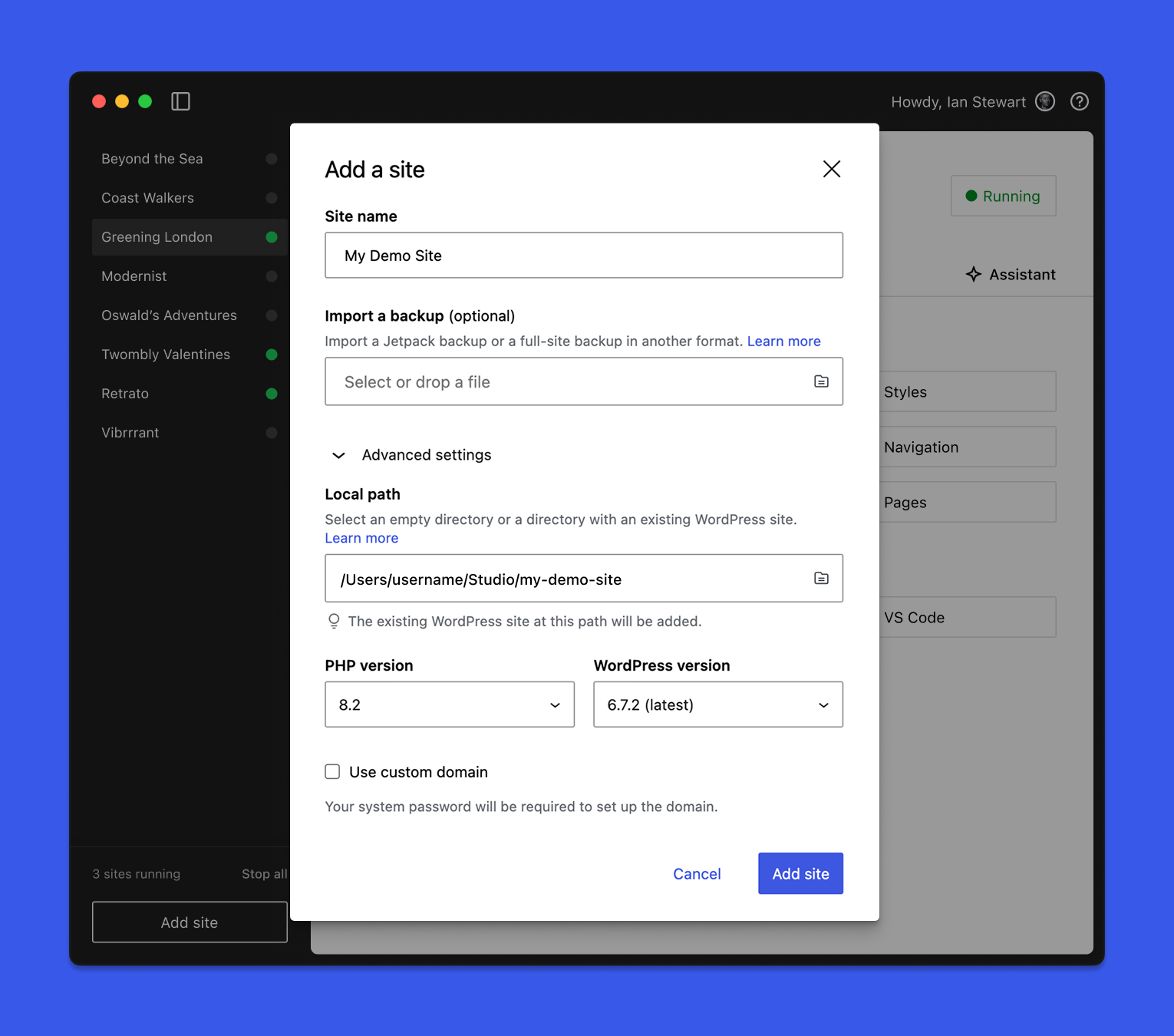
WordPress Studio is an open source desktop application for creating and managing WordPress sites and testing and building plugins and themes locally. Powered by WordPress Playground and WordPress.com, it streamlines modern WordPress development workflows and requires no external dependencies.
Spin up sites in seconds, sync with WordPress.com or Pressable, or import any WordPress site to work on it locally. Use the Studio CLI to access WordPress Studio features outside the desktop application. Share live preview links with clients, and collaborate with the built-in Studio Code assistant that runs WP-CLI commands natively.
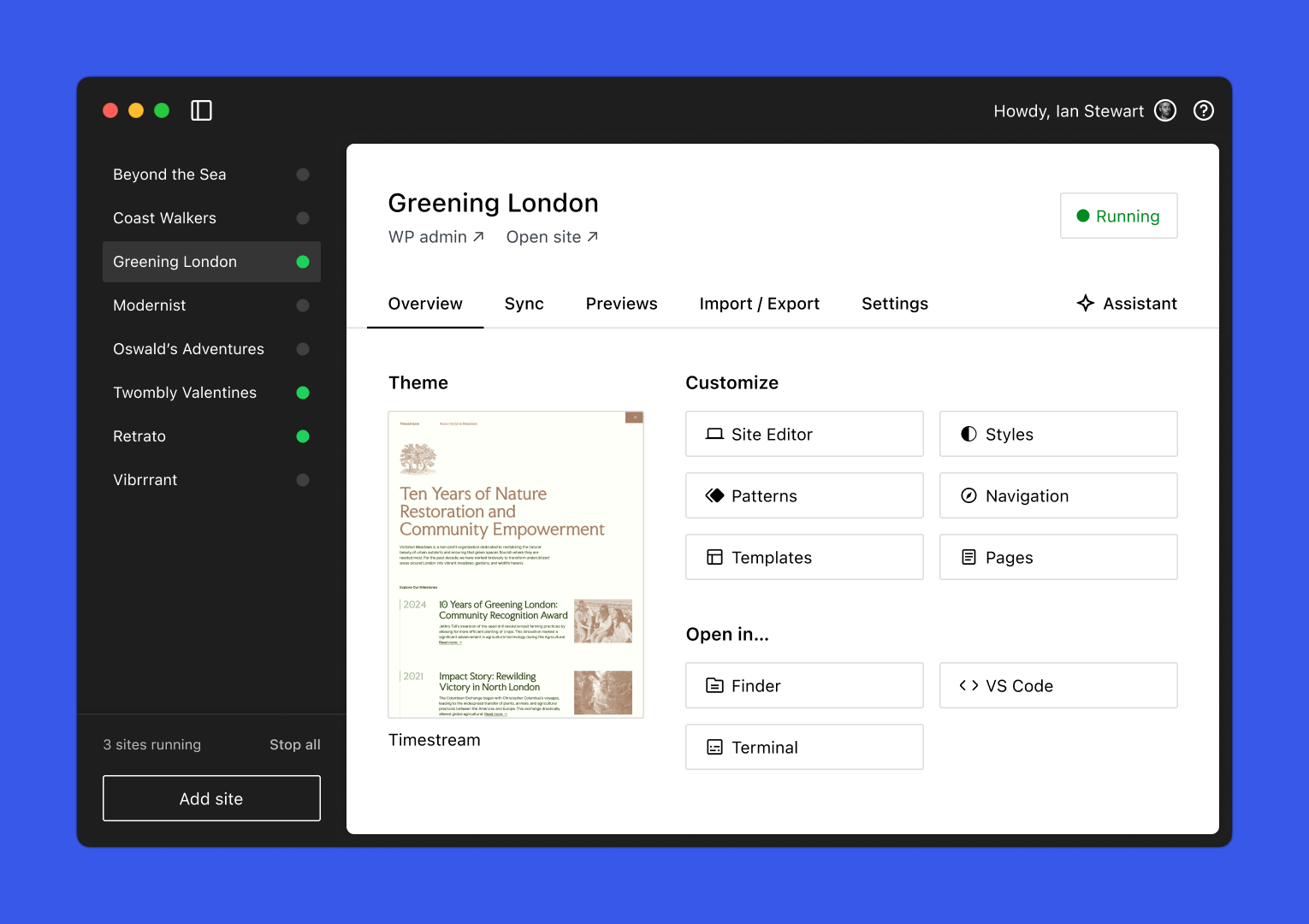
WordPress Studio is free to use for Mac, Windows, and Linux. Simply download the app to start building and testing — no dependencies required.
Download WordPress Studio for:
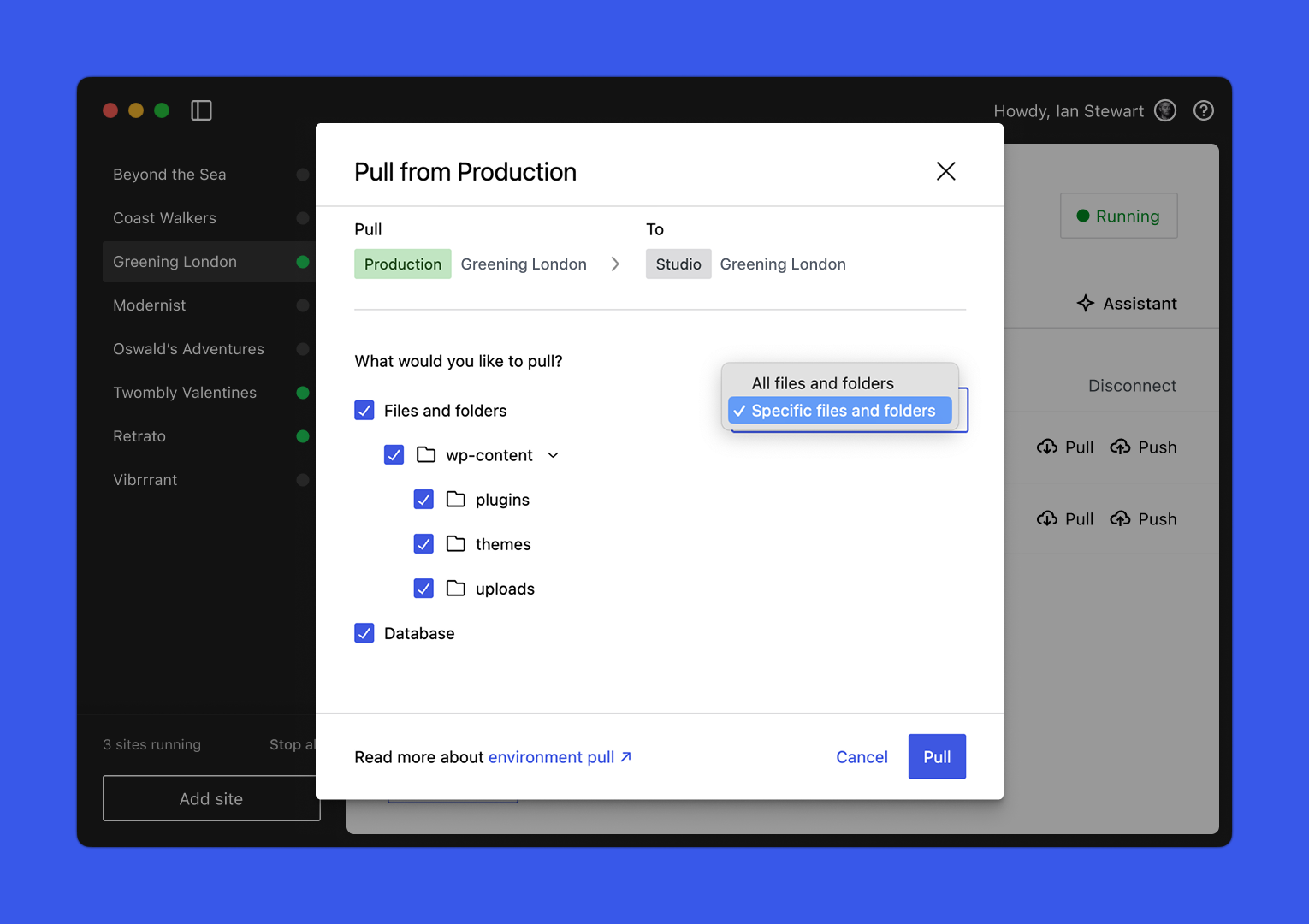
Push updates or pull down a WordPress.com or Pressable production or staging site with just a few clicks. Choose exactly which parts of your site to sync, like specific plugins, standalone themes, or the database, so you’re always in control. Learn more about Studio Sync →
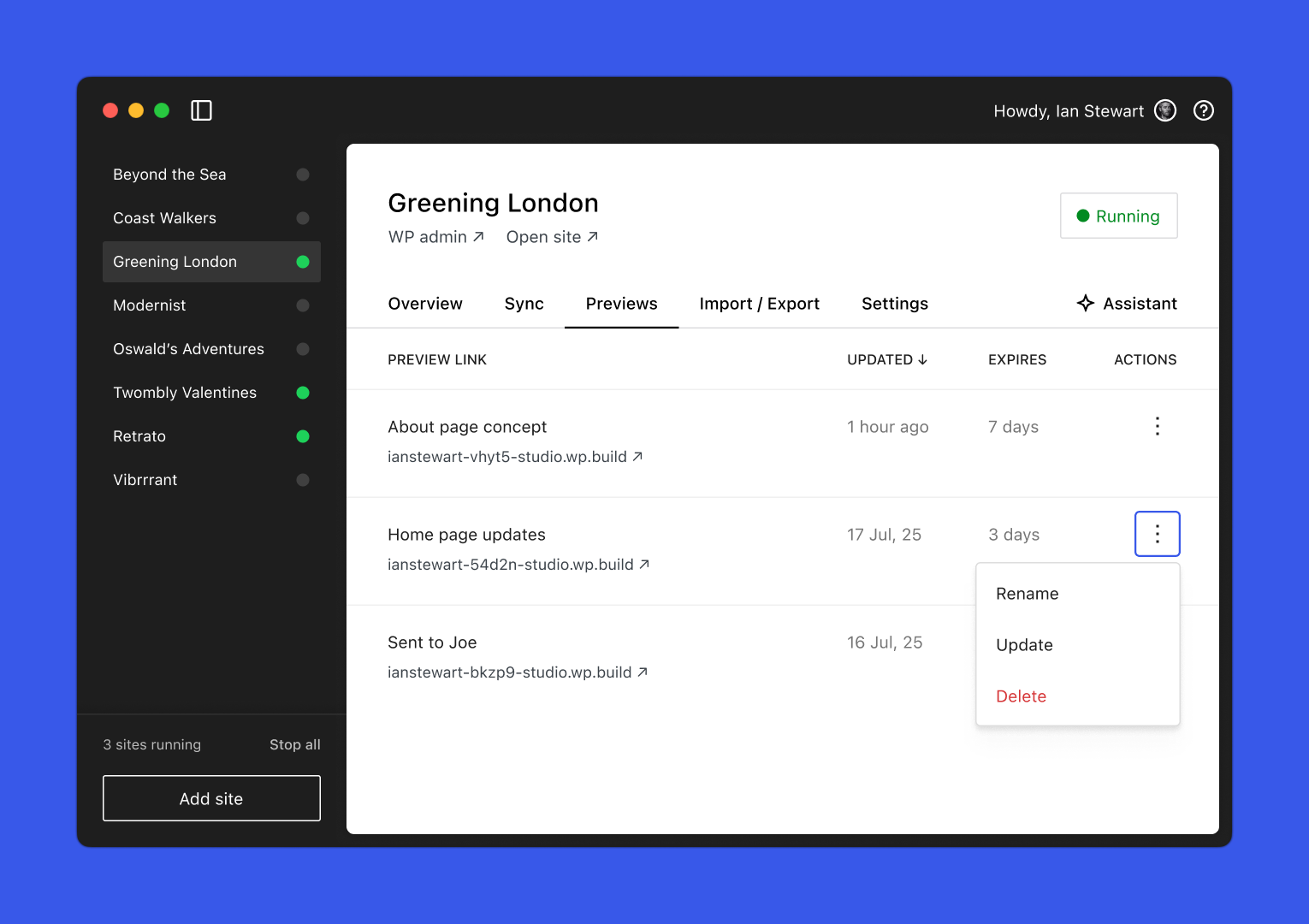
Preview, polish, then hand it off. Share a stable, cloud-hosted preview link that your clients or team can access at any time. Preview sites expire after seven days without updates. Learn more about Preview Sites →
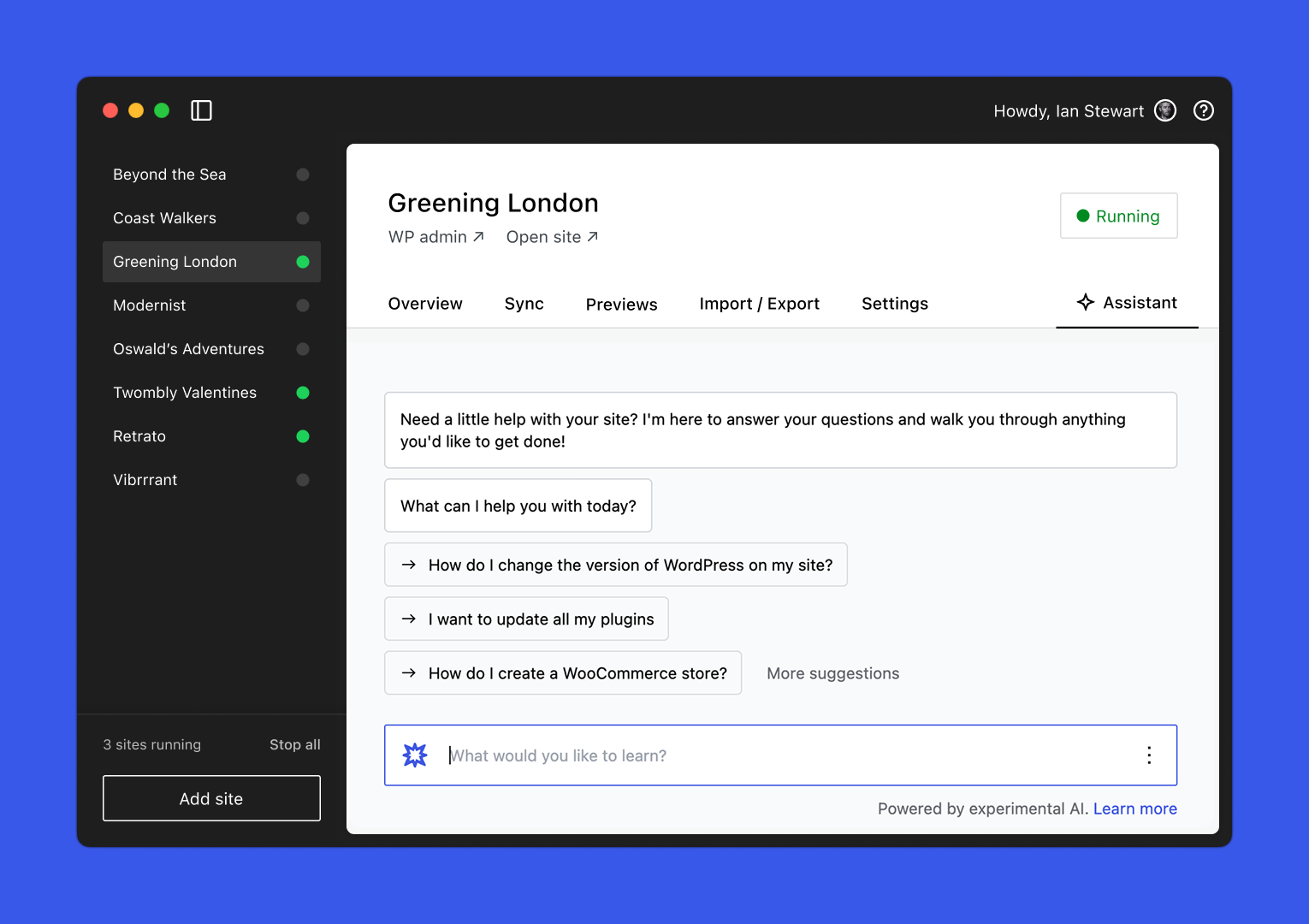
Skip the repetitive setup and ask Studio Code to install plugins, create pages, or run WP-CLI commands without leaving the app or searching for syntax. Learn more about Studio Code →
Studio stays aligned with the latest innovations in WordPress development, giving you early access to cutting-edge tools, version support, and experimental features without needing to configure anything manually or run any dependencies.
We’d love to hear about your experience using Studio. If you have questions, suggestions, or run into issues, reach out to our Happiness Engineers. Because Studio is open source, you can also:
For details, please see our Contributing Guidelines and Code Contributions guide.
WordPress Studio is GPLv2 licensed.
npx claudepluginhub edisplay/automatic-studio --plugin data-liberationAutonomous /loop-driven task completion with learning, prediction, and progress tracking — wraps 10 autopilot_* MCP tools (status/enable/disable/config/reset/log/progress/learn/history/predict)
 edisplay
Session-as-skill browser automation: Playwright + RVF cognitive containers + ruvector trajectories + AgentDB selector memory + AIDefence PII/injection gates
edisplayDocumentation generation, API docs (JSDoc/TSDoc/OpenAPI), and drift detection — drives the `document` background worker via hooks_worker-dispatch; uses Haiku model for cost-efficient docs work
edisplaySubstrate plugin for Ruflo memory: AgentDB controller bridge (15 agentdb_* MCP tools), RuVector ONNX embeddings (10 embeddings_* tools incl. RaBitQ 32x quantization), and WASM HNSW pattern router (3 ruvllm_hnsw_* tools)
edisplayTest gap detection, coverage analysis, and automated test generation — drives the testgaps background worker via hooks_worker-dispatch; SPARC Refinement-phase canonical owner
edisplayComprehensive skill pack with 66 specialized skills for full-stack developers: 12 language experts (Python, TypeScript, Go, Rust, C++, Swift, Kotlin, C#, PHP, Java, SQL, JavaScript), 10 backend frameworks, 6 frontend/mobile, plus infrastructure, DevOps, security, and testing. Features progressive disclosure architecture for 50% faster loading.
 Jeffallan
Complete creative writing suite with 10 specialized agents covering the full writing process: research gathering, character development, story architecture, world-building, dialogue coaching, editing/review, outlining, content strategy, believability auditing, and prose style/voice analysis. Includes genre-specific guides, templates, and quality checklists.
 greyhaven-ai
A growing collection of Claude-compatible academic workflow bundles. Covers scientific figures, manuscript writing and polishing, reviewer assessment, citation retrieval, data availability, paper reading, literature search, response letters, paper-to-PPTX conversion, and evidence-grounded Chinese invention patent drafting. Rules are organized as reusable skill folders with explicit workflows and quality checks.
 Yuan1z0825
Tools to maintain and improve CLAUDE.md files - audit quality, capture session learnings, and keep project memory current.
 anthropics
Intelligent draw.io diagramming plugin with AI-powered diagram generation, multi-platform embedding (GitHub, Confluence, Azure DevOps, Notion, Teams, Harness), conditional formatting, live data binding, and MCP server integration for programmatic diagram creation and management.
 markus41
Evidence-gated AI coding workflow: scan → analyze → plan → TDD → execute → fix → verify → review, powered by Codebase Memory MCP >= 0.9.0 with optional Serena LSP intelligence. Includes blast-radius planning, test/cycle gates, independent review, and Windows Git Bash hook auto-resolution.
 datit309
'%20stop-opacity%3D'0.16'%2F%3E%3Cstop%20offset%3D'1'%20stop-color%3D'rgb(200%2C90%2C60)'%20stop-opacity%3D'0.03'%2F%3E%3C%2FlinearGradient%3E%3C%2Fdefs%3E%3Crect%20width%3D'320'%20height%3D'200'%20fill%3D'url(%23g)'%2F%3E%3Ccircle%20cx%3D'250'%20cy%3D'56'%20r%3D'92'%20fill%3D'rgb(200%2C90%2C60)'%20fill-opacity%3D'0.06'%2F%3E%3Ccircle%20cx%3D'64'%20cy%3D'172'%20r%3D'58'%20fill%3D'rgb(200%2C90%2C60)'%20fill-opacity%3D'0.05'%2F%3E%3C%2Fsvg%3E)
