Stats
Actions
Available In
Tags

Process YouTube videos into structured documentation: transcripts, summaries, infographics, audio, video, and WCAG-compliant captions, with multi-model AI support and optional translation.
Generate a summary and infographic for a YouTube video.
(Kitchen Sink) Process a YouTube video with all features (summary, Q&A, infographic, audio, and video).
Suggest WCAG 2.1 / Section 508 corrected captions for a YouTube video.
Comprehensive suite for processing YouTube videos. Use this when the user needs to: (1) Extract transcripts, (2) Generate visual infographics, (3) Create audio summaries (TTS) and videos, or (4) Perform full 'kitchen sink' processing of YouTube content.
(YouTube transcript) Extract only the YouTube transcript for a given video.

Click on the image below to see a demo of YouTube to docs:
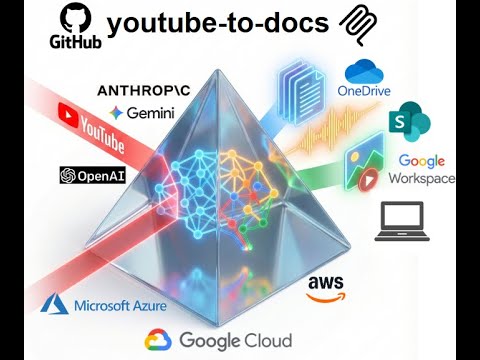
Convert YouTube videos into structured docs, summaries, audio, and visual assets for easier discovery.
View all available CLI options:
uvx youtube-to-docs --help
To keep the installation light, some features are optional. You can enable them by specifying "extras":
audio: Required for TTS and audio processing (uses yt-dlp).video: Required for video generation (uses static-ffmpeg).workspace: Required for Google Drive integration.m365: Required for Microsoft SharePoint/OneDrive integration.huggingface: Required for storing artifacts to a Hugging Face dataset (uses huggingface_hub).aws: AWS Bedrock support.azure: Required for Azure OpenAI models.gcp: Required for Google Gemini, Vertex AI models, and GCP Cloud TTS (uses google-genai and google-cloud libs).app: Web app with browser-based UI (uses fastapi, uvicorn).all: Installs everything.Example: Run with audio and video support
uvx --with "youtube-to-docs[audio,video]" youtube-to-docs ...
Example: Run with everything
uvx --with "youtube-to-docs[all]" youtube-to-docs ...
Note: The commands above require uv. You can install it via:
curl -LsSf https://astral.sh/uv/install.sh | shpowershell -ExecutionPolicy ByPass -c "irm https://astral.sh/uv/install.ps1 | iex"Install as a Gemini CLI extension:
gemini extensions install https://github.com/DoIT-Artificial-Intelligence/youtube-to-docs.git
Install as a Claude Code plugin:
/plugin marketplace add DoIT-Artificial-Intelligence/youtube-to-docs
/plugin install youtube-to-docs@youtube-to-docs
Run as a web app:
uvx --from "youtube-to-docs[all]" youtube-to-docs-app
Then open http://localhost:8000 in your browser. See the Web App docs for details.
Install as an MCP server for Claude Code:
claude mcp add youtube-to-docs -- uvx --with "youtube-to-docs[all]" python -m youtube_to_docs.mcp_server
Created with the help of AI. All artifacts have been checked and work as expected.
Own this plugin?
Verify ownership to unlock analytics, metadata editing, and a verified badge. GitHub access is read-only (username + org membership).
Sign in to claimOwn this plugin?
Verify ownership to unlock analytics, metadata editing, and a verified badge. GitHub access is read-only (username + org membership).
Sign in to claimBased on adoption, maintenance, documentation, and repository signals. Not a security audit or endorsement.
npx claudepluginhub doit-artificial-intelligence/youtube-to-docsConvert YouTube videos into structured docs, summaries, audio, and visual assets for easier discovery.
 DoIT-Artificial-Intelligence
Convert YouTube videos into structured docs, summaries, audio, and visual assets for easier discovery.
DoIT-Artificial-IntelligenceDownload videos from 1800+ platforms and generate AI summaries with complete resource packages
 liang121
Turn any video into a section-by-section study-notes markdown file with embedded screenshots and a timestamped transcript.
 devinilabs
Download YouTube videos with quality presets. Use for: download youtube, yt download, video download, youtube to whatsapp, youtube mp3.
 aviz85
Compose yt-dlp + ffmpeg + Whisper into a single command that hands an AI agent the raw materials to watch any social video — VIDEO + FRAMES + TRANSCRIPT, ready for an LLM to read frames as images and transcript as text.
 sonpiaz
Summarize videos, audio, and podcasts via BibiGPT CLI directly in the terminal
 JimmyLv
'%20stop-opacity%3D'0.16'%2F%3E%3Cstop%20offset%3D'1'%20stop-color%3D'rgb(200%2C90%2C60)'%20stop-opacity%3D'0.03'%2F%3E%3C%2FlinearGradient%3E%3C%2Fdefs%3E%3Crect%20width%3D'320'%20height%3D'200'%20fill%3D'url(%23g)'%2F%3E%3Ccircle%20cx%3D'250'%20cy%3D'56'%20r%3D'92'%20fill%3D'rgb(200%2C90%2C60)'%20fill-opacity%3D'0.06'%2F%3E%3Ccircle%20cx%3D'64'%20cy%3D'172'%20r%3D'58'%20fill%3D'rgb(200%2C90%2C60)'%20fill-opacity%3D'0.05'%2F%3E%3C%2Fsvg%3E)