Stats
Actions
Available In
Tags
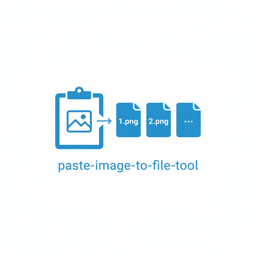



A CLI tool that saves clipboard images to numbered PNG files. Copy a screenshot, run the tool, and images are saved as 1.png, 2.png, etc.
This tool pairs beautifully with the gemini-ocr-tool where you can first create bulk screenshots with this tool, then bulk ocr these screenshots to text for postprocessing, eg. if you want to make quizzes with the markdown-quiz-exporter-tool, but there are many other uses as well.
# Install
uv tool install .

# Run (auto mode - polls clipboard for new images)
paste-image-to-file-tool

# Output:
# waiting for paste (auto mode, Ctrl+C to stop)
# writing 1.png
# waiting for paste
# writing 2.png
1.png, 2.png, ...)-m)-v/-vv/-vvv)git clone https://github.com/dnvriend/paste-image-to-file-tool.git
cd paste-image-to-file-tool
uv tool install .
paste-image-to-file-tool --version
# Auto mode (default)
paste-image-to-file-tool

# Manual mode - press Enter to save
paste-image-to-file-tool -m

# With verbose logging
paste-image-to-file-tool -v      # INFO level
paste-image-to-file-tool -vv     # DEBUG level

# With telemetry
paste-image-to-file-tool --telemetry

# Show help
paste-image-to-file-tool --help
| Topic | Description |
|---|---|
| Logging | Multi-level verbosity and file logging |
| Telemetry | OpenTelemetry observability setup |
| Shell Completion | Bash, zsh, and fish completion |
| Security | Security scanning tools |
| Development | Development setup and commands |
git checkout -b feature/amazing-feature)make pipeline)MIT License - see LICENSE for details.
Dennis Vriend - @dnvriend
Own this plugin?
Verify ownership to unlock analytics, metadata editing, and a verified badge. GitHub access is read-only (username + org membership).
Sign in to claimOwn this plugin?
Verify ownership to unlock analytics, metadata editing, and a verified badge. GitHub access is read-only (username + org membership).
Sign in to claimBased on adoption, maintenance, documentation, and repository signals. Not a security audit or endorsement.
npx claudepluginhub dnvriend/paste-image-to-file-tool --plugin paste-image-to-file-toolA CLI tool that loads images, sends a prompt to ollama to invoke deepseek-ocr and instructs it to return the image as markdown
 dnvriend
Claude Code Scheduler
dnvriendvector rag gui
dnvriendGenerate images using Google Gemini with AI prompt optimization, cost tracking, and multi-turn conversations
dnvriendA CLI that provides text-to-speech using kokoro
 dnvriend
Drop the current clipboard (text or image) into Claude Code with /dd or /ㅇㅇ — no pasting.
 fivetaku
Auto-resize oversized screenshots to prevent Claude API dimension errors and session corruption
Download, export, save, or package images from a Google Gemini conversation page — uploaded images or generated image previews. Use when the task needs logged-in Chrome/Gemini state, opening Gemini image lightboxes, downloading the larger displayed files, renaming them in order, and producing a ZIP archive.
 daymade
Development tools and documentation for building applications with the Claude Agent SDK
 emdashcodes
Upload images and media files to S3, auto-trigger after Playwright screenshots
 dapi
dapiUse when the user explicitly asks for a desktop or system screenshot (full screen, specific app or window, or a pixel region), or when tool-specific capture capabilities are unavailable and an OS-level capture is needed. Originally from OpenAI's curated skills catalog.
 trailofbits
'%20stop-opacity%3D'0.16'%2F%3E%3Cstop%20offset%3D'1'%20stop-color%3D'rgb(200%2C90%2C60)'%20stop-opacity%3D'0.03'%2F%3E%3C%2FlinearGradient%3E%3C%2Fdefs%3E%3Crect%20width%3D'320'%20height%3D'200'%20fill%3D'url(%23g)'%2F%3E%3Ccircle%20cx%3D'250'%20cy%3D'56'%20r%3D'92'%20fill%3D'rgb(200%2C90%2C60)'%20fill-opacity%3D'0.06'%2F%3E%3Ccircle%20cx%3D'64'%20cy%3D'172'%20r%3D'58'%20fill%3D'rgb(200%2C90%2C60)'%20fill-opacity%3D'0.05'%2F%3E%3C%2Fsvg%3E)