Stats
Actions
Available In
Tags

Query and manage Faultline error groups, occurrences, and APM traces directly from Claude Code — investigate exceptions with full backtraces and local variables, resolve or ignore errors, spot regressions after deploys, and file GitHub issues from error context.
Apply one action (resolve/unresolve/ignore/delete) to many Faultline error groups in a single call.
Diff several occurrences of the same Faultline error group to see what varies between them.
Investigate a specific Faultline error group with full occurrence detail.
Investigate Rails production errors using the Faultline MCP server. Use when the user mentions a production exception, asks to look at recent errors, debugs a specific error group/occurrence, or wants to trace a slow endpoint.
Permanently delete a Faultline error group and all of its occurrences. Destructive and irreversible.
Own this plugin?
Verify ownership to unlock analytics, metadata editing, and a verified badge. GitHub access is read-only (username + org membership).
Sign in to claimOwn this plugin?
Verify ownership to unlock analytics, metadata editing, and a verified badge. GitHub access is read-only (username + org membership).
Sign in to claimBased on adoption, maintenance, documentation, and repository signals. Not a security audit or endorsement.
This plugin requires configuration values that are prompted when the plugin is enabled. Sensitive values are stored in your system keychain.
faultline_urlBase URL of your Faultline mount, including the engine path. Example: http://localhost:3000/faultline (no trailing slash). The plugin appends /mcp.
${user_config.faultline_url}faultline_tokenOne of the tokens you set in config.mcp_tokens in your Faultline initializer.
${user_config.faultline_token}
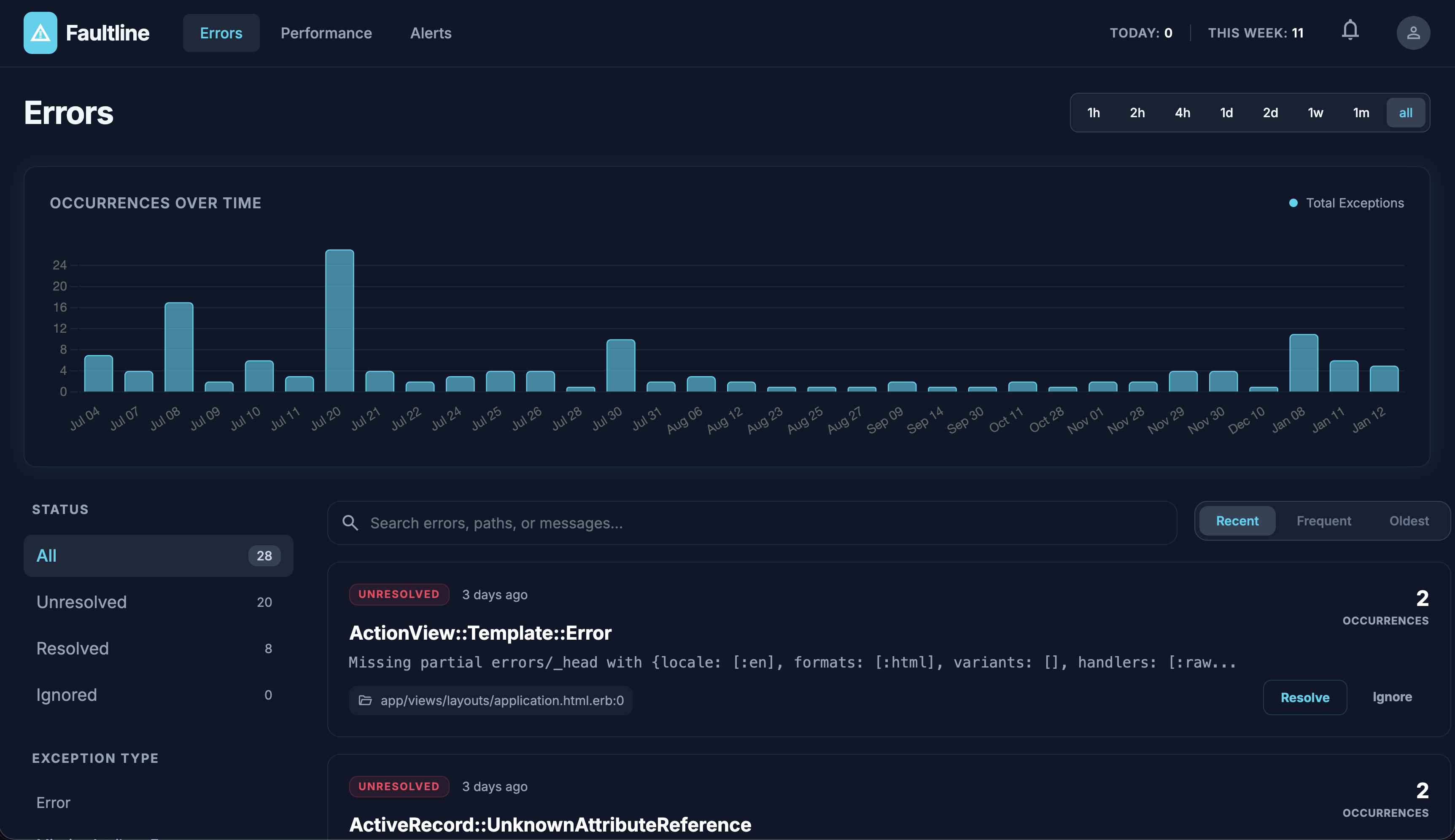
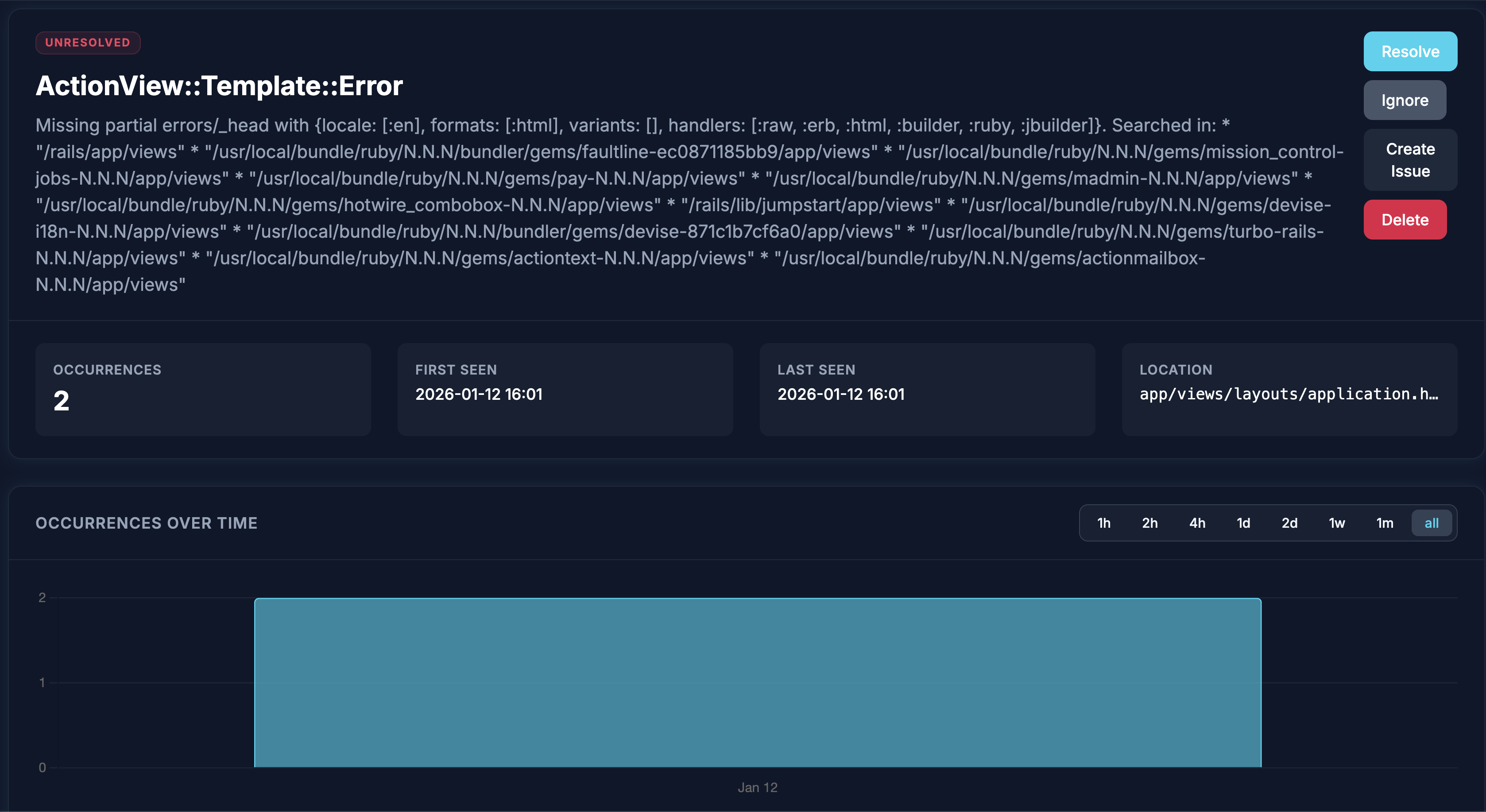
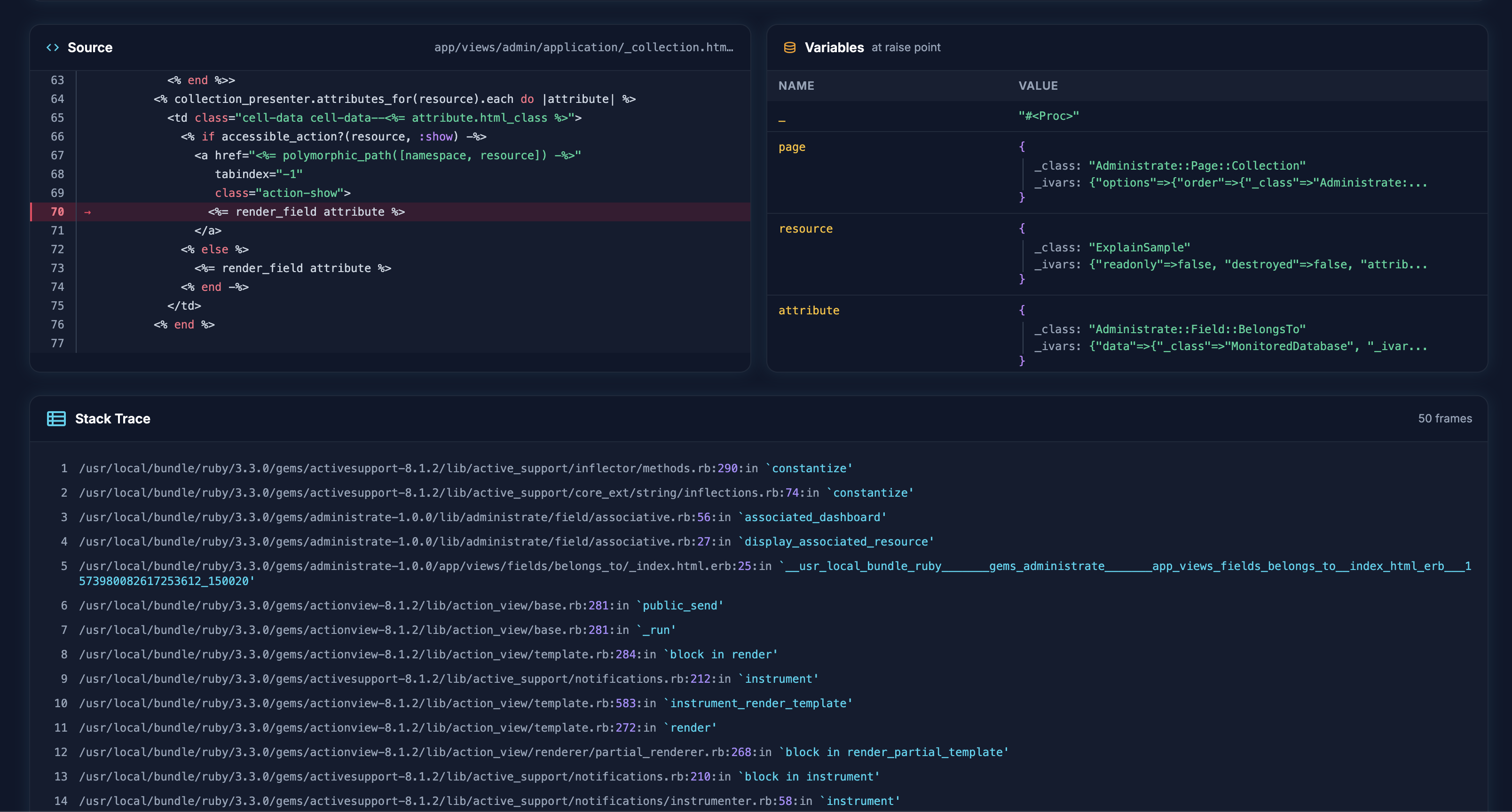
A self-hosted error tracking engine for Rails 8+ applications. Track errors, get notified, and resolve issues—all without external services.
Add to your Gemfile:
gem "faultline", git: "https://github.com/dlt/faultline.git"

# Or from RubyGems (when published)
# gem "faultline"
Run the installer:
bundle install
rails generate faultline:install
rails db:migrate
Edit config/initializers/faultline.rb:
Faultline.configure do |config|
  # Devise with admin role
  config.authenticate_with = lambda { |request|
    user = request.env["warden"]&.user
    user&.admin?
  }

  # Or any authenticated user
  config.authenticate_with = lambda { |request|
    request.env["warden"]&.authenticated?
  }
end
Create GitHub issues directly from the error dashboard with full context including stack traces, local variables, and source code snippets.
# Store in credentials: rails credentials:edit
# faultline:
#   github:
#     token: "ghp_xxxxx"

config.github_repo = "your-org/your-repo"
config.github_token = Rails.application.credentials.dig(:faultline, :github, :token)
config.github_labels = ["bug", "faultline"]  # default labels for created issues
Notifications are optional. Faultline will track all errors and display them in the dashboard regardless of whether any notifiers are configured. Add notifiers only if you want to be alerted when errors occur.
# Store in credentials: rails credentials:edit
# faultline:
#   resend:
#     api_key: "re_xxxxx"

config.add_notifier(
  Faultline::Notifiers::Resend.new(
    api_key: Rails.application.credentials.dig(:faultline, :resend, :api_key),
    from: "[email protected]",
    to: "[email protected]"  # or array: ["[email protected]", "[email protected]"]
  )
)
Use your app's existing mail configuration (SMTP, SendGrid, Postmark, Mailgun, etc.) without any external API:
config.add_notifier(
  Faultline::Notifiers::Email.new(
    to: ["[email protected]", "[email protected]"],
    from: "[email protected]"  # optional, defaults to ActionMailer default
  )
)
Emails are sent asynchronously via deliver_later, so Active Job must be configured. The email includes:
# Store in credentials: rails credentials:edit
# faultline:
#   telegram:
#     bot_token: "your-bot-token"
#     chat_id: "your-chat-id"
#     message_thread_id: 123 # optional, for forum topics

config.add_notifier(
  Faultline::Notifiers::Telegram.new(
    bot_token: Rails.application.credentials.dig(:faultline, :telegram, :bot_token),
    chat_id: Rails.application.credentials.dig(:faultline, :telegram, :chat_id),
    message_thread_id: Rails.application.credentials.dig(:faultline, :telegram, :message_thread_id)
  )
)
npx claudepluginhub dlt/faultline --plugin faultlineSentry error monitoring integration. Access error reports, analyze stack traces, search issues by fingerprint, and debug production errors directly from your development environment.
 getsentry
Monitor and debug production errors by integrating Sentry error tracking and performance monitoring into AI workflows.
getsentryBugsnag API integration: view and manage errors, organizations, projects
 dapi
dapiMonitor and analyze application error rates
 jeremylongshore
Error tracing, root cause analysis, and smart debugging for production systems
 wshobson
Intelligent error tracking and solution recall system. Learns from every error you solve, providing instant access to past solutions with multi-level matching and confidence scores.
 mwguerra
'%20stop-opacity%3D'0.16'%2F%3E%3Cstop%20offset%3D'1'%20stop-color%3D'rgb(200%2C90%2C60)'%20stop-opacity%3D'0.03'%2F%3E%3C%2FlinearGradient%3E%3C%2Fdefs%3E%3Crect%20width%3D'320'%20height%3D'200'%20fill%3D'url(%23g)'%2F%3E%3Ccircle%20cx%3D'250'%20cy%3D'56'%20r%3D'92'%20fill%3D'rgb(200%2C90%2C60)'%20fill-opacity%3D'0.06'%2F%3E%3Ccircle%20cx%3D'64'%20cy%3D'172'%20r%3D'58'%20fill%3D'rgb(200%2C90%2C60)'%20fill-opacity%3D'0.05'%2F%3E%3C%2Fsvg%3E)