
Turn any Python function into a web app with a single decorator ⚡






- Documentation: docs.fastdash.app
- Source: github.com/dkedar7/fast_dash
- Install:
pip install fast-dash
- Claude Code users:
/plugin marketplace add dkedar7/fast_dash then /plugin install fast-dash@fast-dash to load the Fast Dash skill — agents will pick it up automatically when you ask them to "turn this function into a web app".
What is Fast Dash?
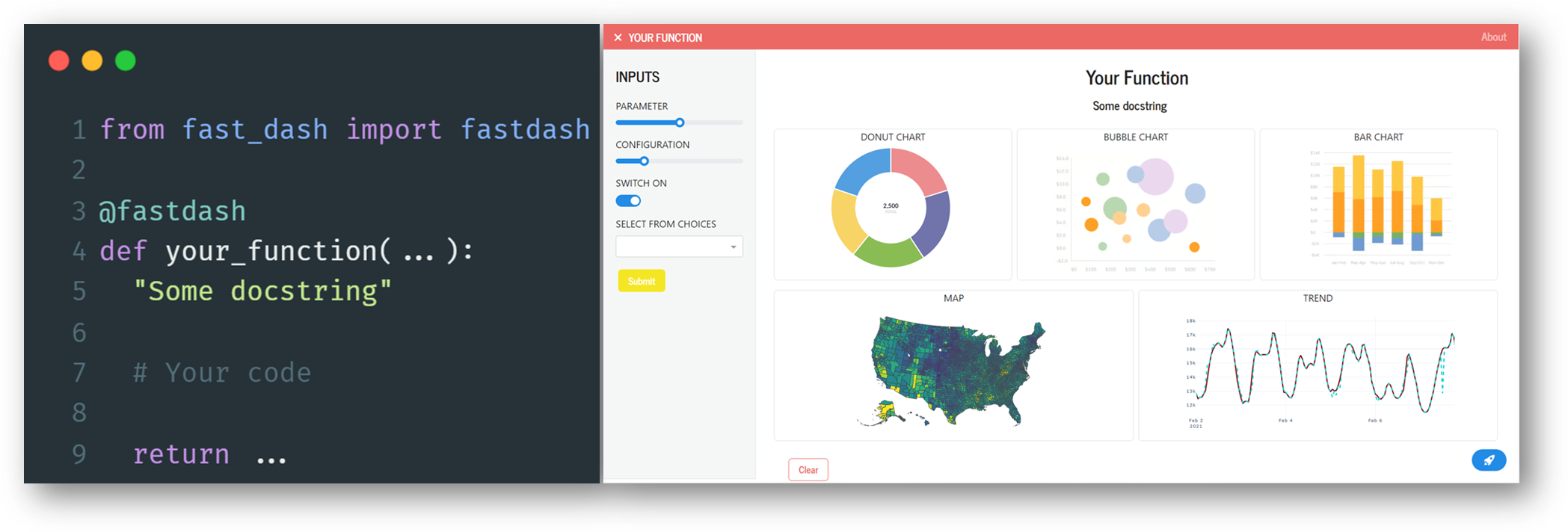
Fast Dash inspects your Python function's signature, picks UI components from the type hints and default values, and serves the result as a Plotly Dash app — usually in under five lines of code. No frontend, no callbacks, no boilerplate.
It exists for one job: collapse the gap between a working Python function and a shareable interactive web app.
30-second example
pip install fast-dash
from fast_dash import fastdash

@fastdash
def greet(name: str = "world") -> str:
    return f"Hello, {name}!"

# Serving on http://127.0.0.1:8080
That's the entire app. Open the URL, type a name, click Run, see the response.
How it works
The @fastdash decorator does three things at import time:
- Inspects the function signature — each parameter becomes an input component, the return becomes an output component.
- Picks components from type hints and defaults —
int → number input, bool → checkbox, pd.DataFrame → table, etc. (full table below).
- Builds a Dash app and starts the server — the function body is wired as the callback that runs when the user clicks Run.
You can override any of this by passing components explicitly via inputs= and outputs=, or by skipping the decorator and using the FastDash(...) class directly.
Type hint → component reference
Inputs (parameter type → UI component):
| Type hint | Component |
|---|
str | Textarea |
str with default=[...] | Single-select dropdown |
int, float | Number input |
int/float with range(...) default | Slider |
bool | Checkbox |
list | Multi-select dropdown |
dict (with default) | Multi-select dropdown (keys) |
datetime.date | Date picker |
PIL.Image.Image | Image upload |
Literal["a", "b"] | Single-select dropdown |
enum.Enum subclass | Single-select dropdown |
Annotated[int, range(0, 100)] | Slider |
Annotated[str, ["a", "b"]] | Single-select dropdown |
Optional[T] | As T, but nullable |
| Any Dash component instance | Used directly |
Any Fast Dash component (Text, Slider, ...) | Used directly |
Outputs (return type → UI component):
| Return type | Component |
|---|
str, int, float, etc. | Text (rendered as <h1>) |
pd.DataFrame | Table |
PIL.Image.Image, matplotlib.figure.Figure | Image |
plotly.graph_objects.Figure (or string-form "go.Figure", "Figure") | Plotly chart |
| Tuple of types | Multiple outputs (one component each) |
Any Fast Dash component (Graph, Image, ...) | Used directly |
from fast_dash import fastdash, Graph

@fastdash
def chart(rows: int = 100) -> Graph:
    import plotly.express as px
    return px.scatter(px.data.iris().head(rows), x="sepal_width", y="sepal_length")
Unknown hints fall back to text. Source-introspection failures (REPL, exec) fall back to generic OUTPUT_1, OUTPUT_2 labels — the app still works.
Built-in components

 mckinsey
 uw-ssec
 AytuncYildizli
 jeremylongshore
 popmechanic
 marimo-team
'%20stop-opacity%3D'0.16'%2F%3E%3Cstop%20offset%3D'1'%20stop-color%3D'rgb(200%2C90%2C60)'%20stop-opacity%3D'0.03'%2F%3E%3C%2FlinearGradient%3E%3C%2Fdefs%3E%3Crect%20width%3D'320'%20height%3D'200'%20fill%3D'url(%23g)'%2F%3E%3Ccircle%20cx%3D'250'%20cy%3D'56'%20r%3D'92'%20fill%3D'rgb(200%2C90%2C60)'%20fill-opacity%3D'0.06'%2F%3E%3Ccircle%20cx%3D'64'%20cy%3D'172'%20r%3D'58'%20fill%3D'rgb(200%2C90%2C60)'%20fill-opacity%3D'0.05'%2F%3E%3C%2Fsvg%3E)