Stats
Actions
Available In
Tags

Inspect and interact with live Flutter apps during development: take screenshots, examine widget trees, tap/type/scroll, capture errors, and look up Dart package APIs from local cache.
This skill should be used when about to add a Dart or Flutter package dependency — running flutter pub add, dart pub add, or editing pubspec.yaml to introduce a new package. Also load when choosing a specific version constraint for a new package. Skip for upgrading existing packages (pub upgrade), removing packages, or pub commands that don't introduce a new dependency.
This skill should be used when the user asks to "run the Flutter app", "flutter run", "start the app", "launch the app", "test the UI", "take a screenshot of the app", "click a button in the app", "debug the layout", or any request involving launching, observing, or interacting with a running Flutter app. When the flutter-slipstream plugin is installed, MCP tools replace terminal commands for all Flutter app interaction.
This skill should be used when about to write Dart or Flutter code that calls into a pub package whose API is uncertain — the package is unfamiliar, or its version in pubspec.lock may be newer than training data. Also load when hitting an unexpected compile error or type mismatch on a package import. Skip for code that only uses the Dart SDK (dart:*) and packages already verified this session.
Executables (bin/) — files in this plugin's bin/directory are added to the Bash tool's PATH while the plugin is enabled.
Admin access level
Server config contains admin-level keywords
Based on adoption, maintenance, documentation, and repository signals. Not a security audit or endorsement.
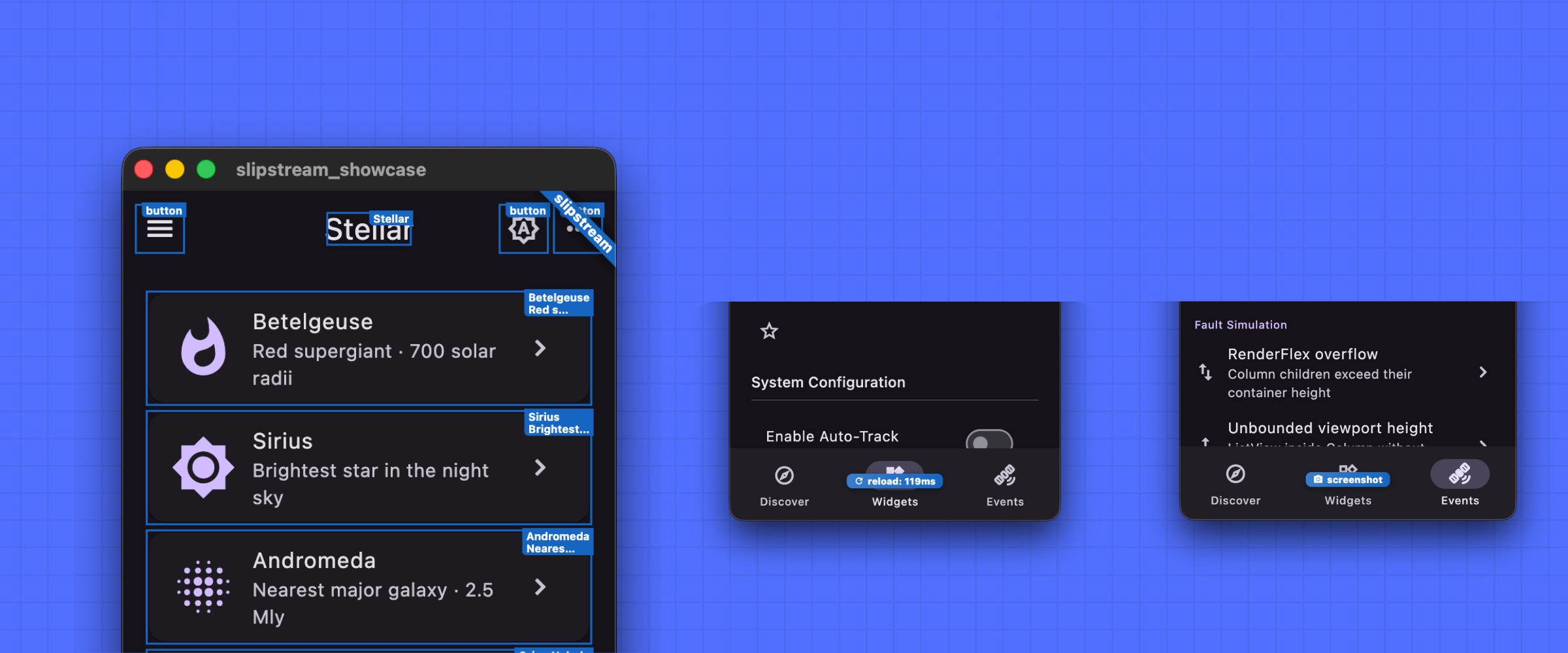
Flutter Slipstream is an agentic plugin that makes AI coding agents more effective for Dart and Flutter projects. It enables live app introspection for Flutter apps: screenshots, widget-tree inspection, tap/type/scroll interaction, and error capture, as well as Dart package API summarization for agents.
This addresses two structural problems that agents face:
| Coding Agent | Installing Slipstream |
|---|---|
| Claude Code * | claude plugin marketplace add devoncarew/slipstream claude plugin install flutter-slipstream@slipstream |
| GitHub Copilot | copilot plugin marketplace add devoncarew/slipstream copilot plugin install flutter-slipstream@slipstream |
| Gemini CLI | gemini extensions install https://github.com/devoncarew/flutter-slipstream |
[!NOTE]
If you see a "Failed to install plugin ... No ED25519 host key is known for github.com ... Host key verification failed" error, see anthropics/claude-code/issues/26588 / anthropics/claude-code/issues/50725 for possible workarounds.
Install the plugin, then work on Flutter projects as you normally would. No special prompting is required — Slipstream works in the background.
UI development workflow: When building or debugging UI, ask the agent to run the app. It will launch on a desktop device automatically, then iterate using hot reload after each source edit. Because the agent can take screenshots and inspect the widget tree, it catches overflow errors, layout surprises, and rendering regressions on its own — without you having to describe what went wrong.
Package hygiene: When an agent adds a package, the bundled skill guides it
to read flutter pub add output for discontinued-package and outdated-version
warnings, and to take corrective action (switching to the replacement package,
or updating the version constraint) before the bad dependency lands.
Optional: richer instrumentation. Add
package:slipstream_agent as a
dependency for finder-based interactions (tap by key, type, or text), scroll
support, and router-aware navigation. Without it, Slipstream still works well
via semantics and the Flutter inspector protocol.
inspector)MCP commands for launching, inspecting, and interacting with a running Flutter app. Gives agents a Playwright-style interface to the running app: take screenshots, inspect the widget tree, evaluate arbitrary Dart expressions, and observe runtime errors with widget IDs.
npx claudepluginhub devoncarew/slipstream --plugin flutter-slipstreamEvidence-gated AI coding workflow: scan → analyze → plan → TDD → execute → fix → verify → review, powered by Codebase Memory MCP >= 0.9.0 with optional Serena LSP intelligence. Includes blast-radius planning, test/cycle gates, independent review, and Windows Git Bash hook auto-resolution.
 datit309
Comprehensive skill pack with 66 specialized skills for full-stack developers: 12 language experts (Python, TypeScript, Go, Rust, C++, Swift, Kotlin, C#, PHP, Java, SQL, JavaScript), 10 backend frameworks, 6 frontend/mobile, plus infrastructure, DevOps, security, and testing. Features progressive disclosure architecture for 50% faster loading.
 Jeffallan
Access thousands of AI prompts and skills directly in your AI coding assistant. Search prompts, discover skills, save your own, and improve prompts with AI.
 f
fReliable automation, in-depth debugging, and performance analysis in Chrome using Chrome DevTools and Puppeteer
 ChromeDevTools
Persistent coding companion for Claude Code, Pi, and Oh My Pi. MCP-based terminal pet with ASCII art, stats, reactions, and personality.
 ramarivera
'%20stop-opacity%3D'0.16'%2F%3E%3Cstop%20offset%3D'1'%20stop-color%3D'rgb(200%2C90%2C60)'%20stop-opacity%3D'0.03'%2F%3E%3C%2FlinearGradient%3E%3C%2Fdefs%3E%3Crect%20width%3D'320'%20height%3D'200'%20fill%3D'url(%23g)'%2F%3E%3Ccircle%20cx%3D'250'%20cy%3D'56'%20r%3D'92'%20fill%3D'rgb(200%2C90%2C60)'%20fill-opacity%3D'0.06'%2F%3E%3Ccircle%20cx%3D'64'%20cy%3D'172'%20r%3D'58'%20fill%3D'rgb(200%2C90%2C60)'%20fill-opacity%3D'0.05'%2F%3E%3C%2Fsvg%3E)