Stats
Actions
Available In
Tags
Get this plugin for agentic development and management of semantic models.
DAX performance optimization for semantic models. Automatically invoke when the user asks to "optimize DAX", "fix slow DAX", "DAX performance", "tune a measure", "debug a measure", "DAX anti-patterns", or mentions slow queries, server timings, or DAX authoring.
Trace relationships between semantic models and downstream reports across Fabric workspaces. Automatically invoke when the user asks to "find downstream reports", "show report lineage", "impact analysis", "what depends on this dataset", "cross-workspace lineage", "which reports are connected", "get model dependencies", or mentions model-to-report dependency tracing.
Author, validate, and test Power Query M expressions in semantic model partitions. Automatically invoke when the user mentions "Power Query", "M code", "M expression", "partition expression", "query folding", or asks to "write Power Query", "fix Power Query", "test a partition", "preview partition data", "debug Power Query step", "optimize Power Query".
Automatically invoke this skill whenever the user asks to refresh a semantic model or a dataset. Can also be used to manage, optimize, troubleshoot, or configure a refresh or a refresh schedule.
Review, audit, and validate Power BI semantic models against quality, performance, and best practice standards. Automatically invoke when the user asks to "review a semantic model", "audit a semantic model", "check model quality", "optimize my model", "validate model design", "check AI readiness", "prepare model for Copilot", or mentions model validation or quality assessment.
Uses power tools
Uses Bash, Write, or Edit tools
Own this plugin?
Verify ownership to unlock analytics, metadata editing, and a verified badge. GitHub access is read-only (username + org membership).
Sign in to claimOwn this plugin?
Verify ownership to unlock analytics, metadata editing, and a verified badge. GitHub access is read-only (username + org membership).
Sign in to claimBased on adoption, maintenance, documentation, and repository signals. Not a security audit or endorsement.
The best source for agentic development resources for Power BI in one marketplace
Teach agents like Claude Code or GitHub Copilot to do literally anything in Power BI



[!WARNING] Under active development with a weekly release cadence; regular renaming or restructuring.
Here's how you get started in Claude Code; run this in the terminal to get the marketplace:
claude plugin marketplace add data-goblin/power-bi-agentic-development
Click here for a YouTube walkthrough

Add the marketplace, then install plugins via /plugin and navigating to the installed marketplace.
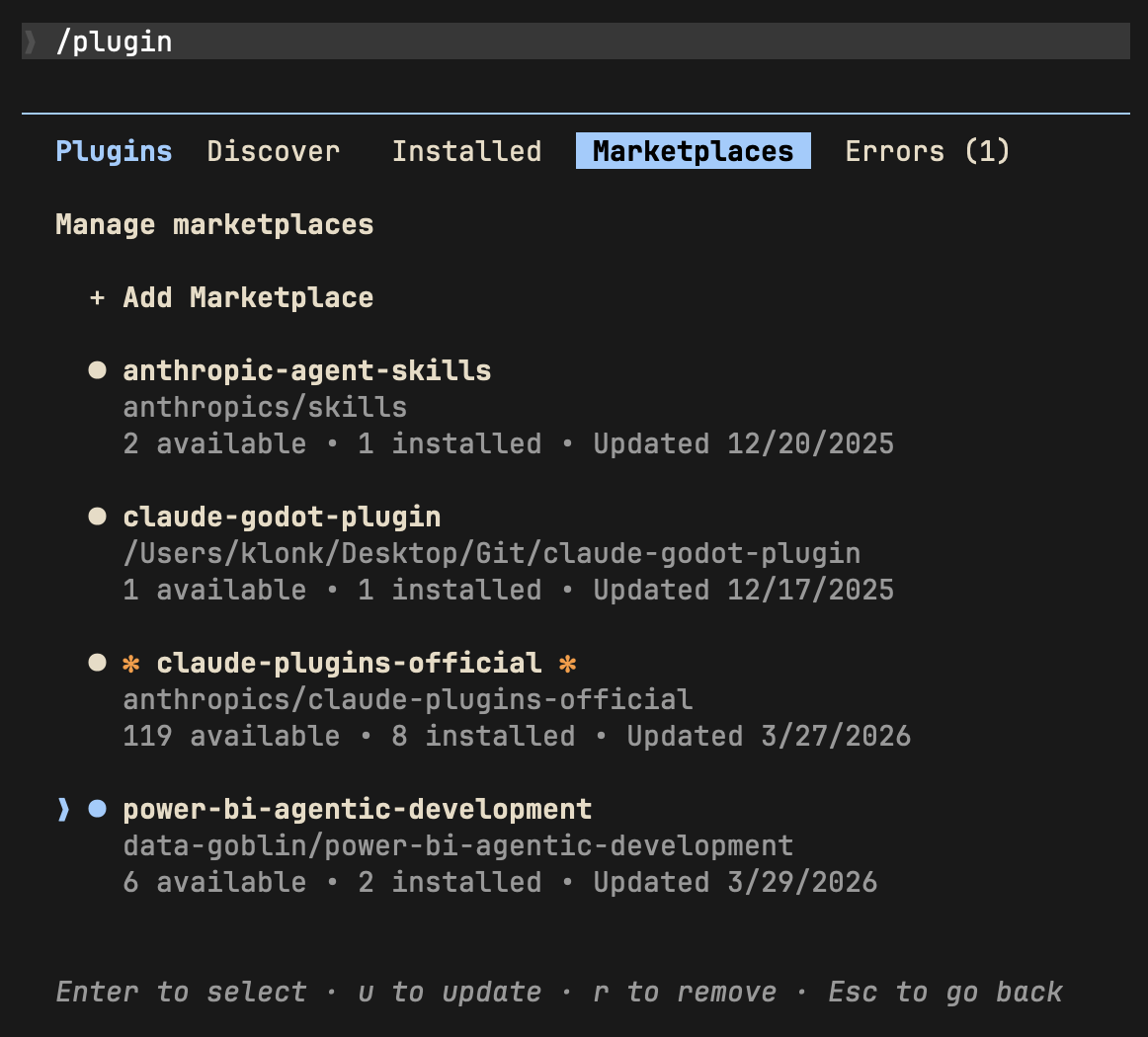 | 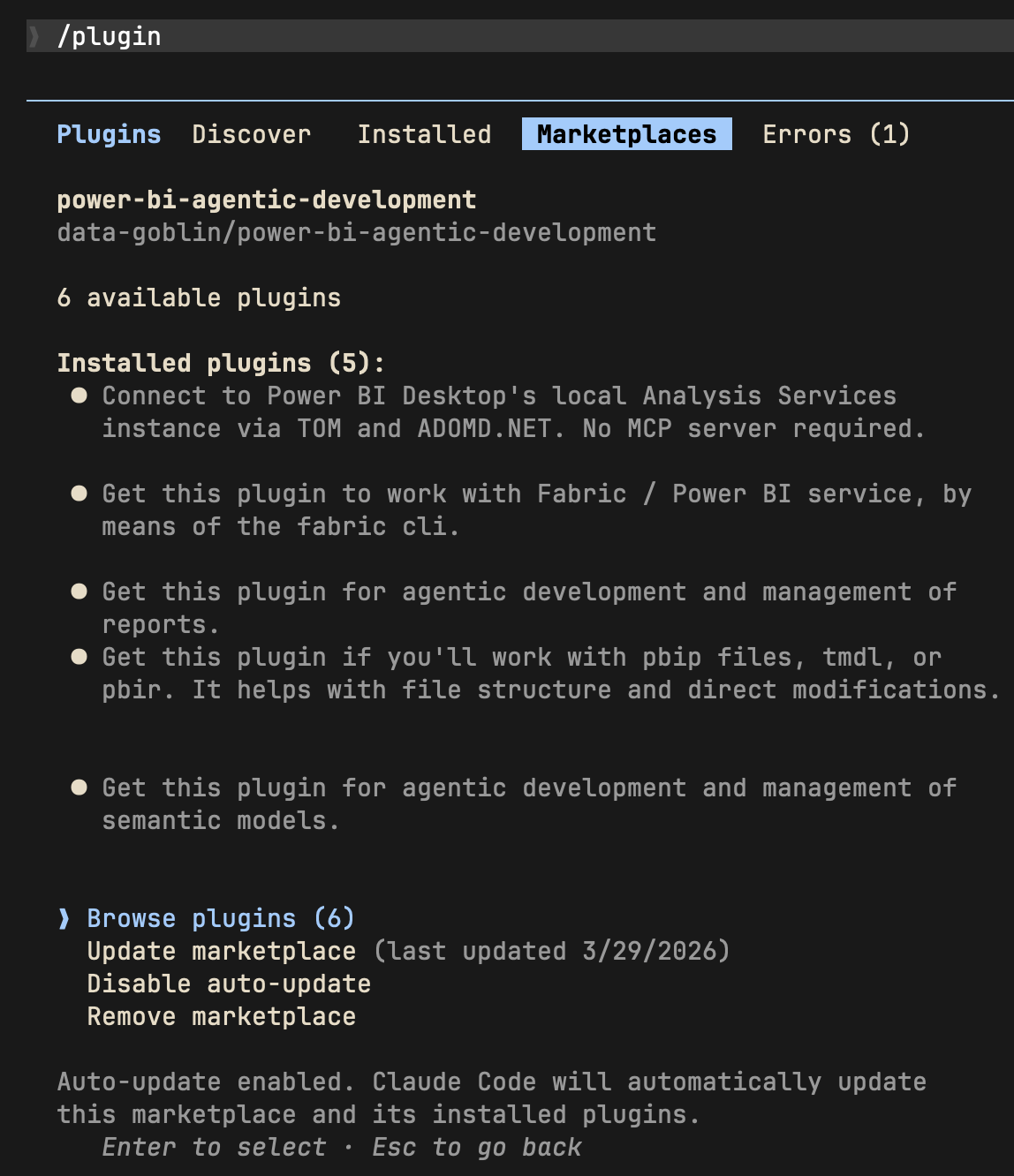 |
| Install plugins from the marketplace | Enable marketplace auto-update |
Alternative; add plugins via command line:
claude plugin install tabular-editor@power-bi-agentic-development
claude plugin install pbi-desktop@power-bi-agentic-development
claude plugin install semantic-models@power-bi-agentic-development
claude plugin install reports@power-bi-agentic-development
claude plugin install pbip@power-bi-agentic-development
claude plugin install fabric-cli@power-bi-agentic-development
The standalone Copilot CLI supports plugin installation from GitHub repos. Consult the Copilot documentation for specifics, or open an issue in this repo.
copilot plugin install data-goblin/power-bi-agentic-development
Some plugin features like agents and hooks may behave differently across tools. The core knowledge in the skill files is tool-agnostic.
The repo contains skills, agents, and hooks.
/skill-name. In Claude Code, skills and commands have coalesced; commands are simply more prescriptive skill workflows.Hook checks can be individually toggled via config files. Set any check to false to disable it:
plugins/pbip/hooks/config.yaml -- PBIR, TMDL, and report binding validationplugins/pbi-desktop/hooks/config.yaml -- DAX references, measure metadata, referential integrity, metadata cache tabular-editor BPA rules, C# scripting, and CLI automation for Tabular Editor
npx claudepluginhub daxnoobjustin/power-bi-agentic-development --plugin semantic-modelsConnect to Power BI Desktop's local Analysis Services instance via TOM and ADOMD.NET. No MCP server required.
 DAXNoobJustin
Fabric and Power BI administration; tenant settings audits, governance, delegated overrides, and Entra security group investigation. Requires the fabric-cli plugin.
DAXNoobJustinGet this plugin if you'll work with pbip files, tmdl, or pbir. It helps with file structure and direct modifications.
DAXNoobJustinGet this plugin for agentic development and management of reports.
DAXNoobJustinAgentic development tools for Power BI semantic models with Tabular Editor.
DAXNoobJustinAccess thousands of AI prompts and skills directly in your AI coding assistant. Search prompts, discover skills, save your own, and improve prompts with AI.
 f
fConsult multiple AI coding agents (Gemini, OpenAI, Grok, Perplexity, plus codex, antigravity, and grok CLIs when installed) to get diverse perspectives on coding problems
 hex
hexComplete developer toolkit for Claude Code
 rohitg00
Production-grade engineering skills for AI coding agents — covering the full software development lifecycle from spec to ship.
 addyosmani
Intelligent draw.io diagramming plugin with AI-powered diagram generation, multi-platform embedding (GitHub, Confluence, Azure DevOps, Notion, Teams, Harness), conditional formatting, live data binding, and MCP server integration for programmatic diagram creation and management.
 markus41
Evidence-gated AI coding workflow: scan → analyze → plan → TDD → execute → fix → verify → review, powered by Codebase Memory MCP >= 0.9.0 with optional Serena LSP intelligence. Includes blast-radius planning, test/cycle gates, independent review, and Windows Git Bash hook auto-resolution.
 datit309
'%20stop-opacity%3D'0.16'%2F%3E%3Cstop%20offset%3D'1'%20stop-color%3D'rgb(200%2C90%2C60)'%20stop-opacity%3D'0.03'%2F%3E%3C%2FlinearGradient%3E%3C%2Fdefs%3E%3Crect%20width%3D'320'%20height%3D'200'%20fill%3D'url(%23g)'%2F%3E%3Ccircle%20cx%3D'250'%20cy%3D'56'%20r%3D'92'%20fill%3D'rgb(200%2C90%2C60)'%20fill-opacity%3D'0.06'%2F%3E%3Ccircle%20cx%3D'64'%20cy%3D'172'%20r%3D'58'%20fill%3D'rgb(200%2C90%2C60)'%20fill-opacity%3D'0.05'%2F%3E%3C%2Fsvg%3E)