Stats
Actions
Available In
Tags
Integrates Google Gemini's visual AI capabilities into the development workflow - image generation, editing, video creation, and design analysis with prompt enhancement and project-aware style profiles
Generate visual assets (icons, textures, illustrations, backgrounds)
Generate short video clips from text or reference images
Interactive mockup generation workflow — draft, iterate, finalize
Generate design system tokens and style profile from description or reference
Analyze and critique design screenshots with actionable suggestions
Own this plugin?
Verify ownership to unlock analytics, metadata editing, and a verified badge. GitHub access is read-only (username + org membership).
Sign in to claimOwn this plugin?
Verify ownership to unlock analytics, metadata editing, and a verified badge. GitHub access is read-only (username + org membership).
Sign in to claimBased on adoption, maintenance, documentation, and repository signals. Not a security audit or endorsement.
Generate, edit, analyze, and animate visual designs with Google Gemini — directly inside Claude Code.



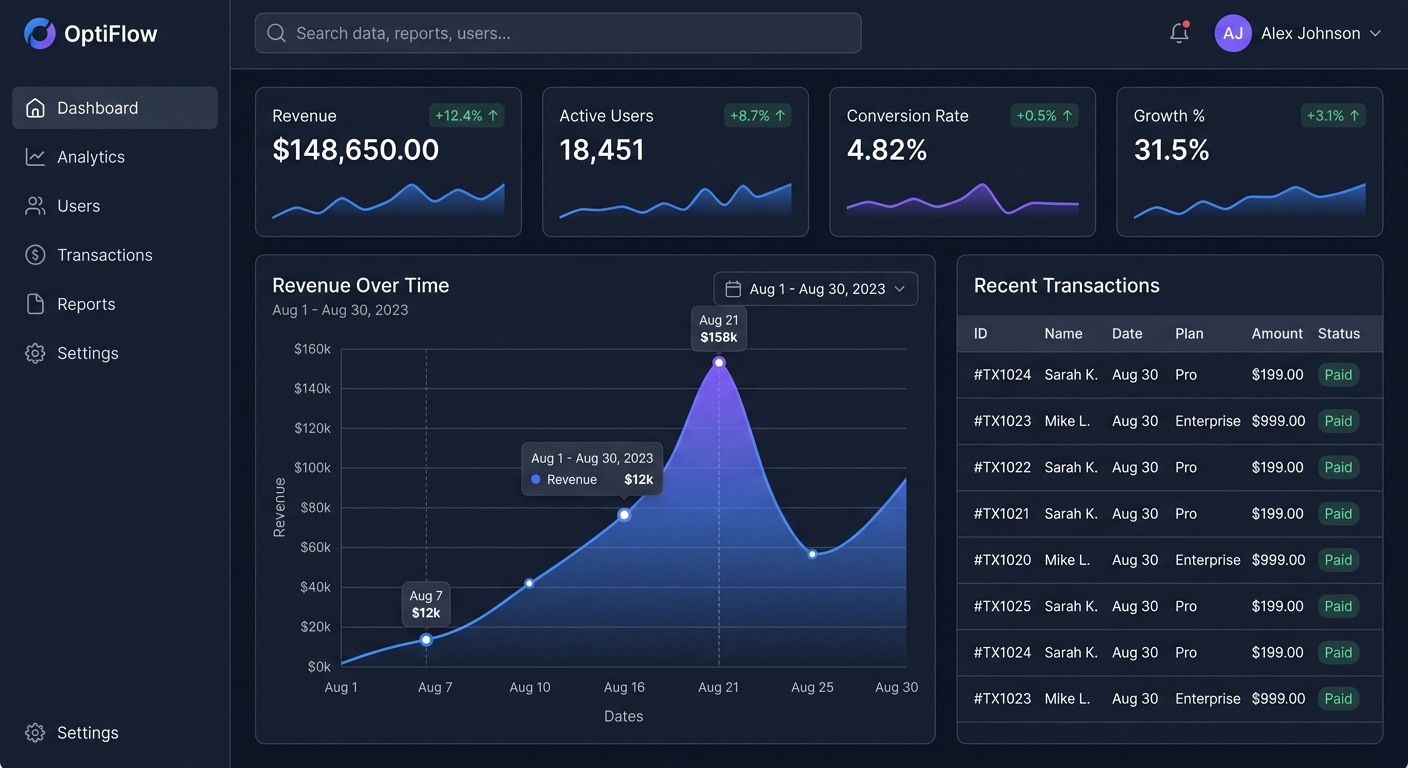
Generated in one command:
/design-mockup A dark analytics dashboard with sidebar nav, KPI cards, an area chart, and a transactions tableEvery screenshot in this README is a real, unretouched output from the plugin's own MCP tools — no Photoshop, no mockup tool. The exact prompt used for each one is shown in its caption.
Calling Gemini directly is easy. Calling it well — without burning quota on bad prompts, generic outputs, or one-off images that don't match your project — is the hard part.
This plugin wraps the Google GenAI SDK in a prompt enhancement pipeline (validation → templates → style-profile injection → API), a draft-first workflow (fast Gemini Flash for iteration, Imagen 4 for finals, Veo for video), an edit-over-regenerate philosophy via multi-turn image editing, and project-aware style profiles that auto-detect your Tailwind/CSS config so every generation inherits your colors, typography, and aesthetic. Plus the visual-enhancer agent that proactively suggests visual upgrades after Claude writes UI code.
# 1. Get a free API key at https://aistudio.google.com/apikey
export GEMINI_API_KEY="your-key-here"

# 2. Install
cd gemini-visual-design
pip install -e .

# 3. Restart Claude Code so it picks up the .mcp.json
Then, in any project, ask Claude:
/design-mockup A dark-themed analytics dashboard with sidebar navigation and KPI cards
You'll get a generated image at ~/.cache/gemini-visual-design/preview/ plus a tip on how to refine it with edit_image or save it into your project with save_asset.

/create-asset A clean grid of 6 minimal line icons in a 3x2 layout for a
project management app: dashboard (gauge), tasks (checklist), calendar
(calendar grid), team (people group), settings (gear), notifications (bell).
Consistent 2px stroke, rounded line caps, monochrome dark indigo.
| Before | After |
|---|---|
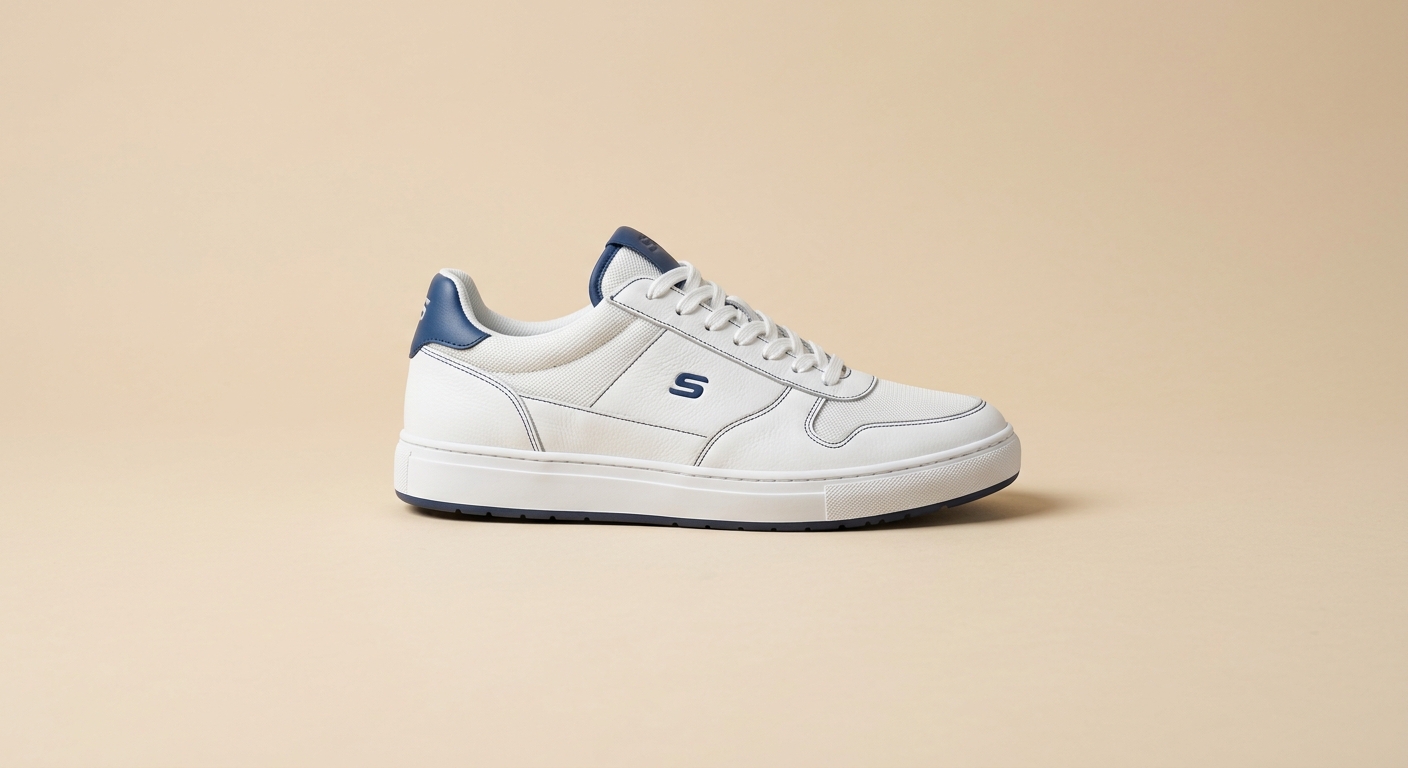 | 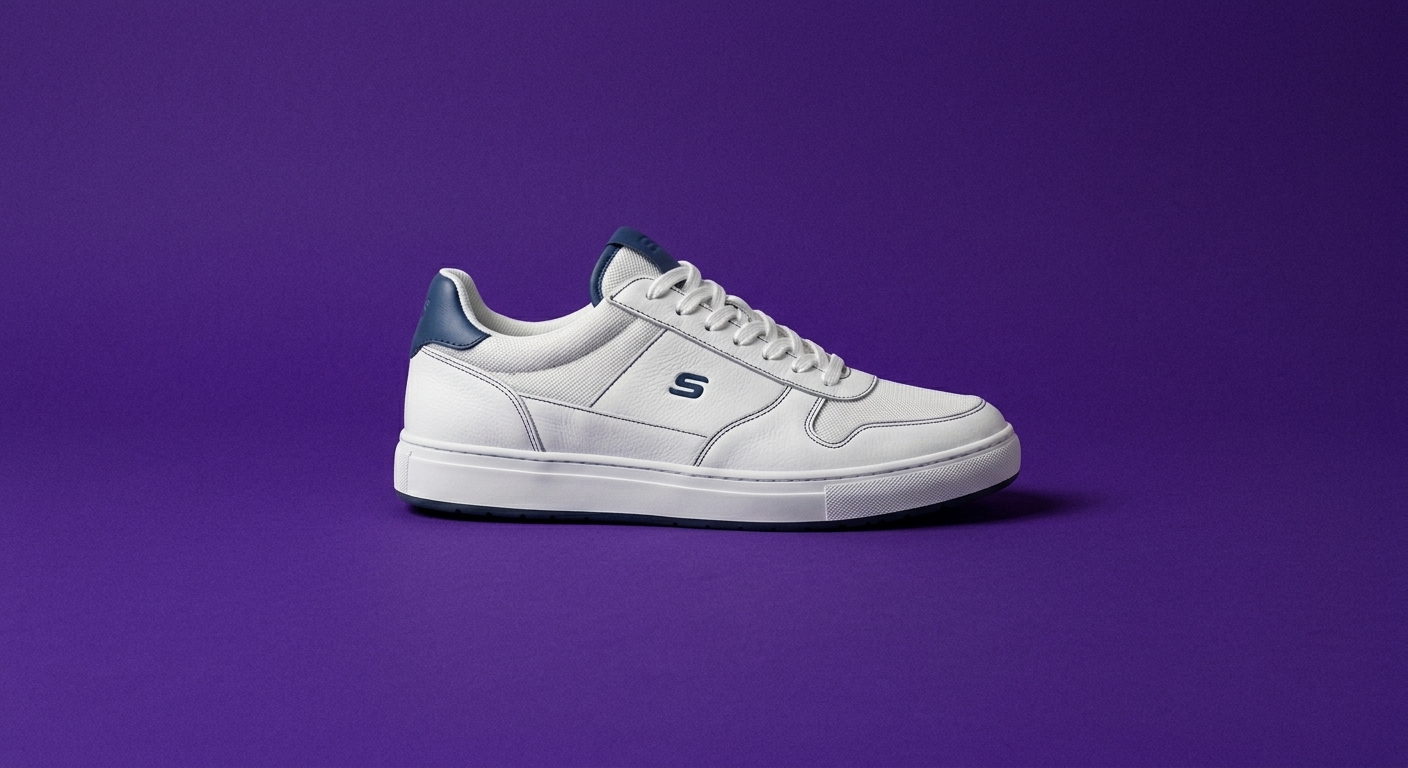 |
edit_image
  image_path: docs/screenshots/edit-before.jpg
  instruction: Replace the beige background with a deep rich purple (#4c1d95),
               keep the sneaker exactly the same, add subtle film grain noise
               on the background only, preserve all lighting and shadows.
Multi-turn editing keeps the original intact and preserves the subject — every pixel of the sneaker above is unchanged. Each refinement is one API call instead of a full regeneration.
/review-visuals docs/screenshots/hero-dashboard.jpg
Returns a structured JSON critique with scored categories and concrete edit instructions that can be piped straight into edit_image. Here's the actual output for the hero image above:
{
  "overall_score": 9.0,
  "categories": {
    "color":      { "score": 9.5, "summary": "Excellent dark theme palette..." },
    "layout":     { "score": 9.0, "summary": "Clean, grid-based layout..." },
    "typography": { "score": 9.5, "summary": "Clear, modern sans-serif..." },
    "usability":  { "score": 8.5, "summary": "Intuitive navigation..." }
  },
  "top_issues": [
    {
      "issue": "Missing 'Settings' menu item in main sidebar.",
      "severity": "medium",
      "edit_instruction": "Add a 'Settings' item with a gear icon to the main navigation menu, just below 'Reports'."
    },
    {
      "issue": "Search bar lacks explicit 'Search' button or visual action affordance.",
      "severity": "medium",
      "edit_instruction": "Add a search button with a magnifying glass icon to the right side of the search bar..."
    }
  ]
}
Each edit_instruction is shaped to feed directly into edit_image, closing the loop: analyze → fix → re-analyze. Full output: docs/screenshots/hero-dashboard.analysis.json.
npx claudepluginhub beckhamlabsllc/gemini-visual-designGenerate JLCPCB-ready KiCad PCB projects from descriptions, BOMs, or existing projects. Sources LCSC parts (basic-tier preferred), generates schematics, and packages routed boards into Gerber/drill/CPL/BOM zips ready to upload to JLCPCB.
 BeckhamLabsLLC
Extract design systems from reference UI images and generate implementation-ready UI design prompts. Use when users provide UI screenshots/mockups and want to create consistent designs
 daymade
AI image generation with creative workflow orchestration, parallel multi-direction output, prompt engineering, and a 1,300+ curated inspiration library. Requires MeiGen MCP server (supports MeiGen Cloud, local ComfyUI, and OpenAI-compatible APIs).
 wshobson
Design System compliance harness for Claude + Figma. Enforces library-first components, token binding, and automated QA — so AI-generated designs stay on-spec.
 senlindesign
Connect Claude Code to TypeUI MCP for curated design systems, UI prompts, and layout variations.
 bergside
Design-focused skill for Claude integrating SuperDesign capabilities for visual asset creation and design automation.
 superdesigndev
OpenAI GPT Image 2 prompt gallery, image prompt library, agentic skill + CLI. Gallery-first prompt patterns, reference-image editing workflows, and a packaged CLI for skill-capable agent runtimes.
 wuyoscar
'%20stop-opacity%3D'0.16'%2F%3E%3Cstop%20offset%3D'1'%20stop-color%3D'rgb(200%2C90%2C60)'%20stop-opacity%3D'0.03'%2F%3E%3C%2FlinearGradient%3E%3C%2Fdefs%3E%3Crect%20width%3D'320'%20height%3D'200'%20fill%3D'url(%23g)'%2F%3E%3Ccircle%20cx%3D'250'%20cy%3D'56'%20r%3D'92'%20fill%3D'rgb(200%2C90%2C60)'%20fill-opacity%3D'0.06'%2F%3E%3Ccircle%20cx%3D'64'%20cy%3D'172'%20r%3D'58'%20fill%3D'rgb(200%2C90%2C60)'%20fill-opacity%3D'0.05'%2F%3E%3C%2Fsvg%3E)