Stats
Actions
Available In
Tags

Extract content from closed web platforms (GoDaddy Websites & Marketing, Hostinger, HubSpot, Shopify, Squarespace, Webflow, Weebly, Wix) into WordPress-compatible WXR files. Inspect, extract, QA, and import to WordPress.
Validate a WordPress connection — check site reachability, REST API, and authentication before importing
Compare extracted WXR content against the original source site and fix discrepancies
Build a new platform adapter to extract content from an unsupported platform
Debug failed or low-quality extractions by analyzing logs and probing the source site
Import a WXR file to WordPress via the REST API
Build a new platform adapter to extract content from an unsupported platform (Blogger, Ghost, Tumblr, etc.)
Compose a single liberated page's WordPress block-editor markup from its rendered HTML and screenshot. Inputs are a sanitized HTML file, a desktop screenshot, the design-foundation tokens, the URL's archetype (page/post/product/etc.), and the source URL. Output is a string of valid block markup that round-trips through parse_blocks, uses theme tokens (no inlined hex colors), and contains only text drawn from the source HTML. Call per-page during the streaming watch loop after extraction has produced HTML+screenshot for that URL. Use when a freshly-imported page needs `post_content` upgraded from raw HTML into block-editor markup so the replica theme's tokens, gradients, and patterns actually render.
Templates and guidelines for creating new WordPress blocks from scratch — load this before generating block files
Guidelines for creating new WordPress block themes from scratch — load this before generating theme files
Build a coherent design-foundation JSON from a liberated site — semantic color/typography/spacing roles with evidence trails. Consumes the partial scaffold produced by liberate_design_foundation_scaffold plus aggregate HTML/CSS analysis and representative rendered HTML; produces a complete design-foundation matching the schema. Call after liberation, before theme generation.
Admin access level
Server config contains admin-level keywords
Own this plugin?
Verify ownership to unlock analytics, metadata editing, and a verified badge. GitHub access is read-only (username + org membership).
Sign in to claimOwn this plugin?
Verify ownership to unlock analytics, metadata editing, and a verified badge. GitHub access is read-only (username + org membership).
Sign in to claimBased on adoption, maintenance, documentation, and repository signals. Not a security audit or endorsement.
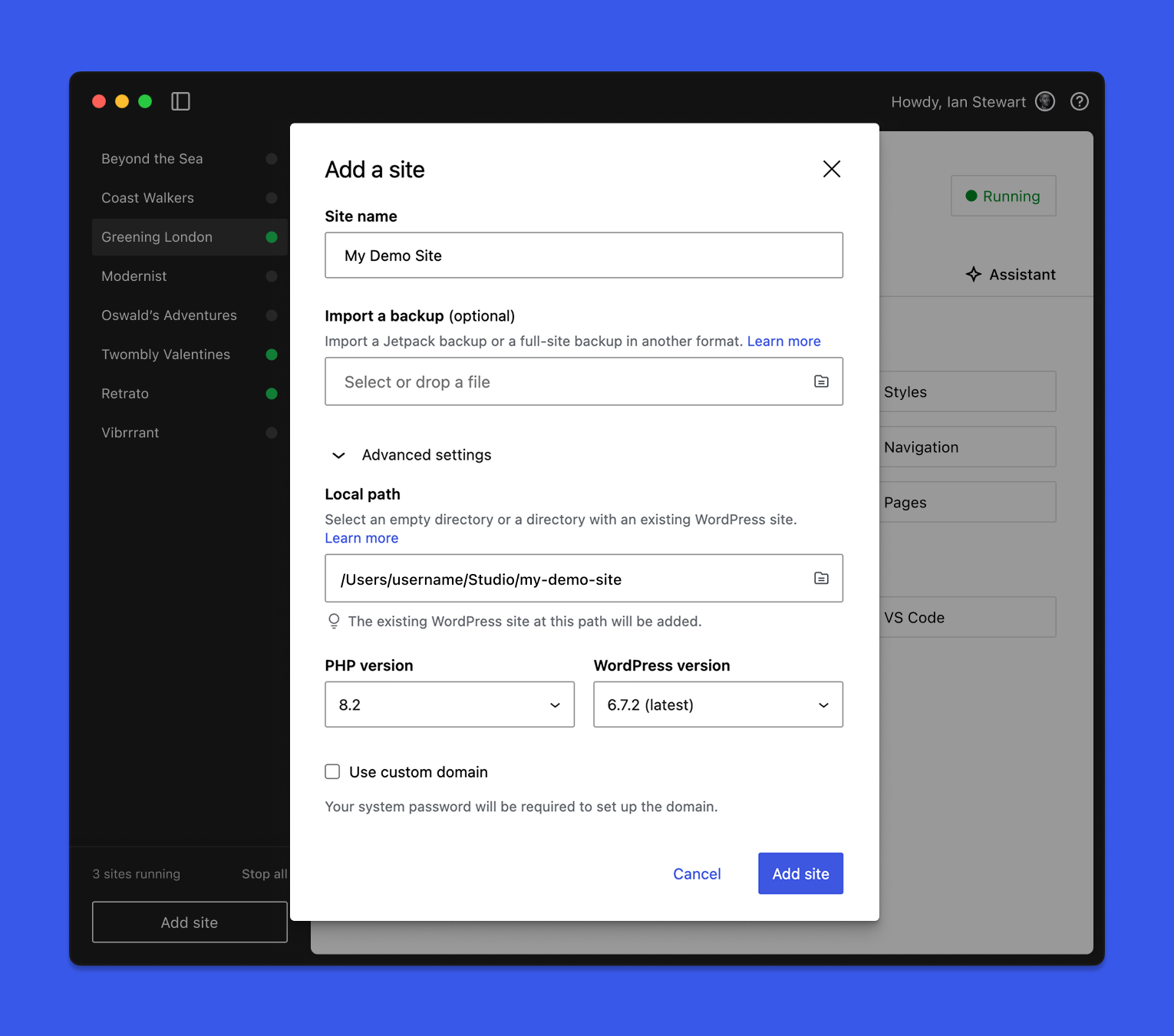
WordPress Studio is an open source desktop application for creating and managing WordPress sites and testing and building plugins and themes locally. Powered by WordPress Playground and WordPress.com, it streamlines modern WordPress development workflows and requires no external dependencies.
Spin up sites in seconds, sync with WordPress.com or Pressable, or import any WordPress site to work on it locally. Use the Studio CLI to access WordPress Studio features outside the desktop application. Share live preview links with clients, and collaborate with the built-in Studio Code assistant that runs WP-CLI commands natively.
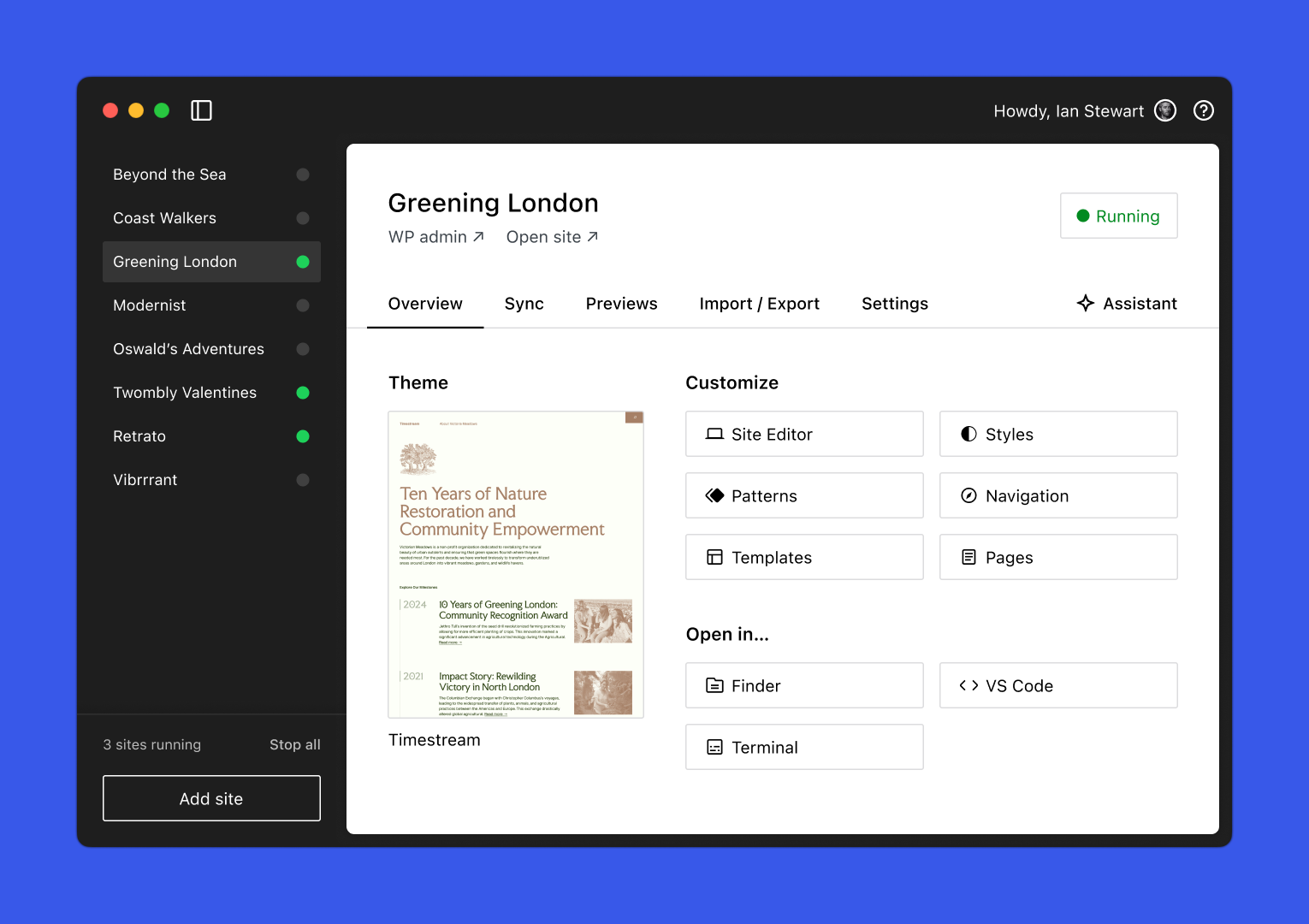
WordPress Studio is free to use for Mac, Windows, and Linux. Simply download the app to start building and testing — no dependencies required.
Download WordPress Studio for:
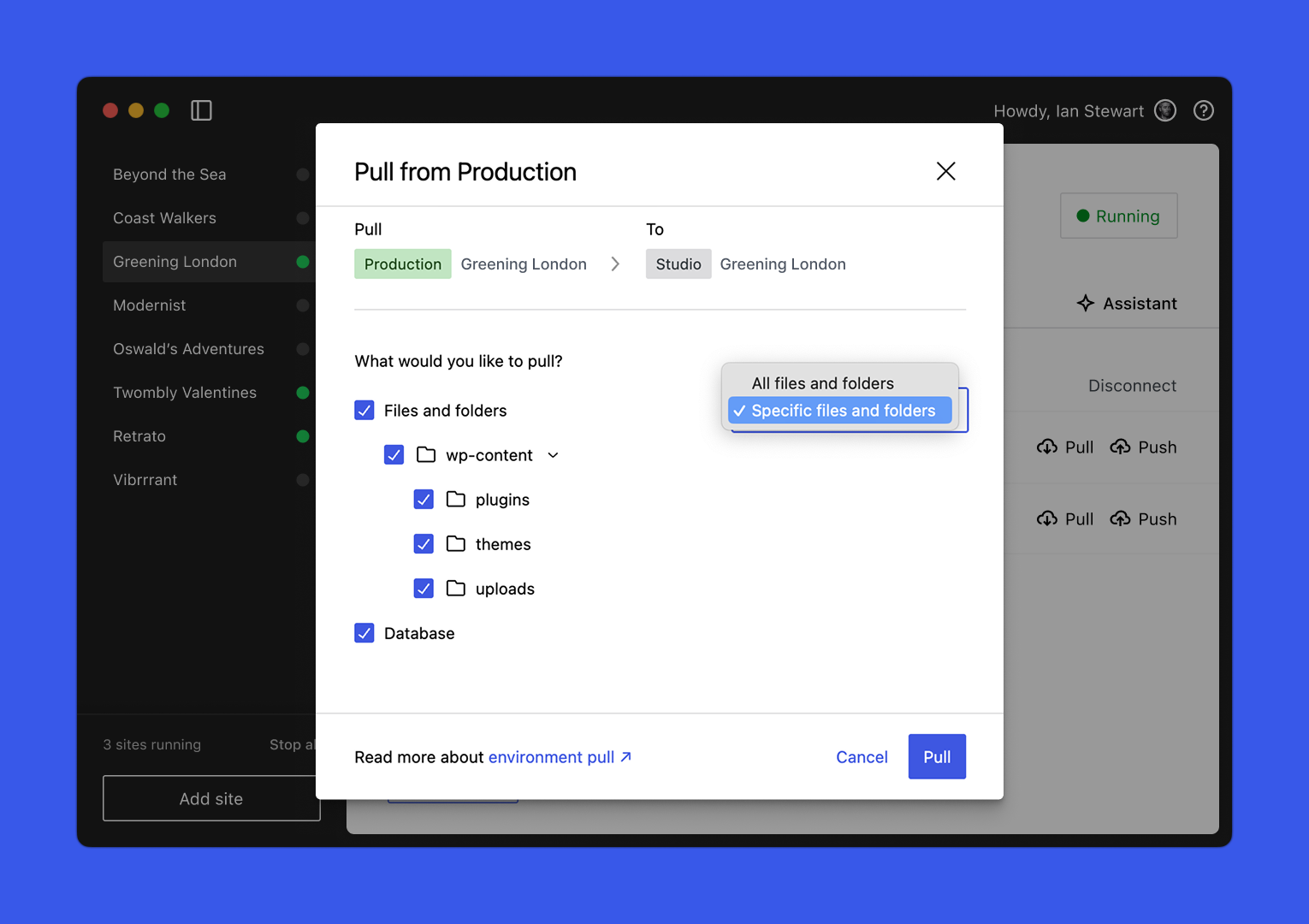
Push updates or pull down a WordPress.com or Pressable production or staging site with just a few clicks. Choose exactly which parts of your site to sync, like specific plugins, standalone themes, or the database, so you’re always in control. Learn more about Studio Sync →
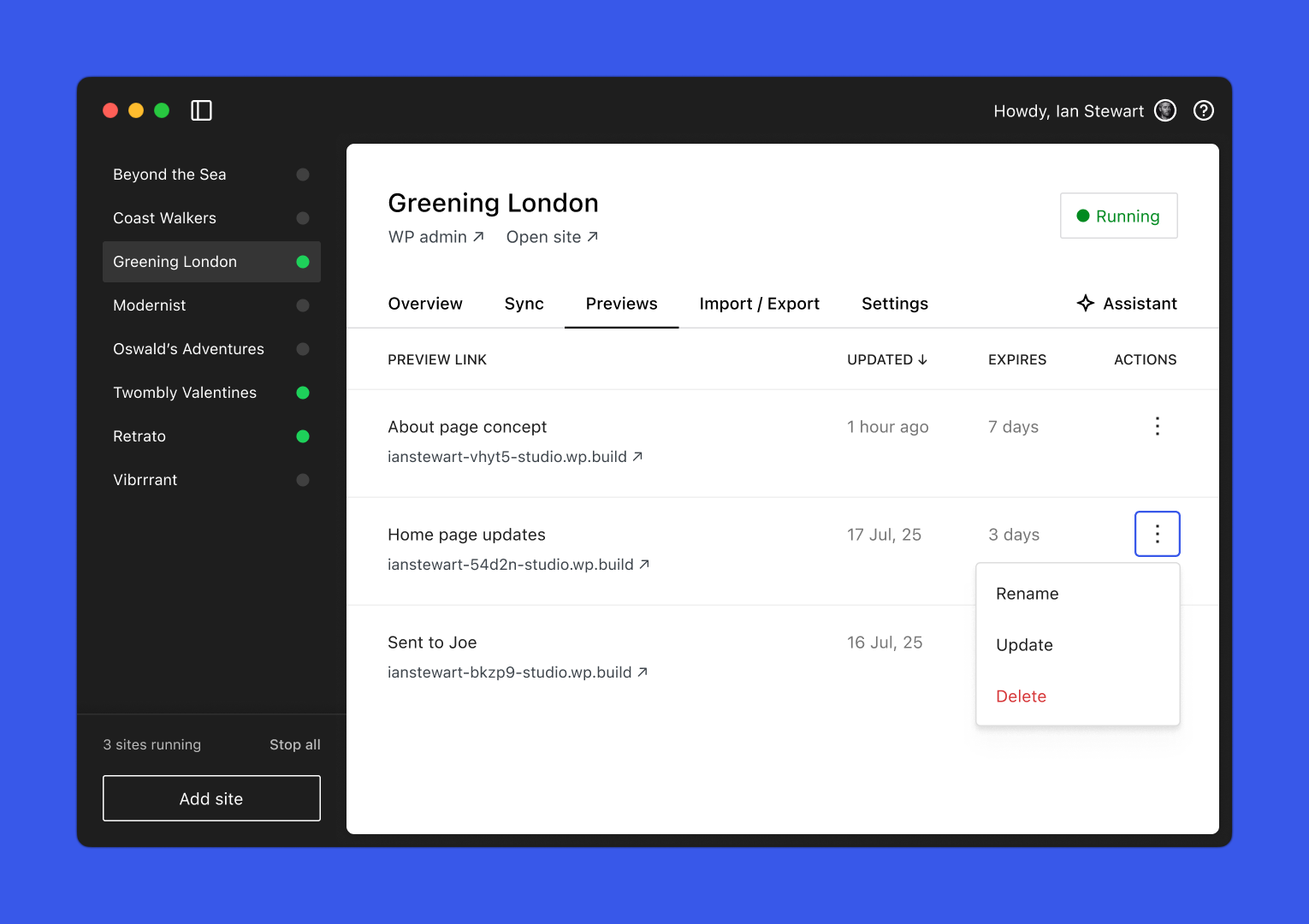
Preview, polish, then hand it off. Share a stable, cloud-hosted preview link that your clients or team can access at any time. Preview sites expire after seven days without updates. Learn more about Preview Sites →
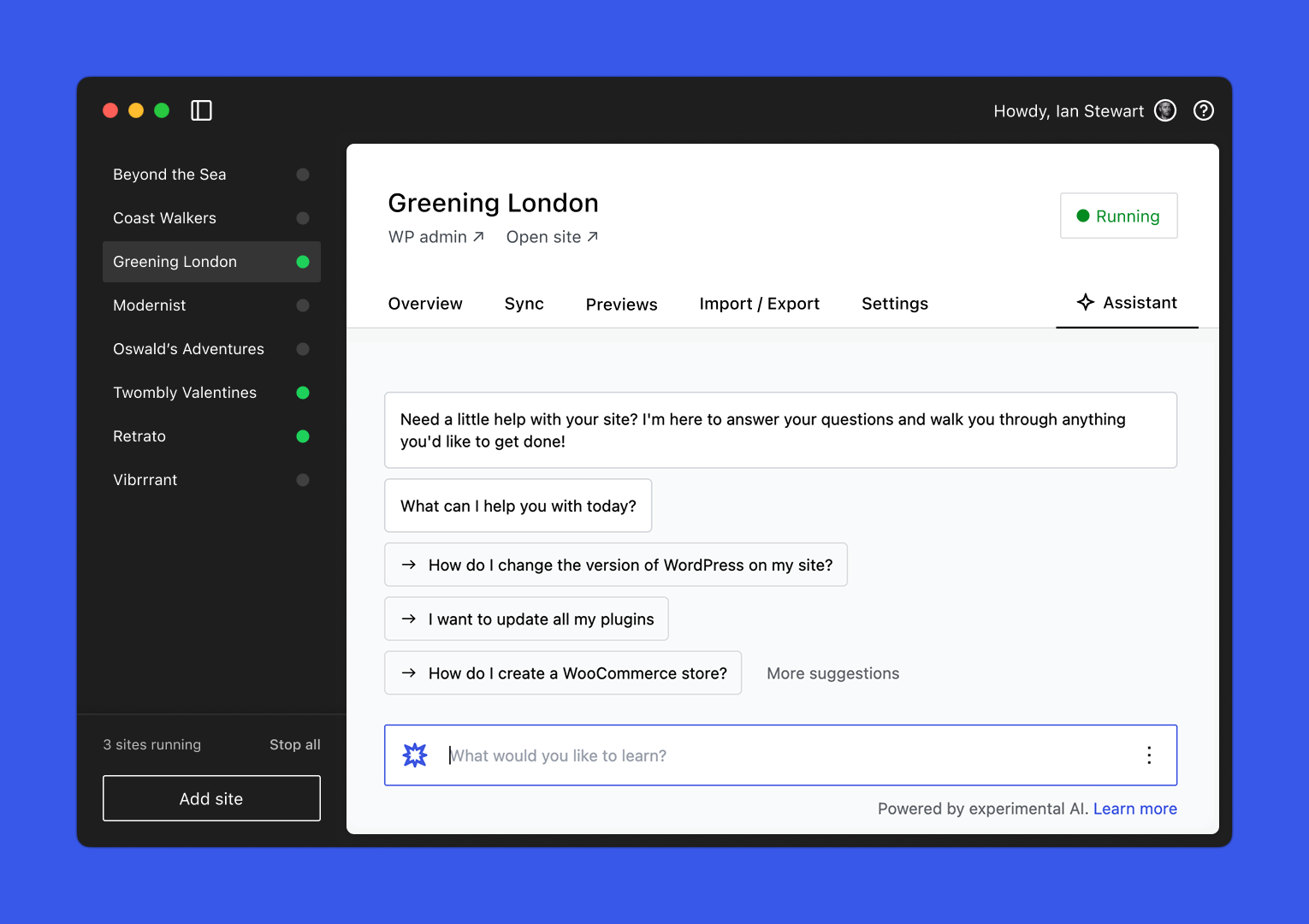
Skip the repetitive setup and ask Studio Code to install plugins, create pages, or run WP-CLI commands without leaving the app or searching for syntax. Learn more about Studio Code →
Studio stays aligned with the latest innovations in WordPress development, giving you early access to cutting-edge tools, version support, and experimental features without needing to configure anything manually or run any dependencies.
We’d love to hear about your experience using Studio. If you have questions, suggestions, or run into issues, reach out to our Happiness Engineers. Because Studio is open source, you can also:
For details, please see our Contributing Guidelines and Code Contributions guide.
WordPress Studio is GPLv2 licensed.
npx claudepluginhub automattic/studio --plugin data-liberationCreate WordPress block themes from simple descriptions and deploy them to a local WordPress Studio site, or, generate professional themes through an interactive workflow: describe your site, choose from design options, and preview on a real WordPress installation.
 Automattic
Create WordPress block themes from simple descriptions and deploy them to a local WordPress Studio site. Generate professional themes through an interactive workflow: describe your site, choose from design options, and preview on a real WordPress installation.
AutomatticCraft production-grade WordPress sites and applications. Everything from themes and plugins to commerce and deployment.
AutomatticExtract content from closed web platforms (GoDaddy Websites & Marketing, Hostinger, HubSpot, Shopify, Squarespace, Webflow, Weebly, Wix) into WordPress-compatible WXR files. Inspect, extract, QA, and import to WordPress.
AutomatticAn agent orchestrator that runs teams of agents autonomously through a pipeline of defined phases, where each phase produces concrete, inspectable artifacts.
AutomatticExtract content from closed web platforms (GoDaddy Websites & Marketing, Hostinger, HubSpot, Shopify, Squarespace, Webflow, Weebly, Wix) into WordPress-compatible WXR files. Inspect, extract, QA, and import to WordPress.
AutomatticCraft production-grade WordPress sites and applications. Everything from themes and plugins to commerce and deployment.
AutomatticExpert WordPress diagnostics and site builder: structured investigations with intake questioning, site reconnaissance, parallel execution, findings verification, WordPress site generation as Local WP importable zips, and interactive modification sessions.
 dr-robert-li
Build, manage, and deploy Wix sites and apps. Includes CLI development skills and Wix MCP server for site management, eCommerce, CMS, dashboard extensions, and more.
 wix
wix35 specialised WordPress skills covering page-builder migrations (12 paths including Divi to Gutenberg, Elementor to Bricks, WPBakery to Gutenberg), site audits (technical debt, mobile experience, WooCommerce health), content workflows (internal linking, content portability, SEO/AEO), and onboarding. Auto-activates relevant skills as you describe what you want to do. Companion to Respira for WordPress Claude Co-work plugin.
 respira-press
Create WordPress block themes from simple descriptions and deploy them to a local WordPress Studio site, or, generate professional themes through an interactive workflow: describe your site, choose from design options, and preview on a real WordPress installation.
Automattic'%20stop-opacity%3D'0.16'%2F%3E%3Cstop%20offset%3D'1'%20stop-color%3D'rgb(200%2C90%2C60)'%20stop-opacity%3D'0.03'%2F%3E%3C%2FlinearGradient%3E%3C%2Fdefs%3E%3Crect%20width%3D'320'%20height%3D'200'%20fill%3D'url(%23g)'%2F%3E%3Ccircle%20cx%3D'250'%20cy%3D'56'%20r%3D'92'%20fill%3D'rgb(200%2C90%2C60)'%20fill-opacity%3D'0.06'%2F%3E%3Ccircle%20cx%3D'64'%20cy%3D'172'%20r%3D'58'%20fill%3D'rgb(200%2C90%2C60)'%20fill-opacity%3D'0.05'%2F%3E%3C%2Fsvg%3E)
