Stats
Actions
Available In
Tags

Develop the oats desktop app — a Tauri + Vue 3 meeting app with cloud/offline architecture. Automate frontend UI builds, debug the running app via Tauri MCP, review security for PRs touching OAuth or sidecar, and manage the Tauri v2 Rust backend, multi-window setup, and macOS build workarounds.
Use to orient in the oats codebase or plan cross-cutting features — the cloud-vs-offline backend split, the speech-to-text pipeline, window topology, and where specs live.
Use when reproducing or diagnosing runtime behavior in the running oats desktop app — driving and inspecting its windows via the oats-desktop MCP server (execute JS, read DOM, invoke backend commands). Pairs with systematic-debugging.
Use when changing oats code that touches auth/OAuth, session tokens, the capabilities allowlist, a Tauri invoke command, file paths, URL/deep-link opening, the sidecar, network calls, or the offline-mode privacy guarantee. Encodes this app's real attack surface and a pre-PR review checklist.
Use when changing oats backend — Rust commands in src-tauri, the invoke contract, capabilities/permissions, Tauri plugins, multi-window, or running the cargo test suite. Includes the macOS build/test workarounds.
Use when building or changing oats frontend UI — Vue 3 components, views, composables, routing, Tailwind, or the TipTap notes editor. Encodes this repo's frontend conventions.
Own this plugin?
Verify ownership to unlock analytics, metadata editing, and a verified badge. GitHub access is read-only (username + org membership).
Sign in to claimOwn this plugin?
Verify ownership to unlock analytics, metadata editing, and a verified badge. GitHub access is read-only (username + org membership).
Sign in to claimBased on adoption, maintenance, documentation, and repository signals. Not a security audit or endorsement.

Your meetings, written up for you — on macOS.
You talk. It listens. You get notes. Free in the cloud, or 100% offline on your own Mac.








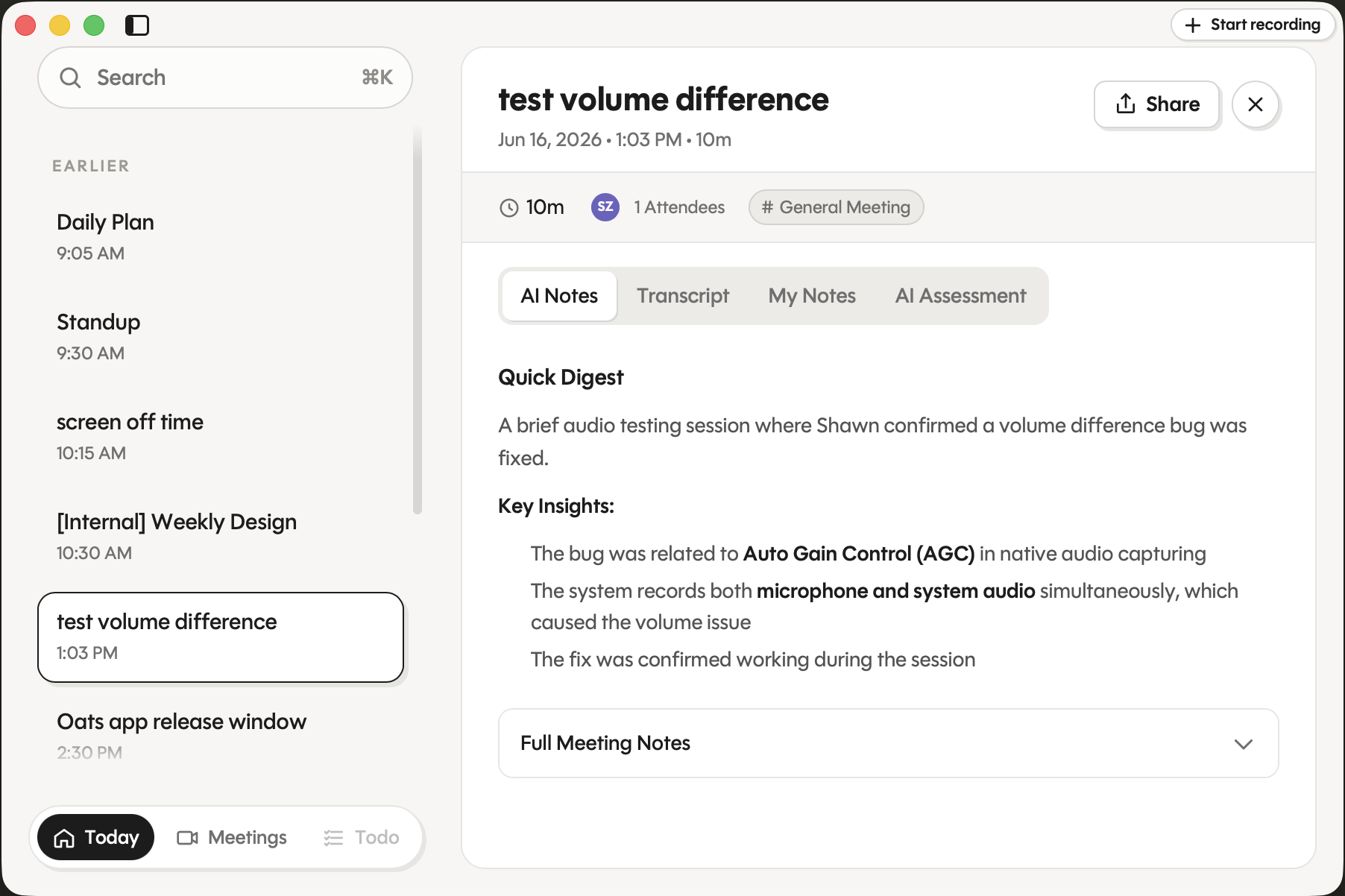
oats lives in your menu bar and stays out of the way. Hit record, get back to your meeting, forget it's running. When you're done it hands you a clean transcript and a tidy set of notes. No tab to babysit, no bot to invite, no "sorry, can you repeat that?"
You decide where the work happens:
Requires Apple Silicon (M-series) and macOS 14 or later.
# Add the tap (the cask lives in this repo, so point Homebrew at it directly)
brew tap ariso-ai/oats https://github.com/ariso-ai/oats

# Trust the cask, then install
brew trust --cask ariso-ai/oats/oats
brew install --cask oats
Homebrew 6.0 introduced tap trust: third-party taps must be explicitly trusted before they install. The
brew truststep grants that once — without it you'll seeRefusing to load cask … from untrusted tap.
oats.dmg from the Releases page. icon.
icon.The app is code-signed and notarized by Apple, and keeps itself up to date as new versions ship.
First launch, pick a transcription backend in Settings → Transcription Backend:
The default. Sign in, hit record. Audio streams to the Ariso backend, which transcribes it in real time and keeps your meetings so you can revisit and share them from anywhere. Free — pick this if you want zero setup and don't mind your transcripts living in the cloud.
Sensitive conversation? Switch the backend to Local and oats does everything on your Mac:
npx claudepluginhub ariso-ai/oats --plugin oats-skills'%20stop-opacity%3D'0.16'%2F%3E%3Cstop%20offset%3D'1'%20stop-color%3D'rgb(200%2C90%2C60)'%20stop-opacity%3D'0.03'%2F%3E%3C%2FlinearGradient%3E%3C%2Fdefs%3E%3Crect%20width%3D'320'%20height%3D'200'%20fill%3D'url(%23g)'%2F%3E%3Ccircle%20cx%3D'250'%20cy%3D'56'%20r%3D'92'%20fill%3D'rgb(200%2C90%2C60)'%20fill-opacity%3D'0.06'%2F%3E%3Ccircle%20cx%3D'64'%20cy%3D'172'%20r%3D'58'%20fill%3D'rgb(200%2C90%2C60)'%20fill-opacity%3D'0.05'%2F%3E%3C%2Fsvg%3E)

