Stats
Actions
Available In
Tags

Sync AI coding conversations into an Obsidian knowledge base, automatically capturing sessions as structured notes with backlinks, health checks, and queryable memory for past decisions and patterns.
Archive old build log entries from _meta/log.md into compact summary pages in _meta/folds/. Prevents log.md from growing unbounded. Extractive only — no invented facts, additive only — never removes source entries until confirmed. Use when _meta/log.md exceeds 200 entries or feels unwieldy.
Compile today's or a specified daily capture into the Vault Architecture v2 structure. Runs a three-stage EXTRACT -> TRANSFORM -> LOAD pipeline that updates concepts, atlas MOCs, synthesis pages, the root index, build log, manifest, state, session bootstrap context, and auto-archive folds.
Run health checks on the knowledge base. Finds broken wikilinks, orphan pages, uncompiled raw captures, stale articles, missing backlinks, sparse content, manifest drift, stale session context, unresolved contradictions, wikilink density issues, short-form link issues, wrong source prefixes, and knowledge gaps. Reports issues by severity: error, warning, suggestion.
Query the knowledge base. Reads session context first, then the root index, then relevant atlas, concept, and synthesis pages, and synthesizes a clear answer with [[wikilink]] citations. Use when you want to ask about past decisions, patterns, lessons, or technical knowledge captured in previous AI conversations.
Show knowledge base statistics: article count by type, last compile time, raw capture status, token economics, session context status, manifest status, and a health summary. Quick overview of the Memory Mason knowledge base state.
Matches all tools
Hooks run on every tool call, not just specific ones
Own this plugin?
Verify ownership to unlock analytics, metadata editing, and a verified badge. GitHub access is read-only (username + org membership).
Sign in to claimOwn this plugin?
Verify ownership to unlock analytics, metadata editing, and a verified badge. GitHub access is read-only (username + org membership).
Sign in to claimBased on adoption, maintenance, documentation, and repository signals. Not a security audit or endorsement.
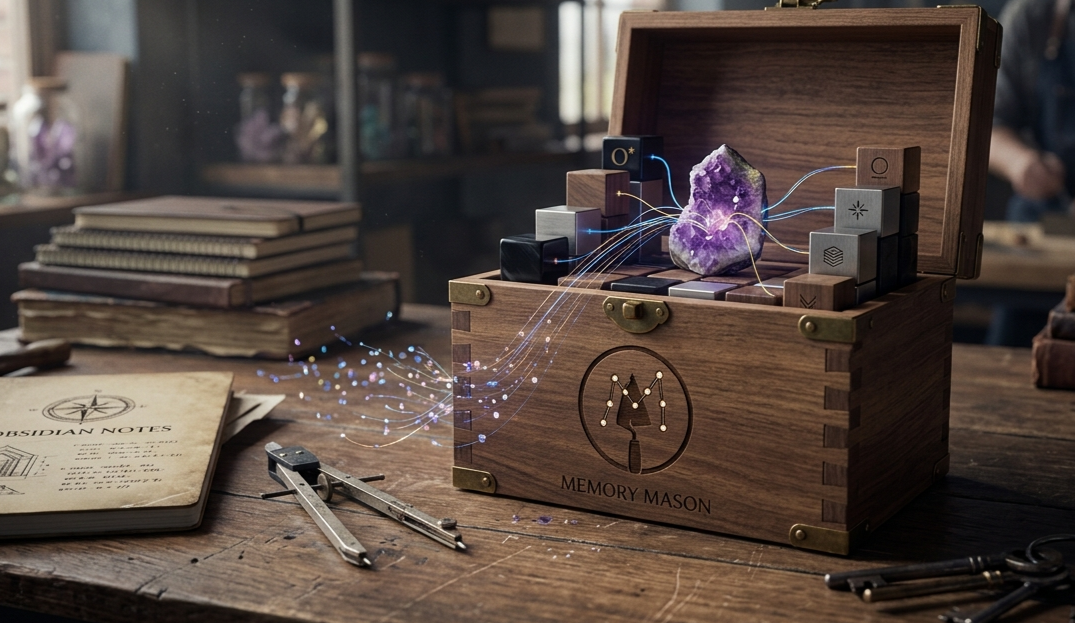
Capture AI conversations. Build an Obsidian knowledge base. One command.






Memory Mason hooks into your AI coding agent and silently captures every conversation into daily Obsidian logs. When you're ready, run /mmc to compile raw logs into structured knowledge articles — concepts, synthesis pages, and MOCs — all interlinked with [[wikilinks]]. Then use /mmq to retrieve answers from your compiled knowledge base without leaving the conversation.
No API key needed. No cloud sync. Everything stays local in your Obsidian vault.
[AI Conversation] ──> [Hook Runtime] ──> [Smart Filter] ──> [Obsidian Vault]
   (any agent)          (automatic)       (6-stage pipe)      _raw/YYYY-MM-DD/
Hooks capture prompts, tool results, and session transcripts into daily log files. Before anything reaches your vault, a six-stage filtering pipeline strips noise and protects sensitive data:
.env contents, or paths like .ssh/ and .aws/Memory Mason's own commands (/mmc, /mmq, /mml, /mms, /mma, /mmsetup) and namespaced /memory-mason:* forms are automatically excluded from capture.
Daily logs are stored in per-day folders and auto-split into files of up to 500KB each. This keeps Obsidian responsive and ensures each file stays within LLM processing limits. No data is lost — every conversation turn is preserved, and Obsidian indexes all chunks for full-text search. Token economics (raw vs. stored token counts and savings percentage) are tracked automatically and reported by /mms. See docs/README.md for technical details on chunked storage.
_raw/YYYY-MM-DD/ ──> /mmc compile ──> concepts/
                                       atlas/
                                       synthesis/
                                       index.md
Run /mmc to compile daily logs into structured articles. The host LLM reads your raw logs and produces atomic concept pages, MOC navigation pages in atlas/, and cross-session synthesis pages — all linked with [[wikilinks]] for Obsidian graph navigation.
/mmq "How does auth work?" ──> _meta/context.md ──> concepts/ + atlas/ + synthesis/ ──> answer with [[citations]]
Run /mmq with a question. Memory Mason checks session context for recent focus first, then reads compiled articles, synthesizes an answer, and cites sources with [[wikilinks]] back to the original concepts. Your knowledge base grows with every session and becomes more useful over time.
| Command | What it does |
|---|---|
/mmc | Compile raw captures into concepts, MOCs, and synthesis pages; update session context and source manifest |
/mmq | Answer questions from your knowledge base with source citations |
/mml | Run knowledge base health checks (broken links, stale content, manifest integrity, and more) |
/mms | Show knowledge base status, token economics, health summary, and compilation coverage |
/mma | Archive old build log entries to keep the knowledge base log compact |
/mmsetup | First-time vault configuration (or uninstall) |
Pick your agent. Restart the host after install.
npx claudepluginhub s-gryt/memory-mason --plugin memory-masonPersistent Obsidian-based memory for coding agents. Automatically orients from a knowledge vault at session start, navigates project architecture via graph traversal, and writes discoveries back to the vault.
 AdamTylerLynch
Create and edit Obsidian vault files including Markdown, Bases, and Canvas. Use when working with .md, .base, or .canvas files in an Obsidian vault.
 breferrari
Automatic Claude Code -> Obsidian second brain: zero-config session capture, hybrid search, autonomous recall, daily/lessons/preferences.
 m3talux
Bidirectional knowledge flow between Claude Code and Obsidian — 20 MCP tools, skills, and hooks for PKM
 AdrianV101
A self-developing knowledge management system for Claude Code. Bridges AI memory to an Obsidian vault with feature-organized spine notes, auto-capture skills, and color-coded graph visualization.
 Nodewarrior
Give your AI coding agent a permanent second brain. Connect Claude Code to an Obsidian vault to auto-record decisions, instantly recall project context, and orchestrate automated refactoring for your team's knowledge base.
 hongdangmoo49
'%20stop-opacity%3D'0.16'%2F%3E%3Cstop%20offset%3D'1'%20stop-color%3D'rgb(200%2C90%2C60)'%20stop-opacity%3D'0.03'%2F%3E%3C%2FlinearGradient%3E%3C%2Fdefs%3E%3Crect%20width%3D'320'%20height%3D'200'%20fill%3D'url(%23g)'%2F%3E%3Ccircle%20cx%3D'250'%20cy%3D'56'%20r%3D'92'%20fill%3D'rgb(200%2C90%2C60)'%20fill-opacity%3D'0.06'%2F%3E%3Ccircle%20cx%3D'64'%20cy%3D'172'%20r%3D'58'%20fill%3D'rgb(200%2C90%2C60)'%20fill-opacity%3D'0.05'%2F%3E%3C%2Fsvg%3E)
