Claude Code Starter System
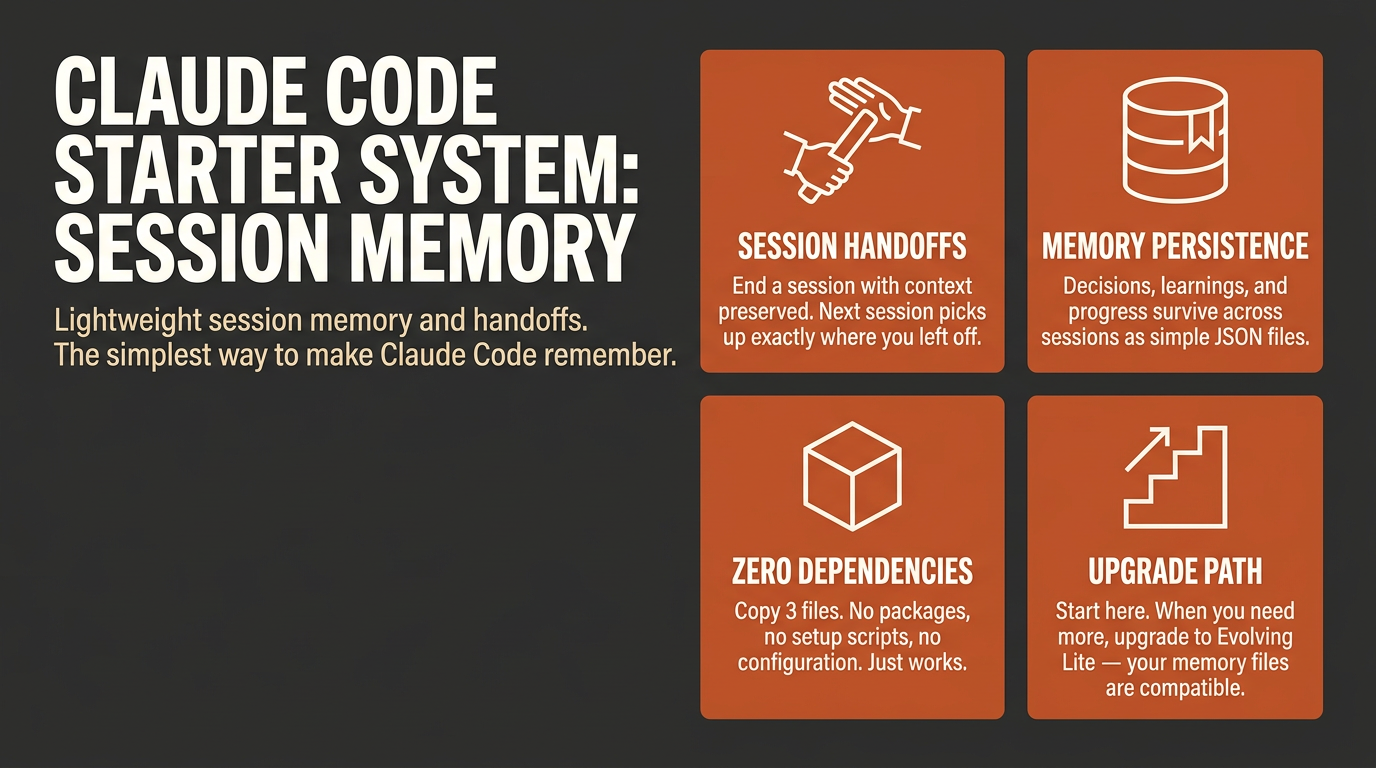
Build Systems, Not Sessions
The Problem
Claude Code sessions are ephemeral. Every new session starts from zero - no memory of what you built yesterday, what decisions you made, what failed last week. You repeat the same context-setting ritual, re-explain your project, and rediscover mistakes you already paid for. Free memory plugins solve one piece of this, but memory alone is not a system.
The Solution
A complete session management system for Claude Code. Not just memory storage - handoffs, context awareness, delegation guidance, and project tracking working together. Extracted from a 650-node production AI system and distilled to the 20% that delivers 80% of the value.
No MCP servers. No API keys. No external dependencies. Pure markdown and JSON - drop it in and go.
What's Included
4 Commands
| Command | What it does |
|---|
/remember | Save a learning, decision, or observation to project memory |
/handoff | Create a session continuity document before you close Claude |
/project-status | View current project state or initialize a new project |
/context-stats | See how much of your context window is used |
1 Skill (auto-activates at session start)
system-boot - loads project context, establishes session guidelines for memory updates, context awareness, delegation, and end-of-session hygiene
2 Templates
memory-index.json - starter structure for your memory indexproject-template.json - starter structure for a new project entry
Quick Start
Session (try it now)
Start Claude Code with the plugin loaded for this session:
claude --plugin-dir /path/to/claude-code-starter-system
Permanent Install
To load the plugin automatically in every session, add it to your Claude Code settings:
{
  "pluginDirectories": ["/path/to/claude-code-starter-system"]
}
Or install via the marketplace once listed there.
Once loaded:
- Run
/project-status to initialize your first project
- Start working - your memory persists across sessions
That's it. No configuration required.
Commands Reference
/remember
Save something worth keeping before it gets lost.
/remember The API rate limit is 100 req/min per user - use exponential backoff
/remember Decision: chose Postgres over SQLite because we need concurrent writes
/remember Gotcha: the auth middleware runs before the rate limiter, not after
Saves to .claude/memory/learnings/ as structured markdown with YAML frontmatter. Browse your learnings anytime.
/handoff
Creates a continuity document at session end. Run this before closing Claude.
/handoff
Outputs a structured summary: what was done, what's next, active blockers, and open decisions. The next session picks this up automatically via system-boot.
/project-status
View current project state or set up a new one.
/project-status
/project-status
Shows: project name, current phase, last progress entry, blockers, and next suggested action.
/context-stats
Check how full your context window is before hitting the limit by surprise.
/context-stats
Returns a visual indicator and percentage. Useful before starting a large task - if you are at 70%+ consider running /handoff first.
How It Works
Session start
system-boot reads .claude/memory/index.json to find your active project, then loads .claude/memory/projects/{name}.json. Claude gets oriented before your first message: current phase, last progress, known blockers, next suggested step.
During work
/remember saves learnings as you go. The system-boot guidelines steer Claude toward using sub-agents for exploration and research tasks - keeping your main context clean - and flag when you are approaching context limits.
Session end
/handoff writes a structured continuity document. It captures what was completed, what is in progress, any decisions made, and what to tackle next.
Next session
system-boot loads the project state and finds the latest handoff file. Claude picks up where you left off without you re-explaining anything.
What to Expect
The system builds itself through use. Here is what your memory looks like over time:
Day 1 (after install):
You run /project-status, answer 3 questions, and get an empty project file. That's it. The value is not obvious yet.
After 3 sessions:
Your project file has a progress log. Claude opens each session already knowing what you did yesterday and what's next. You stop re-explaining context.
After 1 week (~8 sessions):
Your memory looks like this:
Project: TaskFlow | Phase: building
Last progress: Deployed to staging, auth and real-time updates working
Next step: Fix magic link redirect, then deploy to production
Known blockers: Supabase site URL still set to localhost

 primeline-ai
 blas0
blas0 Lyzr-Cognis
 davegoldblatt
 nhevers
 kunickiaj
 affaan-m
'%20stop-opacity%3D'0.16'%2F%3E%3Cstop%20offset%3D'1'%20stop-color%3D'rgb(200%2C90%2C60)'%20stop-opacity%3D'0.03'%2F%3E%3C%2FlinearGradient%3E%3C%2Fdefs%3E%3Crect%20width%3D'320'%20height%3D'200'%20fill%3D'url(%23g)'%2F%3E%3Ccircle%20cx%3D'250'%20cy%3D'56'%20r%3D'92'%20fill%3D'rgb(200%2C90%2C60)'%20fill-opacity%3D'0.06'%2F%3E%3Ccircle%20cx%3D'64'%20cy%3D'172'%20r%3D'58'%20fill%3D'rgb(200%2C90%2C60)'%20fill-opacity%3D'0.05'%2F%3E%3C%2Fsvg%3E)