Stats
Actions
Available In
Tags

Instrument, trace, evaluate, and iteratively improve AI agent behavior with MLflow, supporting observability, debugging, evaluation workflows, documentation lookup, and regression testing across Python and TypeScript frameworks like LangChain, OpenAI, and Gemini.
Master dispatcher for all MLflow workflows. Use this skill when the user wants to do anything with MLflow — tracing, evaluating, debugging, or improving an agent. Routes to the right MLflow sub-skill automatically. Triggers on: "use mlflow", "help with mlflow", "mlflow agent", "add mlflow to my project", "trace my agent", "evaluate my agent", or any MLflow task without a specific skill in mind.
Use this when you need to EVALUATE OR IMPROVE or OPTIMIZE an existing LLM agent's output quality - including improving tool selection accuracy, answer quality, reducing costs, or fixing issues where the agent gives wrong/incomplete responses. Evaluates agents systematically using MLflow evaluation with datasets, scorers, and tracing. IMPORTANT - Always also load the instrumenting-with-mlflow-tracing skill before starting any work. Covers end-to-end evaluation workflow or individual components (tracing setup, dataset creation, scorer definition, evaluation execution).
Instruments Python and TypeScript code with MLflow Tracing for observability. Must be loaded when setting up tracing as part of any workflow including agent evaluation. Triggers on adding tracing, instrumenting agents/LLM apps, getting started with MLflow tracing, tracing specific frameworks (LangGraph, LangChain, OpenAI, Gemini, DSPy, CrewAI, AutoGen), or when another skill references tracing setup. Examples - "How do I add tracing?", "Instrument my agent", "Trace my LangChain app", "Set up tracing for evaluation"
Analyzes a single MLflow trace to answer a user query about it. Use when the user provides a trace ID and asks to debug, investigate, find issues, root-cause errors, understand behavior, or analyze quality. Triggers on "analyze this trace", "what went wrong with this trace", "debug trace", "investigate trace", "why did this trace fail", "root cause this trace".
Analyzes an MLflow session — a sequence of traces from a multi-turn chat conversation or interaction. Use when the user asks to debug a chat conversation, review session or chat history, find where a multi-turn chat went wrong, or analyze patterns across turns. Triggers on "analyze this session", "what happened in this conversation", "debug session", "review chat history", "where did this chat go wrong", "session traces", "analyze chat", "debug this chat".
Based on adoption, maintenance, documentation, and repository signals. Not a security audit or endorsement.
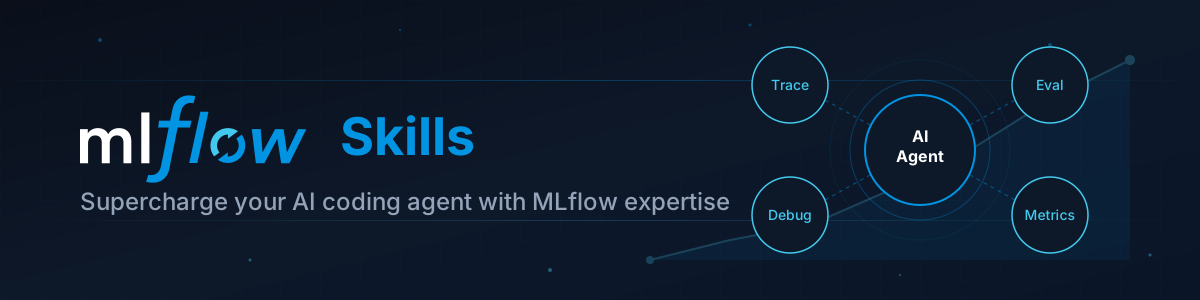
Turn your favorite coding agent into an LLMOps expert with MLflow skills.
Build, debug, and evaluate GenAI applications with confidence. These skills give your AI coding assistant deep knowledge of MLflow's tracing, evaluation, and observability features.
Works with any coding agent that support Skills, including Claude Code, Cursor, Codex CLI, Gemini CLI, and OpenCode.
Building production-ready AI agents is hard. You need observability to understand what your agent is doing, evaluation to measure quality, and debugging tools when things go wrong. MLflow provides SDKs and best practices for all of these operations, and with skills we bring them directly into the environment where LLM agent development happens. Now you can go to your favorite coding agent and just ask:
| Skill | Description |
|---|---|
| instrumenting-with-mlflow-tracing | Instruments Python and TypeScript code with MLflow Tracing. Supports OpenAI, Anthropic, LangChain, LangGraph, LiteLLM, and more. |
| analyze-mlflow-trace | Debugs issues by examining spans, assessments, and correlating with your codebase. |
| analyze-mlflow-chat-session | Debugs multi-turn chat conversations by reconstructing session history and finding where things went wrong. |
| retrieving-mlflow-traces | Powerful trace search and filtering by status, session, user, time range, or custom metadata. |
| Skill | Description |
|---|---|
| agent-evaluation | End-to-end agent evaluation workflow — dataset creation, scorer selection, evaluation execution, and results analysis. |
| querying-mlflow-metrics | Fetches aggregated metrics (token usage, latency, error rates) with time-series analysis and dimensional breakdowns. |
| Skill | Description |
|---|---|
| mlflow-onboarding | Guides new users through MLflow setup based on their use case (GenAI apps vs traditional ML). |
| searching-mlflow-docs | Searches official MLflow documentation efficiently using the llms.txt index. |
skills installernpx skills add mlflow/skills
git clone https://github.com/mlflow/skills.git
cp -r mlflow-skills/* ~/.claude/skills/
Change the ~/.claude/skills/ directory to the appropriate location for your coding agent, e.g., ~/.codex/skills/ for Codex.
Add skills to your project for team sharing:
cd your-project
git clone https://github.com/mlflow/skills.git .skills/mlflow
# Or as a submodule:
git submodule add https://github.com/mlflow/skills.git .skills/mlflow
The hooks/ directory contains a UserPromptSubmit hook that automatically detects MLflow-related patterns in your prompts and surfaces the right skill before the agent responds — no need to remember which skill does what.
Step 1: Copy the hook somewhere permanent:
cp hooks/mlflow-suggest-hook.py ~/.claude/hooks/mlflow-suggest-hook.py
Step 2: Add it to your Claude Code settings (~/.claude/settings.json):
{
  "hooks": {
    "UserPromptSubmit": [
      {
        "type": "command",
        "command": "python3 ~/.claude/hooks/mlflow-suggest-hook.py"
      }
    ]
  }
}
Step 3: Start a new session. When you ask something like "Add tracing to my app", you'll see:
💡 Use the `instrumenting-with-mlflow-tracing` skill to add MLflow tracing.
See hooks/README.md for the full keyword-to-skill mapping and troubleshooting.
> Add MLflow tracing to my OpenAI app

The coding agent will:
1. Detect your LLM framework
2. Add the right autolog call
3. Configure experiment tracking
4. Verify traces are being captured
> Analyze trace tr-abc123 — why did it return the wrong answer?
claude plugin install mlflow@claude-plugins-officialSet up ML experiment tracking
 jeremylongshore
Agent and skill evaluation harness with MLflow integration
 opendatahub-io
LLM observability tooling for agent development and Claude Code
 comet-ml
26 Agent Skills (several with runnable, unit-tested scripts) for building, evaluating, securing, and monitoring reliable LLM & AI-agent apps.
 ContextJet-ai
ML experiment tracking with metrics logging and run comparison
 rohitg00
Skills for querying and analyzing data from the Arize ML observability platform using GraphQL. Includes trace analysis and general platform analytics.
 Arize-ai
'%20stop-opacity%3D'0.16'%2F%3E%3Cstop%20offset%3D'1'%20stop-color%3D'rgb(200%2C90%2C60)'%20stop-opacity%3D'0.03'%2F%3E%3C%2FlinearGradient%3E%3C%2Fdefs%3E%3Crect%20width%3D'320'%20height%3D'200'%20fill%3D'url(%23g)'%2F%3E%3Ccircle%20cx%3D'250'%20cy%3D'56'%20r%3D'92'%20fill%3D'rgb(200%2C90%2C60)'%20fill-opacity%3D'0.06'%2F%3E%3Ccircle%20cx%3D'64'%20cy%3D'172'%20r%3D'58'%20fill%3D'rgb(200%2C90%2C60)'%20fill-opacity%3D'0.05'%2F%3E%3C%2Fsvg%3E)