Connect AI generates via VectCutAPI Try it online
Project Overview
VectCutAPI is a powerful editing API that empowers you to take full control of your AI-generated assets, including images, audio, video, and text. It provides the precision needed to refine and customize raw AI output, such as adjusting video speed or mirroring an image. This capability effectively solves the lack of control often found in AI video generation, allowing you to easily transform your creative ideas into polished videos.
Enjoy It! 😀😀😀
中文说明
Advantages
-
API-Powered Editing: Access all powerfull editing features, including multi-track editing and keyframe animation, through a powerful API.
-
Real-Time Cloud Preview: Instantly preview your edits on a webpage without downloads, dramatically improving your workflow.
-
Flexible Local Editing: Export projects as drafts to import into CapCut or Jianying for further refinement.
-
Automated Cloud Generation: Use the API to render and generate final videos directly in the cloud.
Demos
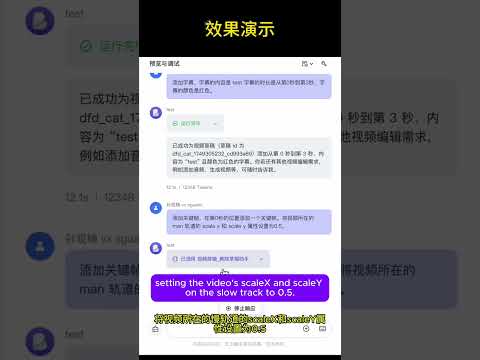
MCP, create your own editing Agent
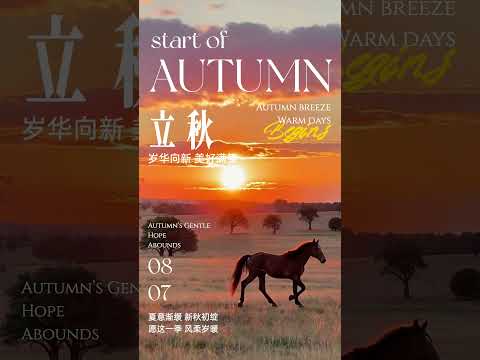
Combine AI-generated images and videos using VectCutAPI
More


Key Features
| Feature Module | API | MCP Protocol | Description |
|---|
| Draft Management | ✅ | ✅ | Create and save Jianying/CapCut draft files |
| Video Processing | ✅ | ✅ | Import, clip, transition, and apply effects to multiple video formats |
| Audio Editing | ✅ | ✅ | Audio tracks, volume control, sound effects processing |
| Image Processing | ✅ | ✅ | Image import, animation, masks, filters |
| Text Editing | ✅ | ✅ | Multi-style text, shadows, backgrounds, animations |
| Subtitle System | ✅ | ✅ | SRT subtitle import, style settings, time synchronization |
| Effects Engine | ✅ | ✅ | Visual effects, filters, transition animations |
| Sticker System | ✅ | ✅ | Sticker assets, position control, animation effects |
| Keyframes | ✅ | ✅ | Property animation, timeline control, easing functions |
| Media Analysis | ✅ | ✅ | Get video duration, detect format |
Claude Code Plugin Installation
Install VectCutAPI as a Claude Code plugin for automatic MCP server setup:
claude plugin add -- /path/to/VectCutAPI
Or if published to the marketplace:
claude plugin add sun-guannan/VectCutAPI
The plugin automatically:
- Creates a Python virtual environment on first run
- Installs all dependencies
- Starts the MCP server with 11 video editing tools
- Provides the
/capcut-video skill and video-editor agent
Quick Start
1. System Requirements
- Python 3.10+
- Jianying or CapCut International version
- FFmpeg
2. Installation and Deployment
# 1. Clone the project
git clone https://github.com/sun-guannan/VectCutAPI.git
cd VectCutAPI

# 2. Create a virtual environment (recommended)
python -m venv venv-capcut
source venv-capcut/bin/activate  # Linux/macOS
# or venv-capcut\Scripts\activate  # Windows

# 3. Install dependencies
pip install -r requirements.txt      # HTTP API basic dependencies
pip install -r requirements-mcp.txt  # MCP protocol support (optional)

# 4. Configuration file
cp config.json.example config.json
# Edit config.json as needed
3. Start the service
python capcut_server.py # Start the HTTP API server, default port: 9001

python mcp_server.py # Start the MCP protocol service, supports stdio communication
Skill Integration Guide
Skill中文文档
Skill Guide
MCP Integration Guide
MCP 中文文档 • MCP English Guide
1. Client Configuration
Create or update the mcp_config.json configuration file:
{
  "mcpServers": {
    "capcut-api": {
      "command": "python3",
      "args": ["mcp_server.py"],
      "cwd": "/path/to/CapCutAPI",
      "env": {
        "PYTHONPATH": "/path/to/CapCutAPI",
        "DEBUG": "0"
      }
    }
  }
}
2. Connection Test
# Test MCP connection
python test_mcp_client.py

# Expected output
✅ MCP server started successfully
✅ Got 11 available tools
✅ Draft creation test passed
Usage Examples
1. API Example