An AI coding agent plugin that opens Markdown files in a local browser-based annotator.
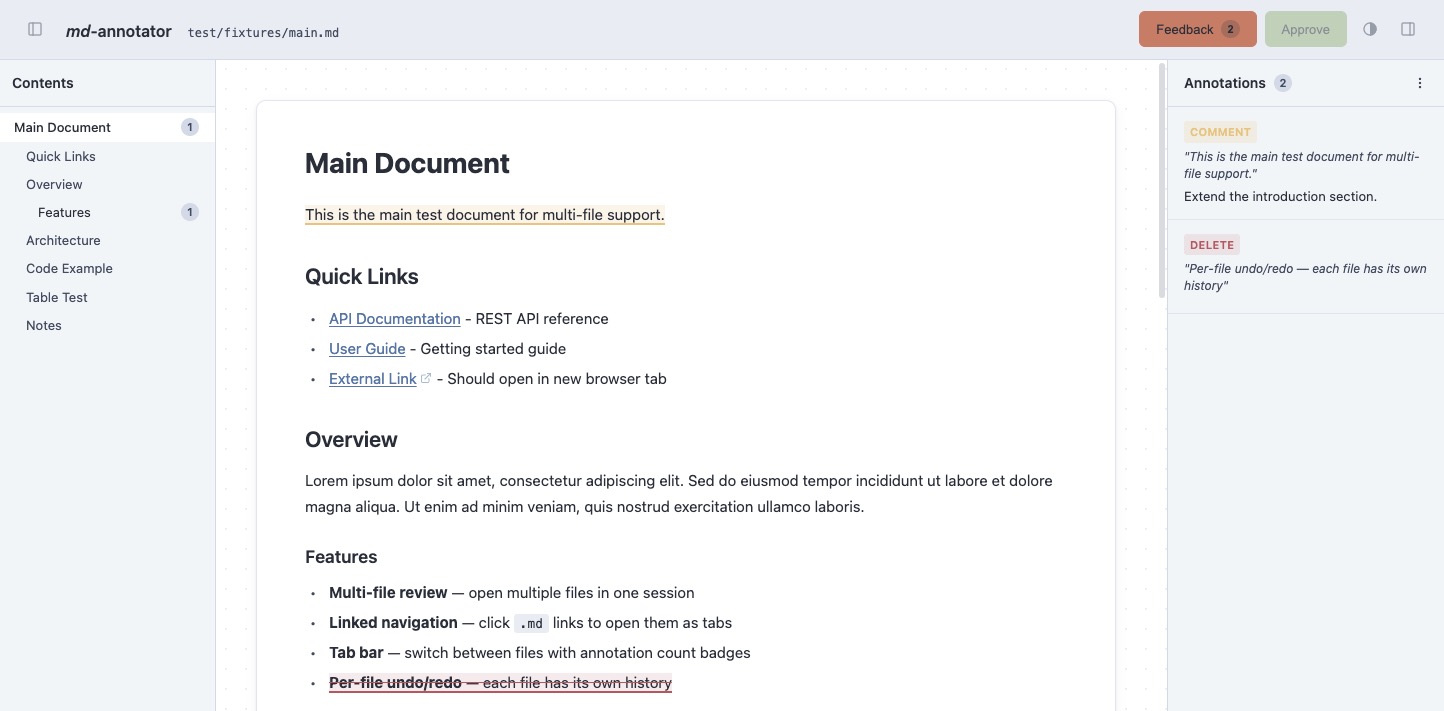
Select text to mark deletions or add comments, then let the coding agent apply your feedback.
[!NOTE]
This plugin is heavily inspired by the excellent plannotator plugin and uses a similar general approach for Markdown files. Useful for reviewing documentation in software projects.
✨ Features
Multi-File Support -- Review multiple files in one session with a tabbed interface
Linked Navigation -- Click relative .md links to open them as new tabs (wiki-style browsing)
Mermaid Diagrams -- Renders mermaid code blocks as interactive diagrams with zoom, pan, and source toggle (adapts to light/dark theme)
PlantUML Diagrams -- Renders plantuml code blocks as SVG via a configurable PlantUML server with zoom, pan, and source toggle
Kroki Diagrams -- Renders 27+ diagram formats (graphviz, d2, ditaa, erd, nomnoml, excalidraw, and more) via a configurable Kroki server
File References -- Type @ in comments to autocomplete and reference other project files
Export & Import -- Export annotations as Markdown or JSON; re-import JSON to continue a review later
Annotation Persistence -- Annotations auto-save to the server and survive page reloads (validated by content hash)
Undo / Redo -- Full undo/redo history for annotations (Cmd+Z / Cmd+Shift+Z)
Quick Labels -- Categorize annotations instantly with 10 predefined labels (Alt+1--0) shown as colored pills with SVG icons
Inline Editing -- Click highlighted text to edit annotation type or comment in-place
Table of Contents -- Collapsible sidebar with scroll tracking and per-section annotation count badges
Syntax Highlighting -- Code blocks rendered with highlight.js
Dark Mode -- Light, dark, and auto theme (follows system preference)
Auto-Close Tab -- Opt-in countdown that closes the browser tab after submitting feedback
Update Notifications -- Banner when a new GitHub release is available
Heartbeat Detection -- Graceful shutdown when the browser tab is closed
IDE Integration -- Annotate the currently open file in VSCode, Cursor, or JetBrains without arguments
Iterative Review -- AI agent applies your feedback and re-opens the annotator for another review round until you approve
📋 Prerequisites
Node.js 22+ and npm
A modern browser (opens automatically)
🔗 Integrations
md-annotator supports the following integrations:
Claude Code -- Plugin with /annotate:md slash command
OpenCode -- Plugin with annotate_markdown tool and /annotate:md command
Standalone CLI -- Use directly from the terminal without an AI agent
🔌 Claude Code Plugin
md-annotator is a Claude Code plugin. After installation the slash command /annotate:md is available in any Claude Code session.
Use OpenMarkdown as a shared whiteboard with the user: preview and reveal markdown you produce, sense what they are looking at, and hand decisions back through their editor.
 desplega-ai
 kevindutra
 OpenMarkdown-dev
 backnotprop
 diegomarino
 team-attention

'%20stop-opacity%3D'0.16'%2F%3E%3Cstop%20offset%3D'1'%20stop-color%3D'rgb(200%2C90%2C60)'%20stop-opacity%3D'0.03'%2F%3E%3C%2FlinearGradient%3E%3C%2Fdefs%3E%3Crect%20width%3D'320'%20height%3D'200'%20fill%3D'url(%23g)'%2F%3E%3Ccircle%20cx%3D'250'%20cy%3D'56'%20r%3D'92'%20fill%3D'rgb(200%2C90%2C60)'%20fill-opacity%3D'0.06'%2F%3E%3Ccircle%20cx%3D'64'%20cy%3D'172'%20r%3D'58'%20fill%3D'rgb(200%2C90%2C60)'%20fill-opacity%3D'0.05'%2F%3E%3C%2Fsvg%3E)