pair-review
Your AI-powered code review partner - Close the feedback loop between you and AI coding agents



GitHub Repository
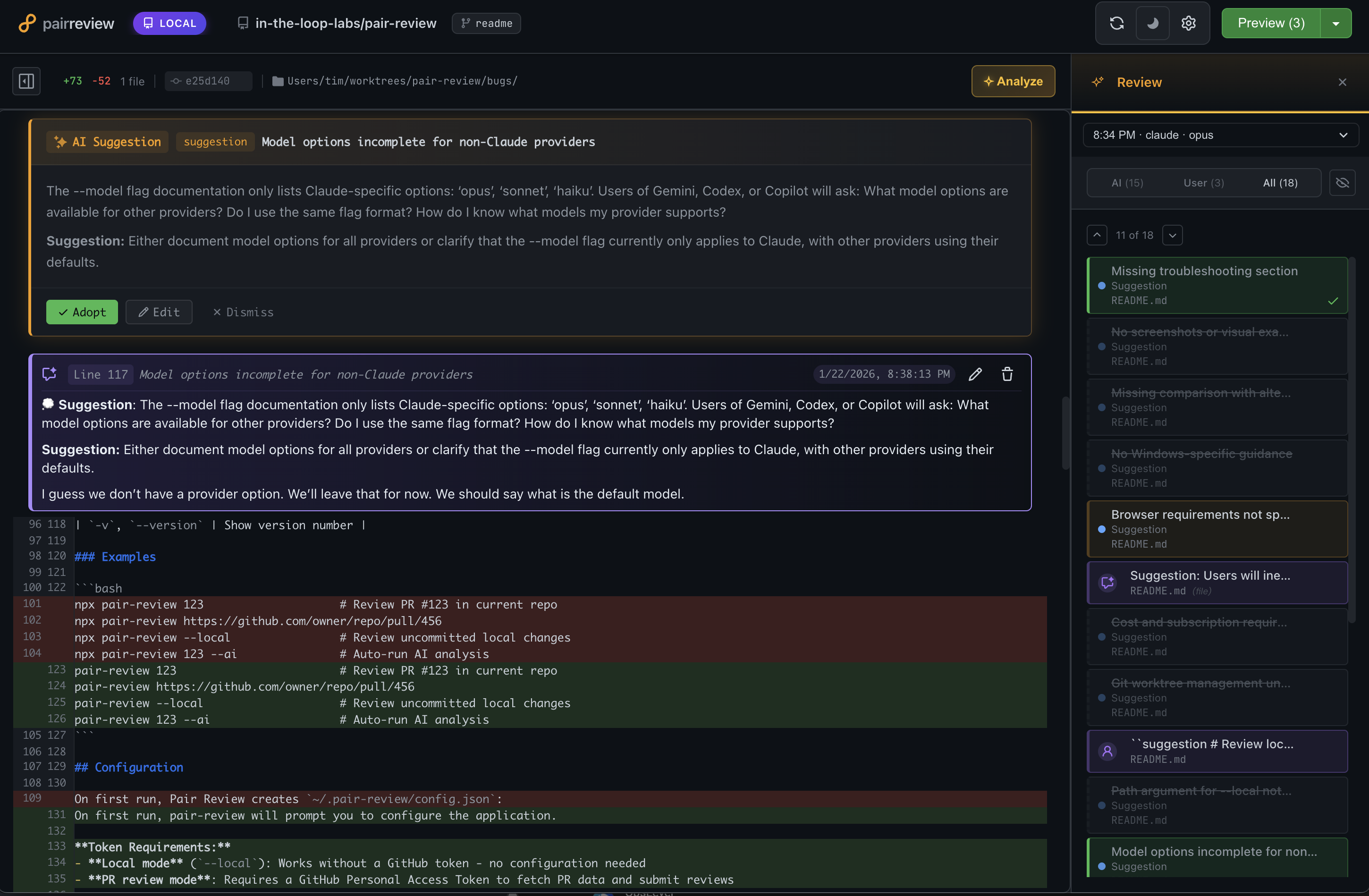
Table of Contents
What is pair-review?
pair-review is a local web application for keeping humans in the loop with AI coding agents. Calling it an AI code review tool would be accurate but incomplete — it supports multiple workflows beyond automated review, from reviewing agent-generated code before committing, to judging AI suggestions instead of reading every line, to using AI to guide your attention during a thorough review. You pick what fits your situation.
Two Core Value Propositions
-
Tight Feedback Loop for AI Coding Agents
- Review AI-generated code with clarity and precision
- Provide structured feedback in markdown format
- Copy and paste feedback directly back to your coding agent
- Create a continuous improvement cycle where you stay in control
-
AI-Assisted Human Review Partner
- Get AI-powered suggestions to accelerate your reviews
- Highlight potential issues and noteworthy code patterns
- You make the final decisions - adopt, edit, or discard AI suggestions
- Add your own comments alongside AI insights
Why pair-review?
- Local-First: All data and processing happens on your machine - no cloud dependencies
- GitHub-Familiar UI: Interface feels instantly familiar to GitHub users
- Human-in-the-Loop: AI suggests, you decide
- Multiple AI Providers: Support for Claude, Gemini, Codex, Copilot, OpenCode, Cursor, and Pi. Use your existing subscription!
- Progressive: Start simple with manual review, add AI analysis when you need it
Workflows
There are no hard boundaries between these — mix and match as needed.
1. Local Review: Human Reviews Agent-Generated Code
When to use: You're working with a coding agent and want to review its changes before committing.
This is the core feedback loop workflow. When an agent generates code, open pair-review to review the uncommitted changes. With the GitHub-like UI, you can add comments at specific file and line locations, then copy that formatted feedback and paste it back into whatever coding agent you're using (or use MCP/skills to read comments directly into Claude Code).
Compared to giving feedback in chat, this feels like moving from a machete to a scalpel. Instead of trying to capture everything in one message, you can leave targeted comments at dozens of specific locations — and the agent addresses each one with surgical precision.
How it works:
- Run
pair-review --local to open the diff UI
- Review changes in a familiar GitHub-like interface
- Add comments with specific file and line locations
- Copy formatted feedback and paste into your coding agent
- Iterate until you're satisfied
Tips:
- Stage previous changes in git, then only review new modifications in the next round
- Local mode only shows unstaged changes and untracked files (opinionated by design)
2. Meta-Review: Judging AI Suggestions
When to use: You're not going to read every line of code. Let AI be your reader.
Instead of reviewing thousands of lines of code, you review a dozen AI suggestions. The AI reads the code; you review its recommendations. Each suggestion comes with enough context to evaluate it — even when you're not deeply familiar with the language or codebase.