
MemClaw
Persistent project memory for AI coding agents — isolated workspaces, visual dashboard, team collaboration.



MemClaw · Install · Install Guide · Get API Key · Why MemClaw?
The Problem
AI coding agents forget everything between sessions. When you juggle multiple projects, things get worse — Client A's context bleeds into Client B's conversation, and you waste time re-explaining project details every time you start a new chat.
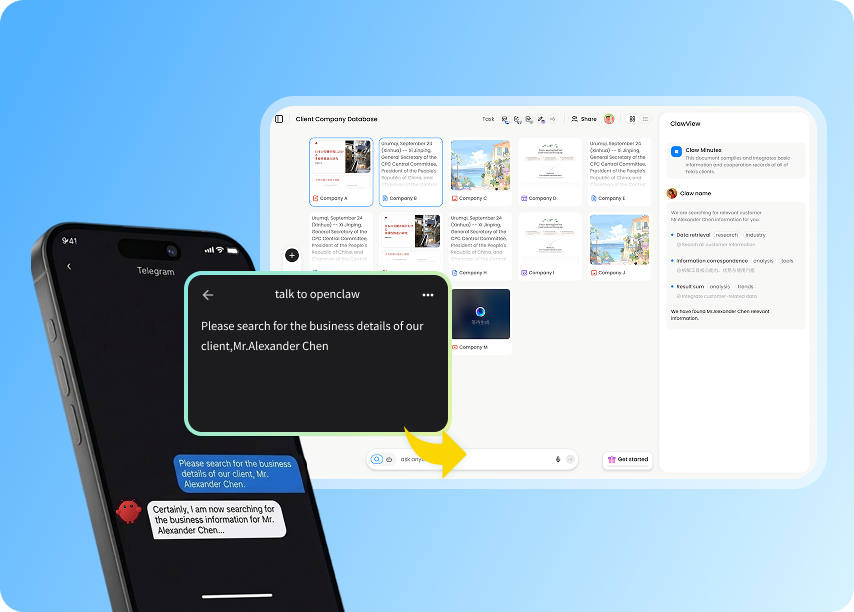
MemClaw fixes this. It gives your AI agent a persistent, project-isolated memory system with a web dashboard so you can actually see and manage what your agent remembers.
Why MemClaw?
Unlike general-purpose AI memory tools, MemClaw is designed specifically for project-level isolation:
| Feature | MemClaw | General memory tools |
|---|
| Project isolation | Each project gets its own workspace — zero context bleed | Memory is shared across all conversations |
| Visual dashboard | Web UI to review, edit, and manage agent memory | Memory is invisible — you can't see what the agent remembers |
| Team collaboration | Invite teammates to shared project workspaces | Single-user only |
| Structured memory | Tasks, artifacts, and a living project README | Flat key-value or vector store |
| Free to use | Core features are free | Often requires paid plans |
What It Does
- Workspaces — one project = one workspace, identified by name. Client A's context never touches Client B's.
- Artifacts — save research reports, documents, URLs, and files to the workspace.
- README memory — agent maintains a structured project README: background, user preferences, current progress.
- Query — retrieve workspace contents by browsing or semantic search.
- Cross-session — load any workspace and pick up exactly where things left off.
- Web dashboard — open the MemClaw dashboard to view and manage all your project memories.
Use Cases
Sales & Consulting
Track 6 clients simultaneously. Each client gets their own workspace with pricing history, requirements, and communication notes. Switch between clients without context contamination.
Multi-Project Development
Three repos, three workspaces. Your AI agent remembers each project's architecture, constraints, and TODO list independently. No more re-explaining your tech stack.
Research & Knowledge Work
Accumulate papers, insights, and notes into project-specific knowledge bases. Your AI agent builds structured knowledge over time instead of losing it in chat history.
Install
Get your API key from felo.ai, then set it:
export FELO_API_KEY="your-api-key-here" # Linux/macOS
$env:FELO_API_KEY="your-api-key-here"   # Windows (PowerShell)
The key can also be persisted in ~/.memclaw/env.
Claude Code
# Add the marketplace
/plugin marketplace add Felo-Inc/memclaw

# Install the skill
/plugin install memclaw@memclaw
OpenClaw
bash <(curl -s https://raw.githubusercontent.com/Felo-Inc/memclaw/main/scripts/openclaw-install.sh)
Manual Installation
git clone https://github.com/Felo-Inc/memclaw.git

# Copy the skill folder to your AI agent's skills directory
# Claude Code:  ~/.claude/skills/
# Gemini CLI:   ~/.gemini/skills/
# Codex:        ~/.codex/skills/
cp -r memclaw/memclaw ~/.claude/skills/
Usage
Just talk to the agent naturally:
Create a workspace called Client Acme
Load the Acme workspace
What's in my workspace?
Save that report to the workspace
The agent handles task tracking, artifact saving, and README updates automatically — no extra commands needed.
How It Works

 ourmem
 chainofdive
 rohitg00
 SukinShetty
 Lyzr-Cognis