Stats
Actions
Available In
Tags

Orchestrate multi-agent coding workflows with context-aware task decomposition, parallel subtask execution, automated code review, and TDD test generation.
Use before implementing anything — discovers context and proposes a plan for approval before writing code.
Use when encountering any bug, test failure, or unexpected behavior — before proposing any fixes.
$ARGUMENTS
Clean up old temporary files from .tmp directory
Show OAC workflow overview and available skills
Review code for security vulnerabilities, correctness, and quality. Use after implementation is complete and before committing. Examples: <example> Context: coder-agent has finished implementing a new auth service. user: "The auth service is done, can you check it?" assistant: "I'll run the code-review skill to have code-reviewer validate it before we commit." <commentary>Implementation is complete — code-reviewer validates before commit.</commentary> </example> <example> Context: User is about to merge a PR with database query changes. user: "Review src/db/queries.ts before I merge" assistant: "Using code-reviewer to check for SQL injection and correctness issues." <commentary>Explicit review request on specific files — code-reviewer is the right agent.</commentary> </example>
Execute a single coding subtask from a JSON task file. Use when a subtask_NN.json file exists with acceptance criteria and deliverables. Examples: <example> Context: The task-manager has created subtask_01.json for a JWT service. user: "Implement the JWT service subtask" assistant: "I'll delegate this to the coder-agent with the subtask JSON." <commentary>A subtask JSON file exists with clear criteria — coder-agent is the right choice.</commentary> </example> <example> Context: User asks to fix a bug in auth middleware. user: "Fix the token expiry bug in auth.middleware.ts" assistant: "Let me use the code-execution skill to handle this via coder-agent." <commentary>A concrete implementation task with a specific file — coder-agent executes it.</commentary> </example>
Manages context files, discovers context roots, validates structure, and organizes project context
Discover relevant context files, coding standards, and project conventions. Use before implementation begins to find the right standards to follow. Examples: <example> Context: User wants to build a new authentication feature. user: "Build me a JWT authentication system" assistant: "Before implementing, I'll use context-scout to find the security and auth standards for this project." <commentary>New feature starting — context-scout finds the relevant standards first.</commentary> </example> <example> Context: coder-agent needs to know the project's TypeScript conventions. user: "What TypeScript patterns should I follow here?" assistant: "Let me use context-scout to discover the TypeScript standards in this project's context." <commentary>Standards needed before coding — context-scout navigates the context system to find them.</commentary> </example>
Fetches external library and framework documentation from Context7 API and other sources, caching results for offline use
Use when a subtask is ready to implement and has a subtask JSON file with acceptance criteria and deliverables.
Use when code has been written and needs validation before committing, or when the user asks for a code review or security check.
Use when coding standards, security patterns, or project conventions need to be discovered before implementation begins.
Install context files from registry. Use when user runs /install-context, says "install context", "setup context", or when context is missing and the user needs to get started.
Use when encountering any bug, test failure, or unexpected behavior, before proposing fixes
Uses power tools
Uses Bash, Write, or Edit tools
Own this plugin?
Verify ownership to unlock analytics, metadata editing, and a verified badge. GitHub access is read-only (username + org membership).
Sign in to claimOwn this plugin?
Verify ownership to unlock analytics, metadata editing, and a verified badge. GitHub access is read-only (username + org membership).
Sign in to claimBased on adoption, maintenance, documentation, and repository signals. Not a security audit or endorsement.
No model invocation
Executes directly as bash, bypassing the AI model
No model invocation
Executes directly as bash, bypassing the AI model
Runs pre-commands
Contains inline bash commands via ! syntax
Runs pre-commands
Contains inline bash commands via ! syntax
Bash prerequisite issue
Uses bash pre-commands but Bash not in allowed tools
Bash prerequisite issue
Uses bash pre-commands but Bash not in allowed tools
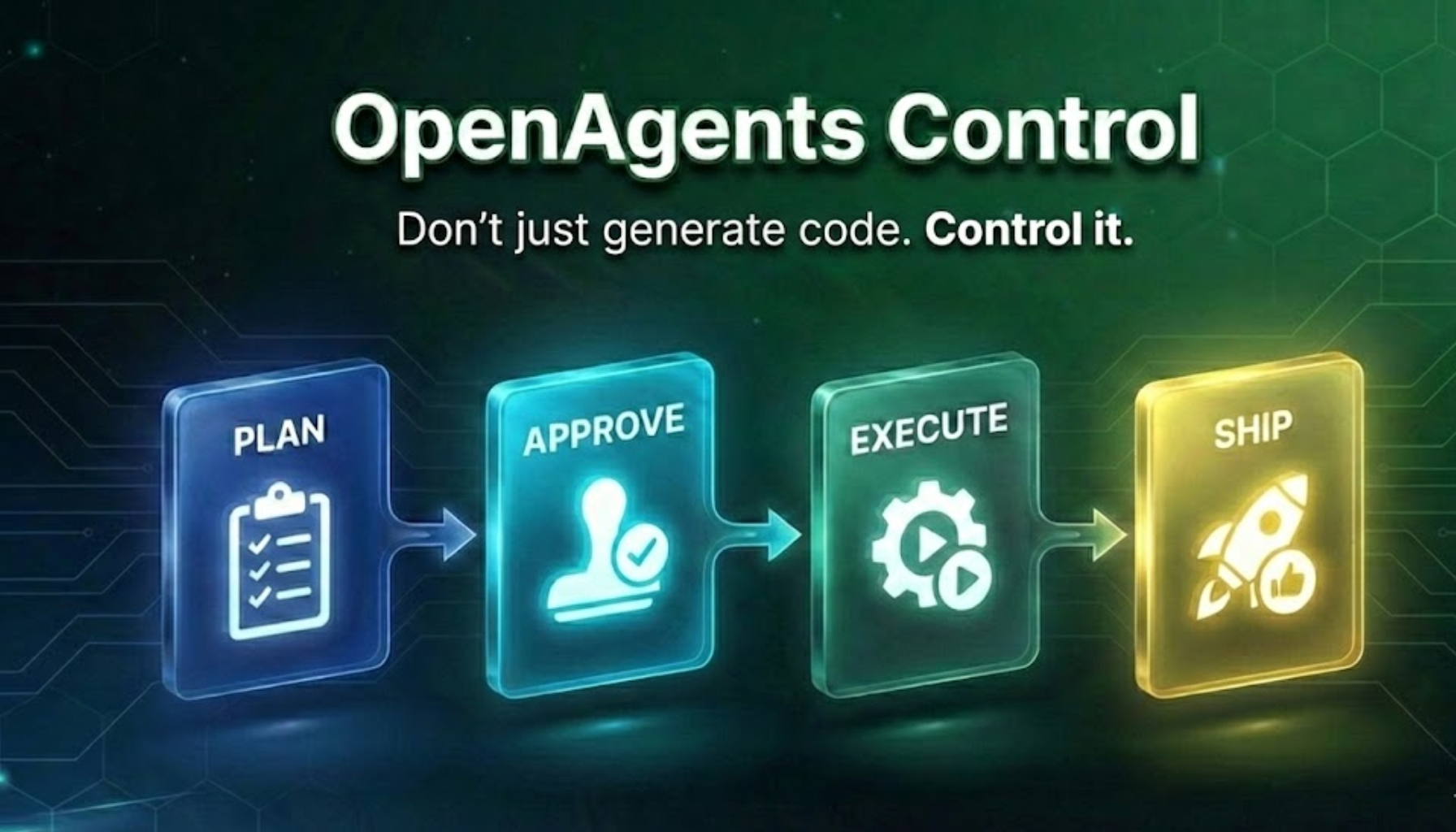
AI agents that learn YOUR coding patterns and generate matching code every time.
🎯 Pattern Control - Define your patterns once, AI uses them forever
✋ Approval Gates - Review and approve before execution
🔁 Repeatable Results - Same patterns = Same quality code
📝 Editable Agents - Full control over AI behavior
👥 Team-Ready - Everyone uses the same patterns
Multi-language: TypeScript • Python • Go • Rust • C# • Any language*
Model Agnostic: Claude • GPT • Gemini • MiniMax • Local models



Built on OpenCode - An open-source AI coding framework. OAC extends OpenCode with specialized agents, context management, and team workflows.
Most AI agents are like hiring a developer who doesn't know your codebase. They write generic code. You spend hours rewriting, refactoring, and fixing inconsistencies. Tokens burned. Time wasted. No actual work done.
Example:
// What AI gives you (generic)
export async function POST(request: Request) {
  const data = await request.json();
  return Response.json({ success: true });
}

// What you actually need (your patterns)
export async function POST(request: Request) {
  const body = await request.json();
  const validated = UserSchema.parse(body);  // Your Zod validation
  const result = await db.users.create(validated);  // Your Drizzle ORM
  return Response.json(result, { status: 201 });  // Your response format
}
OpenAgentsControl teaches agents your patterns upfront. They understand your coding standards, your architecture, your security requirements. They propose plans before implementing. They execute incrementally with validation.
The result: Production-ready code that ships without heavy rework.
🎯 Context-Aware (Your Secret Weapon)
Agents load YOUR patterns before generating code. Code matches your project from the start. No refactoring needed.
📝 Editable Agents (Not Baked-In Plugins)
Full control over agent behavior. Edit markdown files directly—no compilation, no vendor lock-in. Change workflows, add constraints, customize for your team.
✋ Approval Gates (Human-Guided AI)
Agents ALWAYS request approval before execution. Propose → Approve → Execute. You stay in control. No "oh no, what did the AI just do?" moments.
⚡ Token Efficient (MVI Principle)
Minimal Viable Information design. Only load what's needed, when it's needed. Context files <200 lines, lazy loading, faster responses.
👥 Team-Ready (Repeatable Patterns)
Store YOUR coding patterns once. Entire team uses same standards. Commit context to repo. New developers inherit team patterns automatically.
🔄 Model Agnostic
Use any AI model (Claude, GPT, Gemini, local). No vendor lock-in.
Full-stack development: OAC handles both frontend and backend work. The agents coordinate to build complete features from UI to database.
npx claudepluginhub darrenhinde/openagentscontrol --plugin oacHelloAGENTS — The orchestration kernel that makes any AI CLI smarter. Adds intelligent routing, unified QA gates, safety guards, and notifications.
 hellowind777
This skill should be used when the model's ROLE_TYPE is orchestrator and needs to delegate tasks to specialist sub-agents. Provides scientific delegation framework ensuring world-building context (WHERE, WHAT, WHY) while preserving agent autonomy in implementation decisions (HOW). Use when planning task delegation, structuring sub-agent prompts, or coordinating multi-agent workflows.
 Jamie-BitFlight
Portable, vendor-agnostic agent harness for project-specific skills, workflows, and agent teams aligned with your codebase, conventions, and engineering standards.
 first-fluke
Repowire mesh usage skills for AI coding agents: cross-agent review and planning, delegate, usage patterns, and install/update. Backend-agnostic and parameterised on the agent you choose.
 prassanna-ravishankar
Intelligent orchestration platform for AI coding tools — routes tasks to the best model, learns from outcomes, and enforces quality through multi-model consensus. 46 MCP tools for agent management, research, memory, consensus voting, codebase intelligence, and a full dev pipeline.
 nexus-substrate
Production-ready Claude Code configuration with role-based workflows (PM→Lead→Designer→Dev→QA), safety hooks, 44 commands, 19 skills, 8 agents, 43 rules, 30 hook scripts across 19 events, auto-learning pipeline, hook profiles, and multi-language coding standards
 xiaobei930
'%20stop-opacity%3D'0.16'%2F%3E%3Cstop%20offset%3D'1'%20stop-color%3D'rgb(200%2C90%2C60)'%20stop-opacity%3D'0.03'%2F%3E%3C%2FlinearGradient%3E%3C%2Fdefs%3E%3Crect%20width%3D'320'%20height%3D'200'%20fill%3D'url(%23g)'%2F%3E%3Ccircle%20cx%3D'250'%20cy%3D'56'%20r%3D'92'%20fill%3D'rgb(200%2C90%2C60)'%20fill-opacity%3D'0.06'%2F%3E%3Ccircle%20cx%3D'64'%20cy%3D'172'%20r%3D'58'%20fill%3D'rgb(200%2C90%2C60)'%20fill-opacity%3D'0.05'%2F%3E%3C%2Fsvg%3E)
