Stats
Actions
Available In
Tags

Guides coding through a structured Scope-Plan-Execute-Clean-Test-Rebase-Evaluate workflow with session memory, automated planning, code review, dead code cleanup, test generation, and git integration for safer, more consistent development sessions.
Analyzes codebase implementation details. Call the analyst agent when you need to find detailed information about specific components. As always, the more detailed your request prompt, the better! :)
Implementation specialist for writing and refactoring code. Focuses on simplicity, readability, MVP-first delivery. Use when writing new features, refactoring, or implementing tasks.
Locates files, directories, and components relevant to a feature or task. Call `finder` with human language prompt describing what you're looking for. Basically a "Super Grep/Glob/LS tool" — Use it if you find yourself desiring to use one of these tools more than once.
patterns is a useful subagent_type for finding similar implementations, usage examples, or existing patterns that can be modeled after. It will give you concrete code examples based on what you're looking for! It's sorta like finder, but it will not only tell you the location of files, it will also give you code details!
Use this agent when you need an independent second opinion on plans, tasks, or code. This agent provides unbiased review and critique, focusing on the user's specific concerns while maintaining complete independence from the original implementation decisions. Examples: <example> Context: The user has just completed implementing a new authentication system and wants an independent review. user: "I've implemented a new auth system using JWT tokens. Can you review the security aspects?" assistant: "I'll use the reviewer agent to provide a fresh perspective on your authentication implementation" <commentary> Since the user is asking for a review of existing code with a specific focus area (security), use the reviewer agent. </commentary> </example> <example> Context: The user has created a technical plan for a new feature. user: "Here's my plan for implementing real-time chat. I'm concerned about scalability - what do you think?" assistant: "Let me engage the reviewer agent to review your plan with a focus on scalability concerns" <commentary> The user wants a second opinion on their plan with specific concerns about scalability, perfect for the reviewer. </commentary> </example> <example> Context: The user has a task breakdown for a complex feature. user: "I've broken down the user profile feature into these tasks. Does this seem like the right approach?" assistant: "I'll use the reviewer agent to provide an independent assessment of your task breakdown" <commentary> The user is seeking validation on their approach to task organization, requiring an independent perspective. </commentary> </example>
Use when starting implementation, debugging, or feature work on a project with captured knowledge.
👻 | Conduct principal architecture review
👻 | Complete cleanup flow - clean, inspect, lint, test - primary agent
👻 | Independent LLM Code Review - subagent
👻 | Create implementation plan from PRD - primary agent
Uses power tools
Uses Bash, Write, or Edit tools
Own this plugin?
Verify ownership to unlock analytics, metadata editing, and a verified badge. GitHub access is read-only (username + org membership).
Sign in to claimOwn this plugin?
Verify ownership to unlock analytics, metadata editing, and a verified badge. GitHub access is read-only (username + org membership).
Sign in to claimBased on adoption, maintenance, documentation, and repository signals. Not a security audit or endorsement.
Executables (bin/) — files in this plugin's bin/directory are added to the Bash tool's PATH while the plugin is enabled.
Scope → Plan → Execute → Clean → Test → Rebase → Evaluate
SPECTRE is a slash command based workflow for Claude Code designed to help you do ONE THING more, faster, and with higher quality.
🚀 Ship Product Features
SPECTRE's workflow covers the complete software development lifecycle - from scoping a feature, finalizing user flows, writing the technical design, generating tasks, executing the tasks, code review, validating the work, cleaning up and testing the work, and finally generating documentation as Skills your agent auto-loads when relevant.
It has been tested on brand new codebases and codebases with hundreds of thousands of lines of code. Its been tested building websites, react native apps, native desktop apps, and personal software.
SPECTRE helps you get higher quality and more consistent results from your coding agent, while they work autonomously for much longer, so 10-100x'ing your typical output feels easy and more importantly, repeatable.
# Add marketplace and install
/plugin marketplace add Codename-Inc/spectre
/plugin install spectre@codename
Then start building:
/spectre:scope
That's it. You just start with 1 command to build features.
npx @codename_inc/spectre install codex
When prompted, choose project to install into the current repo's .codex, or user to install into ~/.codex.
If you choose project, run codex from that repo.
If you choose user, restart or open your normal Codex session.
Then run a Spectre command such as:
scope
Current Codex behavior:
user scope installs Spectre workflow skills, runtime, agents, hooks, and shared skills under ~/.codexproject scope installs the same Codex home structure inside ./.codex.spectre/manifest.json and project-local Codex configAGENTS.override.md block.agents/skills/ and are synced into Codex configCapability matrix: docs/codex-capability-matrix.md
Session continuity deep dive: docs/codex-sessionstart-memory.md
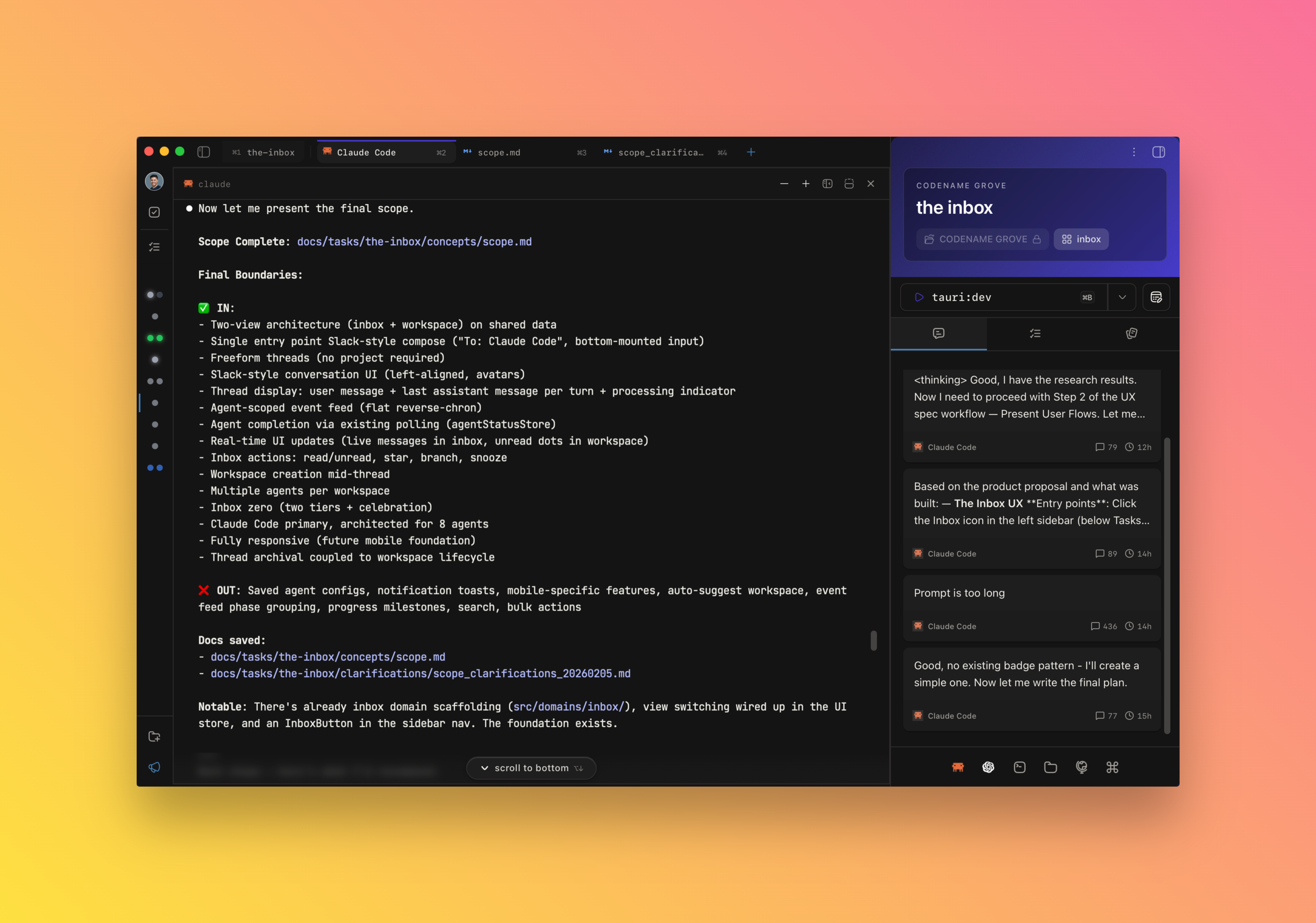
run one of the kickoff prompts in Claude Code - /spectre:scope is the main command for building new features, but also /spectre:kickoff for high ambiguity new features (includes web research), /spectre:research for codebase research "how might we build …” style Qs, or /spectre:ux to define user flows, components, and layout for a new feature.
follow the prompts/instructions to create the related canonical document and Claude Code will suggest the next step in the SPECTRE workflow automatically (e.g., going from scope to plan to tasks and so on)
turn off auto-compact in Claude Code settings (/config) and run /spectre:handoff when the context window is getting full, then run /clear to start the next session. (/spectre:forget when you are switching gears)
SPECTRE saves canonical docs to a docs/tasks/{topic}/specs directory, and status updates from /spectre:handoff to docs/tasks/{topic}/session_logs directory. We recommend keeping this directory checked into git to be able to reference docs in the future.
thats it. scope features, plan features, build features, clean up/test features, document features, learn from features, repeat.
AI coding is changing product development, but why is it that Claude Code can still go off the rails? Why is it that some developers claim AI has 100x'd their output, while others still complain about the quality of the code it generates?
Let me introduce you to a very simple concept that you need to drill into your head. With coding agents:
💀 AMBIGUITY IS DEATH.
When the scope, ux, and plan are ambiguous, you must rely on the LLM to fill in the blanks. And while sometimes you can get lucky - especially for smaller features - for any real technology or product work, ambiguity is how you end up with spaghetti code, conflicts, and AI slop.
LLMs need specificity. And typically, providing the right level of specificity is a lot of work. Just think about the most detailed spec or technical design you’ve ever written. Takes days and sometimes weeks.
BUT --- you can use LLMs to make it EASY to provide that specificity. And that is exactly what SPECTRE does.
npx claudepluginhub codename-inc/spectre --plugin spectreKnowledge capture and recall. Use /learn to save learnings, they'll be automatically recalled when relevant.
Contract-driven agentic coding workflow. caspar guides you through Scope, Plan, Execute, Clean, Test, Rebase, and Learn flows.
 Codename-Inc
A spec-driven development kit for Claude Code: the prompt-grill and dev-lifecycle skills plus a specs/ scaffold that takes you from a vague request to shipped, reviewed code.
 murilobauck
Spec-driven development using GitHub spec-kit methodology. Constitution-first approach with specify, plan, tasks, and implement phases.
 tzachbon
Full feature development workflow from spec to completion
 rohitg00
Use Claude Code As Is - native plugin leveraging built-in architecture
 Joncik91
Opinionated 5-phase development lifecycle for Claude Code — language-agnostic, repo-local bin/* delegation
 benkruger
PRD-driven AI dev team control plane for Claude Code — agents, skills, and a GitHub-first sprint workflow.
 pillip
'%20stop-opacity%3D'0.16'%2F%3E%3Cstop%20offset%3D'1'%20stop-color%3D'rgb(200%2C90%2C60)'%20stop-opacity%3D'0.03'%2F%3E%3C%2FlinearGradient%3E%3C%2Fdefs%3E%3Crect%20width%3D'320'%20height%3D'200'%20fill%3D'url(%23g)'%2F%3E%3Ccircle%20cx%3D'250'%20cy%3D'56'%20r%3D'92'%20fill%3D'rgb(200%2C90%2C60)'%20fill-opacity%3D'0.06'%2F%3E%3Ccircle%20cx%3D'64'%20cy%3D'172'%20r%3D'58'%20fill%3D'rgb(200%2C90%2C60)'%20fill-opacity%3D'0.05'%2F%3E%3C%2Fsvg%3E)