> A path control shows the file system path of a selected file or folder.
Generates macOS path controls that display file system paths for selected files or folders.
/plugin marketplace add shepherdjerred/monorepo/plugin install jerred@shepherdjerredPath controls | Apple Developer Documentation
A path control shows the file system path of a selected file or folder.
Source: https://developer.apple.com/design/human-interface-guidelines/path-controls
Path controls
A path control shows the file system path of a selected file or folder.
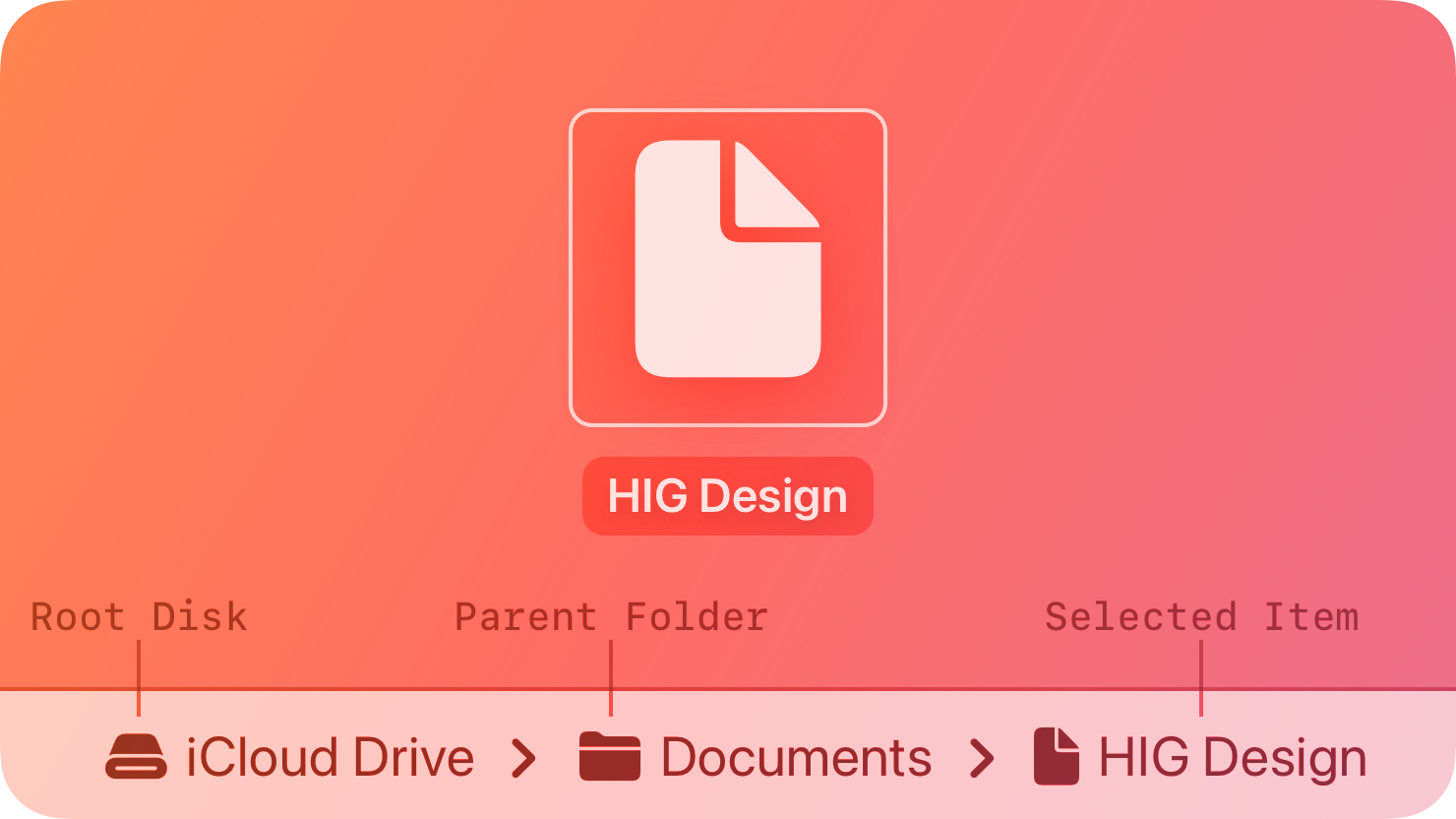
For example, choosing View > Show Path Bar in the Finder displays a path bar at the bottom of the window. It shows the path of the selected item, or the path of the window’s folder if nothing is selected.
There are two styles of path control.

Standard. A linear list that includes the root disk, parent folders, and selected item. Each item appears with an icon and a name. If the list is too long to fit within the control, it hides names between the first and last items. If you make the control editable, people can drag an item onto the control to select the item and display its path in the control.

Pop up. A control similar to a pop-up button that shows the icon and name of the selected item. People can click the item to open a menu containing the root disk, parent folders, and selected item. If you make the control editable, the menu contains an additional Choose command that people can use to select an item and display it in the control. They can also drag an item onto the control to select it and display its path.
Best practices
Use a path control in the window body, not the window frame. Path controls aren’t intended for use in toolbars or status bars. Note that the path control in the Finder appears at the bottom of the window body, not in the status bar.
Platform considerations
Not supported in iOS, iPadOS, tvOS, visionOS, or watchOS.
Resources
Related
Developer documentation
NSPathControl — AppKit
Similar Agents
Use this agent to verify that a Python Agent SDK application is properly configured, follows SDK best practices and documentation recommendations, and is ready for deployment or testing. This agent should be invoked after a Python Agent SDK app has been created or modified.
Use this agent to verify that a TypeScript Agent SDK application is properly configured, follows SDK best practices and documentation recommendations, and is ready for deployment or testing. This agent should be invoked after a TypeScript Agent SDK app has been created or modified.
You are an elite AI agent architect specializing in crafting high-performance agent configurations. Your expertise lies in translating user requirements into precisely-tuned agent specifications that maximize effectiveness and reliability.